CurseForge · Minecraft mod
Game designer Tool
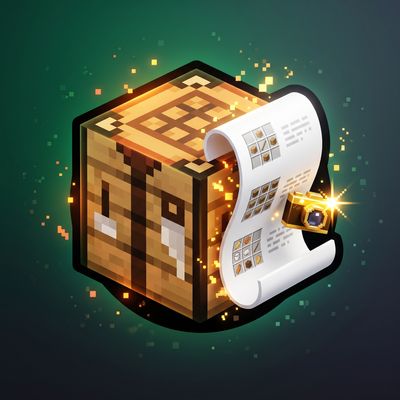
Export all in-game crafting, smelting, and stonecutting recipes into printable A4 PNG sheets and a single PDF with one keybind or command.
Quick answer
Which Game designer Tool release should I use?
Game designer Tool NeoForge1.21.1RecipeSheet1.6.0.jar targets 1.21.1 with NeoForge. The project page does not say whether this file belongs on the client, dedicated server, or both. No extra mods listed for this file.
Where it goes
Is Game designer Tool required on the client, server, or both?
The project page does not say whether this file belongs on the client, dedicated server, or both.
The source does not explicitly classify this release as client-only or server-only.
What else does Game designer Tool NeoForge1.21.1RecipeSheet1.6.0.jar need?
NeoForge1.21.1RecipeSheet1.6.0.jar. Change the file and its required mods may change too.
This file does not list any required mods. Do not add a library just because a different file uses it.
This file does not list any required or optional mods.
Before you install it
Add Game designer Tool without breaking your instance.
Built for Game designer Tool NeoForge1.21.1RecipeSheet1.6.0.jar. Pick another file and the loader, install side or required mods may change.
- 01
Stick to this file
Use NeoForge1.21.1RecipeSheet1.6.0.jar. It targets 1.21.1 with NeoForge; another release may have different loader, side or dependency requirements.
- 02
Bring the mods it needs
This file does not list any required mods. Do not add a library just because a different file uses it.
- 03
Put it on the correct side
The project page does not say whether this file belongs on the client, dedicated server, or both.
- 04
Pick the file you checked
Use the “Get this file” button beside NeoForge1.21.1RecipeSheet1.6.0.jar. It opens that exact file at the source.
About this project
What does Game designer Tool add?
Main Description
Overview
RecipeSheet automatically reads all loaded recipes in your world and arranges them into clean, high-resolution A4 recipe sheets. Both mod authors showcasing their projects and players building offline recipe books can generate ready-to-share PNG pages and a combined PDF document straight from the game.
How to Use
Join any world and press F8 (customizable in Controls) to export all loaded recipes at once, or press it again to cancel.
Run the /recipesheet command to export everything, or use /recipesheet followed by a mod ID to export recipes from a single mod.
Open the recipe_export folder inside your Minecraft directory to view the multi-page PNG images and the combined recipes.pdf file.
Project description from CurseForge.
Pick your setup
Game designer Tool by Minecraft version and loader
Choose the version and loader you play, then open the matching release.
1.21.1
4 loader buildsCheck the dependencies, then try the file in a copied instance before changing a world you care about.
Recent files
Game designer Tool versions and loaders
NeoForge1.21.1RecipeSheet1.6.0.jar
26 Nov 2026
Forge1.21.1RecipeSheet1.6.0.jar
26 Nov 2026
Fabric1.21.1RecipeSheet1.6.0.jar
26 Nov 2026
NeoForge26.3RecipeSheet1.6.0.jar
26 Nov 2026
Forge26.3RecipeSheet1.6.0.jar
26 Nov 2026
Fabric26.3RecipeSheet1.6.0.jar
26 Nov 2026
Fabric1.21.1RecipeSheet1.4.0.jar
25 Nov 2026
Fabric1.21.1RecipeSheet1.3.1.jar
25 Nov 2026
Fabric1.21.1RecipeSheet1.3.0.jar
25 Nov 2026
Fabric1.21.1RecipeSheet1.2.0.jar
25 Nov 2026
Fabric1.21.1RecipeSheet1.1.0.jar
25 Nov 2026
Fabric1.21.1RecipeSheet1.0.0.jar
25 Nov 2026
Looking for an older file? The official CurseForge project page is in Resources.