Minecraft version
Back to mods 
CurseForge · Minecraft mod
Trade Lens
See villager trades without opening them, search your trading hall by enchantment and get guided to the villager you need.
Choose a version Pick your version below, then grab the matching file.
Quick answer
Which Trade Lens release should I use?
Latest stable file tradelens-1.0.2.jar
Game version 26.3
Loader NeoForge
Trade Lens tradelens-1.0.2.jar targets 26.3 with NeoForge. The project page does not say whether this file belongs on the client, dedicated server, or both. No extra mods listed for this file.
Where it goes
Is Trade Lens required on the client, server, or both?
The project page does not say whether this file belongs on the client, dedicated server, or both.
Client Source doesn’t say
Dedicated server Source doesn’t say
Loader for this release NeoForge
Required install it here Optional supported, not mandatory Not supported do not install here Source doesn’t say do not assume
The source does not explicitly classify this release as client-only or server-only.
What else does Trade Lens tradelens-1.0.2.jar need?
tradelens-1.0.2.jar. Change the file and its required mods may change too.
This file does not list any required mods. Do not add a library just because a different file uses it.
This file does not list any required or optional mods.
Before you install it
Add Trade Lens without breaking your instance.
Built for Trade Lens tradelens-1.0.2.jar. Pick another file and the loader, install side or required mods may change.
- 01
Stick to this file
Use tradelens-1.0.2.jar. It targets 26.3 with NeoForge; another release may have different loader, side or dependency requirements.
- 02
Bring the mods it needs
This file does not list any required mods. Do not add a library just because a different file uses it.
- 03
Put it on the correct side
The project page does not say whether this file belongs on the client, dedicated server, or both.
- 04
Pick the file you checked
Use the “Get this file” button beside tradelens-1.0.2.jar. It opens that exact file at the source.
About this project
What does Trade Lens add?
Trade Lens
See what your villagers sell without opening them, and find the one you need in seconds.
Look at a villager to see its trades, or open the finder to search your whole trading hall for an enchantment and get guided straight to it.
Features
- Trade lens: look at a villager and its trades appear on screen: price → result, enchantment names on books, sold-out trades marked.
- Villager finder (press K): every villager around you, sorted by distance with a direction arrow. Search by trade, e.g. "mending".
- One-click profession filter: a bar of job-site icons (lectern for librarians, blast furnace for armorers...).
- Enchantment catalog view: every enchantment on offer in one grid, with how many villagers sell it, the best price and the nearest seller. Click one to go to the closest villager selling it.
- Find it: pick a villager and it glows through walls (only for you) while an arrow under the crosshair shows the way, distance and height.
- Leveled-up warning: if a villager levels up after you saw its trades, Trade Lens tells you to open it again to see the new ones.
- Librarian rerolls: in singleplayer, break and replace the lectern and see the new book without opening the villager.
- Customizable lens: three detail styles (full, results only, icons only), any corner or drag it anywhere, size 1-5, max trades and range sliders.
- Every option has a tooltip explaining what it does.
How it gets the trades
Minecraft only sends a villager's trades to your game when you open it. Trade Lens works in two ways:
- Client only (any server, even vanilla): open each villager once and its trades are remembered per world/server. The finder can sort by or hide villagers you have not opened yet.
- Server with Trade Lens (or singleplayer, where it is always the case): the server shares the trades of villagers near you automatically. Nothing to open.
The network channel is optional: you can join servers without the mod, and players without the mod can join a server that has it.
Works with PC Music
If you also use PC Music, the lens moves out of the way of its now-playing card so they never overlap.
Requirements
- NeoForge for Minecraft 26.3.
- Client side. Install it on the server too if you want trades shared automatically.
Settings
Press K and click the gear icon, or go to Mods > Trade Lens > Config. Key bindings are under Controls > Trade Lens.
Source code: https://github.com/Pantunfla12/trade-lens
Project description from CurseForge.
Pick your setup
Trade Lens by Minecraft version and loader
Choose the version and loader you play, then open the matching release.
Check the dependencies, then try the file in a copied instance before changing a world you care about.
Recent files
Trade Lens versions and loaders
tradelens-1.0.2.jar
29 Nov 2026
Client Source doesn’t say Server Source doesn’t say Dependencies No extras listed Listed on Release listing
Check the 26.3 · NeoForge setup NeoForge26.3 release
Trade Lens 1.0.1
tradelens-1.0.1.jar
28 Nov 2026
Client Source doesn’t say Server Source doesn’t say Dependencies No extras listed Listed on Release listing
Check the 26.3 · NeoForge setup NeoForge26.3 release
Trade Lens 1.0.0
tradelens-1.0.0.jar
28 Nov 2026
Client Source doesn’t say Server Source doesn’t say Dependencies No extras listed Listed on Release listing
Check the 26.3 · NeoForge setup NeoForge26.3 release
Looking for an older file? The official CurseForge project page is in Resources.
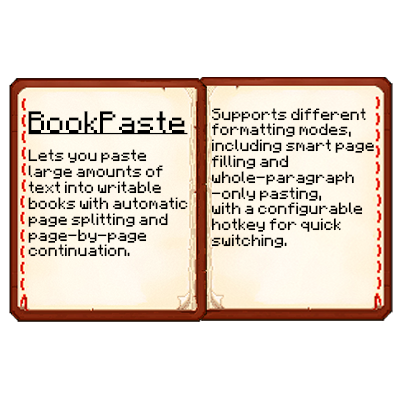 mod
CurseForge + Modrinth · Minecraft
BookPaste
Paste large texts into writable books and signs with automatic page splitting
 mod
CurseForge + Modrinth · Minecraft
Plague's Chat Timestamps
A Minecraft mod that adds customizable timestamps to chat!
 mod
CurseForge · Minecraft
Team menu
A menu modification that allows for team creation, perfect for players who enjoy gaming with friends and wish to divide into teams.