AudioPlayer Optional for Sculk Radio 1.0.0+26.2
optionalMatching file found Matched file: fabric-2.4.0+26.2

Modrinth · Minecraft mod
Use the power of Sculk to stream music, redstone, and voice chat across your world.
Quick answer
Sculk Radio 1.0.0+26.2 targets 26.2 with Fabric. Do not install it on the client. It must be installed on the dedicated server. All 1 required mods have matching files.
Where it goes
Do not install it on the client. It must be installed on the dedicated server.
This file is marked server-only.
1.0.0+26.2. Change the file and its required mods may change too.
Install Fabric API first. We found matching files for this game-version and loader setup. 10 come through another mod in the chain.
10 extra mods were pulled in by other dependencies. Indented rows show who needs each one. We only count dependency files that match this setup. A file for another loader does not fill the gap.
Before you install it
Built for Sculk Radio 1.0.0+26.2. Pick another file and the loader, install side or required mods may change.
Use 1.0.0+26.2. It targets 26.2 with Fabric; another release may have different loader, side or dependency requirements.
Install Fabric API first. We found matching files for this game-version and loader setup. 10 come through another mod in the chain.
Do not install it on the client. It must be installed on the dedicated server.
Use the “Get this file” button beside 1.0.0+26.2. It opens that exact file at the source.
About this project
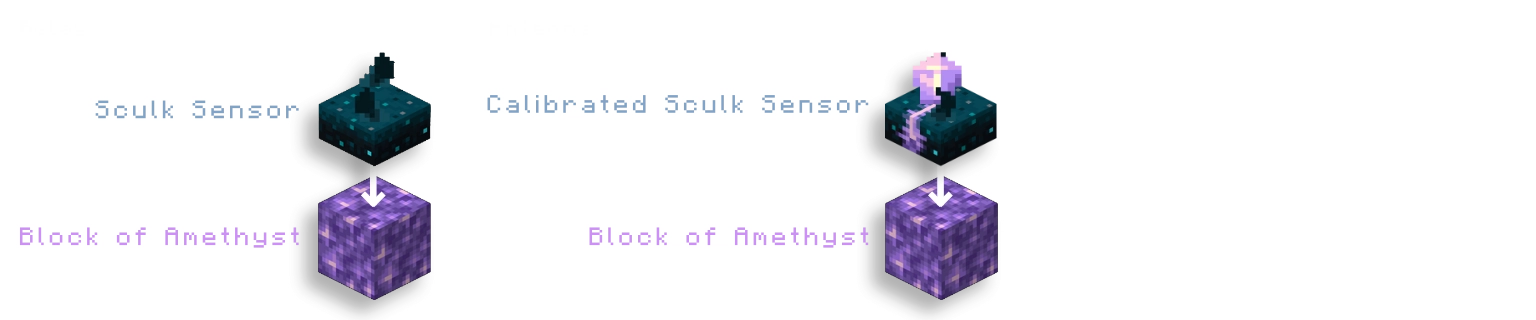
A network is built out of 'nodes', which connect with other nodes in range (16 blocks by default).
These nodes are multiblocks with a Sculk block as top.
To connect all other nodes together to create and interconnect networks.
A relay acts as a repeater of a stream, connecting source and receiver nodes together.
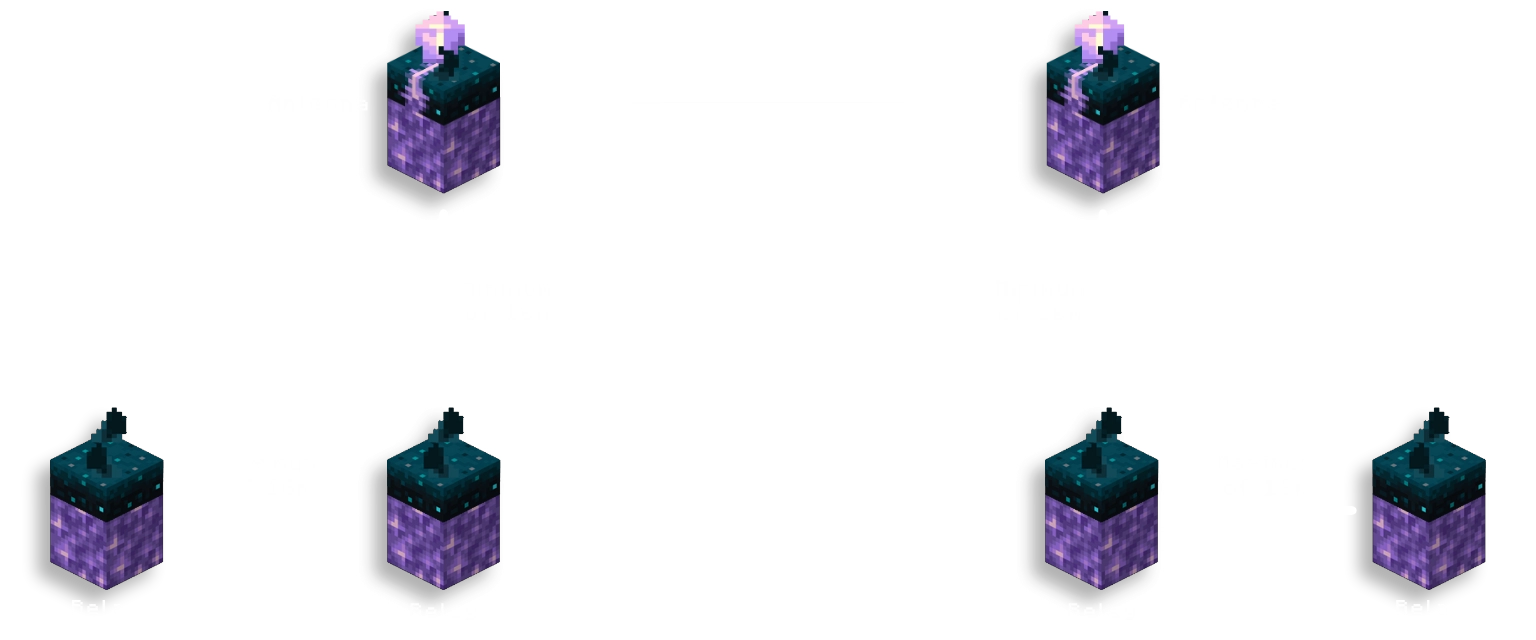
An antenna can connect different networks together over a frequency.
For an antenna to function, it needs to be placed directly above a relay with a minimum distance instead of a maximum (16 blocks by default).
An amethyst shard can be used to tune an antenna by right-clicking it.
- If either the shard or the antenna has a frequency, it will be copied over to the other.
- If neither have a frequency, a random new frequency will be tuned to both.
An analog redstone signal can be input into the calibrated sculk sensor to set that as frequency.
Can be disabled in config file
Stream vanilla or voice chat audio across sculk networks.
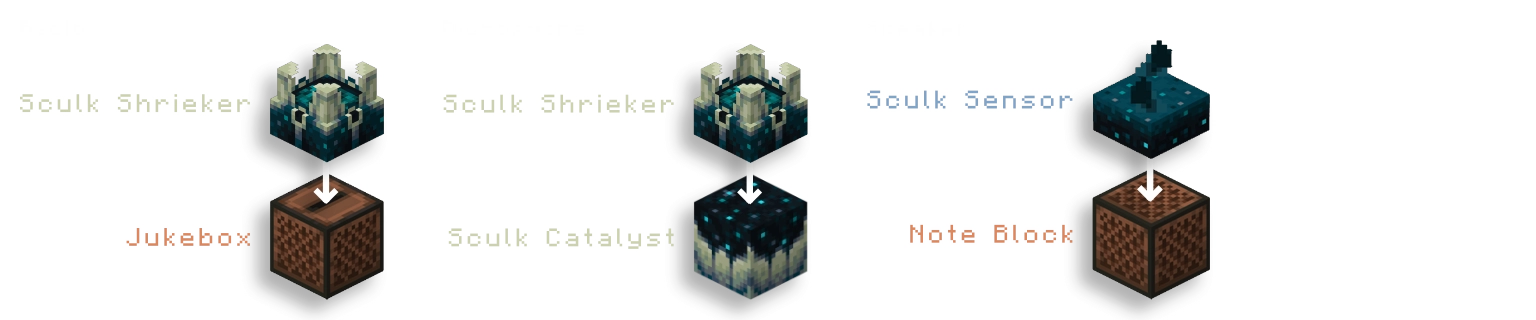
A radio will stream the audio of any music disc into an audio stream instead of playing it themselves.
A radio also streams the redstone signals it outputs, both normal and analog strengths.
requires Simple Voice Chat
A microphone will stream the voice chat of any player
within range (8 blocks by default) into an audio stream as long as it is powered by redstone.
A microphone streams a redstone signal of 15 while active, and an analog redstone signal based on the amount of people are speaking in range.
Can be disabled in config file
A speaker outputs all audio from audio streams it receives.
Outputs the highest redstone signal from the streams it's playing.
Stream redstone signals across sculk networks.
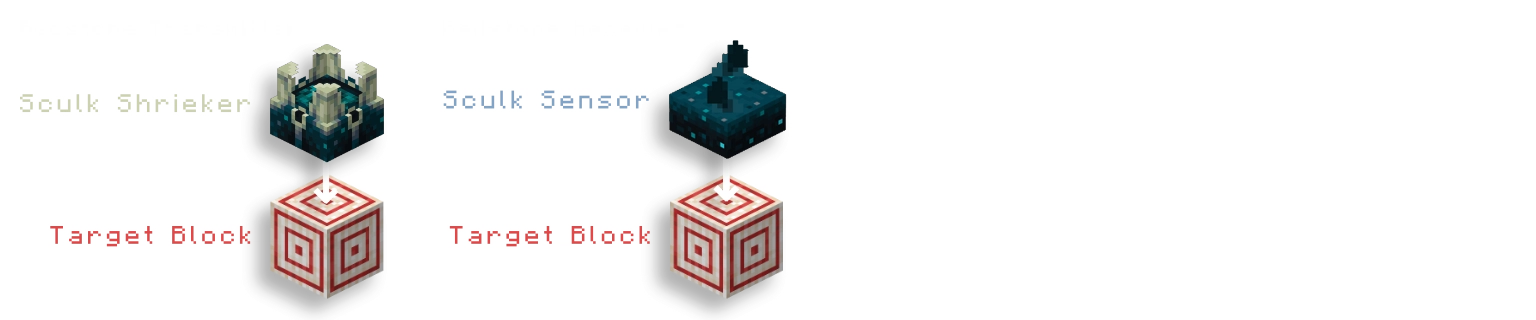
A redstone transmitter will stream the highest redstone
signal going into the target block into a redstone stream.
Can be disabled in config file
A redstone receiver outputs the strongest redstone power from receiving redstone streams.
Can be disabled in config file
disabled by defaultStream entities across sculk networks for teleportation.
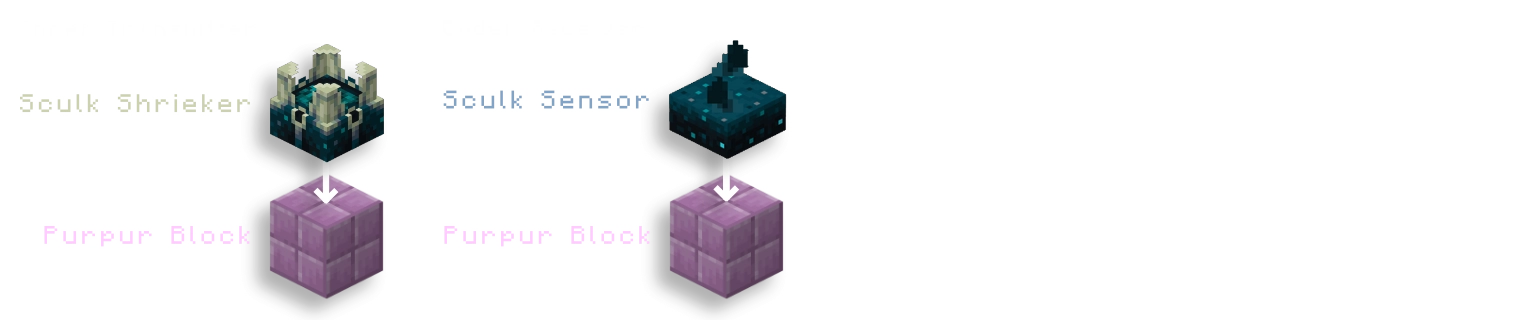
An ender transmitter will stream any entities in range (2 blocks) into a teleport stream
as long as it is powered by redstone.
Can be enabled in config file
An ender receiver will teleport any entity from a teleport stream towards itself.
Can be enabled in config file
While it works without it, it is recommended to use Sculk Radio alongside
Simple Voice Chat and AudioPlayer by henkelmax
to get the most use out of its features.
Explicit support has been added for More Jukebox/Noteblock Variants by LieOn Studios
Music Discs added by mods should work exactly the same as any vanilla disc.
On its own, the mod will not create a config file.
To change settings, you need to install Fzzy Config.
To load changes to the config file, you can use the vanilla /reload command.
Some config options are labelled with
[Requires restart], these can not be reloaded using the command.
Project description from Modrinth.
Pick your setup
Choose the version and loader you play, then open the matching release.
Check the dependencies, then try the file in a copied instance before changing a world you care about.
Recent files
SculkRadio-1.0.0+26.2.jar
19 Aug 2026
SculkRadio-1.0.0-rc-1+26.2.jar
5 Aug 2026
SculkRadio-0.4.0+26.2.jar
1 Jul 2026
SculkRadio-0.4.0+26.1.2.jar
12 Apr 2026
SculkRadio-0.4.0+26.1.1.jar
8 Apr 2026
SculkRadio-0.3.9-frequencies+1.21.11.jar
21 Mar 2026
SculkRadio-0.3.9+1.21.11.jar
21 Mar 2026
SculkRadio-0.3.8-frequencies+1.21.11.jar
28 Feb 2026
SculkRadio-0.3.8+1.21.11.jar
27 Feb 2026
SculkRadio-0.3.7+1.21.11.jar
1 Feb 2026
SculkRadio-0.3.6-audiodisc+1.21.9.jar
24 Jan 2026
SculkRadio-0.3.5+1.21.11.jar
31 Dec 2025
Looking for an older file? The official Modrinth project page is in Resources.
 mod
modReduces the flame texture size on burning arrows and mobs.
 mod
modShows a warning in-game when OBS is not recording.
 mod
modRegister MCDR commands in Minecraft for completion.