Minecraft version
Back to mods 
Modrinth · Minecraft mod
Quicker Connect Button
Adds a connect button to the main menu for quickly connecting to servers.
Choose a version Pick your version below, then grab the matching file.
Quick answer
Which Quicker Connect Button release matches 1.20.1 Forge?
Best match for your filters 1.0.1
Game version 1.20, 1.20.1, 1.20.2
Loader Forge, NeoForge
Quicker Connect Button 1.0.1 targets 1.20, 1.20.1, 1.20.2 with Forge, NeoForge. It must be installed on the client. Do not install it on the dedicated server. No extra mods listed for this file.
Where it goes
Is Quicker Connect Button required on the client, server, or both?
It must be installed on the client. Do not install it on the dedicated server.
Client Required
Dedicated server Not supported
Loader for this release Forge, NeoForge
Required install it here Optional supported, not mandatory Not supported do not install here Source doesn’t say do not assume
This file is marked client-only.
What else does Quicker Connect Button 1.0.1 need?
1.0.1 on 1.20.1 Forge. Every mod below is checked against that same setup.
This file does not list any required mods. Do not add a library just because a different file uses it.
This file does not list any required or optional mods.
Before you install it
Add Quicker Connect Button without breaking your instance.
Built for Quicker Connect Button 1.0.1 on 1.20.1 Forge. Pick another file and the loader, install side or required mods may change.
- 01
Stick to this file
Use 1.0.1. It targets 1.20, 1.20.1, 1.20.2 with Forge, NeoForge; another release may have different loader, side or dependency requirements.
- 02
Bring the mods it needs
This file does not list any required mods. Do not add a library just because a different file uses it.
- 03
Put it on the correct side
It must be installed on the client. Do not install it on the dedicated server.
- 04
Pick the file you checked
Use the “Get this file” button beside 1.0.1. It opens that exact file at the source.
About this project
What does Quicker Connect Button add?
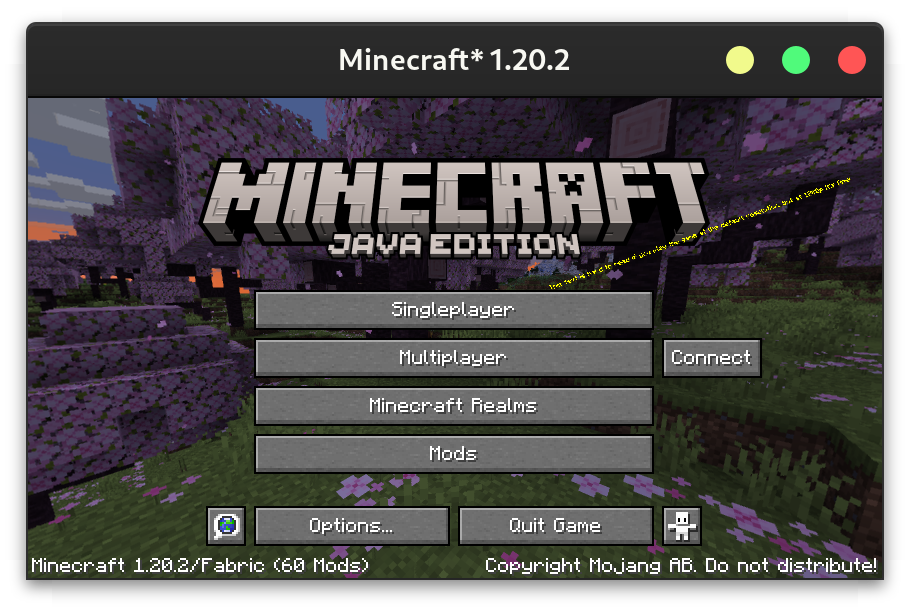
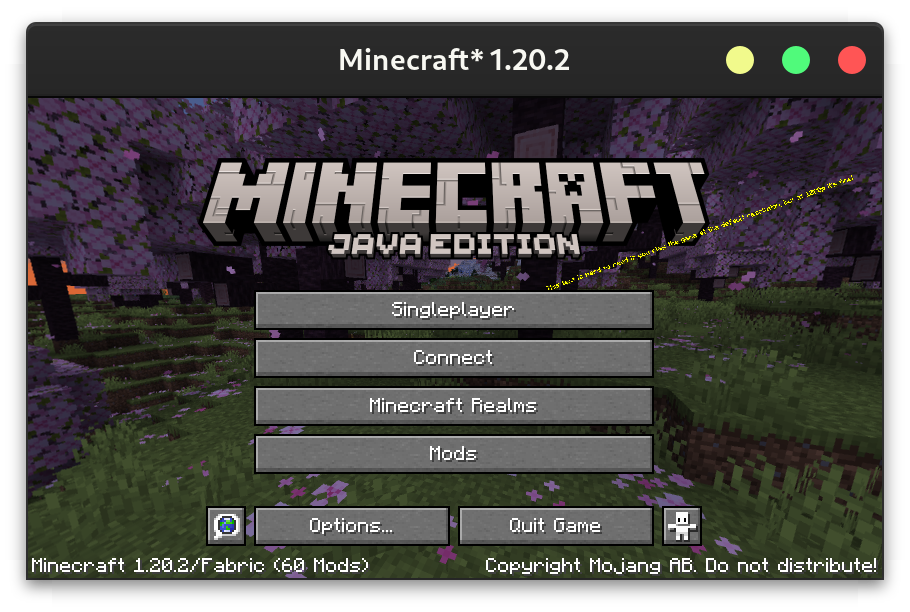
Download on CurseForge or Modrinth.
Configuration
The config can either be changed through a GUI (using Mod Menu on Fabric or the config button on Forge), or directly at config/quickerconnectbutton.json5. The GUI contains tooltips explaining each option.
{
  /* Leave empty to disable the quick connect button
     - default: \"\"
  */
  ip: "localhost",
  /* - default: 25565
     - must be between 0.0 and 65535.0
  */
  port: 25565,
  /* Where to place the connect button
     - default: RIGHT
     - must be one of: RIGHT, REPLACE_MULTIPLAYER_BUTTON, REPLACE_SINGLEPLAYER_BUTTON, REPLACE_REALMS_BUTTON
  */
  buttonLocation: "REPLACE_MULTIPLAYER_BUTTON",
  /* The text to display on the button. Leave empty to use "Connect".
     - default: \"\"
  */
  text: "Connect to an Awesome Server",
  /* What to do if the server has a resource pack.
     - default: PROMPT
     - must be one of: ENABLED, DISABLED, PROMPT
  */
  resourcePackBehaviour: "ENABLED"
}
Project description from Modrinth.
Pick your setup
Quicker Connect Button by Minecraft version and loader
Choose the version and loader you play, then open the matching release.
Minecraft version
1.21
2 loader buildsMinecraft version
1.20.6
2 loader buildsMinecraft version
1.20.4
4 loader buildsMinecraft version
1.20.2
4 loader buildsMinecraft version
1.20.1
4 loader buildsMinecraft version
1.20
4 loader buildsCheck the dependencies, then try the file in a copied instance before changing a world you care about.
Recent files
Quicker Connect Button versions and loaders
1.0.1
Quicker Connect Button-forge-1.20.1-1.0.1.jar
8 Aug 2023
Client Required Server Not supported Dependencies No extras listed Listed on Release listing
Check the 1.20.1 · Forge setup 1.201.20.11.20.2Forge release
1.0.0
Quicker Connect Button-forge-1.20.1-1.0.0.jar
2 Aug 2023
Client Required Server Not supported Dependencies No extras listed Listed on Release listing
Check the 1.20.1 · Forge setup 1.20.1ForgeNeoForge release
Looking for an older file? The official Modrinth project page is in Resources.
 mod
mod Modrinth · Minecraft
Structure Gel API
An API for simplifying the developer end of creating generated structures.
 mod
mod Modrinth · Minecraft
XaeroPlus
Xaero WorldMap / Minimap Extra Features
 mod
mod Modrinth · Minecraft
NPCPremium
NPCPremium is a configurable NPC mod for Minecraft. It adds persistent player-like NPCs with custom skins, formatted name/subname, right-click actions, placeholders, messages, sounds, a full in-game editor GUI and real EMOTES. Created by zJuqni