Albedo Optional for OpenLights-MC1.12.2-0.1.0.8.jar
optionalMatching file found Matched file: albedo-1.12.2-1.1.0.jar

CurseForge · Minecraft mod
Color changing lights for OpenComputers
Quick answer
OpenLights-MC1.12.2-0.1.0.8.jar targets 1.12.2. The project page does not say whether this file belongs on the client, dedicated server, or both. All 1 required mods have matching files.
Where it goes
The project page does not say whether this file belongs on the client, dedicated server, or both.
The source does not explicitly classify this release as client-only or server-only.
OpenLights-MC1.12.2-0.1.0.8.jar. Change the file and its required mods may change too.
Install OpenComputers first. We found matching files for this game-version and loader setup.
We only count dependency files that match this setup. A file for another loader does not fill the gap.
Before you install it
Built for OpenLights-MC1.12.2-0.1.0.8.jar. Pick another file and the loader, install side or required mods may change.
Use OpenLights-MC1.12.2-0.1.0.8.jar. It targets 1.12.2; another release may have different loader, side or dependency requirements.
Install OpenComputers first. We found matching files for this game-version and loader setup.
The project page does not say whether this file belongs on the client, dedicated server, or both.
Use the “Get this file” button beside OpenLights-MC1.12.2-0.1.0.8.jar. It opens that exact file at the source.
About this project
This addon for OpenComputers adds a light block that you can set the color/brightness on from OpenComputers.
1.7.10 versions if you have the ColoredLight mod the light will also cast colored lighting in your world
1.12.2 builds have support for Albedo and Mirage colored lighting, be aware that they can not be used simultaneously!
optional OpenLights Controller Addon Mod

.
Project description from CurseForge.
Pick your setup
Choose the version and loader you play, then open the matching release.
Check the dependencies, then try the file in a copied instance before changing a world you care about.
Recent files
2 Sept 2019
OpenLights-MC1.7.10-OC1.4-0.1.0.22.jar
29 Oct 2015
Looking for an older file? The official CurseForge project page is in Resources.
 mod
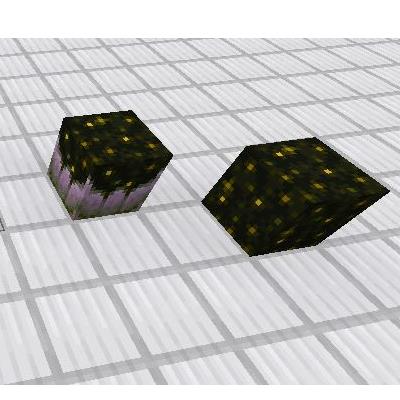
Sculck Catalyst and Sculck Block backported to 1.12.2.
 mod
Adds one skill to the base mod's remote: a small sun falls onto your crosshair. Ember-night sky, a slanted descent, a cutscene, sky title, a molten crater, eight impact frames. Requires the projects under Dependencies.
 mod
This mod categorizes items in Minecraft into six types of Elemenix. Using a variety of mysterious instruments, players can deconstruct items into Elemenix and then reconstruct them into other items.