LunatriusCore Needed by Schematica-1.12.2-1.8.0.169-universal.jar
requiredMatching file found Matched file: LunatriusCore-1.12.2-1.2.0.42-universal.jar
CurseForge · Minecraft mod
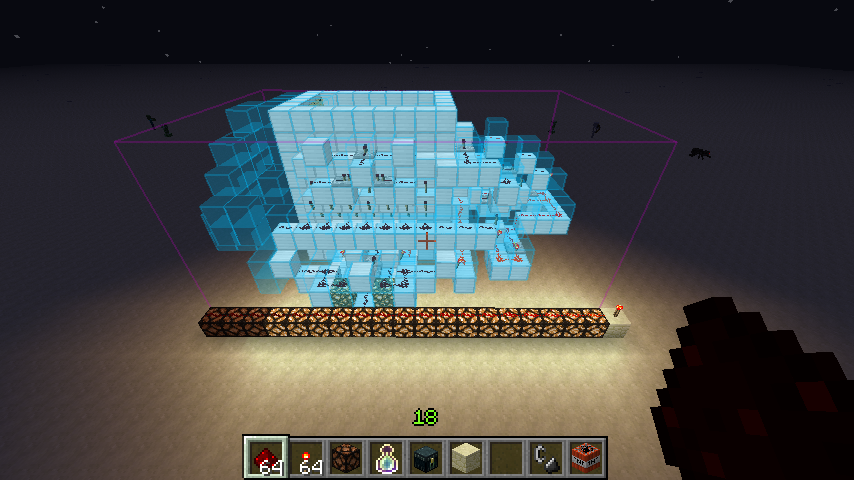
Display ghost structures and export parts of your world, all inside Minecraft!
Quick answer
Schematica-1.12.2-1.8.0.169-universal.jar targets 1.12.2. The project page does not say whether this file belongs on the client, dedicated server, or both. All 1 required mods have matching files.
Where it goes
The project page does not say whether this file belongs on the client, dedicated server, or both.
The source does not explicitly classify this release as client-only or server-only.
Schematica-1.12.2-1.8.0.169-universal.jar. Change the file and its required mods may change too.
Install LunatriusCore first. We found matching files for this game-version and loader setup.
We only count dependency files that match this setup. A file for another loader does not fill the gap.
Before you install it
Built for Schematica-1.12.2-1.8.0.169-universal.jar. Pick another file and the loader, install side or required mods may change.
Use Schematica-1.12.2-1.8.0.169-universal.jar. It targets 1.12.2; another release may have different loader, side or dependency requirements.
Install LunatriusCore first. We found matching files for this game-version and loader setup.
The project page does not say whether this file belongs on the client, dedicated server, or both.
Use the “Get this file” button beside Schematica-1.12.2-1.8.0.169-universal.jar. It opens that exact file at the source.
About this project
The mod allows you to display a hologram, loaded from a schematic file, for easier rebuilding. You can also save your creations to schematic files and share them.
Modpacks: you can freely include any of the mods in your mod pack if the modpack is free (public or private). Mentioning me as the author is appreciated but not required.
Youtube/Streaming: you can monetize any videos you produce with the mod.
Project description from CurseForge.
Pick your setup
Choose the version and loader you play, then open the matching release.
Check the dependencies, then try the file in a copied instance before changing a world you care about.
Recent files
22 Apr 2018
6 Jan 2018
28 Nov 2017
20 Nov 2017
11 Oct 2017
27 Aug 2017
20 Aug 2017
25 Jul 2017
2 Apr 2017
23 Feb 2017
16 Feb 2017
1 Feb 2017
Looking for an older file? The official CurseForge project page is in Resources.
 mod
modBring game night to Minecraft with over 20 board, card and dice games, including Chess, Poker, Blackjack, Mahjong, Checkers, Go and Solitaire.
 mod
modTempest Almanac brings magic weather to the Overworld. Seven phenomena follow the seasons. Each has its own sky, sounds and particles, dangers you can always avoid, and rewards you can only get from it.
 mod
modTurn portals into CONTINUOUS pathways.