Minecraft version
Back to mods 
CurseForge · Minecraft mod
AutoBomb
Special Minecraft Mod with BOMBS!
Choose a version Pick your version below, then grab the matching file.
Quick answer
Which AutoBomb release should I use?
Latest stable file http://mccraftingmods.weebly.com/download-autobomb-mod.html
Game version 1.7.10
Loader Not required
AutoBomb http://mccraftingmods.weebly.com/download-autobomb-mod.html targets 1.7.10. The project page does not say whether this file belongs on the client, dedicated server, or both. No extra mods listed for this file.
Where it goes
Is AutoBomb required on the client, server, or both?
The project page does not say whether this file belongs on the client, dedicated server, or both.
Client Source doesn’t say
Dedicated server Source doesn’t say
Loader for this release No loader listed
Required install it here Optional supported, not mandatory Not supported do not install here Source doesn’t say do not assume
The source does not explicitly classify this release as client-only or server-only.
What else does AutoBomb http://mccraftingmods.weebly.com/download-autobomb-mod.html need?
http://mccraftingmods.weebly.com/download-autobomb-mod.html. Change the file and its required mods may change too.
This file does not list any required mods. Do not add a library just because a different file uses it.
This file does not list any required or optional mods.
Before you install it
Add AutoBomb without breaking your instance.
Built for AutoBomb http://mccraftingmods.weebly.com/download-autobomb-mod.html. Pick another file and the loader, install side or required mods may change.
- 01
Stick to this file
Use http://mccraftingmods.weebly.com/download-autobomb-mod.html. It targets 1.7.10; another release may have different loader, side or dependency requirements.
- 02
Bring the mods it needs
This file does not list any required mods. Do not add a library just because a different file uses it.
- 03
Put it on the correct side
The project page does not say whether this file belongs on the client, dedicated server, or both.
- 04
Pick the file you checked
Use the “Get this file” button beside http://mccraftingmods.weebly.com/download-autobomb-mod.html. It opens that exact file at the source.
About this project
What does AutoBomb add?
This mod can be used in PVP by committing suicide, but by killing other players within a certain radius such as 100, 150 and 200 blocks!
This mod contains
- A new block
- A new weapon (gun)
- 3 new object that exploded within a certain radius
-A new type of food
-A new CRACHING item!
Images
{width=30 height=67}
{width=30 height=40}
{width=16 height=30}
{width=16 height=51}{width=16 height=34}{width=30 height=37}
Downloads
https://www.dropbox.com/s/1rqh2huk8sqrme2/Auto Bomb [1.7.10].zip?dl=0
Project description from CurseForge.
Pick your setup
AutoBomb by Minecraft version and loader
Choose the version and loader you play, then open the matching release.
Check the dependencies, then try the file in a copied instance before changing a world you care about.
Recent files
AutoBomb versions and loaders
http://mccraftingmods.weebly.com/download-autobomb-mod.html
Auto Bomb [1.7.10].zip
23 Nov 2014
Client Source doesn’t say Server Source doesn’t say Dependencies No extras listed Listed on Release listing
Check the 1.7.10 setup 1.7.10 release
http://mccraftingmods.weebly.com/download-autobomb-mod.html
Auto Bomb [1.7.10].zip
23 Nov 2014
Client Source doesn’t say Server Source doesn’t say Dependencies No extras listed Listed on Release listing
Check the 1.7.10 setup 1.7.10 release
Looking for an older file? The official CurseForge project page is in Resources.
 mod
CurseForge · Minecraft
Astra equipment
Adds Astra, a legendary End-forged material with powerful armor, a lightning-fast pickaxe, a spear, a scepter, and a rare ore found deep in The End.
 mod
CurseForge · Minecraft
CyberFarm
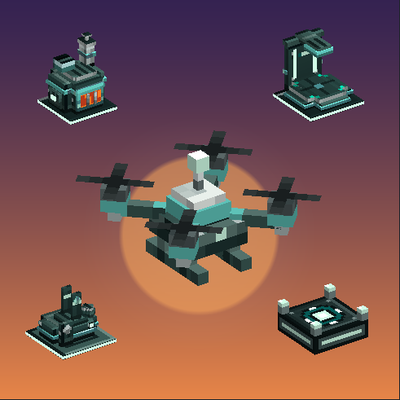
Modular drones that farm, mine, build and defend your base, powered from biogas up to a nuclear reactor. At the end, a mech you pilot.
 mod
CurseForge · Minecraft
Simple Login spm
SimpleLogin is a mod that provides a secure login and registration system. It uses SQLite for storage and BCrypt for password hashing.