Minecraft version
Back to mods 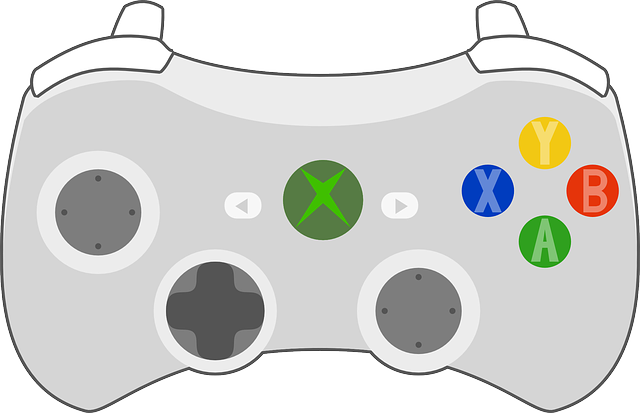
CurseForge · Minecraft mod
MCGamepad
Adds gamepad controller support to Minecraft.
Choose a version Pick your version below, then grab the matching file.
Quick answer
Which MCGamepad release matches 1.8?
Best match for your filters 1.0
Game version 1.8, 1.8.1
Loader Not required
MCGamepad 1.0 targets 1.8, 1.8.1. The project page does not say whether this file belongs on the client, dedicated server, or both. No extra mods listed for this file.
Where it goes
Is MCGamepad required on the client, server, or both?
The project page does not say whether this file belongs on the client, dedicated server, or both.
Client Source doesn’t say
Dedicated server Source doesn’t say
Loader for this release No loader listed
Required install it here Optional supported, not mandatory Not supported do not install here Source doesn’t say do not assume
The source does not explicitly classify this release as client-only or server-only.
What else does MCGamepad 1.0 need?
1.0 on 1.8. Every mod below is checked against that same setup.
This file does not list any required mods. Do not add a library just because a different file uses it.
This file does not list any required or optional mods.
Before you install it
Add MCGamepad without breaking your instance.
Built for MCGamepad 1.0 on 1.8. Pick another file and the loader, install side or required mods may change.
- 01
Stick to this file
Use 1.0. It targets 1.8, 1.8.1; another release may have different loader, side or dependency requirements.
- 02
Bring the mods it needs
This file does not list any required mods. Do not add a library just because a different file uses it.
- 03
Put it on the correct side
The project page does not say whether this file belongs on the client, dedicated server, or both.
- 04
Pick the file you checked
Use the “Get this file” button beside 1.0. It opens that exact file at the source.
About this project
What does MCGamepad add?
MCGamepad is a small Forge mod that uses the LWJGL JInput bindings to provide gamepad controls to Minecraft. Currently the mod only correctly XInput-like controllers (including those provided by the ScpServer PS3 and PS4 bluetooth controller interface on Windows) and has no button reconfiguration options. The mod is being developed for the Forge beta for 1.8. Forge for 1.8 is required.
You can use the mod on any platform that JInput has modules for, but the mod is only tested for Windows. Future versions may alternatively use an XInput binding for rumble support on Windows.
Controls
Ingame:
- Left stick to move, Right Stick to look. Looking is accelerated (acceleration curve will be configurable in future versions).
- A - Jump
- B - Sneak
- Y - Open inventory
- LB/RB - Cycle items on hotbar
- RT - Attack/dig
- LT - Place/use
- LS - Sprint (stick button)
- RS - Pick block (in Creative) (stick button)
Menus and GUI:
- Left stick: aim mouse (on acceleration curves, less than that of the view curve)
- A - Left Click
- B - Escape
- LT+A - Right Click (for splitting stacks in inventory)
Known Issues
- It is currently not possible to open horse inventories via the controller while riding them. Use the PC controls to do this.
- Not possible to drag sliders in GUIs with controller
- Not possible to click on list items in GUIs with controller (notably the World Select). Please use the mouse to select them for now.
- The viewmodel flickers a lot when panning the view.
- There may be some issues with mounted entities.
- The controller state is not zeroed out on startup and may present various issues i.e. uncloseable main menu, cursor locked to top left corner. Workaround: press all buttons and manipulate all analogs at the main menu.
Project description from CurseForge.
Pick your setup
MCGamepad by Minecraft version and loader
Choose the version and loader you play, then open the matching release.
Minecraft version
1.8
1 loader buildCheck the dependencies, then try the file in a copied instance before changing a world you care about.
Recent files
MCGamepad versions and loaders
1.0
mcgamepad-1.0.jar
27 Dec 2014
Client Source doesn’t say Server Source doesn’t say Dependencies No extras listed Listed on Release listing
Check the 1.8 setup 1.81.8.1 release
Looking for an older file? The official CurseForge project page is in Resources.