Minecraft version
Back to mods 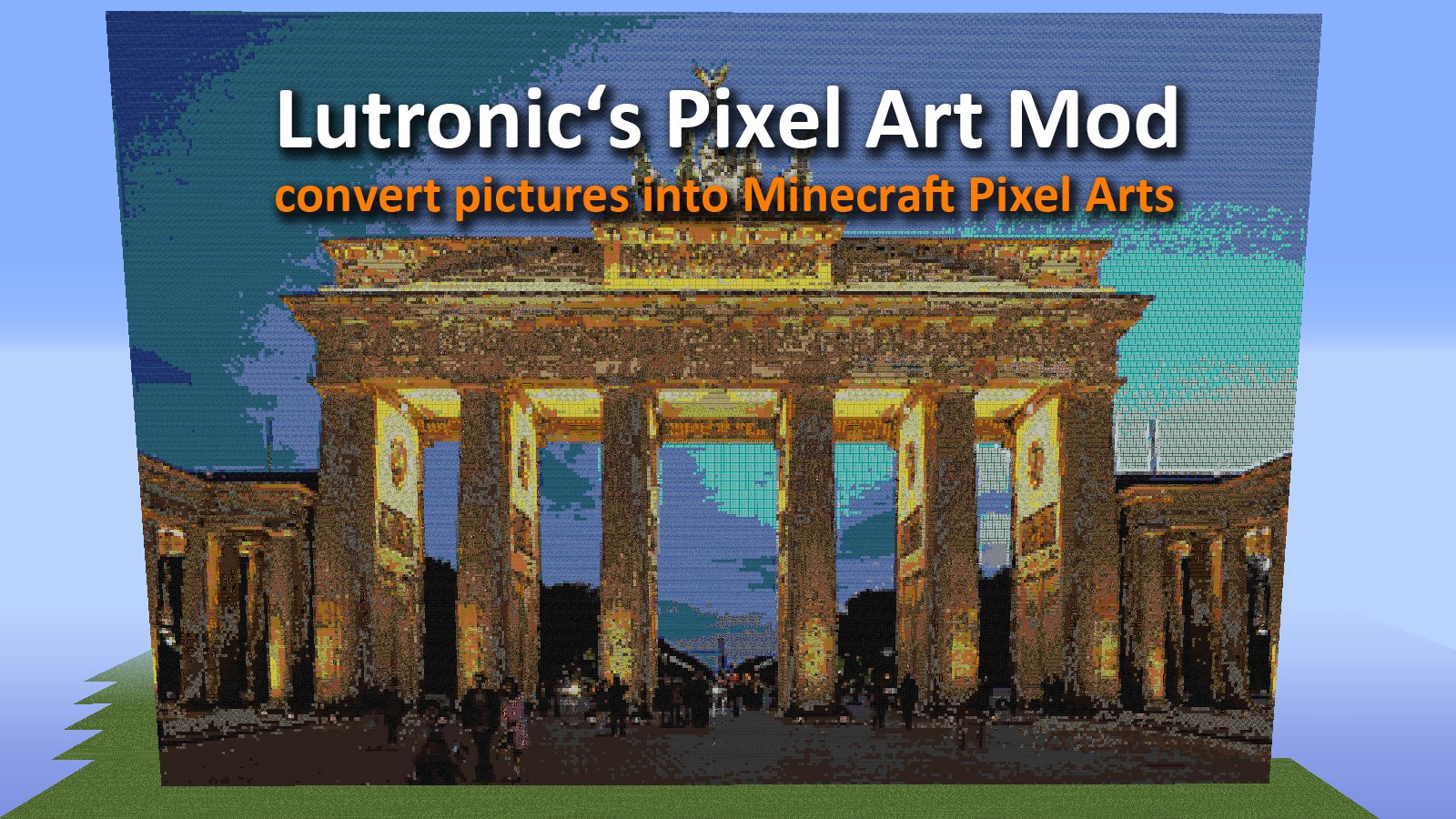
CurseForge · Minecraft mod
Pixel Art Mod
Convert pictures into minecraft structures.
Choose a version Pick your version below, then grab the matching file.
Quick answer
Which Pixel Art Mod release matches 1.8?
beta file Pixel Art Mod 1.8
Game version 1.8.3, 1.8, 1.8.2
Loader Not required
Pixel Art Mod 1.8 targets 1.8.3, 1.8, 1.8.2. The project page does not say whether this file belongs on the client, dedicated server, or both. No extra mods listed for this file.
Where it goes
Is Pixel Art Mod required on the client, server, or both?
The project page does not say whether this file belongs on the client, dedicated server, or both.
Client Source doesn’t say
Dedicated server Source doesn’t say
Loader for this release No loader listed
Required install it here Optional supported, not mandatory Not supported do not install here Source doesn’t say do not assume
The source does not explicitly classify this release as client-only or server-only.
What else does Pixel Art Mod 1.8 need?
Pixel Art Mod 1.8 on 1.8. Every mod below is checked against that same setup.
This file does not list any required mods. Do not add a library just because a different file uses it.
This file does not list any required or optional mods.
Before you install it
Add Pixel Art Mod without breaking your instance.
Built for Pixel Art Mod 1.8 on 1.8. Pick another file and the loader, install side or required mods may change.
- 01
Stick to this file
Use Pixel Art Mod 1.8. It targets 1.8.3, 1.8, 1.8.2; another release may have different loader, side or dependency requirements.
- 02
Bring the mods it needs
This file does not list any required mods. Do not add a library just because a different file uses it.
- 03
Put it on the correct side
The project page does not say whether this file belongs on the client, dedicated server, or both.
- 04
Pick the file you checked
Use the “Get this file” button beside Pixel Art Mod 1.8. It opens that exact file at the source.
About this project
What does Pixel Art Mod add?
Lutronic's Pixel Art Mod (PAM)
Lutronic's Pixel Art Mod (PAM) allows you to convert pictures into Minecraft pixel arts. All you have to do is to install the PAM and copy any picture in your "minecraft/mods/Pixel Art Mod" folder.
Download 1.7.x and 1.8
Pictures
- copy a .png, .jpg, .jpeg, .jpe or gif file in your "minecraft/mods/Pixel Art Mod" folder
- right-click the "Place Pictures" you can find in the new creative tab tools
- a window opens
- select a picture from the upper left combo box
- click the "place" button
- a second window pops up click "yes" to continue and place the picture or "cancel" to cancel
- wait a few seconds till the window disappears
- open your minecraft world - finished
How does the PAM works?
The PAM read a picture, selected a pixel, calculate the optical similar block and place the block into your minecraft world. PAM can use different between 180 blocks.
Minecraft maximal building height ist around 250 blocks, thereby you should not use pictures that a higher than 250 pixels. Otherwise PAM cut of the upper border.
PAM is still working in progress!
In future updates PAM provides a bunch of new features like mirror horizontally, mirror vertically, turn or place pictures on the ground. Furthermore I'm working on a feature that includes more than 250 new colors instead of the current 180.
I hope you like my mod.
IMPORTANT
You are not allowed to create pixel arts with PAM and post in the "projects" faction on planetminecraft because this would be against the planetminecraft rules.
picture sources
The pictures are under the creative common license, everyone can use them.
Brandenburg Gate http://upload.wikimedia.org/wikipedia/commons/a/a6/Brandenburger_Tor_abends.jpgClown Fishes [http://upload.wikimedia.org/wikipedia/commons/4/48/Amphiprion_ocellaris_%28Clown_anemonefish%29_PNG_by_Nick_Hobgood.jpg
Stature of liberty](http://upload.wikimedia.org/wikipedia/commons/4/48/Amphiprion_ocellaris_%28Clown_anemonefish%29_PNG_by_Nick_Hobgood.jpg)[https://www.flickr.com/photos/featherboa/43040507/](https://www.flickr.com/photos/featherboa/43040507/)minecraft landscape http://pixabay.com/p-354458/?no_redirect
Project description from CurseForge.
Pick your setup
Pixel Art Mod by Minecraft version and loader
Choose the version and loader you play, then open the matching release.
Minecraft version
1.8.2
1 loader buildMinecraft version
1.8.1
1 loader buildMinecraft version
1.8
1 loader buildMinecraft version
1.7.10
1 loader buildMinecraft version
1.7.2
1 loader buildCheck the dependencies, then try the file in a copied instance before changing a world you care about.
Recent files
Pixel Art Mod versions and loaders
Pixel Art Mod 1.8
pam-0.0.1.jar
26 Mar 2015
Client Source doesn’t say Server Source doesn’t say Dependencies No extras listed Listed on Release listing
Check the 1.8 setup 1.8.31.81.8.21.8.1 beta
Looking for an older file? The official CurseForge project page is in Resources.