iChunUtil Needed by Hats2.1.8.zip
requiredMatching file found Matched file: iChunUtil2.4.0.zip
CurseForge · Minecraft mod
Runner-up of the 1st ModJam, adds unlockable hats onto players and mobs
Quick answer
Hats2.1.8.zip targets 1.6.4, 1.6.2. The project page does not say whether this file belongs on the client, dedicated server, or both. All 1 required mods have matching files.
Where it goes
The project page does not say whether this file belongs on the client, dedicated server, or both.
The source does not explicitly classify this release as client-only or server-only.
Hats2.1.8.zip on 1.6.2. Every mod below is checked against that same setup.
Install iChunUtil first. We found matching files for this game-version and loader setup.
We only count dependency files that match this setup. A file for another loader does not fill the gap.
Before you install it
Built for Hats2.1.8.zip on 1.6.2. Pick another file and the loader, install side or required mods may change.
Use Hats2.1.8.zip. It targets 1.6.4, 1.6.2; another release may have different loader, side or dependency requirements.
Install iChunUtil first. We found matching files for this game-version and loader setup.
The project page does not say whether this file belongs on the client, dedicated server, or both.
Use the “Get this file” button beside Hats2.1.8.zip. It opens that exact file at the source.
About this project
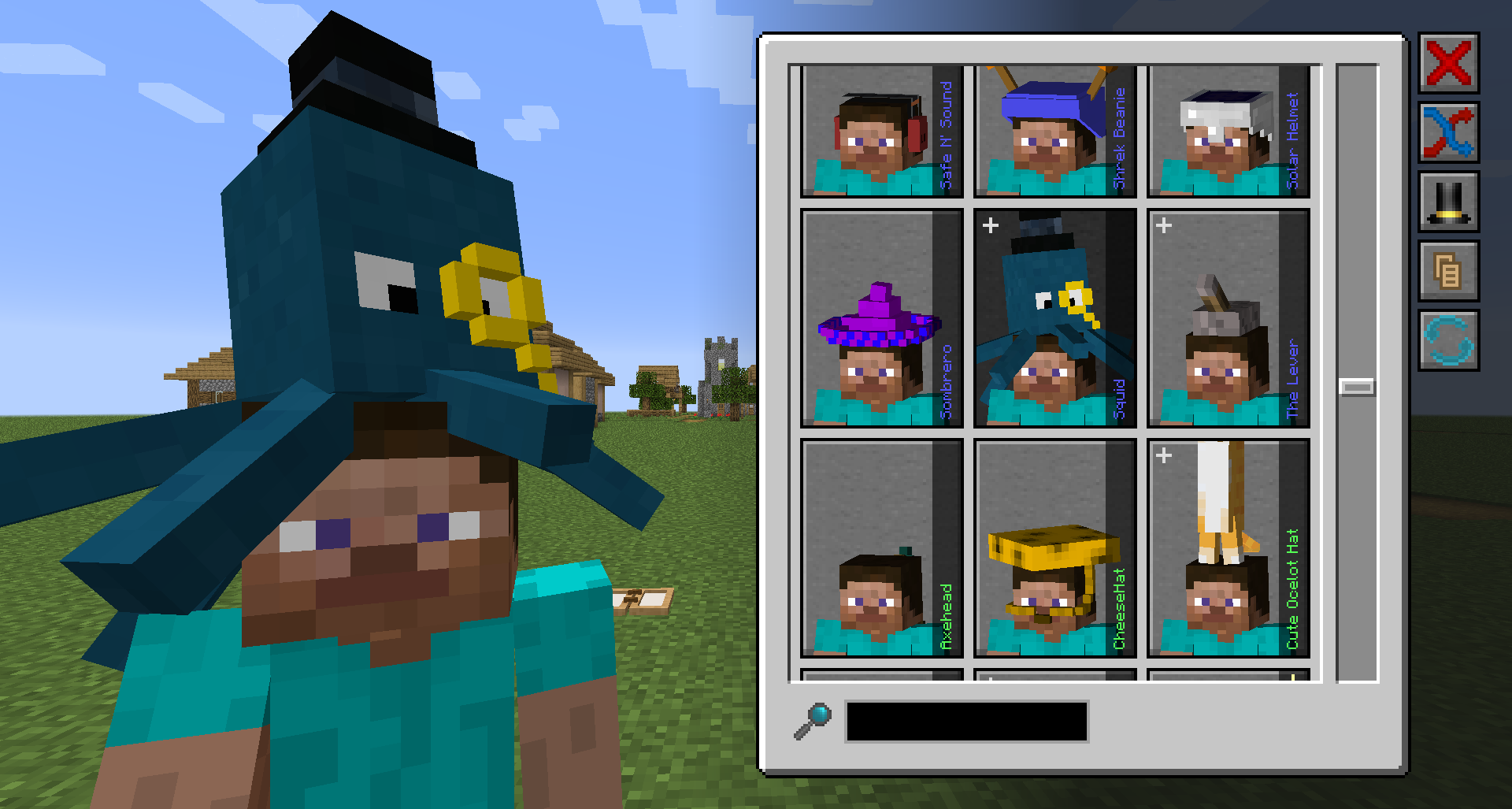
Hats is back and better than ever!
Rewritten (what, again?) from the ground up, and (literally) over ten thousand lines of code, Hats is back for 1.16.5+ with a fresh new look, with a blend of familiar old hats, and a dash of brand spankin' new ones. With a completely redesigned Hat Selector powered by Boxes & Stuff, picking a hat to wear is easier than ever! Just press H (defaults) in-game to open it up.
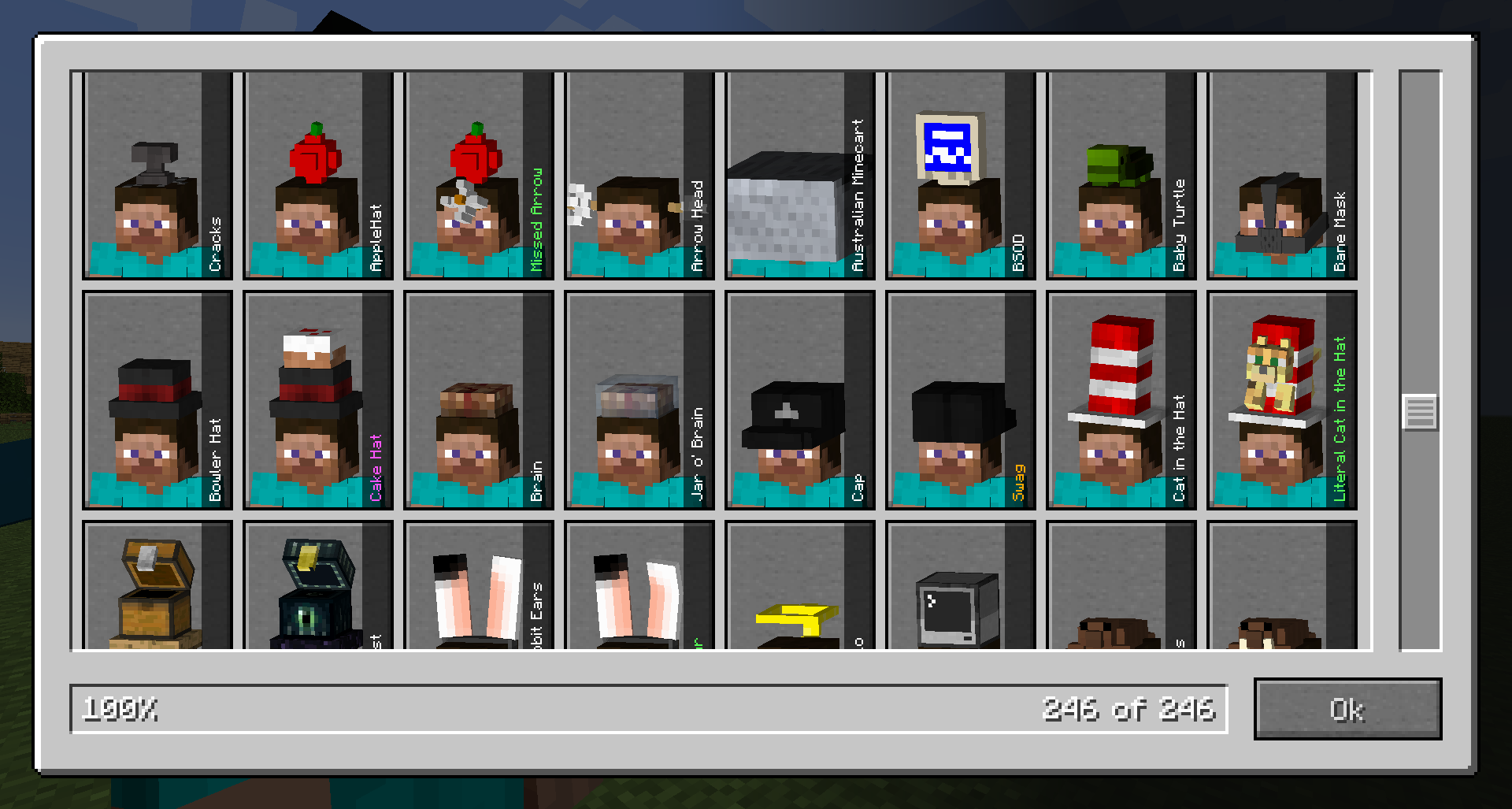
A look at all the different varieties of hats
In addition to that, a much improved rarity system, brand new accessories system and new colourising options, the variety of hats has only gone UP.
The rarity system has been simplified into five different rarities: Common, Uncommon, Rare, Epic and Legendary. Each hat (and accessory) has a random Rarity allocated to it, in distributions specified by the config file, helpfully indicated by different colours in within the Hat Selector.
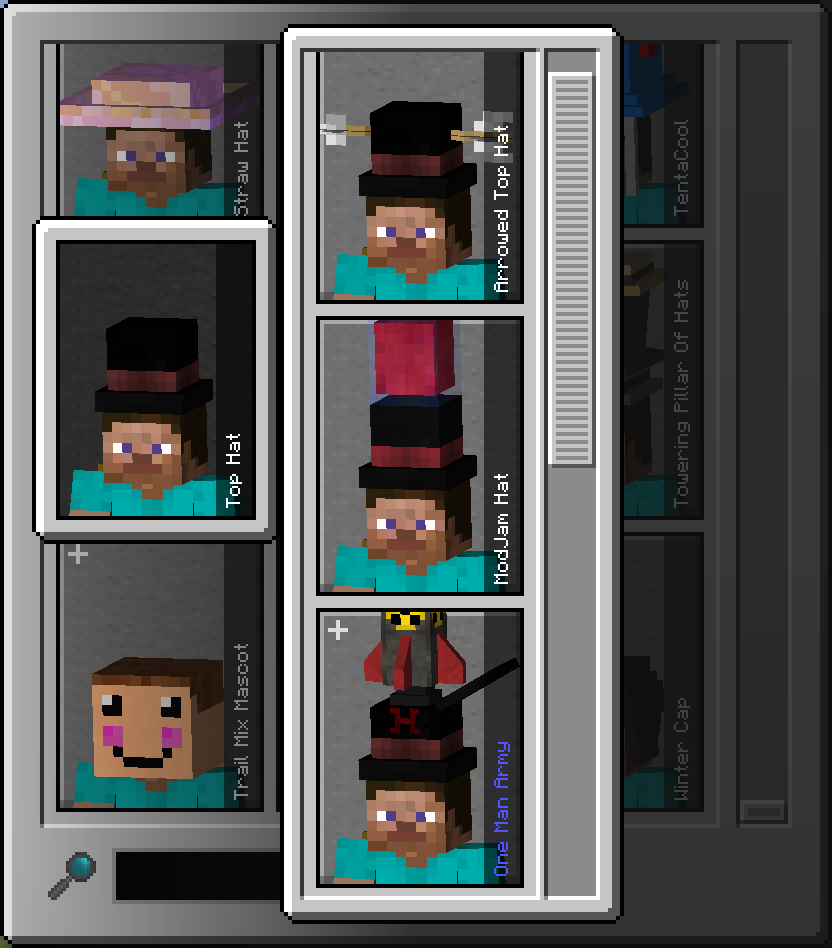
The Top Hat is such a simple hat, but made rich by its accessories.
Accessories, accessories, what's that about? Hats now start out with a Base Hat, and some of these hats have addons we like to call accessories. These accessories are unlocked gradually as with any other hat, by killing mobs that carry them. Once unlocked you'll be able to equip them, presuming you still have them in your inventory.
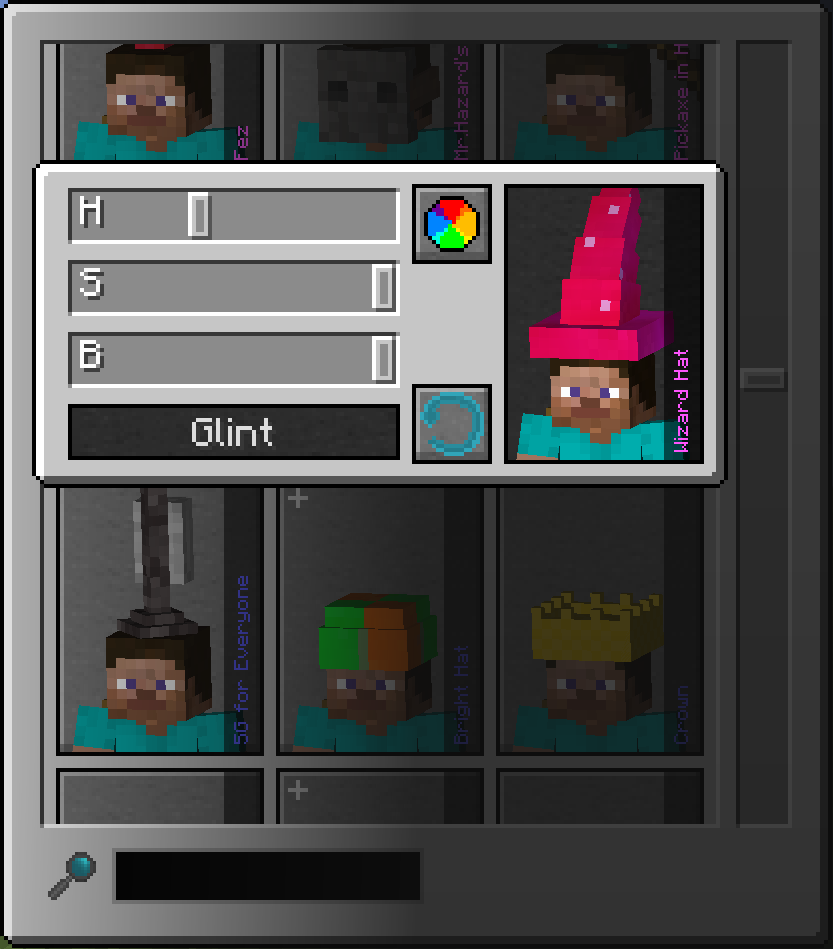
Colourising also got some new colours..... Stop booing at me!
Colourising a Hat has also been improved. Not only can hats and their accessories be colourised separately, there is now a Hue, Saturation, Brightness and Glint setting, for when you want that tacky blue Wizard's Hat to pop with bright red.
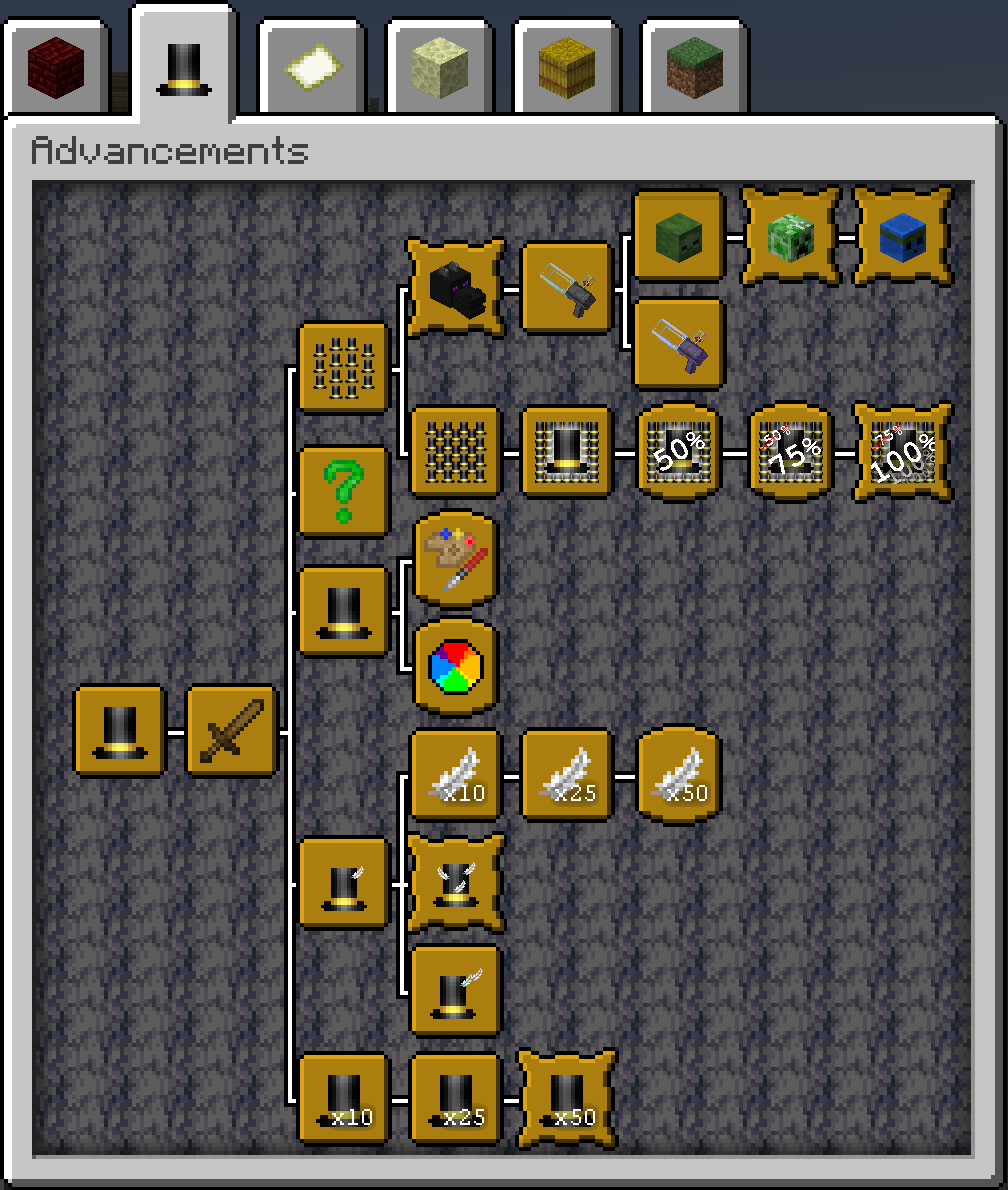
Textures so bad... they're good. Programmer art for the win.
This Hats update also introduces a bunch of advancements. All to guide you across some path of eager progression. Good luck getting all of them! My calculator broke trying to do the math on how many mobs you'd have to see to unlock the last one.
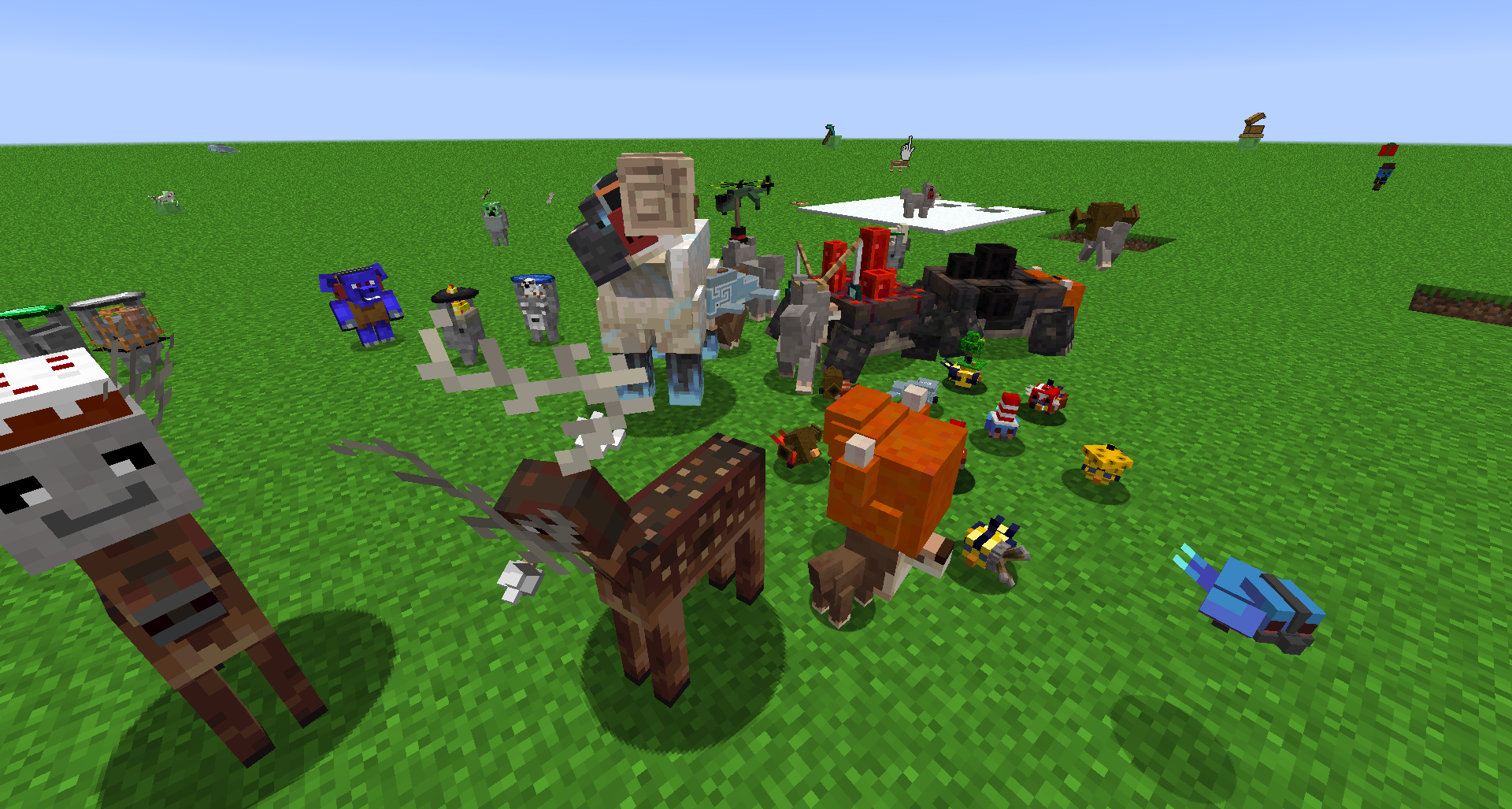
Nothing like spreading the silliness to other parties too
Migrating to the Head Tracker system used in Googly Eyes, which on its own was revamped for Hats, adding Hats (and Googly Eyes) to other mobs, including mobs from other mods, has never been easier (Dev note: Totally not joking, it's actually crazy easy). All you need is an instance with the mobs you want to add a Head Tracker for, and Tabula to export the the JSON file for the mob (with some minor tweaks).
Hats is also using Tabula for Hat models, so if you would like to make your own hats, Hats adds a new button in Tabula to help you out with that.
Got a hat you'd like to share? Share it over on the Official Discord Server. Yes, iChun finally has a Discord server.
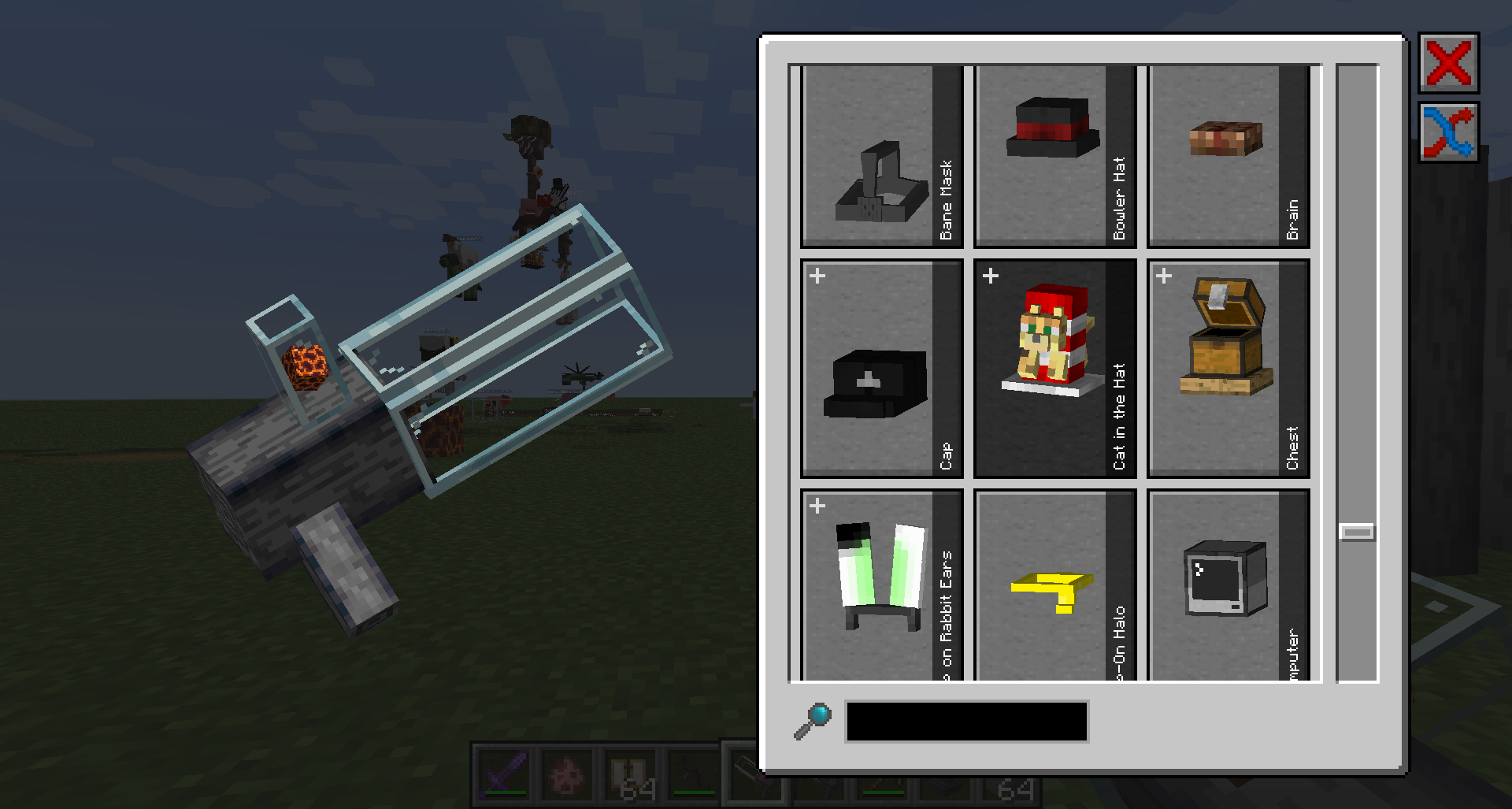 The Hat Launcher, powered by the pressurising pressure of the Magma Cube... somehow. Maybe Quantum Physics... Where are you keeping all these hats anyway?
So, Hats isn't the only thing that's we've got, we also have Hat Stands a Hat Launcher (Yes, another launcher). Unhappy with how bare your passive mobs' heads look? Trying to cover up that unsightly bald spot on your friend's head? Just grab a Hat Launcher and pull the trigger!...with your 25 cm fingerless hands... Simple, and easy to craft, so easy that you even unlock the recipe through advancements, but here's the recipe anyway: 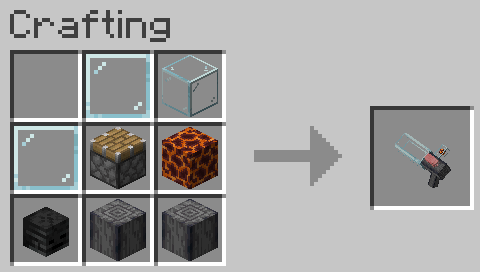
That's all the fancy smancy new stuff for you. There are a few more things planned, you can look forward to them:
Final dev footnote: Hats is very modular. You can make your own hats and add them to the mod. You can add hats to other third party mobs that's previously unsupported. All you need is Tabula. If you have a set up, please join the server and share it with us! I'd love to bundle them for future updates.
If you are having issues with the Blur mod by tterrag, add "me.ichun.mods.hats.client.gui.WorkspaceHats" to the "guiExclusions" config for Blur.
{width=600 height=297}
What started as a mod for a 96 hour modding competition, see how far we've come
For versions earlier than Minecraft 1.16, more information can be found at iChun's Blog.
Project description from CurseForge.
Pick your setup
Choose the version and loader you play, then open the matching release.
Showing the newest 12 of 15 game versions. Older files are in the list below.
Check the dependencies, then try the file in a copied instance before changing a world you care about.
Recent files
31 Mar 2015
31 Mar 2015
31 Mar 2015
31 Mar 2015
31 Mar 2015
31 Mar 2015
31 Mar 2015
31 Mar 2015
31 Mar 2015
31 Mar 2015
31 Mar 2015
31 Mar 2015
Looking for an older file? The official CurseForge project page is in Resources.