Minecraft version
Back to mods 
CurseForge · Minecraft mod
Restructured
Adding Village Structure and World Gen using Schematics
Choose a version Pick your version below, then grab the matching file.
Quick answer
Which Restructured release matches 1.8.9?
beta file Restructured-1.8.9-1.1.0.2BETA.jar
Game version 1.8.9
Loader Not required
Restructured-1.8.9-1.1.0.2BETA.jar targets 1.8.9. The project page does not say whether this file belongs on the client, dedicated server, or both. No extra mods listed for this file.
Where it goes
Is Restructured required on the client, server, or both?
The project page does not say whether this file belongs on the client, dedicated server, or both.
Client Source doesn’t say
Dedicated server Source doesn’t say
Loader for this release No loader listed
Required install it here Optional supported, not mandatory Not supported do not install here Source doesn’t say do not assume
The source does not explicitly classify this release as client-only or server-only.
What else does Restructured-1.8.9-1.1.0.2BETA.jar need?
Restructured-1.8.9-1.1.0.2BETA.jar on 1.8.9. Every mod below is checked against that same setup.
This file does not list any required mods. Do not add a library just because a different file uses it.
This file does not list any required or optional mods.
Before you install it
Add Restructured without breaking your instance.
Built for Restructured-1.8.9-1.1.0.2BETA.jar on 1.8.9. Pick another file and the loader, install side or required mods may change.
- 01
Stick to this file
Use Restructured-1.8.9-1.1.0.2BETA.jar. It targets 1.8.9; another release may have different loader, side or dependency requirements.
- 02
Bring the mods it needs
This file does not list any required mods. Do not add a library just because a different file uses it.
- 03
Put it on the correct side
The project page does not say whether this file belongs on the client, dedicated server, or both.
- 04
Pick the file you checked
Use the “Get this file” button beside Restructured-1.8.9-1.1.0.2BETA.jar. It opens that exact file at the source.
About this project
What does Restructured add?
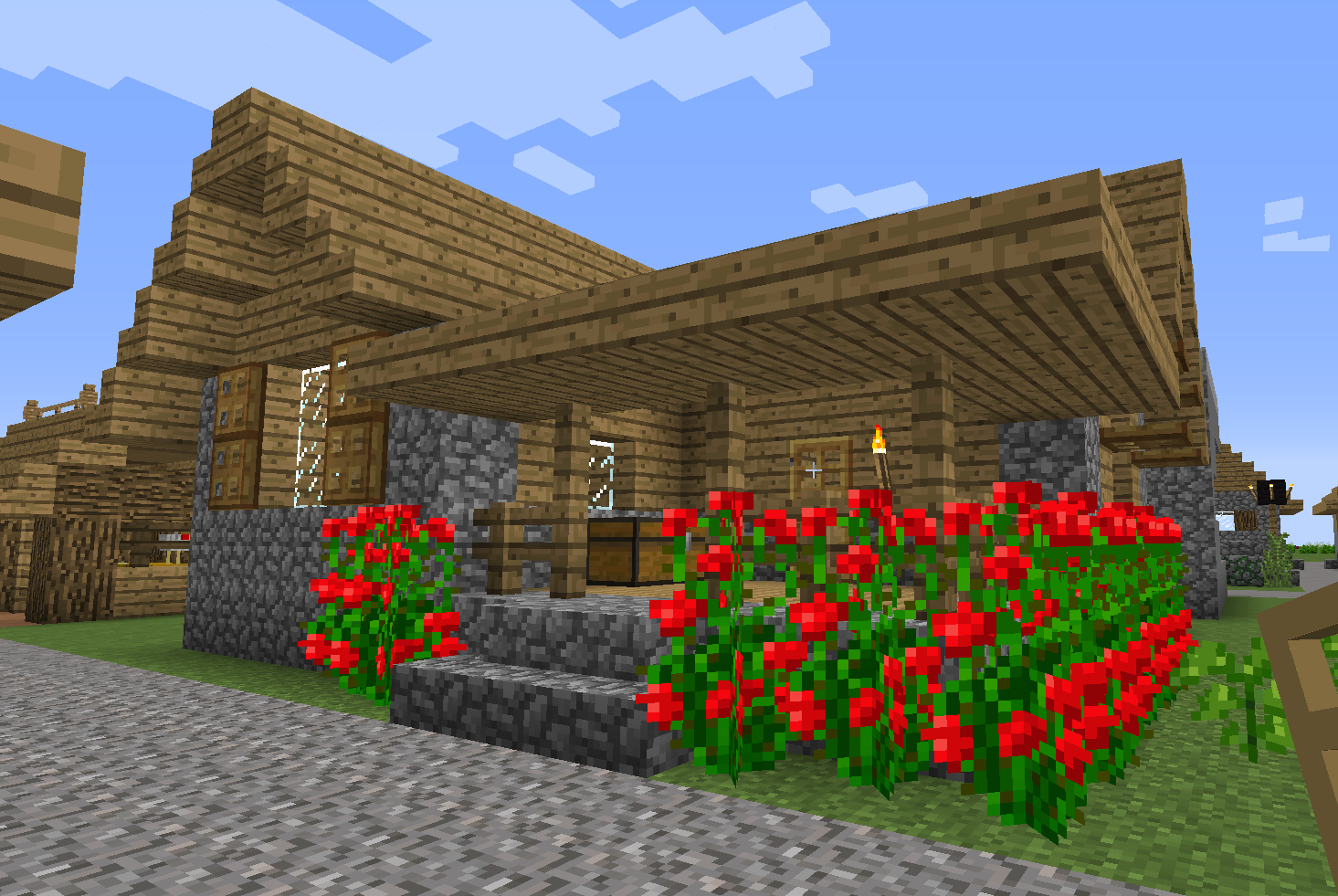
Restructured uses schematics produced by tools like WorldEdit in order to enhance village and world generation. The installation package includes the Restructured jar as well as some schematics and configuration to get you started. You can easily add schematics to the configuration to enhance your modpack content.
Restructured is designed so that it can be a server side mod. This will allow servers that use mainstream modpacks to enhance their world with additional world gen without requiring their players to install a one off mod. Restructured can also be included in modpacks so that modpack authors can provide additional content.
Installation
Download the Restructured Jar file from the file download section and place it into your ./minecraft/mods folder.
Start and enjoy :)
Use
The mod uses the information in the ./config/restructured/schematics.cfg file to govern how it operates. The information in the config file directs the mod to include a schematic as a village structure, world gen feature, or both. Also, it instructs the mod how to populate blocks such as spawners and chests.
The ./config/restructured/chest.cfg file defines various chest configurations that will be used by Restructured when generating structures. The loot tables are fully customizable, and new ones can be added by modpack authors. (For those that want to know the internals these tables are inserted into Forge's ChestGenHook loot tables.)
If you want to add your own structures I recommend using WorldEdit to create the schematics. I have personally used this tool on Bukkit/Cauldron servers and it works really well. Also, any mobs you place in your build will be captured and inserted by Restructured when the structure is generated. Any schematics you want to include would go into the ./config/restructured/schematics folder.
For the best experience make sure you are facing SOUTH when laying out your structure. From this orientation you will be facing the "front" of the structure. If the structure is for village generation include a gravel path so it melds with the gravel roadways of the village. Avoid using item frames - they are a bit funny. Signs work well, and the text is preserved. For best portability between modpacks stick to the Vanilla Minecraft blocks and entities.
You can use existing schematics from 3rd party sites. This was one of my main methods of testing out the mod prior to release. I do have the following comments on their use:
- Make sure you use schematics that target 1.7.10. If you pull in schematics for Minecraft 1.8.x you can wind up with strange things like BuildCraft quarries for doors.
- Ensure that your use of the schematic is appropriate for what you are trying to do. Schematic authors do retain rights to their work and may have restrictions on their use. Please obey those restrictions.
- Make sure the schematic includes blocks that you want included. Sometimes a schematic will have things like Ender Chests or expensive hidden blocks (like diamond and gold). Look inside the chests as well - TileEntity information is captured in the schematic, meaning chest content will be transcribed.
Support
If you have recommendations for enhancements please use the Issue tracker to make the request. Also, if you have a schematic for a cool building that you want to donate to the mod create a pull request with the new schematic and I will review for inclusion.
Modpacks
Restructured is licensed MIT. This means that you are free to include in modpacks and there are no requirements about giving credit or linking pack to any page. However, if you feel compelled to give credit I won't mind. :)
Donations
If you wish to donate you can support me on Patreon.
Project description from CurseForge.
Pick your setup
Restructured by Minecraft version and loader
Choose the version and loader you play, then open the matching release.
Minecraft version
1.7.10
1 loader buildCheck the dependencies, then try the file in a copied instance before changing a world you care about.
Recent files
Restructured versions and loaders
Restructured-1.8.9-1.1.0.2BETA.jar
22 Jan 2016
Client Source doesn’t say Server Source doesn’t say Dependencies No extras listed Listed on Release listing
Check the 1.8.9 setup 1.8.9 beta
Restructured-1.8.9-1.1.0.1ALPHA.jar
13 Jan 2016
Client Source doesn’t say Server Source doesn’t say Dependencies No extras listed Listed on Release listing
Check the 1.8.9 setup 1.8.9 alpha
Looking for an older file? The official CurseForge project page is in Resources.
 mod
CurseForge · Minecraft
EvilCraft
An evil mod for Minecraft.
 mod
CurseForge · Minecraft
Elite Mobs 2
Elite Mobs is a Minecraft mod that introduces powerful “elite” variants of hostile mobs. These enemies spawn during the night or can be summoned with a command for testing. Elite mobs have increased health and strength
 mod
CurseForge · Minecraft
Inventory ToDo
A to-do list next to your inventory: notes and item goals that count up as you collect. Works in any modpack, with any mods.