Minecraft version
Back to mods 
CurseForge · Minecraft mod
JoelGodOfWar's Simple Coordinates Mod
Simple Coordinates Mod
Choose a version Pick your version below, then grab the matching file.
Quick answer
Which JoelGodOfWar's Simple Coordinates Mod release matches 1.8?
beta file JoelGodOfWars.Simple.Coordinate.Mod-1.8_1.5.1.jar
Game version 1.8
Loader Not required
JoelGodOfWar's Simple Coordinates Mod JoelGodOfWars.Simple.Coordinate.Mod-1.8_1.5.1.jar targets 1.8. The project page does not say whether this file belongs on the client, dedicated server, or both. No extra mods listed for this file.
Where it goes
Is JoelGodOfWar's Simple Coordinates Mod required on the client, server, or both?
The project page does not say whether this file belongs on the client, dedicated server, or both.
Client Source doesn’t say
Dedicated server Source doesn’t say
Loader for this release No loader listed
Required install it here Optional supported, not mandatory Not supported do not install here Source doesn’t say do not assume
The source does not explicitly classify this release as client-only or server-only.
What else does JoelGodOfWar's Simple Coordinates Mod JoelGodOfWars.Simple.Coordinate.Mod-1.8_1.5.1.jar need?
JoelGodOfWars.Simple.Coordinate.Mod-1.8_1.5.1.jar on 1.8. Every mod below is checked against that same setup.
This file does not list any required mods. Do not add a library just because a different file uses it.
This file does not list any required or optional mods.
Before you install it
Add JoelGodOfWar's Simple Coordinates Mod without breaking your instance.
Built for JoelGodOfWar's Simple Coordinates Mod JoelGodOfWars.Simple.Coordinate.Mod-1.8_1.5.1.jar on 1.8. Pick another file and the loader, install side or required mods may change.
- 01
Stick to this file
Use JoelGodOfWars.Simple.Coordinate.Mod-1.8_1.5.1.jar. It targets 1.8; another release may have different loader, side or dependency requirements.
- 02
Bring the mods it needs
This file does not list any required mods. Do not add a library just because a different file uses it.
- 03
Put it on the correct side
The project page does not say whether this file belongs on the client, dedicated server, or both.
- 04
Pick the file you checked
Use the “Get this file” button beside JoelGodOfWars.Simple.Coordinate.Mod-1.8_1.5.1.jar. It opens that exact file at the source.
About this project
What does JoelGodOfWar's Simple Coordinates Mod add?
JoelGodOfWar's Simple Coordinate Mod
Current version for 1.8-1.8.9 = "1.8_1.5.1".
Current version for 1.9 = "1.9-1.5.9"
I recommend that you install Version Checker Mod, to keep this mod up to date.
This version of Version Checker is an UnOfficial 1.9 port.
This is a mod which adds various utilities and enhancements to make your life easier. Designed with the moderate Minecrafter in mind.
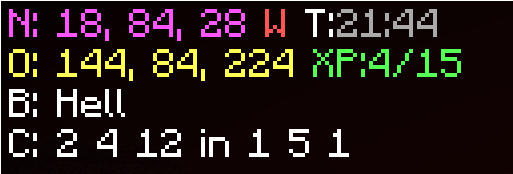
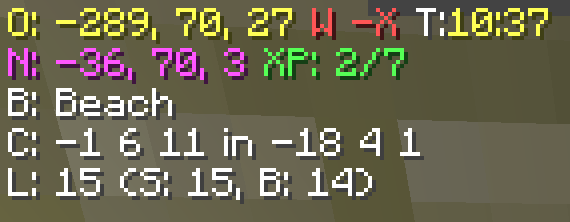
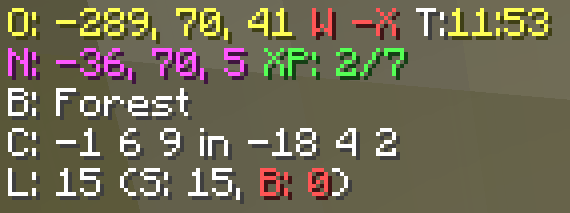
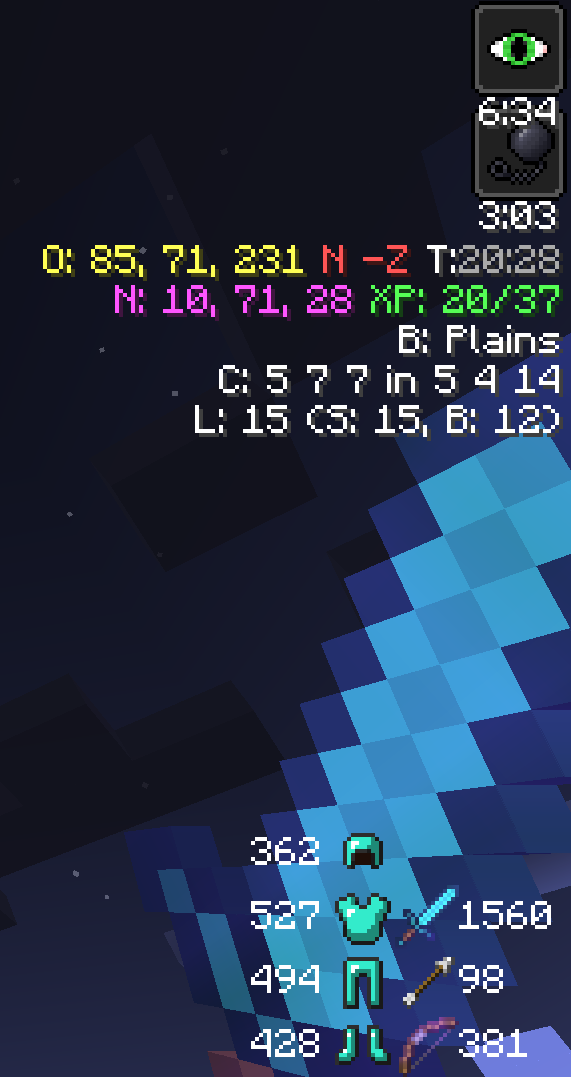
It adds your coordinates(Nether and Overworld, and can auto send them to chat.), a compass(NSEW), a clock(Day/Night), XP (Amount you currently have, and amount needed for next level.), Biome, Chunk Coordinates, Potion Timers, and an Optifine style Zoom. It works in both single player and multiplayer servers.
This mod was specifically made for the DataCraft Survival Server, found at Dataless822.net, to help with linking nether portals, and then had other features added.
This mod was designed to be compatible with the Rules on the DataCraft Survival Server, found at Dataless822.net, it does not do anything that can not be done in vanilla minecraft, just makes them easier.
I'm releasing this as open source. Make sure to check it out on GitHub. If you happen to use the code in any way make sure to send me a PM because I'd love to see what you make with it.
Check out the minecraftforum.net/forums page of this mod.
There are four (4) single player commands in this mod. /td will toggle downfall, and /gm # will change your gamemode, /day change to 1000, /night change to 13000
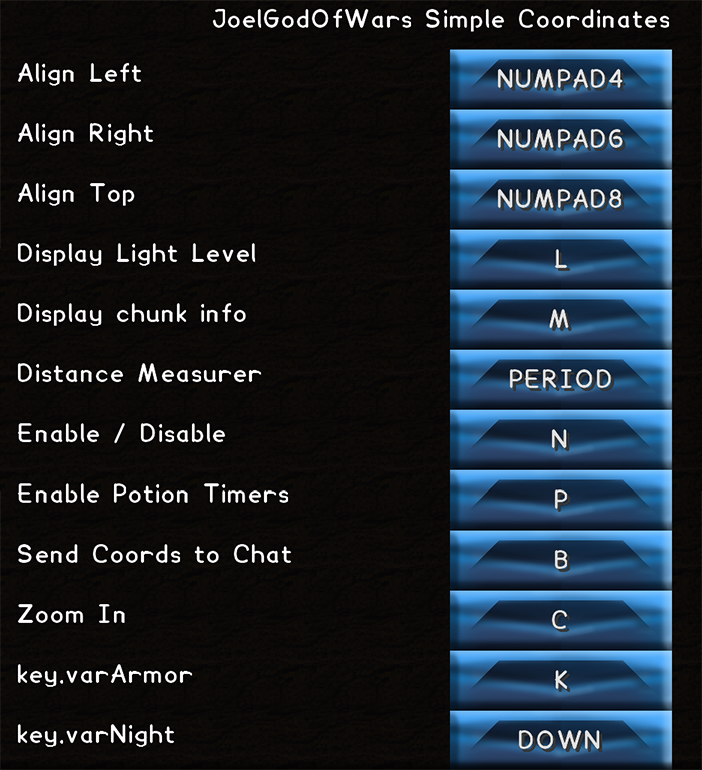
Anvil Repair Times
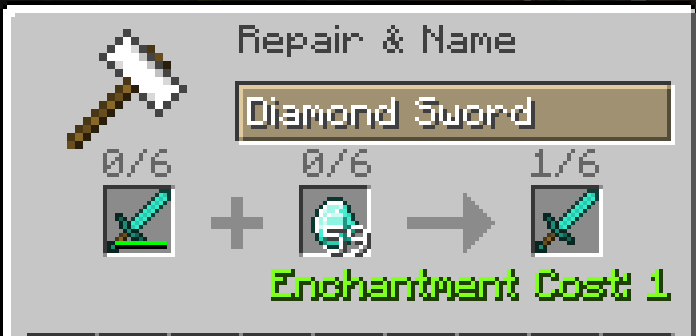
Overworld Day Overworld Night
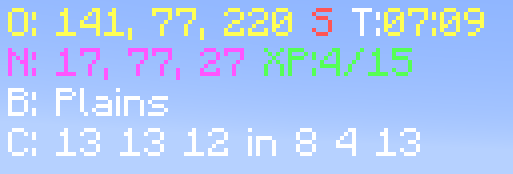
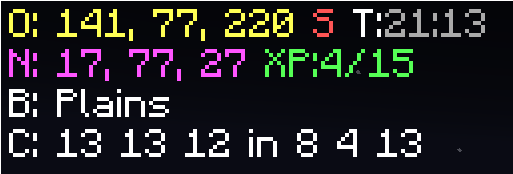
Nether
Light Level Safe Light Level Danger
Nether Portal Helper

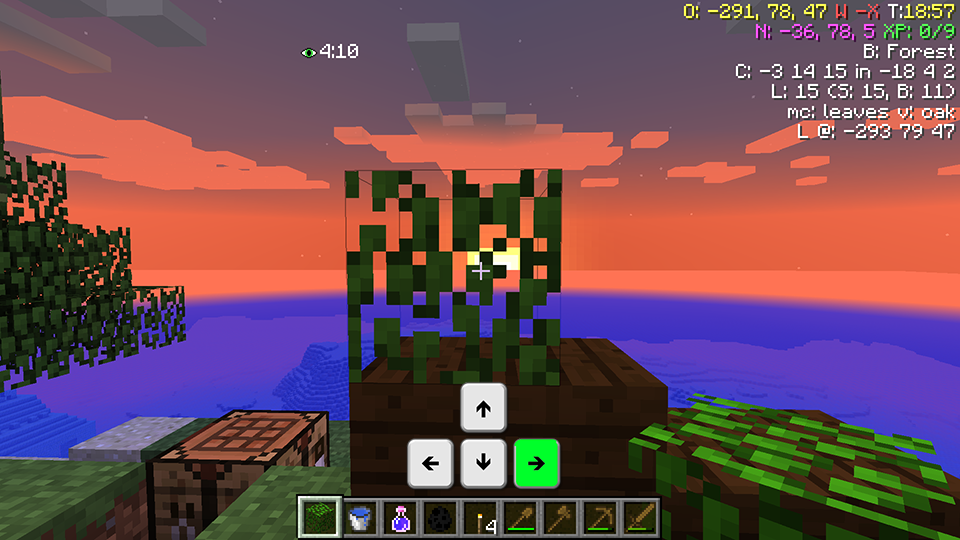
New feature, using your Arrow keys you can change the Alignment of the Text Display.
Aligned Left
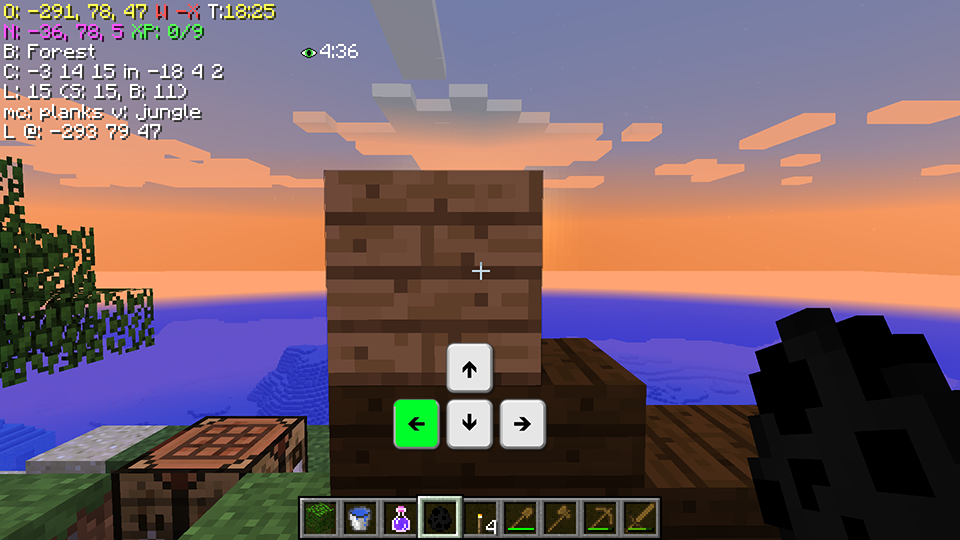
Aligned Top
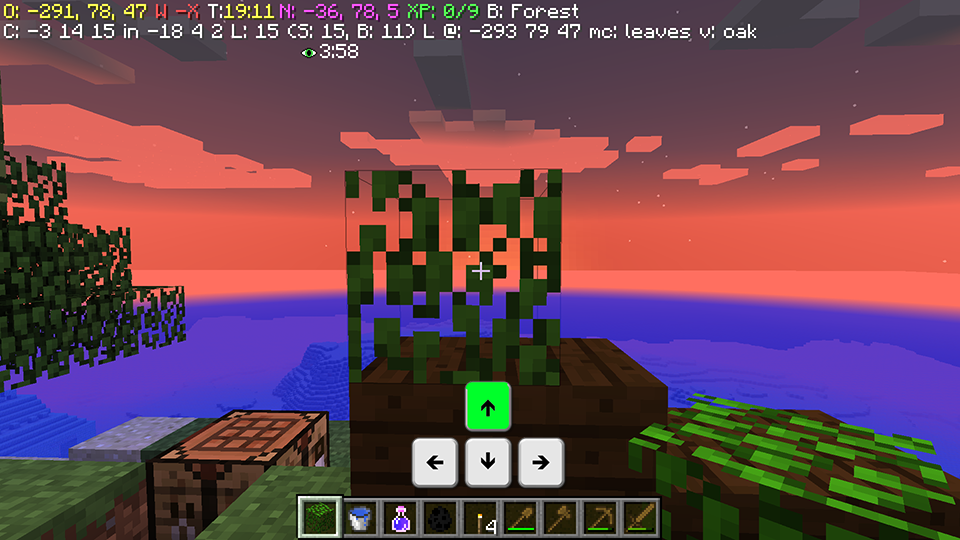
Aligned Right
{width=200 height=72}
How to install
Download and Install Minecraft Forge 1.8 from Here
Download this mod. Place this mod in your .minecraft/mods folder.
Run Minecraft Forge Launcher. Done.
{width=300 height=125}
Project description from CurseForge.
Pick your setup
JoelGodOfWar's Simple Coordinates Mod by Minecraft version and loader
Choose the version and loader you play, then open the matching release.
Minecraft version
1.8
1 loader buildCheck the dependencies, then try the file in a copied instance before changing a world you care about.
Recent files
JoelGodOfWar's Simple Coordinates Mod versions and loaders
JoelGodOfWars.Simple.Coordinate.Mod-1.8_1.5.1.jar
24 Sept 2015
Client Source doesn’t say Server Source doesn’t say Dependencies No extras listed Listed on Release listing
Check the 1.8 setup Looking for an older file? The official CurseForge project page is in Resources.
 mod
CurseForge · Minecraft
Base Metals
Adds many common metals and alloys to Minecraft, such as copper, silver, and steel.
 mod
CurseForge · Minecraft
TONI's Core Lib
Shared library for TONI's mods: registration, events, networking, config and screens on every loader and version. Adds no content by itself.
 mod
Modrinth · Minecraft
Pylon (Raw Input)
LWJGL3 for legacy Minecraft