Minecraft version
Back to mods 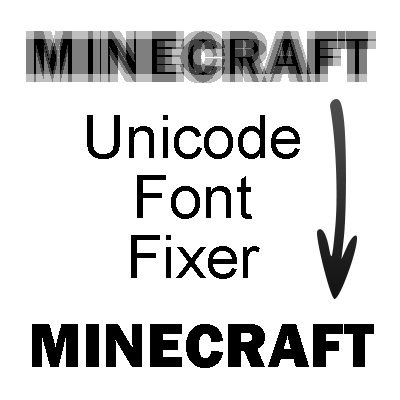
CurseForge · Minecraft mod
Unicode Font Fixer
A mod fixes broken text caused by small Unicode font.
Choose a version Pick your version below, then grab the matching file.
Quick answer
Which Unicode Font Fixer release matches 1.7.10?
Best match for your filters UnicodeFontFixer-1.1.12-mc1.7.10.jar
Game version 1.7.10
Loader Not required
Unicode Font Fixer UnicodeFontFixer-1.1.12-mc1.7.10.jar targets 1.7.10. The project page does not say whether this file belongs on the client, dedicated server, or both. No extra mods listed for this file.
Where it goes
Is Unicode Font Fixer required on the client, server, or both?
The project page does not say whether this file belongs on the client, dedicated server, or both.
Client Source doesn’t say
Dedicated server Source doesn’t say
Loader for this release No loader listed
Required install it here Optional supported, not mandatory Not supported do not install here Source doesn’t say do not assume
The source does not explicitly classify this release as client-only or server-only.
What else does Unicode Font Fixer UnicodeFontFixer-1.1.12-mc1.7.10.jar need?
UnicodeFontFixer-1.1.12-mc1.7.10.jar on 1.7.10. Every mod below is checked against that same setup.
This file does not list any required mods. Do not add a library just because a different file uses it.
This file does not list any required or optional mods.
Before you install it
Add Unicode Font Fixer without breaking your instance.
Built for Unicode Font Fixer UnicodeFontFixer-1.1.12-mc1.7.10.jar on 1.7.10. Pick another file and the loader, install side or required mods may change.
- 01
Stick to this file
Use UnicodeFontFixer-1.1.12-mc1.7.10.jar. It targets 1.7.10; another release may have different loader, side or dependency requirements.
- 02
Bring the mods it needs
This file does not list any required mods. Do not add a library just because a different file uses it.
- 03
Put it on the correct side
The project page does not say whether this file belongs on the client, dedicated server, or both.
- 04
Pick the file you checked
Use the “Get this file” button beside UnicodeFontFixer-1.1.12-mc1.7.10.jar. It opens that exact file at the source.
About this project
What does Unicode Font Fixer add?
Since 1.7.10, there are some changes come to the Minecraft GUI scale ratio calculation, which makes many small text unable to read and distinguish in Unicode font mode. If you plays the game by setting the option "Force Unicode Font" to "ON" or under a Unicode-only language environment like Chinese or Japanese, you will meet this annoying problem.
For example, this is what you can see though a thaumometer in Unicode font mode:
{width=641 height=360}
Look at the popup messages in the lower right corner. Too bad, right? I have reported these issues to many mod authors to convince them to enlarge the small text in their mod. Many authors have updated their mods, but there are still some mods I need to fix by myself.
Unicode Font Fixer is a mod to fix broken text caused by small Unicode font (those text with < 1.0 OpenGL scale ratio).
Currently it supports the following mods:
- Thaumcraft 4
- Forestry 3
- Steve's Factory Manager
- Hardcore Questing Mode
- Modular Powersuits
- Traveller's Gear
- Automagy
- Electrical Age
- Mine Trading Cards
- Tinker's Construct
- BiblioCraft
- Applied Energistics 2
- Thaumic Horizons
- Better Records
- The Lord of the Rings Mod
- ArchitectureCraft
- PneumaticCraft
- Botania
- Mekanism
Misc Notes:
Open Blocks: The font size issue in handbook has already got fixed internally in the newest verion. Check the language file (*.lang) and you will find the config option for it.
If you want send me a request to add support to some other mods. Please follow the steps below:
- Launch Minecraft, with the mods you want to get supported and the Unicode Font Fixer mod installed.
- Play the game for a while. Be sure to open all (or at least all of you know) GUIs with broken text.
- Send me the fml-client-latest.log in .minecraft\logs\ directory, or just post those lines with "unicodefontfixer.RenderingDebugger" in the log file.
After installing the mod, the popup messages will get an appropriate font size:
{width=641 height=360}
In addition to this example, the Unicode Font Fixer mod will fix every broken text in the mods listed above.
About modpack:
Feel free to include this mod in your pack. It will be nice if you put a short introduction and a link to this mod in your modpack publish site/threads.
Other mods you may like:
- Better Auto Jump: Auto-jump when holding Sprint key.
- No Mob Spawning on Trees: A mob spawn control mod with easy and powerful configurations.
- Light Level Overlay Reloaded: Visualizes the light level on top of blocks.
Project description from CurseForge.
Pick your setup
Unicode Font Fixer by Minecraft version and loader
Choose the version and loader you play, then open the matching release.
Check the dependencies, then try the file in a copied instance before changing a world you care about.
Recent files
Unicode Font Fixer versions and loaders
UnicodeFontFixer-1.1.12-mc1.7.10.jar
20 Mar 2016
Client Source doesn’t say Server Source doesn’t say Dependencies No extras listed Listed on Release listing
Check the 1.7.10 setup 1.7.10 release
UnicodeFontFixer-1.1.11-mc1.7.10.jar
13 Mar 2016
Client Source doesn’t say Server Source doesn’t say Dependencies No extras listed Listed on Release listing
Check the 1.7.10 setup 1.7.10 release
UnicodeFontFixer-1.1.10-mc1.7.10.jar
20 Feb 2016
Client Source doesn’t say Server Source doesn’t say Dependencies No extras listed Listed on Release listing
Check the 1.7.10 setup 1.7.10 release
UnicodeFontFixer-1.1.9-mc1.7.10.jar
25 Oct 2015
Client Source doesn’t say Server Source doesn’t say Dependencies No extras listed Listed on Release listing
Check the 1.7.10 setup 1.7.10 release
UnicodeFontFixer-1.1.8-mc1.7.10.jar
16 Oct 2015
Client Source doesn’t say Server Source doesn’t say Dependencies No extras listed Listed on Release listing
Check the 1.7.10 setup 1.7.10 release
UnicodeFontFixer-1.1.7-mc1.7.10.jar
23 Sept 2015
Client Source doesn’t say Server Source doesn’t say Dependencies No extras listed Listed on Release listing
Check the 1.7.10 setup 1.7.10 release
UnicodeFontFixer-1.1.6-mc1.7.10.jar
19 Sept 2015
Client Source doesn’t say Server Source doesn’t say Dependencies No extras listed Listed on Release listing
Check the 1.7.10 setup 1.7.10 release
UnicodeFontFixer-1.1.5-mc1.7.10.jar
1 Sept 2015
Client Source doesn’t say Server Source doesn’t say Dependencies No extras listed Listed on Release listing
Check the 1.7.10 setup 1.7.10 release
UnicodeFontFixer-1.1.4-mc1.7.10.jar
28 Aug 2015
Client Source doesn’t say Server Source doesn’t say Dependencies No extras listed Listed on Release listing
Check the 1.7.10 setup 1.7.10 release
UnicodeFontFixer-1.1.3-mc1.7.10.jar
29 Jul 2015
Client Source doesn’t say Server Source doesn’t say Dependencies No extras listed Listed on Release listing
Check the 1.7.10 setup 1.7.10 release
UnicodeFontFixer-1.1.2-mc1.7.10.jar
23 Jul 2015
Client Source doesn’t say Server Source doesn’t say Dependencies No extras listed Listed on Release listing
Check the 1.7.10 setup 1.7.10 release
UnicodeFontFixer-1.1.1-mc1.7.10.jar
23 Jul 2015
Client Source doesn’t say Server Source doesn’t say Dependencies No extras listed Listed on Release listing
Check the 1.7.10 setup 1.7.10 release
Looking for an older file? The official CurseForge project page is in Resources.