The One Probe Optional for Not Enough Wands NotEnoughWands - 1.20-6.0.2
optionalMatching file found Matched file: TheOneProbe - 1.20.1-10.0.4
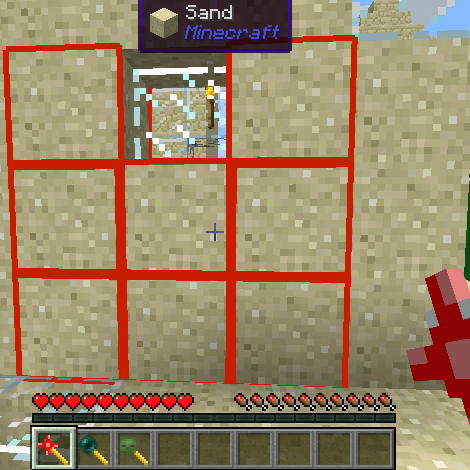
CurseForge · Minecraft mod
Adds various very configurable utility wands to Minecraft
Quick answer
Not Enough Wands NotEnoughWands - 1.20-6.0.2 targets 1.20.1 with Forge. The project page does not say whether this file belongs on the client, dedicated server, or both. All 1 required mods have matching files.
Where it goes
The project page does not say whether this file belongs on the client, dedicated server, or both.
The source does not explicitly classify this release as client-only or server-only.
NotEnoughWands - 1.20-6.0.2. Change the file and its required mods may change too.
Install McJtyLib first. We found matching files for this game-version and loader setup. 3 come through another mod in the chain.
3 extra mods were pulled in by other dependencies. Indented rows show who needs each one. We only count dependency files that match this setup. A file for another loader does not fill the gap.
Before you install it
Built for Not Enough Wands NotEnoughWands - 1.20-6.0.2. Pick another file and the loader, install side or required mods may change.
Use NotEnoughWands - 1.20-6.0.2. It targets 1.20.1 with Forge; another release may have different loader, side or dependency requirements.
Install McJtyLib first. We found matching files for this game-version and loader setup. 3 come through another mod in the chain.
The project page does not say whether this file belongs on the client, dedicated server, or both.
Use the “Get this file” button beside NotEnoughWands - 1.20-6.0.2. It opens that exact file at the source.
About this project
This is a mod that adds various utility wands to Minecraft. The main strength of this mod is the configurability. For every wand you can configure the following settings:
In addition some wands have specific configuration options. This makes this mod ideal for modpacks where you want to specifically control which wands are available and how.
The wands that are currently available are:
Many more wands are planned. This is just the beginning.
Some wands in this mod have different modes. You can change the mode of a wand with the '=' key (default, you can change this in the key bindings).
Modpack policy: no restrictions on modpack inclusion. Feel free to use this in any modpack you want.
Issue Tracker: github issue tracker
Mod spotlight by DireWolf20:
Project description from CurseForge.
Pick your setup
Choose the version and loader you play, then open the matching release.
Showing the newest 12 of 22 game versions. Older files are in the list below.
Check the dependencies, then try the file in a copied instance before changing a world you care about.
Recent files
notenoughwands-1.21-7.0.3.jar
8 Nov 2024
notenoughwands-1.21-7.0.2.jar
21 Oct 2024
notenoughwands-1.21-7.0.1.jar
28 Sept 2024
notenoughwands-1.21-7.0.0.jar
20 Sept 2024
notenoughwands-1.20-6.0.2.jar
23 Apr 2024
notenoughwands-1.20-6.0.1.jar
10 Aug 2023
notenoughwands-1.20-6.0.0.jar
20 Jun 2023
notenoughwands-1.19-5.0.2.jar
28 Mar 2023
notenoughwands-1.19.2-5.0.1.jar
31 Jan 2023
notenoughwands-1.19.2-5.0.0.jar
22 Jan 2023
10 Dec 2022
13 Feb 2022
Looking for an older file? The official CurseForge project page is in Resources.
 mod
modA collection of handheld national and historical flags for Flan's Mod Ultimate 2.
 mod
modA collection of classic Flan's Mod content packs adapted for use with Flan's Mod Ultimate 2.
 mod
modA large World War II content pack for Flan's Mod Ultimate 2 featuring weapons, vehicles, aircraft and equipment from multiple nations.