Just Enough Items (JEI) Optional for Adobe Blocks 2 AdobeBlocks-6.0.5.jar
optionalMatching file found Matched file: jei_1.10.2-3.14.7.420.jar

CurseForge · Minecraft mod
Adds adobe blocks and other stuff of adobe
Quick answer
Adobe Blocks 2 AdobeBlocks-6.0.5.jar targets 1.10.2. The project page does not say whether this file belongs on the client, dedicated server, or both. No extra mods listed for this file.
Where it goes
The project page does not say whether this file belongs on the client, dedicated server, or both.
The source does not explicitly classify this release as client-only or server-only.
AdobeBlocks-6.0.5.jar on 1.10.2. Every mod below is checked against that same setup.
This file does not list any required mods. Do not add a library just because a different file uses it.
We only count dependency files that match this setup. A file for another loader does not fill the gap.
Before you install it
Built for Adobe Blocks 2 AdobeBlocks-6.0.5.jar on 1.10.2. Pick another file and the loader, install side or required mods may change.
Use AdobeBlocks-6.0.5.jar. It targets 1.10.2; another release may have different loader, side or dependency requirements.
This file does not list any required mods. Do not add a library just because a different file uses it.
The project page does not say whether this file belongs on the client, dedicated server, or both.
Use the “Get this file” button beside AdobeBlocks-6.0.5.jar. It opens that exact file at the source.
About this project
Overview:
This is a re-coded version of Adobe Blocks by BaneSavage.
This mod adds Adobe, a material used in making tools, an easy-to-use door that villagers don't go barging through, a better furnace, weapons(a sword and throwing stones), and a lot of nice-looking decorative stuff.
Feel free to contact me with feature requests, and general questions about the mod.
If you have a bug or crash to report, please use the issue tracker. If it is anything else, here are other ways to contact me.
Server-Side Mods:
Client-Side Mods:
Other Mods:
Project description from CurseForge.
Pick your setup
Choose the version and loader you play, then open the matching release.
Check the dependencies, then try the file in a copied instance before changing a world you care about.
Recent files
10 Nov 2016
15 Sept 2016
12 Sept 2016
12 Sept 2016
26 Aug 2016
26 Aug 2016
25 Aug 2016
25 Aug 2016
5 Jul 2016
2 Jul 2016
30 Jun 2016
Looking for an older file? The official CurseForge project page is in Resources.
 mod
Adds many common metals and alloys to Minecraft, such as copper, silver, and steel.
 mod
Overhaul survival with many changes to existing mechanics. Weapon rebalance, enchanting rework, and much more
 mod
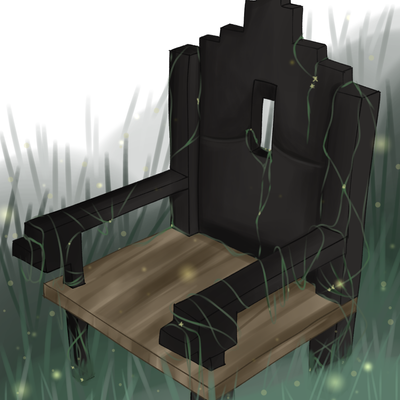
Iron Age Style Furniture, Chairs, Dynamic Benches, Sconces and new Lighting Options