Minecraft version
Back to mods 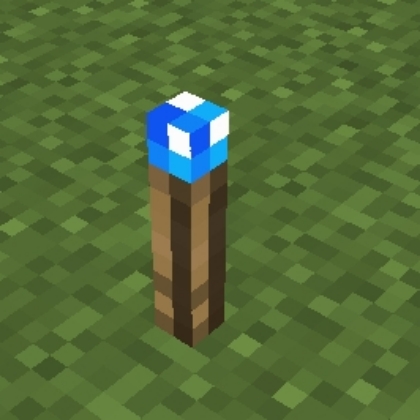
CurseForge · Minecraft mod
Torcherino
Torch that speeds up tile entities.
Choose a version Pick your version below, then grab the matching file.
Quick answer
Which Torcherino release should I use?
Latest stable file [Forge 1.20.1] 20.0.0
Game version 1.20.1, 1.20
Loader Forge
Torcherino [Forge 1.20.1] 20.0.0 targets 1.20.1, 1.20 with Forge. The project page does not say whether this file belongs on the client, dedicated server, or both. No extra mods listed for this file.
Where it goes
Is Torcherino required on the client, server, or both?
The project page does not say whether this file belongs on the client, dedicated server, or both.
Client Source doesn’t say
Dedicated server Source doesn’t say
Loader for this release Forge
Required install it here Optional supported, not mandatory Not supported do not install here Source doesn’t say do not assume
The source does not explicitly classify this release as client-only or server-only.
What else does Torcherino [Forge 1.20.1] 20.0.0 need?
[Forge 1.20.1] 20.0.0. Change the file and its required mods may change too.
This file does not list any required mods. Do not add a library just because a different file uses it.
This file does not list any required or optional mods.
Before you install it
Add Torcherino without breaking your instance.
Built for Torcherino [Forge 1.20.1] 20.0.0. Pick another file and the loader, install side or required mods may change.
- 01
Stick to this file
Use [Forge 1.20.1] 20.0.0. It targets 1.20.1, 1.20 with Forge; another release may have different loader, side or dependency requirements.
- 02
Bring the mods it needs
This file does not list any required mods. Do not add a library just because a different file uses it.
- 03
Put it on the correct side
The project page does not say whether this file belongs on the client, dedicated server, or both.
- 04
Pick the file you checked
Use the “Get this file” button beside [Forge 1.20.1] 20.0.0. It opens that exact file at the source.
About this project
What does Torcherino add?
1.12.2 Update: HUGE thanks to NinjaPhenix for the update! Greatly appreciated by us all!
This is a small, simple mod that adds various torches that can be used to increase the tick rates of tile entities. To put that into English, they make machines run faster.
A few example uses:
- Growing plants faster
- Smelting ores faster
- Increasing mob spawner speed
There is one main Torcherino, and then there are various upgrades that add onto them. Many of these things are configurable in the mod configuration file which is called Torcherino.cfg and is in the config/sci4me folder.
After placing a Torcherino, it will default to being deactivated. You must right click it and use the gui to adjust its settings to the range and speed amount you prefer.
Feel free to add Torcherino to modpacks! Of course, credits are appreciated!
Important Note: This mod was originally created by Moze_Intel. After he decided to stop maintaining it, I took over. So, LOTS of credit to him too! :)
Project description from CurseForge.
Pick your setup
Torcherino by Minecraft version and loader
Choose the version and loader you play, then open the matching release.
Minecraft version
1.20
2 loader buildsMinecraft version
1.19.4
2 loader buildsMinecraft version
1.19.3
3 loader buildsMinecraft version
1.19.2
2 loader buildsMinecraft version
1.19.1
2 loader buildsMinecraft version
1.19
2 loader buildsMinecraft version
1.18.2
2 loader buildsMinecraft version
1.18.1
2 loader buildsMinecraft version
1.18
2 loader buildsMinecraft version
1.17.1
2 loader buildsMinecraft version
1.16.5
2 loader buildsShowing the newest 12 of 20 game versions. Older files are in the list below.
Check the dependencies, then try the file in a copied instance before changing a world you care about.
Recent files
Torcherino versions and loaders
[Forge 1.20.1] 20.0.0
Torcherino-forge-1.20.1-20.0.0.jar
26 Aug 2023
Client Source doesn’t say Server Source doesn’t say Dependencies No extras listed Listed on Release listing
Check the 1.20.1 · Forge setup 1.20.1Forge1.20 release
[Fabric 1.20.1] 20.0.0
Torcherino-fabric-1.20.1-20.0.0.jar
26 Aug 2023
Client Source doesn’t say Server Source doesn’t say Dependencies No extras listed Listed on Release listing
Check the 1.20.1 · Fabric setup Fabric1.20.11.20 beta
[Fabric 1.19.4] 19.0.0
Torcherino-fabric-1.19.4-19.0.0.jar
26 Aug 2023
Client Source doesn’t say Server Source doesn’t say Dependencies No extras listed Listed on Release listing
Check the 1.19.4 · Fabric setup 1.19.4Fabric beta
[Forge 1.19.4] 19.0.0
Torcherino-forge-1.19.4-19.0.0.jar
26 Aug 2023
Client Source doesn’t say Server Source doesn’t say Dependencies No extras listed Listed on Release listing
Check the 1.19.4 · Forge setup 1.19.4Forge release
[Fabric 1.19.3] 18.0.0
Torcherino-fabric-1.19.3-18.0.0.jar
18 May 2023
Client Source doesn’t say Server Source doesn’t say Dependencies No extras listed Listed on Release listing
Check the 1.19.3 · Fabric setup 1.19.3FabricQuilt beta
[Forge 1.19.3] 18.0.0
Torcherino-forge-1.19.3-18.0.0.jar
18 May 2023
Client Source doesn’t say Server Source doesn’t say Dependencies No extras listed Listed on Release listing
Check the 1.19.3 · Forge setup 1.19.3Forge release
[Forge 1.18.2] 16.0.3
Torcherino-forge-1.18.2-16.0.3.jar
1 Nov 2022
Client Source doesn’t say Server Source doesn’t say Dependencies No extras listed Listed on Release listing
Check the 1.18.2 · Forge setup 1.18.11.18.2Forge1.18 release
[Forge 1.19.2] 17.0.4
Torcherino-forge-1.19.2-17.0.4.jar
1 Nov 2022
Client Source doesn’t say Server Source doesn’t say Dependencies No extras listed Listed on Release listing
Check the 1.19.2 · Forge setup 1.19.2Forge1.19.11.19 release
[Forge 1.19.2] 17.0.2
Torcherino-forge-1.19.1-17.0.2.jar
5 Aug 2022
Client Source doesn’t say Server Source doesn’t say Dependencies No extras listed Listed on Release listing
Check the 1.19.2 · Forge setup 1.19.2Forge1.19.11.19 release
[Forge 1.19] 17.0.1
Torcherino-forge-1.19-17.0.1.jar
23 Jun 2022
Client Source doesn’t say Server Source doesn’t say Dependencies No extras listed Listed on Release listing
Check the 1.19 · Forge setup Forge1.19 release
[Fabric 1.19.x] 17.0.1
Torcherino-fabric-1.19-17.0.1.jar
23 Jun 2022
Client Source doesn’t say Server Source doesn’t say Dependencies 1 required · 1 unchecked Listed on Release listing
Check the 1.19.2 · Fabric setup Fabric1.19.21.19.11.19 beta
[Forge 1.18.2] 16.0.1
Torcherino-forge-1.18.2-16.0.1.jar
23 Jun 2022
Client Source doesn’t say Server Source doesn’t say Dependencies No extras listed Listed on Release listing
Check the 1.18.2 · Forge setup 1.18.11.18.2Forge1.18 release
Looking for an older file? The official CurseForge project page is in Resources.
 mod
mod CurseForge + Modrinth · Minecraft
I'm Fast
A mod to remove minecraft moved too quickly! and moved wrongly (speed limits)
 mod
mod CurseForge + Modrinth · Minecraft
OcelotSign
A MishangUC traffic expansion mod featuring standard Chinese mainland road signs, custom sign blocks with pillars, and road markings for realistic city building.
 mod
mod CurseForge · Minecraft
Electric coating
Convert the durability of any item into electricity