Quick answer
Which Chisels & Bytes release should I use?
Latest stable file ChiselsBytes-1.9.4-0.4.jar
Game version 1.9.4, 1.10.2, 1.10
Loader Not required
Chisels & Bytes ChiselsBytes-1.9.4-0.4.jar targets 1.9.4, 1.10.2, 1.10. The project page does not say whether this file belongs on the client, dedicated server, or both. All 1 required mods have matching files.
Where it goes
Is Chisels & Bytes required on the client, server, or both?
The project page does not say whether this file belongs on the client, dedicated server, or both.
Client Source doesn’t say
Dedicated server Source doesn’t say
Loader for this release No loader listed
Required install it here Optional supported, not mandatory Not supported do not install here Source doesn’t say do not assume
The source does not explicitly classify this release as client-only or server-only.
What else does Chisels & Bytes ChiselsBytes-1.9.4-0.4.jar need?
ChiselsBytes-1.9.4-0.4.jar. Change the file and its required mods may change too.
Install Chisels & Bits - For Forge first. We found matching files for this game-version and loader setup. 2 come through another mod in the chain.
1 listed on this file 2 pulled in by those mods
Matching file found Matched file: chiselsandbits-10.19.jar
Matching file found Matched file: jei_1.9.4-3.6.8.225.jar
Matching file found Matched file: MCMultiPart 1.4.0
2
extra mods were pulled in by other dependencies.
Indented rows show who needs each one. We only count dependency files that match this setup. A file for another loader does not fill the gap.
Before you install it
Add Chisels & Bytes without breaking your instance.
Built for Chisels & Bytes ChiselsBytes-1.9.4-0.4.jar. Pick another file and the loader, install side or required mods may change.
- 01
Stick to this file
Use ChiselsBytes-1.9.4-0.4.jar. It targets 1.9.4, 1.10.2, 1.10; another release may have different loader, side or dependency requirements.
- 02
Bring the mods it needs
Install Chisels & Bits - For Forge first. We found matching files for this game-version and loader setup. 2 come through another mod in the chain.
- 03
Put it on the correct side
The project page does not say whether this file belongs on the client, dedicated server, or both.
- 04
Pick the file you checked
Use the “Get this file” button beside ChiselsBytes-1.9.4-0.4.jar. It opens that exact file at the source.
About this project
What does Chisels & Bytes add?
Chisels & Bytes
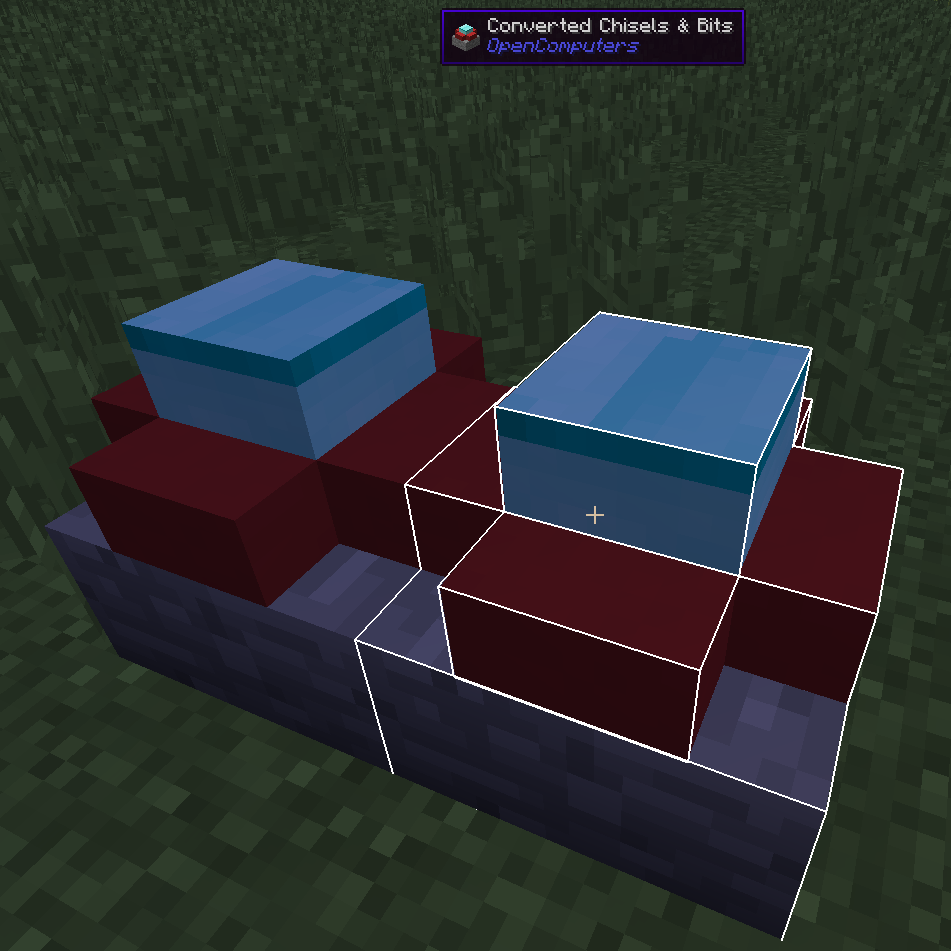
Chisels & Bytes is an addon for Chisels & Bits by AlgorithmX2. The mod allows you to export Chisels & Bits blocks or designs (since v0.4) as a descriptive file for the OpenComputers 3D printer and works client-side only.
There are two prominent advantages of a 3D print over the Chisels & Bits block:
- Since the 3D printer is available in OpenComputers for Minecraft 1.7.10, this mod allows you, within limits, to port your Chisel & Bits creations back to 1.7.10.
- 3D prints have some features C&B blocks don't. First and foremost, they can have two states. Depending on the settings, you can emulate the behaviour of a door, switch or button. Second they can be set to emit light, no matter what they are made from. Finally you can set collision for each state. For more information install the print3d-examples package via oppm and look at the example file (/usr/share/models/example.3dm).
This mod requires Java 8.
Usage
After installing the mod, hold a Chisels & Bits block in your hand and (by default) press the Next/Page Up key. The script will be copied to your clipboard and can be directly pasted into the in-game OpenComputers Editor or, out of game, into your favourite text editor for adjustment. The data is formatted for use with the print3d program available via the OpenComputers package manager oppm.
If you have a Chisels & Bits block in the hotbar slot to the right of your active item (or offhand since v0.4), it will be used as the active state for the 3D print.
Version 0.4 adds limited fluid support. Sneaking toggles between using the still and flowing texture for fluid bits. Also if the C&B block/design contains light emitting bits, the respective option will be set in the descriptive file.
Limits
- By default the OpenComputers 3D printer only allows 24 shapes. The mod tries to minimize the number of shapes, but complex blocks will probably go beyond that easily. The limit can be changed in the OpenComputers configuration file (maxShapes in the printer section).
- If you port a design to 1.7.10 you will probably have to manually adjust the textures in the file. Textures are also not guaranteed to work 1.9 -> 1.8.
- [1.9+] Minecraft 1.9 removed the method I used to read the color of FlatColoredBlocks blocks, so I now have to specifically code for the mod. This can break at any update to FlatColoredBlocks but shouldn't cause crashes, only missing tint specification.
- [v0.4] Partial fluid bit support is now available. This is limited by the capabilities of 3d prints, the fluid will not be semi-transparent and you can only use either the still or flowing texture.
- [v0.4] Designs are now supported for export, rotation is ignored though. Negative Designs are intentionally disabled, for the purposed of this mod they hold no useful information.
Project description from CurseForge.
Pick your setup
Chisels & Bytes by Minecraft version and loader
Choose the version and loader you play, then open the matching release.
Minecraft version
1.11.2
1
loader build Minecraft version
1.10.2
1
loader build Minecraft version
1.10
1
loader build Minecraft version
1.9.4
1
loader build Minecraft version
1.9
1
loader build Minecraft version
1.8.9
1
loader build Check the dependencies, then try the file in a copied instance before changing a world you care about.
Recent files
Chisels & Bytes versions and loaders
3 Mar 2017
Client Source doesn’t say Server Source doesn’t say Dependencies 1 required · 1 unchecked Listed on Release listing
Check the 1.11.2 setup → 14 Jul 2016
Client Source doesn’t say Server Source doesn’t say Dependencies 1 required · matched Listed on Release listing
Check the 1.10.2 setup → 24 Jun 2016
Client Source doesn’t say Server Source doesn’t say Dependencies 1 required · 1 unchecked Listed on Release listing
Check the 1.10 setup → 2 Jun 2016
Client Source doesn’t say Server Source doesn’t say Dependencies 1 required · 1 unchecked Listed on Release listing
Check the 1.9.4 setup → 19 Apr 2016
Client Source doesn’t say Server Source doesn’t say Dependencies 1 required · 1 unchecked Listed on Release listing
Check the 1.9 setup → 1 Mar 2016
Client Source doesn’t say Server Source doesn’t say Dependencies 1 required · 1 unchecked Listed on Release listing
Check the 1.8.9 setup → 1 Mar 2016
Client Source doesn’t say Server Source doesn’t say Dependencies 1 required · 1 unchecked Listed on Release listing
Check the 1.8.9 setup →