Minecraft version
Back to mods 
CurseForge · Minecraft mod
MineCapture
Simple and easy in-game screenshot uploader
Choose a version Pick your version below, then grab the matching file.
Quick answer
Which MineCapture release matches 1.12.2?
Best match for your filters Minecapture 1.01 - 1.12.jar
Game version 1.12.1, 1.12, 1.12.2
Loader Not required
Minecapture 1.01 - 1.12.jar targets 1.12.1, 1.12, 1.12.2. The project page does not say whether this file belongs on the client, dedicated server, or both. No extra mods listed for this file.
Where it goes
Is MineCapture required on the client, server, or both?
The project page does not say whether this file belongs on the client, dedicated server, or both.
Client Source doesn’t say
Dedicated server Source doesn’t say
Loader for this release No loader listed
Required install it here Optional supported, not mandatory Not supported do not install here Source doesn’t say do not assume
The source does not explicitly classify this release as client-only or server-only.
What else does Minecapture 1.01 - 1.12.jar need?
Minecapture 1.01 - 1.12.jar on 1.12.2. Every mod below is checked against that same setup.
This file does not list any required mods. Do not add a library just because a different file uses it.
This file does not list any required or optional mods.
Before you install it
Add MineCapture without breaking your instance.
Built for Minecapture 1.01 - 1.12.jar on 1.12.2. Pick another file and the loader, install side or required mods may change.
- 01
Stick to this file
Use Minecapture 1.01 - 1.12.jar. It targets 1.12.1, 1.12, 1.12.2; another release may have different loader, side or dependency requirements.
- 02
Bring the mods it needs
This file does not list any required mods. Do not add a library just because a different file uses it.
- 03
Put it on the correct side
The project page does not say whether this file belongs on the client, dedicated server, or both.
- 04
Pick the file you checked
Use the “Get this file” button beside Minecapture 1.01 - 1.12.jar. It opens that exact file at the source.
About this project
What does MineCapture add?
{width=745 height=205}
What is it?
Ever seen a cool thing in game?, ever built an amazing house but can't be bothered waiting ages for a file to send over Skype or having to sit waiting for it to upload to Imgur?
Not to fear!, MineCapture is here, this cool little mod allows you to take a screenshot of your Minecraft game and instantly send a link to your friends!
How do I use it?
Install Forge for 1.9 and while in game simply hit "F4" a snap of your screen will be instantly(hopefully) uploaded to our MineCapture site and ready for sharing!
You will see the text "Uploading..." in game when the image upload begins and once finished you will receive a link to your image.
Permissions
You can use this in your mod pack even without permission, credit would be nice though. (If you want to give it)
Project description from CurseForge.
Pick your setup
MineCapture by Minecraft version and loader
Choose the version and loader you play, then open the matching release.
Minecraft version
1.12.1
1 loader buildMinecraft version
1.12-Snapshot
1 loader buildMinecraft version
1.12
1 loader buildMinecraft version
1.11.2
1 loader buildMinecraft version
1.11.1
1 loader buildMinecraft version
1.11-Snapshot
1 loader buildMinecraft version
1.11
1 loader buildMinecraft version
1.10.2
1 loader buildMinecraft version
1.10.1
1 loader buildMinecraft version
1.10-Snapshot
1 loader buildMinecraft version
1.10
1 loader buildShowing the newest 12 of 21 game versions. Older files are in the list below.
Check the dependencies, then try the file in a copied instance before changing a world you care about.
Recent files
MineCapture versions and loaders
Minecapture 1.01 - 1.12.jar
6 Oct 2017
Client Source doesn’t say Server Source doesn’t say Dependencies No extras listed Listed on Release listing
Check the 1.12.2 setup 1.12.11.121.12.21.12-Snapshot release
Looking for an older file? The official CurseForge project page is in Resources.
 mod
CurseForge · Minecraft
Mercenary Mayhem
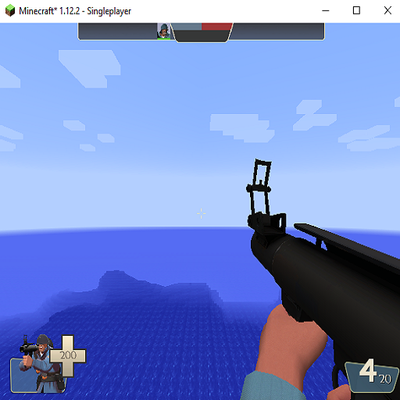
This mod uses local TF2 assets from the users install to let you play as TF2 mercenaries in minecraft
 mod
CurseForge + Modrinth · Minecraft
Diamond Glass
Glass made with Diamonds with the Attributes of Obsidian [Forge]
 mod
CurseForge + Modrinth · Minecraft
Block Blocker
Event Prevention for Blocks