Minecraft version
Back to mods 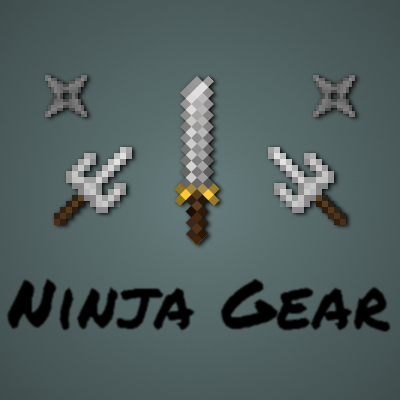
CurseForge · Minecraft mod
NinjaGear
Small mod which brings ninja type gear and mechanics to Minecraft
Choose a version Pick your version below, then grab the matching file.
Quick answer
Which NinjaGear release matches 1.9?
beta file ninjagear-0.0.1.jar
Game version 1.9
Loader forge
ninjagear-0.0.1.jar targets 1.9. The project page does not say whether this file belongs on the client, dedicated server, or both. No extra mods listed for this file.
Where it goes
Is NinjaGear required on the client, server, or both?
The project page does not say whether this file belongs on the client, dedicated server, or both.
Client Source doesn’t say
Dedicated server Source doesn’t say
Loader for this release No loader listed
Required install it here Optional supported, not mandatory Not supported do not install here Source doesn’t say do not assume
The source does not explicitly classify this release as client-only or server-only.
What else does ninjagear-0.0.1.jar need?
ninjagear-0.0.1.jar on 1.9. Every mod below is checked against that same setup.
This file does not list any required mods. Do not add a library just because a different file uses it.
This file does not list any required or optional mods.
Before you install it
Add NinjaGear without breaking your instance.
Built for ninjagear-0.0.1.jar on 1.9. Pick another file and the loader, install side or required mods may change.
- 01
Stick to this file
Use ninjagear-0.0.1.jar. It targets 1.9; another release may have different loader, side or dependency requirements.
- 02
Bring the mods it needs
This file does not list any required mods. Do not add a library just because a different file uses it.
- 03
Put it on the correct side
The project page does not say whether this file belongs on the client, dedicated server, or both.
- 04
Pick the file you checked
Use the “Get this file” button beside ninjagear-0.0.1.jar. It opens that exact file at the source.
About this project
What does NinjaGear add?
NinjaGear
Ninja Gear is a Minecraft mod for 1,9 which adds a set of ninja themed items and blocks for all your ninja desires. This mod was made with role playing options in the back of the head, and is the first in a series of small, themed mods.
Content
All items and blocks in this mod have an extensive tool tip indicating their purpose and how they are used as well as advantages and disadvantes. You can either use these, or, if you prefer to look online on some forum, read about the content here.
Ninja armor set
This armor set, when fully equipped, will make you run and attack slightly faster. Its main feature however is that it allows you to hide from mobs and players when it's dark enough. To hide, simply sneak (default: shift), if you are hidden a status effect will be rendered on your HUD indicating that you are indeed hidden. Note that equipping an item will reveal you. There are exceptions to this: most ninja gear items can be equipped without revealing the ninja.
When you attack from hiding, your attack will inflict a critical hit (amount can be configured). However you will also be revealed. When revealed, you can not hide for a short period of time. While you are revealed, there will also be a status effect HUD icon indicating you are revealed.
The screenshot below shows the ninja set in all its glory. While wearing the ninja armor set chest piece, all the ninja weapons and tools you have in your inventory (unless you have them equipped) will be rendered on your player model.
{width=571 height=388}
The recipes to craft each armor piece are shown in JEI, as well as on the picture in the spoiler below.
{width=270 height=536}
Finally a couple of screenshots showing the ninja gear in action
{width=911 height=501}
{width=911 height=502}
{width=911 height=502}
Ninja weapons
]Foremost, the ninja is a master of stealth, but is also no stranger to combat. The ninja has some weapons of preference
Katana
The first weapon is the Katana, it deals more damage and is faster than a regular sword, however it requires two hands to wield. You will notice that using the katana while having an item equipped in the offhand is unwieldy: you attack slower and deal less damage. Note that equipping a katana will reveal you from hiding. The katana is the ninja's back up when stealth is no longer an option.
It is crafted with this recipe:
{width=259 height=132}
Sai
The sai are one of the ninja's signature weapons. They are smaller than the katana and can be equipped when hidden without revealing the ninja. However they require one in each hand, if you are only using one, you will notice you deal less damage.
one piece of the sai is crafted with the following recipe:
{width=255 height=131}
Shuriken
Sometimes the ninja wants to take out a target it can not reach. The ninja's answer to this is the shuriken. While shurikens have a shorter range than bow and arrow, they can be thrown in quick succession.
Their recipe is as follows:
{width=255 height=135}
Ninja tools
The ninja also uses some tools to help him in certain situations. The most common tools are listed below
Smoke bomb
When the ninja has no place to hide or has to make a quick escape, he can throw a smoke bombs. Smoke bombs will create a smoke cloud effectively creating a dark spot. This dark spot will linger for a while, but eventually will disperse and dissappear.
Smoke bombs are crafted using this recipe:
{width=248 height=133}
Below are some screenshots of the smoke bomb being used.
{width=911 height=504}
{width=911 height=502}
{width=911 height=502}
Rope
This mod also adds rope, a rope can be attached at the bottom of blocks with a solid bottom face. Ropes can also be attached to other ropes or certain anchor points. By clicking a rope with a rope, the rope is extended downwards by one. Clicking a segment of a rope will break the rope and the rope segments below it. Shift clicking a rope will break the entire rope.
Rope is crafted as follows:
{width=279 height=138}
Below are some screenshots of a construction using ropes
{width=911 height=502}
{width=911 height=502}
Rope coil
It often occurs that a ninja wants to climb to a higher spot, but there is no route to it. Therefore the ninja can tie together some ropes (read shift+right click) to form a rope coil. This rope coil can then be thrown to create a 10 block long (can be configured) rope. Rope coils can also be thrown to existing ropes, this will extend the rope. Any ropes that are left over after the rope touches the ground are returned to the ninja's inventory.
The ninja can also use the following crafting recipe to convert a rope coil back into individual ropes:
{width=258 height=135}
Finally here are some screenshots of rope coils being thrown
{width=911 height=503}
{width=911 height=502}
{width=1649 height=907}
Source code
As with all my mods, the code is and will always be open source.
Source code can be found on GitHub
Special thanks to
SkeletonPunk for providing the textures
Project description from CurseForge.
Pick your setup
NinjaGear by Minecraft version and loader
Choose the version and loader you play, then open the matching release.
Minecraft version
1.16.5
1 loader buildMinecraft version
1.16.4
1 loader buildMinecraft version
1.11.2
1 loader buildMinecraft version
1.10.2
1 loader buildMinecraft version
1.9.4
1 loader buildMinecraft version
1.9
1 loader buildCheck the dependencies, then try the file in a copied instance before changing a world you care about.
Recent files
NinjaGear versions and loaders
ninjagear-0.0.1.jar
24 May 2016
Client Source doesn’t say Server Source doesn’t say Dependencies No extras listed Listed on Release listing
Check the 1.9 setup Looking for an older file? The official CurseForge project page is in Resources.
 mod
CurseForge + Modrinth · Minecraft
Euphoria Patches
Euphoria Patches is an add-on for Complementary Shaders, extending it with more optional features and settings.
 mod
CurseForge · Minecraft
Ruins (Structure Spawning System)
A structure spawning system
 mod
CurseForge · Minecraft
TONI's Better End Cities
End cities rebuilt huge and beautiful: a four tier spire, sky bridges, furnished rooms, treasure rooms and a real end ship. Server-side.