Assembly Line Machines Optional for Advanced Tools! AdvancedTools v.6.3.0-NEO
optionalNo matching file
CurseForge · Minecraft mod
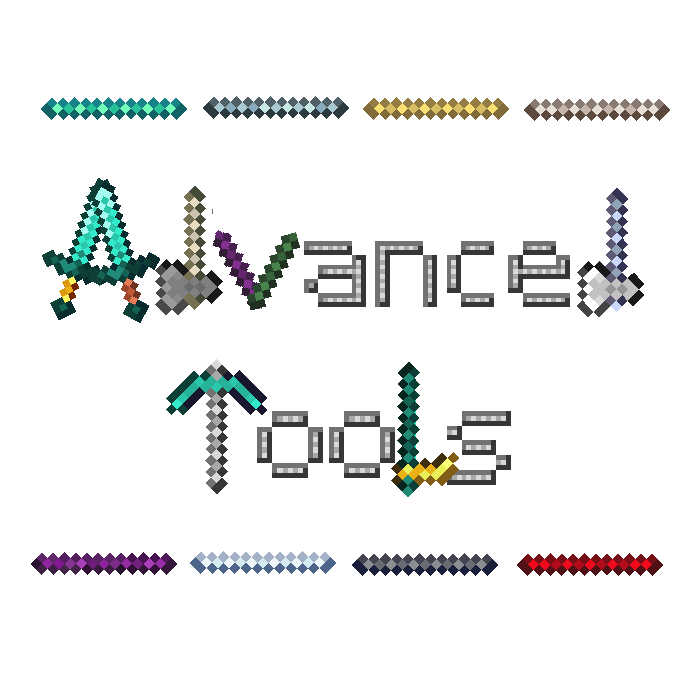
Lets you build tools and weapons from components of many different materials with different stats, properties and effects!
Quick answer
Advanced Tools! AdvancedTools v.6.3.0-NEO targets 1.21.9, 1.21.10 with NeoForge. The project page does not say whether this file belongs on the client, dedicated server, or both. 2 required mods need checking.
Where it goes
The project page does not say whether this file belongs on the client, dedicated server, or both.
The source does not explicitly classify this release as client-only or server-only.
AdvancedTools v.6.3.0-NEO. Change the file and its required mods may change too.
Install project 1267885, project rqi506vX first. 2 required mods still need checking for this exact setup. 6 come through another mod in the chain.
6 extra mods were pulled in by other dependencies. Indented rows show who needs each one. We only count dependency files that match this setup. A file for another loader does not fill the gap.
Before you install it
Built for Advanced Tools! AdvancedTools v.6.3.0-NEO. Pick another file and the loader, install side or required mods may change.
Use AdvancedTools v.6.3.0-NEO. It targets 1.21.9, 1.21.10 with NeoForge; another release may have different loader, side or dependency requirements.
Install project 1267885, project rqi506vX first. 2 required mods still need checking for this exact setup. 6 come through another mod in the chain.
The project page does not say whether this file belongs on the client, dedicated server, or both.
Use the “Get this file” button beside AdvancedTools v.6.3.0-NEO. It opens that exact file at the source.
About this project


Advanced Tools (aka AdvancedSticks) recognizes when other mods add materials such as tin and then automatically generates the rod and all tool combinations of it.


bone
copper
advanced
enchanted
blaze
emerald
amethyst
end
iron
gold
diamond
netherite
breeze
aluminum
electrum
tin
brass
bronze
constantan
nickel
invar
steel
lumium
iridium
osmium
platinum
enderium
uranium
signalum
lead
ruby
sapphire
topaz
peridot
cinnabar
fluorite
vibranium
unobtainium
allthemodium
certus quartz
quartz
cobalt
titanium
zinc
stone
adamant
advanced alloy
antimony
apatite
aquite
atomic alloy
basalz rod
bedrock
beryllium
biosteel
blastproofalloy
blitz rod
blizz rod
cadmium
thorium
carbon
certus quartz crystal
charoite
cupronickel
dark steel
duratium
diopside
elementium
end steel
energetic alloy
energite
energized copper
energized gold
falsite
fluix crystal
plastic
horizonite
infused alloy
kanthal
manasteel
manganese
obsidian
plutonium
prismarine
pulsating alloy
pyrope
redstone
reinforced alloy
silicon
solarium
stainless steel
terrasteel
superconductor
tungsten
ventium
vibrant alloy
zanite
opal
anglesite
benitoite
blutonium
cyanite
graphite
insanite
ludicrite
magentite
netherite-diamond
netherite-emerald
netherite-gold
netherite-iron
ridiculite
yellorium
wither bone
compressed iron
ender crystal
glowstone
inanite
pink slime
soularium
blue steel
high carbon blue steel
weak blue steel
wrought iron
weak steel
high carbon steel
black steel
high carbon black steel
black bronze
bismuth
bismuth bronze
red steel
high carbon red steel
weak red steel
rose gold
pig iron
sterling silver
pyrite
(All values and how they are calculated can be found here)







Project description from CurseForge.
Pick your setup
Choose the version and loader you play, then open the matching release.
Showing the newest 12 of 27 game versions. Older files are in the list below.
Check the dependencies, then try the file in a copied instance before changing a world you care about.
Recent files
AdvancedTools-1.21.10-(v.6.3.0-NEO).jar
19 Oct 2025
AdvancedTools-1.21.5-(v.6.2.0-NEO).jar
19 Jul 2025
AdvancedTools-1.21.5-(v.6.1.2-NEO).jar
7 May 2025
AdvancedTools-1.21.5-(v.6.1.1-NEO).jar
5 May 2025
AdvancedTools-1.21.5-(v.6.1.0-NEO).jar
3 May 2025
AdvancedTools-1.21.5-(v.6.0.0-NEO).jar
1 May 2025
AdvancedTools-1.21.5-(v.5.5.1-NEO).jar
22 Apr 2025
AdvancedTools-1.21.5-(v.5.5.0-NEO).jar
19 Apr 2025
AdvancedTools-1.21.5-(v.5.4.0-NEO).jar
31 Mar 2025
AdvancedTools-1.21.4-(v.5.3.0-NEO).jar
30 Mar 2025
AdvancedTools-1.21.4-(v.5.2.0-NEO).jar
21 Mar 2025
AdvancedTools-1.21.4-(v.5.1.0-NEO).jar
16 Mar 2025
Looking for an older file? The official CurseForge project page is in Resources.
 mod
BuildCraft 7.x and 8.x improved and unified on modern MC: pipes, engines, oil, quarries, builders, logic gates AND robots.
 mod
Totems of Undying that still save your life, but leave a curse behind: lost hearts, a zombie body, a rampage, a melon diet and more. Evokers drop them.
 mod
Customize outlines for Pokémon, mobs, held items, and dropped items, with adjustable colors, thickness, and visibility.


