Minecraft version
Back to mods 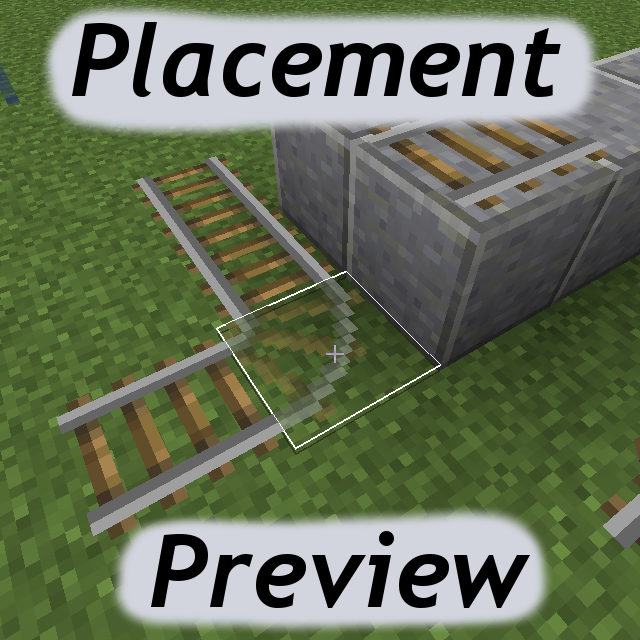
CurseForge · Minecraft mod
Placement Preview
A client-side mod to show a preview of the block-to-be-placed
Choose a version Pick your version below, then grab the matching file.
Quick answer
Which Placement Preview release matches 1.11?
beta file placementpreview-1.11.0-0.3.1.jar
Game version 1.11
Loader Not required
Placement Preview placementpreview-1.11.0-0.3.1.jar targets 1.11. The project page does not say whether this file belongs on the client, dedicated server, or both. No extra mods listed for this file.
Where it goes
Is Placement Preview required on the client, server, or both?
The project page does not say whether this file belongs on the client, dedicated server, or both.
Client Source doesn’t say
Dedicated server Source doesn’t say
Loader for this release No loader listed
Required install it here Optional supported, not mandatory Not supported do not install here Source doesn’t say do not assume
The source does not explicitly classify this release as client-only or server-only.
What else does Placement Preview placementpreview-1.11.0-0.3.1.jar need?
placementpreview-1.11.0-0.3.1.jar on 1.11. Every mod below is checked against that same setup.
This file does not list any required mods. Do not add a library just because a different file uses it.
This file does not list any required or optional mods.
Before you install it
Add Placement Preview without breaking your instance.
Built for Placement Preview placementpreview-1.11.0-0.3.1.jar on 1.11. Pick another file and the loader, install side or required mods may change.
- 01
Stick to this file
Use placementpreview-1.11.0-0.3.1.jar. It targets 1.11; another release may have different loader, side or dependency requirements.
- 02
Bring the mods it needs
This file does not list any required mods. Do not add a library just because a different file uses it.
- 03
Put it on the correct side
The project page does not say whether this file belongs on the client, dedicated server, or both.
- 04
Pick the file you checked
Use the “Get this file” button beside placementpreview-1.11.0-0.3.1.jar. It opens that exact file at the source.
About this project
What does Placement Preview add?
Description
A client-side mod for displaying a preview of the block that would be placed on right click.
Example:
Configuration
There are several configuration options available, either via the in-game config menu, or in the configuration file.
- defaultStateGhost Should the ghost block rendering be enabled or disabled by default (when not holding any keys)
- defaultStateWire Should the wire frame rendering be enabled or disabled by default (when not holding any keys)
- enableRenderGhost The main enable for ghost block rendering
- enableRenderWire The main enable for wire frame rendering
- fakeWorldCopyRadius The radius of blocks that will be copied to the fake world. The change detection radius is one less than this value.
- renderAfterDelay The preview will only activate after the cursor has been held over a block for an amount of time.
- renderDelay The amount of time the cursor must be held over a block for the preview to activate.
- renderOverlapping Render a ghost block preview over existing blocks. This also changes the way the changed block models are detected. (when false, only blocks that were modified in the fake world via setBlockState() are included, when true, all blocks in a radius of fakeWorldCopyRadius - 1 are compared to the real world by comparing the getActualState() reference. This means that things like changing fence connections of adjacent existing blocks will be shown.)
- requireSneakForGhost Is holding sneak required to render the ghost blocks
- requireSneakForWire Is holding sneak required to render the wire frame
- resetHoverTimerOnPosChange Whether the hover delay will reset when the cursor moves over a different block.
- toggleGhostWhileHoldingKey Whether to toggle the ghost block rendering state from what the defaultStateGhost is, while holding the key set in toggleKeyGhost
- toggleWireWhileHoldingKey Whether to toggle the wire frame rendering state from what the defaultStateWire is, while holding the key set in toggleKeyWire
- toggleKeyGhost The key that must be help for the ghost block rendering state to toggle from the defaultStateGhost. Can be "shift", "alt" or "ctrl".
- toggleKeyWire The key that must be help for the wire frame rendering state to toggle from the defaultStateWire. Can be "shift", "alt" or "ctrl".
- transparencyAlpha The alpha value of the ghost block, if useTransparency is true. 0 = completely transparent, 1 = completely opaque.
- useTransparency Render the ghost blocks as transparent/translucent.
The rendering can be toggled on/off alltogether via the Toggle key, which is P by default.
The enableRenderGhost state can be toggled via the Toggle Ghost keybind (SHIFT + P by default).
The enableRenderWire state can be toggled via the Toggle Wire keybind (CTRL + P by default).
So to sum it up a bit:
- The enableRender* options are the "master controls" and turning them off means nothing will be rendered no matter what the other options for that mode (ghost or wire) are.
- Then the defaultState* options set the "default rendering state" (on vs. off) for that mode, when no keys are being pressed.
- requireSneakFor* controls if sneaking is required for the rendering to activate for that mode.
- toggle*WhileHoldingKey When enabled, the on/off state from the defaultState* will be toggled/reversed while the key set in the corresponding toggleKey* option is being pressed
So basically you can set it up to render one or both of the modes by default and be disabled while holding a key (ctrl or alt or shift), or make them require sneaking, or make them require holding ctrl or alt or shift, or make them be on by default but on a delay, or make them require sneaking and/or holding a key and still require a delay... You get the idea, I hope :p
Mod packs/permissions
- Mod packs: go ahead!
- Re-hosting the mod file otherwise is not cool, mmkay?
Short demonstration video (from version 0.1.0)
TBA
Project description from CurseForge.
Pick your setup
Placement Preview by Minecraft version and loader
Choose the version and loader you play, then open the matching release.
Minecraft version
1.12.1
1 loader buildMinecraft version
1.12
1 loader buildMinecraft version
1.11.2
1 loader buildMinecraft version
1.11
1 loader buildMinecraft version
1.10.2
1 loader buildCheck the dependencies, then try the file in a copied instance before changing a world you care about.
Recent files
Placement Preview versions and loaders
placementpreview-1.11.0-0.3.1.jar
23 Nov 2016
Client Source doesn’t say Server Source doesn’t say Dependencies No extras listed Listed on Release listing
Check the 1.11 setup Looking for an older file? The official CurseForge project page is in Resources.
 mod
CurseForge · Minecraft
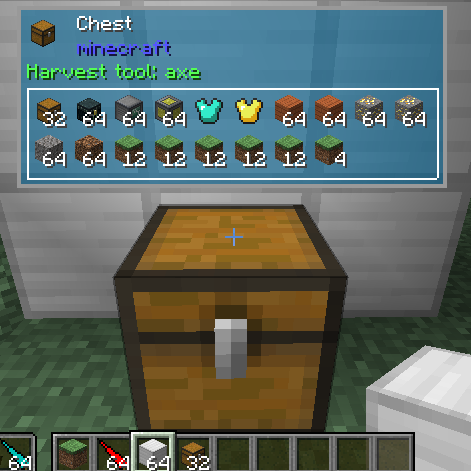
The One Probe
More immersive alternative for WAILA
 mod
CurseForge · Minecraft
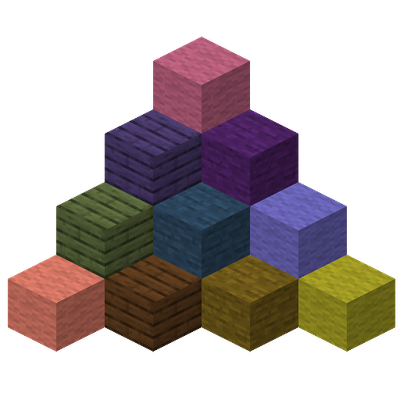
MoreDyes
Adds more than 100 new dyes, blended from existing colors.
 mod
CurseForge · Minecraft
Mob Settings
Configure drops, natural spawns, attributes, experience, despawn ranges and spawn light levels for vanilla and modded mobs, with an in-game config editor.