Minecraft version
Back to mods 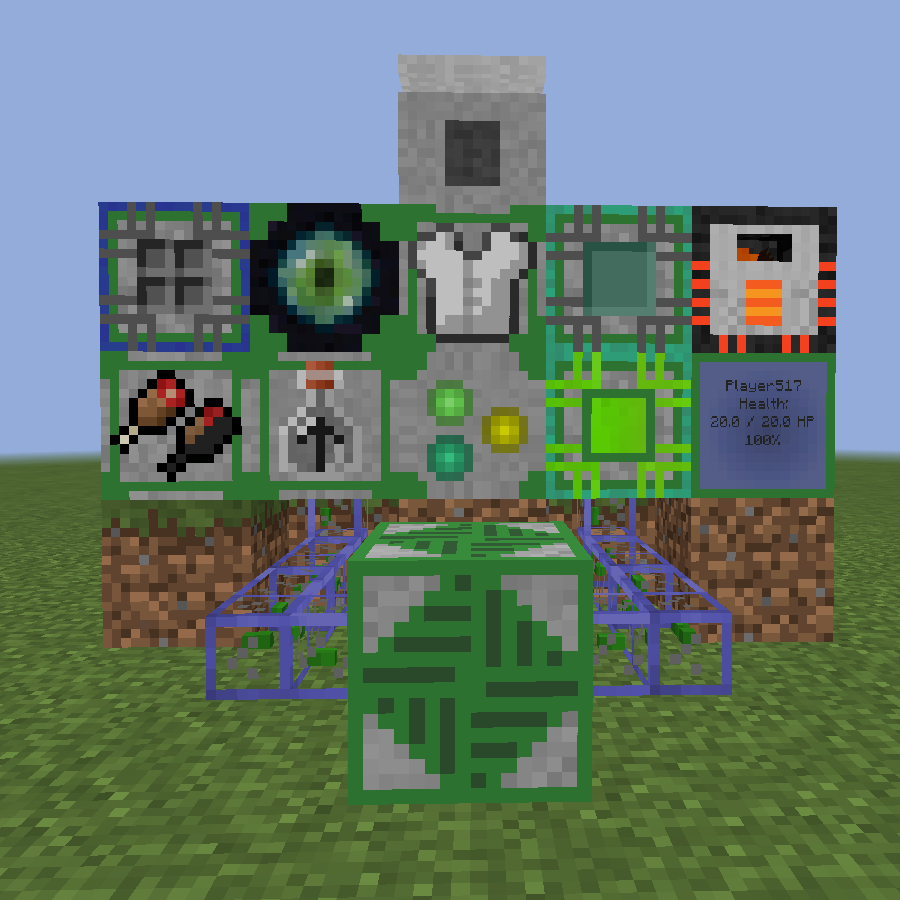
CurseForge · Minecraft mod
Advanced Inventory Management
Manage and automate your player's inventory and stats with lots of technical Devices
Choose a version Pick your version below, then grab the matching file.
Quick answer
Which Advanced Inventory Management release should I use?
Latest stable file AdvancedInventoryManagement-1.12.2-1.4.1.jar
Game version 1.12.2
Loader Not required
Advanced Inventory Management AdvancedInventoryManagement-1.12.2-1.4.1.jar targets 1.12.2. The project page does not say whether this file belongs on the client, dedicated server, or both. No extra mods listed for this file.
Where it goes
Is Advanced Inventory Management required on the client, server, or both?
The project page does not say whether this file belongs on the client, dedicated server, or both.
Client Source doesn’t say
Dedicated server Source doesn’t say
Loader for this release No loader listed
Required install it here Optional supported, not mandatory Not supported do not install here Source doesn’t say do not assume
The source does not explicitly classify this release as client-only or server-only.
What else does Advanced Inventory Management AdvancedInventoryManagement-1.12.2-1.4.1.jar need?
AdvancedInventoryManagement-1.12.2-1.4.1.jar. Change the file and its required mods may change too.
This file does not list any required mods. Do not add a library just because a different file uses it.
This file does not list any required or optional mods.
Before you install it
Add Advanced Inventory Management without breaking your instance.
Built for Advanced Inventory Management AdvancedInventoryManagement-1.12.2-1.4.1.jar. Pick another file and the loader, install side or required mods may change.
- 01
Stick to this file
Use AdvancedInventoryManagement-1.12.2-1.4.1.jar. It targets 1.12.2; another release may have different loader, side or dependency requirements.
- 02
Bring the mods it needs
This file does not list any required mods. Do not add a library just because a different file uses it.
- 03
Put it on the correct side
The project page does not say whether this file belongs on the client, dedicated server, or both.
- 04
Pick the file you checked
Use the “Get this file” button beside AdvancedInventoryManagement-1.12.2-1.4.1.jar. It opens that exact file at the source.
About this project
What does Advanced Inventory Management add?
Advanced Inventory Management (AIM) is a mod designed to automate the inventory of a player. By connecting different devices to a static block network, you are able to manipulate and modify the players inventory as well as other stats like xp, hunger or potion effects. The mod offers a wide range of different devices and possibilities, reaching from ways to automate your food supply to techniques for auto-healing a player when he has taken damage. All aspects of the mod are highly configurable and a lot of cool things can be achieved by combining different devices. There is also an in-game guide which covers every part of the mod in detail, describing the different blocks and items as well as things like setting up a network or managing player accessibility
Getting started
To get started with AIM, you should at first craft yourself an Inventory Management Manual. This manual will guide you through the different aspects of the mod, providing information about how to setup and use the different machines.
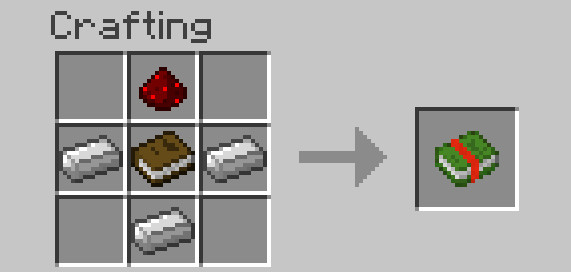
Once you have crafted an Inventory Management Manual, you can easily look up information there. There is also a "Getting Started"-Page which should help you getting along with the mod.
Content
Advanced Inventory Managment currently provides ten different relays, multiple items, a status monitor, a central core block and highly configurable network cables. All mechanics are described further in the in-game manual. The functions of the different relays are:
Inventory Relay: Access the player's inventory
Hunger Relay: Access the player's hunger bar, insert food to fill the hunger bar up.
Slot selection Relay: Access only a specific slot of the player's inventory
Shulker Box Relay: Access the content of shulker boxes in the player's inventory
Armor Relay: Access the armor slots of the player
Ender Chest Relay: Get access to a player's ender chest inventory
Potion Relay: Insert potions which get converted into potion effects or remove potion effects from the player and store them as potion items
Experience Relay: Insert and extract XP from the player and store them in glass bottles
Experience Relay (Liquids): Insert and extract XP as a fluid
Energy Relay: Transfer energy from the block to items in the player's inventory
Also available:
Player Monitor: Show stats of the player (like Health, Saturation, Position, Motion...) and output an according redstone signal
Inventory Management Core: Controls your network and connects all your devices
Network Cables: Connect devices from further away
Toggle Cable: Switch parts of your network on and off using redstone signals
Network Information Provider: Get additional information about your network
Network Wrench: Easily configure and break parts of your network
Player Scanner: Connect a player to a network
Solid fuel generator: Provide power to your network (It also works with external sources providing RF, EU, TESLA, J or Forge Power Units)
Different Editors: Edit the stats of the player (for example his velocity or current selected hotbar slot)
and more...
Examples
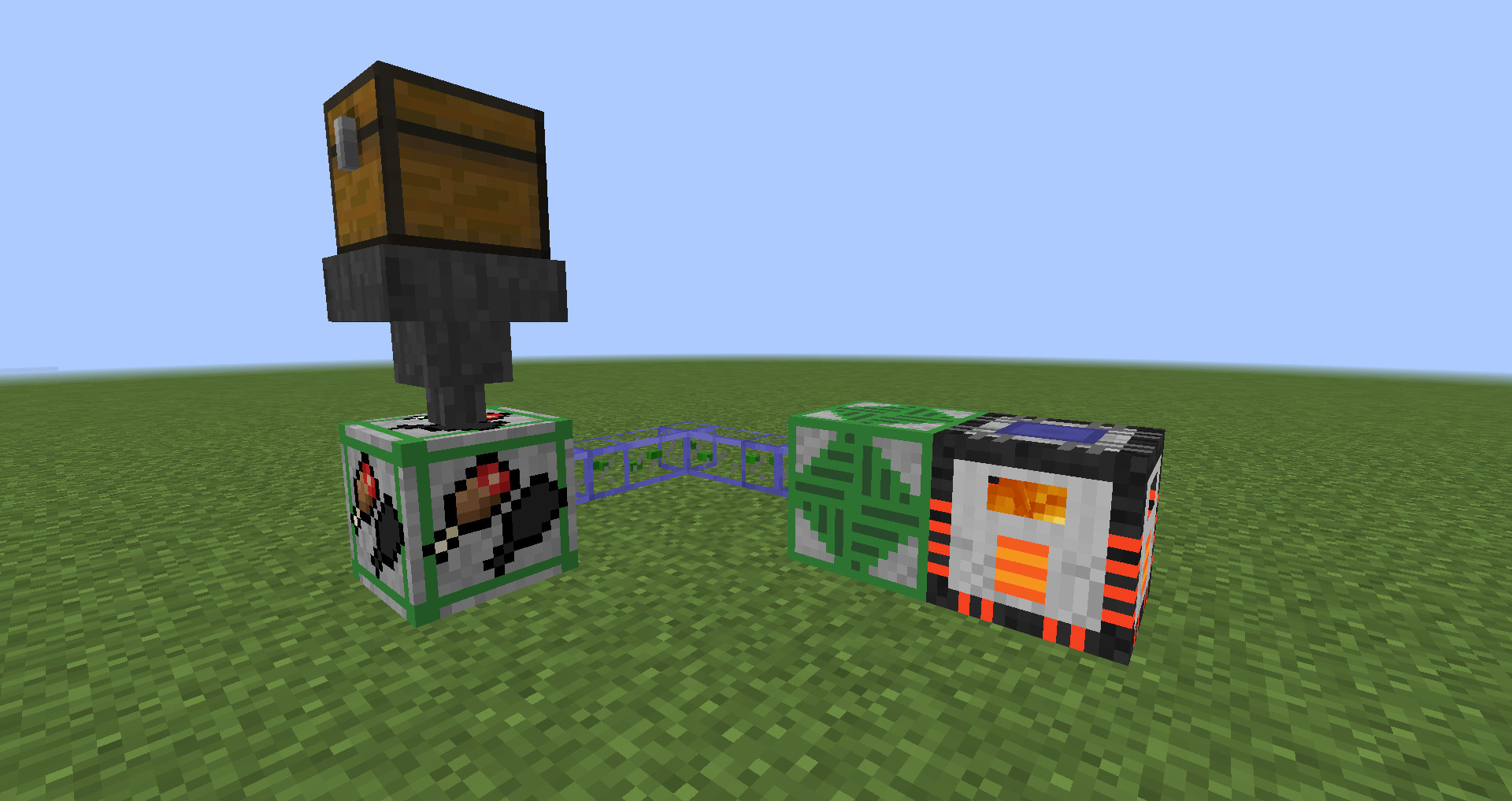
By combining a hunger relay with a hopper and a chest full of food, you can supply the player with food when he is hungry, removing the need to eat constantly. (Especially useful during combat when food is needed to regenerate health)
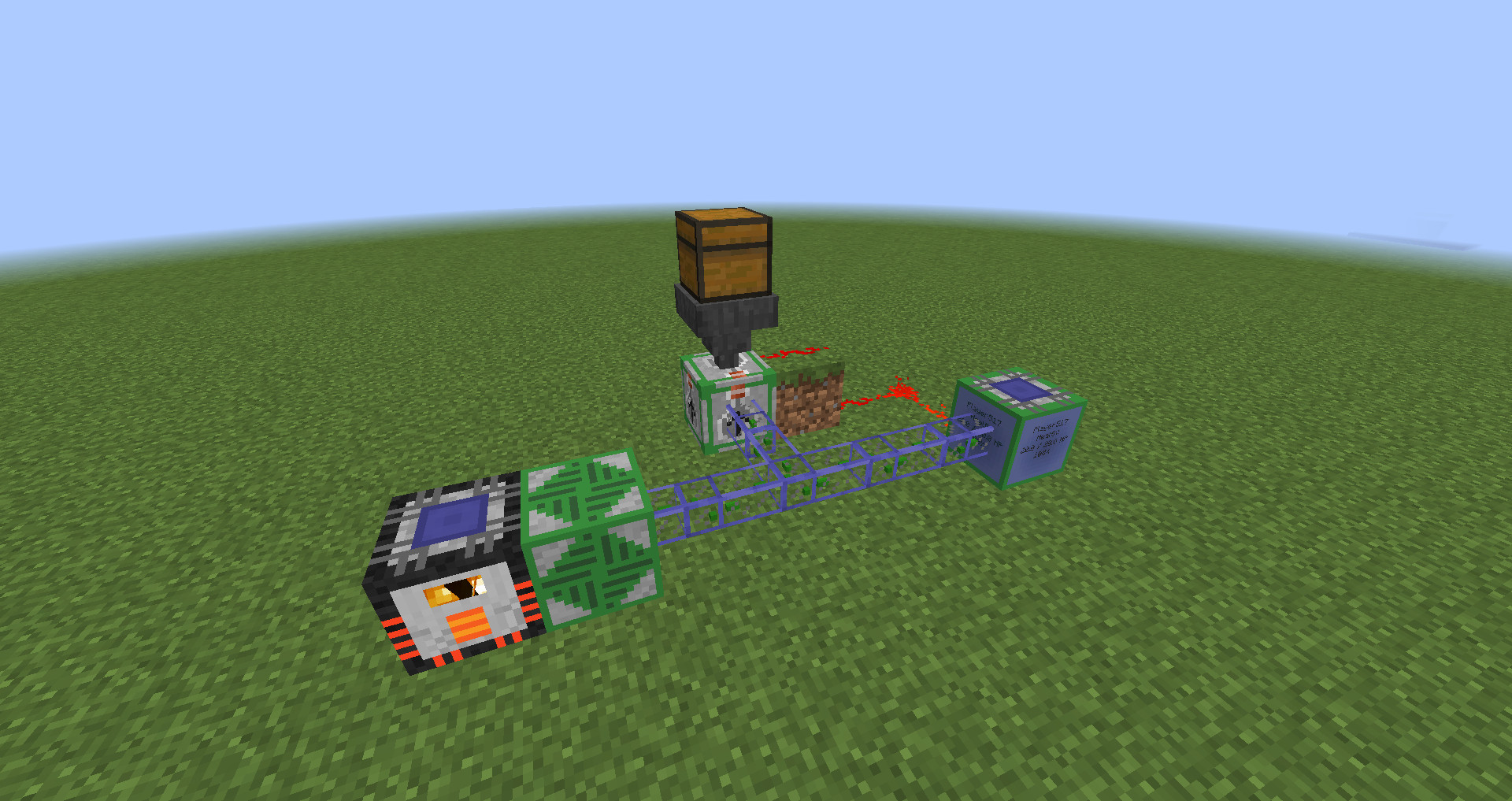
By connecting a player monitor set to display health mode with a potion relay, you can send healing potions to the player whenever his health is not at maximum
By combining two hoppers and an Experience Relay, xp can constantly be pulled out as bottles o' enchanting, so that the player can't lose his experience when he dies.
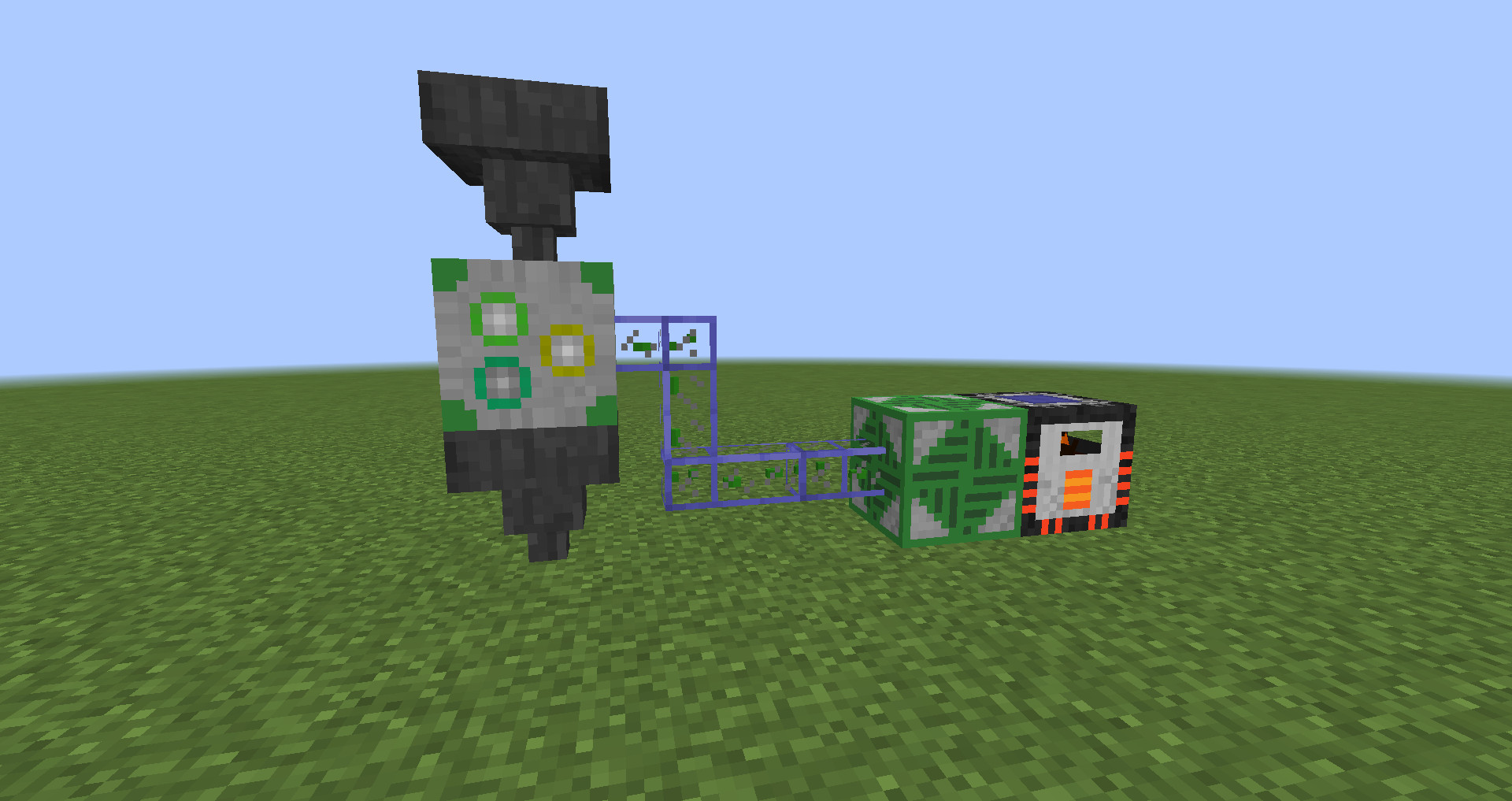
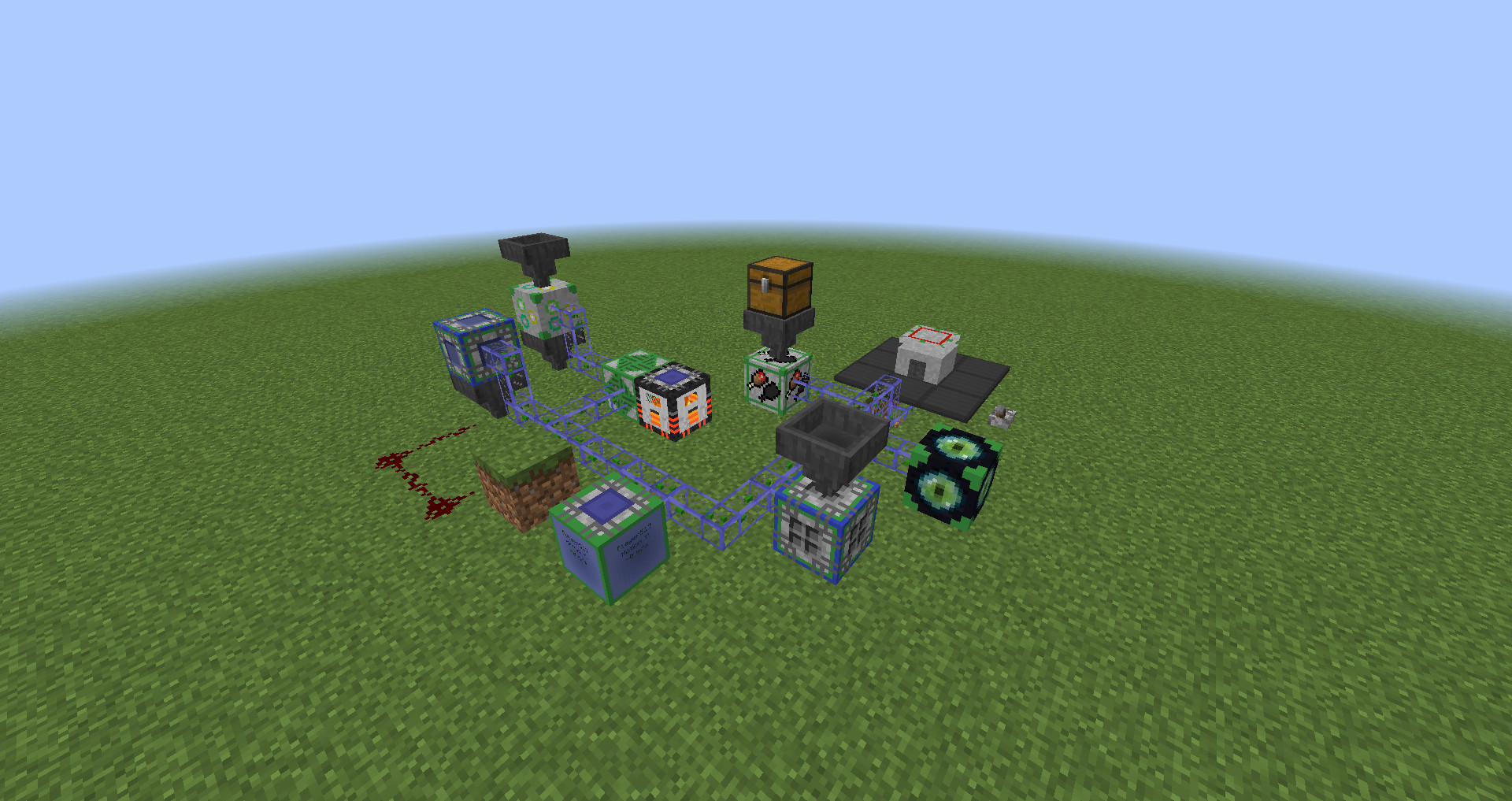
Different devices can also be connected to much more complex network structures using network cables.
Modpack permission
You are of course allowed to include this mod in any modpack you want. You don't have to ask for special permission if you want to use this mod in your pack.
Credits
Special thanks to Daniel A. for designing huge parts of the mod's textures.
Project description from CurseForge.
Pick your setup
Advanced Inventory Management by Minecraft version and loader
Choose the version and loader you play, then open the matching release.
Minecraft version
1.11.2
1 loader buildMinecraft version
1.11
1 loader buildMinecraft version
1.10.2
1 loader buildCheck the dependencies, then try the file in a copied instance before changing a world you care about.
Recent files
Advanced Inventory Management versions and loaders
AdvancedInventoryManagement-1.12.2-1.4.1.jar
31 Jul 2018
Client Source doesn’t say Server Source doesn’t say Dependencies No extras listed Listed on Release listing
Check the 1.12.2 setup 1.12.2 release
AdvancedInventoryManagement-1.12.2-1.4.0.jar
26 Jul 2018
Client Source doesn’t say Server Source doesn’t say Dependencies No extras listed Listed on Release listing
Check the 1.12.2 setup 1.12.2 release
AdvancedInventoryManagement-1.12.2-1.3.0.jar
26 May 2018
Client Source doesn’t say Server Source doesn’t say Dependencies No extras listed Listed on Release listing
Check the 1.12.2 setup 1.12.2 release
AdvancedInventoryManagement-1.10.2-1.2.0.jar
19 Mar 2017
Client Source doesn’t say Server Source doesn’t say Dependencies No extras listed Listed on Release listing
Check the 1.10.2 setup 1.10.2 release
AdvancedInventoryManagement-1.11.2-1.2.0.jar
19 Mar 2017
Client Source doesn’t say Server Source doesn’t say Dependencies No extras listed Listed on Release listing
Check the 1.11.2 setup 1.11.2 release
AdvancedInventoryManagement-1.11-1.1.0.jar
19 Nov 2016
Client Source doesn’t say Server Source doesn’t say Dependencies No extras listed Listed on Release listing
Check the 1.11 setup AdvancedInventoryManagement-1.10.2-1.1.0.jar
30 Oct 2016
Client Source doesn’t say Server Source doesn’t say Dependencies No extras listed Listed on Release listing
Check the 1.10.2 setup 1.10.2 release
AdvancedInventoryManagement-1.10.2-1.0.1.jar
8 Oct 2016
Client Source doesn’t say Server Source doesn’t say Dependencies No extras listed Listed on Release listing
Check the 1.10.2 setup 1.10.2 release
AdvancedInventoryManagement-1.10.2-1.0.0.jar
22 Sept 2016
Client Source doesn’t say Server Source doesn’t say Dependencies No extras listed Listed on Release listing
Check the 1.10.2 setup 1.10.2 release
Looking for an older file? The official CurseForge project page is in Resources.
 mod
mod Modrinth · Minecraft
Integrated Scripting
Create scripts for handling complex operations in Integrated Dynamics
 mod
mod CurseForge · Minecraft
Before The Fall
A nuclear survival mod featuring radiation, bunkers, reactors, dynamic survivor factions, and stories told through radio broadcasts.
 mod
mod CurseForge · Minecraft
T-800 Entity
An autonomous Terminator-inspired hunter for Minecraft 1.20.1 Forge. It tracks players, remembers their last known location, investigates, searches, and relentlessly pursues its target.