Minecraft version
Back to mods 
CurseForge · Minecraft mod
MystHighlights
Custom highlighting of the entity or block you're currently looking at
Choose a version Pick your version below, then grab the matching file.
Quick answer
Which MystHighlights release matches 1.10.2?
Best match for your filters MystHighlights-1.1.jar
Game version 1.10.2, 1.11
Loader Not required
MystHighlights-1.1.jar targets 1.10.2, 1.11. The project page does not say whether this file belongs on the client, dedicated server, or both. No extra mods listed for this file.
Where it goes
Is MystHighlights required on the client, server, or both?
The project page does not say whether this file belongs on the client, dedicated server, or both.
Client Source doesn’t say
Dedicated server Source doesn’t say
Loader for this release No loader listed
Required install it here Optional supported, not mandatory Not supported do not install here Source doesn’t say do not assume
The source does not explicitly classify this release as client-only or server-only.
What else does MystHighlights-1.1.jar need?
MystHighlights-1.1.jar on 1.10.2. Every mod below is checked against that same setup.
This file does not list any required mods. Do not add a library just because a different file uses it.
This file does not list any required or optional mods.
Before you install it
Add MystHighlights without breaking your instance.
Built for MystHighlights-1.1.jar on 1.10.2. Pick another file and the loader, install side or required mods may change.
- 01
Stick to this file
Use MystHighlights-1.1.jar. It targets 1.10.2, 1.11; another release may have different loader, side or dependency requirements.
- 02
Bring the mods it needs
This file does not list any required mods. Do not add a library just because a different file uses it.
- 03
Put it on the correct side
The project page does not say whether this file belongs on the client, dedicated server, or both.
- 04
Pick the file you checked
Use the “Get this file” button beside MystHighlights-1.1.jar. It opens that exact file at the source.
About this project
What does MystHighlights add?
Allows you to change/disable vanilla's block highlighting when you look at a block and adds similar highlighting for mobs.
For block highlights, you can choose between no highlights, an outline like vanilla or a filled box (or both).
For mobs, you can choose the same options for their hitboxes, can overlay a colour on mobs' models, can display an outline like the glowing effect or display a custom outline.
You can change the colour and transparency of block and mob hitbox highlights.
For all other highlights, you can change the colour, but not transparency.
For block and entity hitbox outlines, you can also change the width of the lines if you want.
The config can be accessed and changed in-game: http://imgur.com/a/HQsnN (no need to restart)
When looking at a block, an outline is displayed that lets you know if you can reach that block. But when looking at a mob, there's no visual indication that you're in range. I had a quick look for a mod that would add a visual indication, but couldn't find one, so I made my own.
I added a few extra features and config controls and I am now releasing the mod for other people to use.
You may add this mod to any modpack without needing to get permission or notify me (though I will appreciate being notified if you decide to add this mod to a public modpack).
This mod is entirely client side and will do nothing if you happen to add it to a server by mistake
Project description from CurseForge.
Pick your setup
MystHighlights by Minecraft version and loader
Choose the version and loader you play, then open the matching release.
Minecraft version
1.12.1
1 loader buildMinecraft version
1.12
1 loader buildMinecraft version
1.11
1 loader buildMinecraft version
1.10.2
1 loader buildCheck the dependencies, then try the file in a copied instance before changing a world you care about.
Recent files
MystHighlights versions and loaders
MystHighlights-1.1.jar
11 Feb 2017
Client Source doesn’t say Server Source doesn’t say Dependencies No extras listed Listed on Release listing
Check the 1.10.2 setup 1.10.21.11 release
MystHighlights-1.0.jar
12 Dec 2016
Client Source doesn’t say Server Source doesn’t say Dependencies No extras listed Listed on Release listing
Check the 1.10.2 setup 1.10.21.11 release
Looking for an older file? The official CurseForge project page is in Resources.
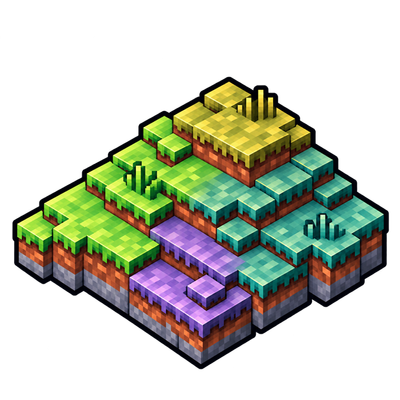 mod
CurseForge · Minecraft
Sky’s Terrain Smoother - Biomes O' Plenty Add-On
Extends Sky’s Terrain Smoother to Biomes O’ Plenty, with matching grass and soil slabs, steps and corners for smoother hillsides and cave floors.
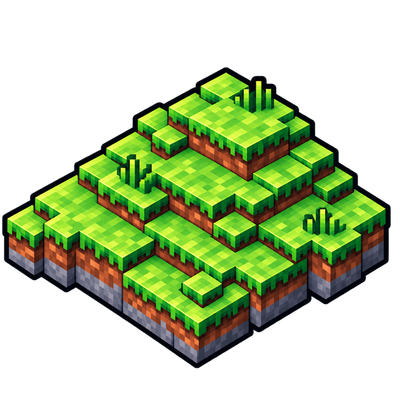 mod
CurseForge · Minecraft
Sky’s Terrain Smoother
Smooth new terrain and cave floors with slabs, steps and corners, choose from three smoothing levels, with built in Mineralogy support.
 mod
CurseForge · Minecraft
Sky’s Building Pieces - Biomes O’ Plenty Add-On
More building shapes for Biomes O' Plenty woods, stones and gems, with slabs, vertical placement, steps, corners, stairs and walls. Requires Sky's Building Pieces.