Wumple Util Library Needed by pantography-1.12.2-2.0.2.jar
requiredMatching file found Matched file: wumpleutil-1.12.2-2.12.9.jar
CurseForge · Minecraft mod
Copy Map item data to other Maps including different scale Maps with a Pantograph, an advanced Cartography Table.
Quick answer
pantography-1.12.2-2.0.2.jar targets 1.12.2. The project page does not say whether this file belongs on the client, dedicated server, or both. All 1 required mods have matching files.
Where it goes
The project page does not say whether this file belongs on the client, dedicated server, or both.
The source does not explicitly classify this release as client-only or server-only.
pantography-1.12.2-2.0.2.jar on 1.12.2. Every mod below is checked against that same setup.
Install Wumple Util Library first. We found matching files for this game-version and loader setup.
We only count dependency files that match this setup. A file for another loader does not fill the gap.
Before you install it
Built for pantography-1.12.2-2.0.2.jar on 1.12.2. Pick another file and the loader, install side or required mods may change.
Use pantography-1.12.2-2.0.2.jar. It targets 1.12.2; another release may have different loader, side or dependency requirements.
Install Wumple Util Library first. We found matching files for this game-version and loader setup.
The project page does not say whether this file belongs on the client, dedicated server, or both.
Use the “Get this file” button beside pantography-1.12.2-2.0.2.jar. It opens that exact file at the source.
About this project
Copy map item data to other maps including different scale maps with a Pantograph, an advanced Cartography Table. Supports Mega Maps.
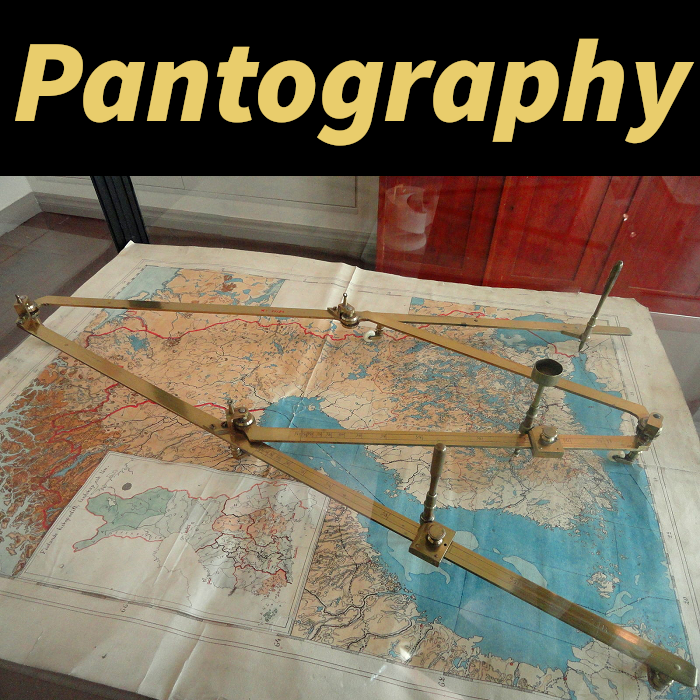
A pantograph is "is a mechanical linkage connected in a manner based on parallelograms so that the movement of one pen, in tracing an image, produces identical movements in a second pen. If a line drawing is traced by the first point, an identical, enlarged, or miniaturized copy will be drawn by a pen fixed to the other" [Wikipedia].
Two methods of use are available:
Integrates with Mega Map to allow copying multiple maps from a large area into a Mega Map (which can be scale 5 or greater, unlike vanilla maps).
Requires Wumple Util Library.
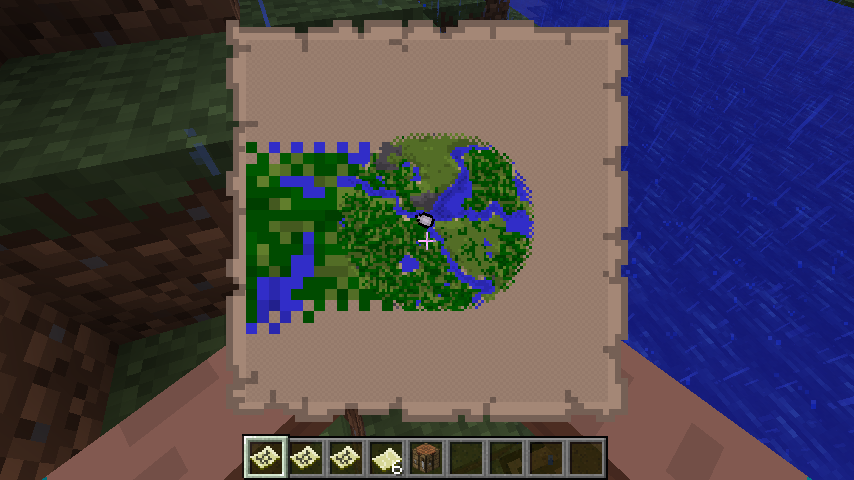
A higher scale source map has been copied into a lower scale destination map. Since the source map had less detail, the copied map pixels are large. The large map pixels will be replaced with normal map detail when the map is used in that area.
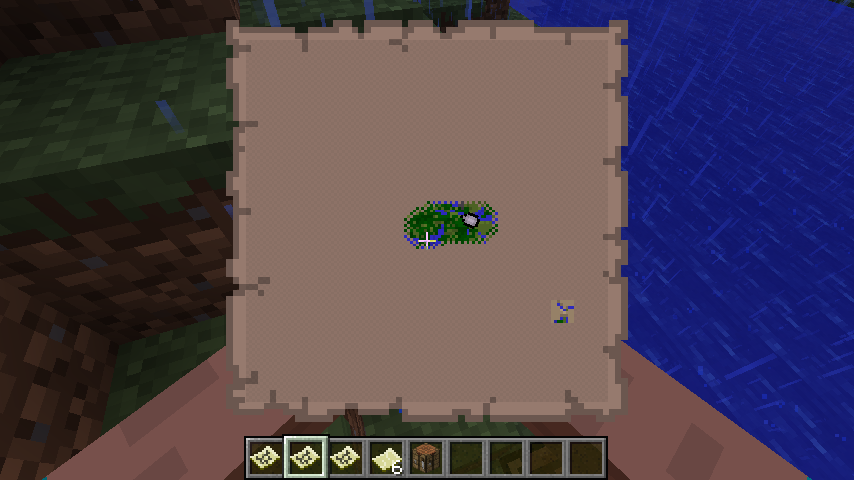
A lower scale source map has been copied into a higher scale destination map. The lower scale source map's data shows as an isolated rectangle in the destination map.
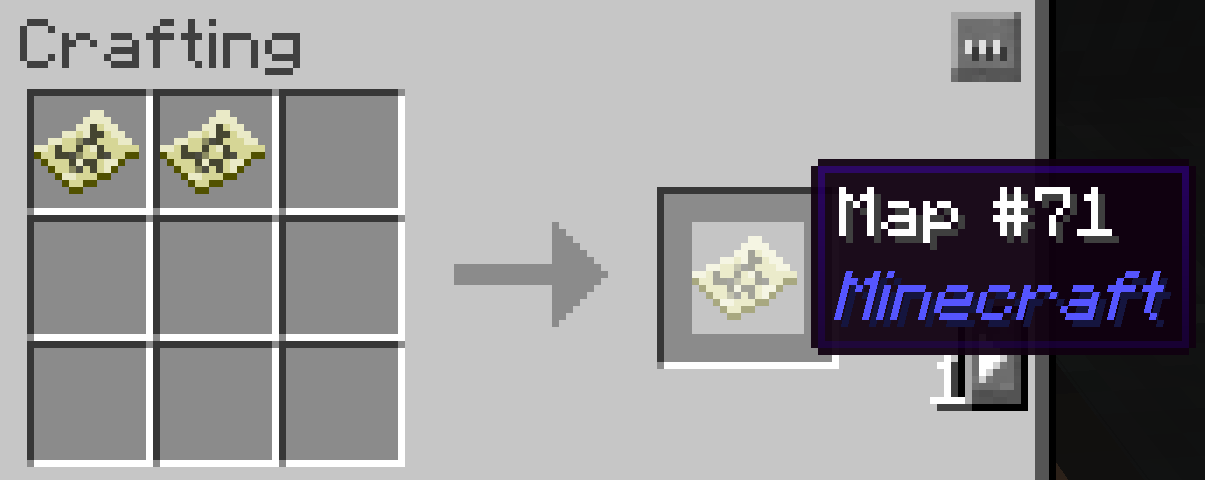
Example of copying filled Map data from one Map (on the right) to the other Map (on the left)
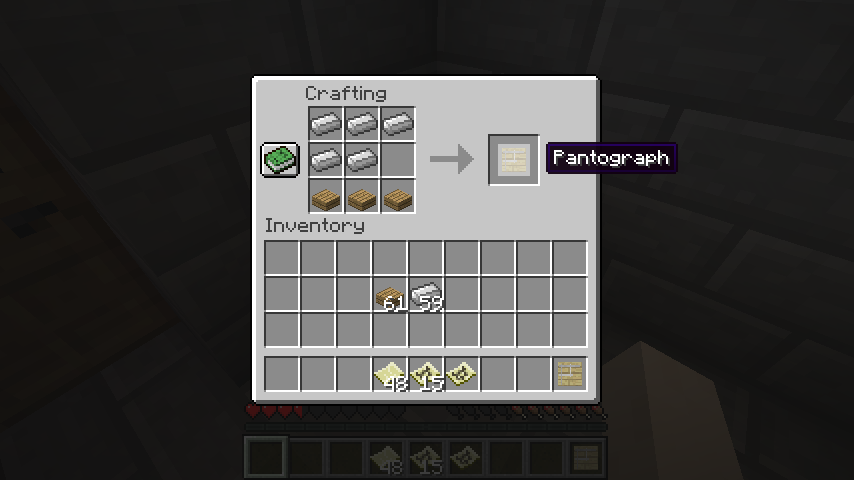
Pantograph recipe.
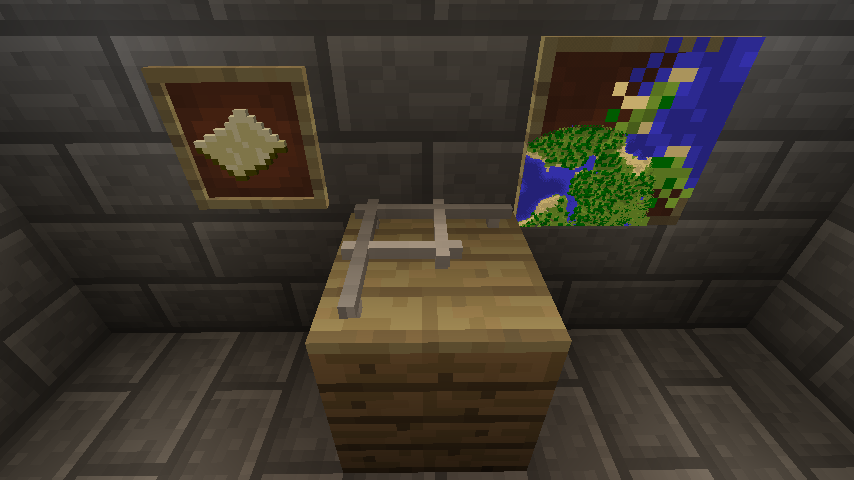
1.12: Pantograph block, with an example resulting filled map in a frame showing a scale 0 (lower left) and scale 4 (upper right) map transcribed together.
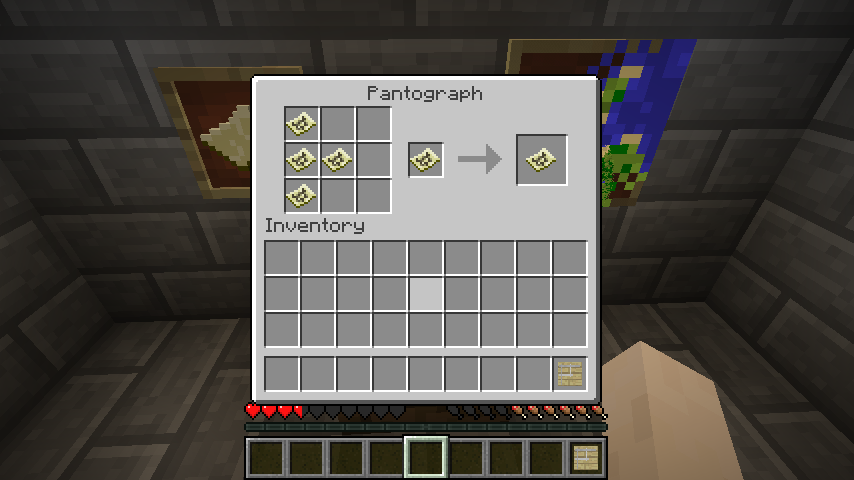
Example of a pantograph map transcription.
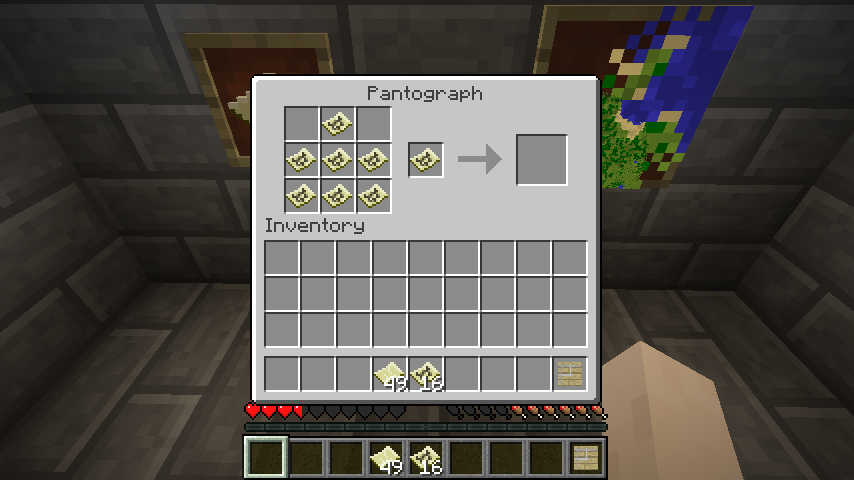
Example of an invalid attempt at a pantograph map transcription - one of the source filled maps is outside the area of the target map.
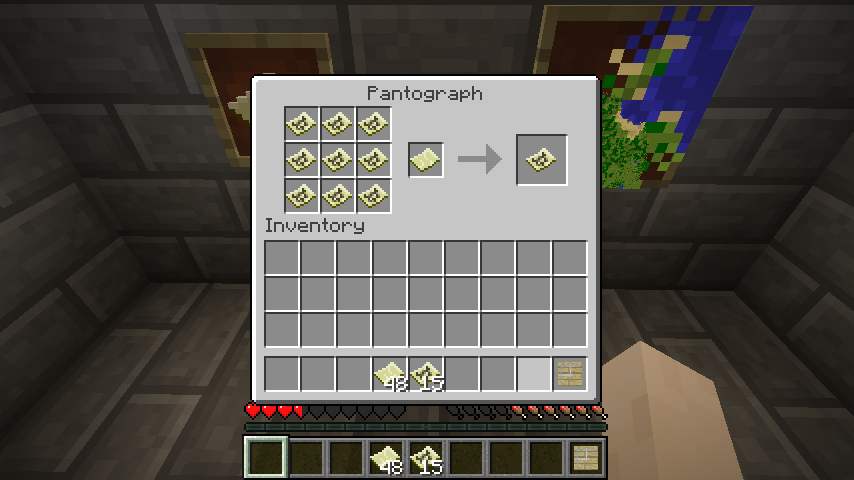
Example of a pantograph map copy.

The resulting filled map from the above pantograph map copy.
Project description from CurseForge.
Pick your setup
Choose the version and loader you play, then open the matching release.
Check the dependencies, then try the file in a copied instance before changing a world you care about.
Recent files
17 Sept 2018
21 Aug 2018
14 Aug 2018
7 Aug 2018
2 Aug 2018
24 Jul 2018
24 Jun 2018
20 May 2018
Looking for an older file? The official CurseForge project page is in Resources.
 mod
Dogfight in 30+ flyable jets, WWII warbirds and helicopters, then take warships and submarines to sea. F-22, F-35, Spitfire, Apache, a sailing Nimitz carrier, air refuelling and a campaign. (Formerly known as Fighter Jets Overhaul)
 mod
Build Multiblocks with one click
 mod
A lightweight client-side audio mod that dynamically shifts environmental soundscapes based on biomes, weather, time, indoor shelters, and deep caves.