Minecraft version
Back to mods 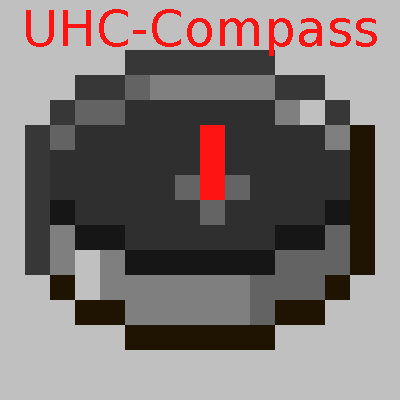
CurseForge · Minecraft mod
UHC Compass
Adds a Compass to the HUD which points to a configurable location
Choose a version Pick your version below, then grab the matching file.
Quick answer
Which UHC Compass release matches 1.10.2?
Best match for your filters UHCCompass-1.10.2-1.0.0
Game version 1.10.2
Loader Not required
UHC Compass UHCCompass-1.10.2-1.0.0 targets 1.10.2. The project page does not say whether this file belongs on the client, dedicated server, or both. No extra mods listed for this file.
Where it goes
Is UHC Compass required on the client, server, or both?
The project page does not say whether this file belongs on the client, dedicated server, or both.
Client Source doesn’t say
Dedicated server Source doesn’t say
Loader for this release No loader listed
Required install it here Optional supported, not mandatory Not supported do not install here Source doesn’t say do not assume
The source does not explicitly classify this release as client-only or server-only.
What else does UHC Compass UHCCompass-1.10.2-1.0.0 need?
UHCCompass-1.10.2-1.0.0 on 1.10.2. Every mod below is checked against that same setup.
This file does not list any required mods. Do not add a library just because a different file uses it.
This file does not list any required or optional mods.
Before you install it
Add UHC Compass without breaking your instance.
Built for UHC Compass UHCCompass-1.10.2-1.0.0 on 1.10.2. Pick another file and the loader, install side or required mods may change.
- 01
Stick to this file
Use UHCCompass-1.10.2-1.0.0. It targets 1.10.2; another release may have different loader, side or dependency requirements.
- 02
Bring the mods it needs
This file does not list any required mods. Do not add a library just because a different file uses it.
- 03
Put it on the correct side
The project page does not say whether this file belongs on the client, dedicated server, or both.
- 04
Pick the file you checked
Use the “Get this file” button beside UHCCompass-1.10.2-1.0.0. It opens that exact file at the source.
About this project
What does UHC Compass add?
UHC Compass adds a compass to the HUD similar in functionality to the one from the old UHC Mod. You can set the coordinates for it to point to using the Config GUI or the chat-gui(see details below), and you can drag and drop the compass to any spot on the screen by pressing the keybind(= by default).
Thanks to @Pyrhex on Twitter for requesting this.
To quickly set the coordinates, you can use a configurable keybind(' by default) to open a chat window with coordinate boxes. You can then easily see chat and type coordinates at the same time. Once you have a coordinate in each of the 2 boxes, you can close the GUI multiple ways, easiest of which is to press Enter.
Contact
Feel free to contact me with feature requests, and general questions about the mod.
If you have a bug or crash to report, please use the issue tracker. If it is anything else, here are other ways to contact me.
Check out my other mods:
Server-Side Mods:
Client-Side Mods:
Other Mods:
Project description from CurseForge.
Pick your setup
UHC Compass by Minecraft version and loader
Choose the version and loader you play, then open the matching release.
Minecraft version
1.10.2
1 loader buildMinecraft version
1.9.4
1 loader buildMinecraft version
1.8.9
1 loader buildCheck the dependencies, then try the file in a copied instance before changing a world you care about.
Recent files
UHC Compass versions and loaders
UHCCompass-1.10.2-1.0.0
UHCCompass-1.10.2-1.0.0.jar
25 Jan 2017
Client Source doesn’t say Server Source doesn’t say Dependencies No extras listed Listed on Release listing
Check the 1.10.2 setup 1.10.2 release
Looking for an older file? The official CurseForge project page is in Resources.