Minecraft version
Back to mods 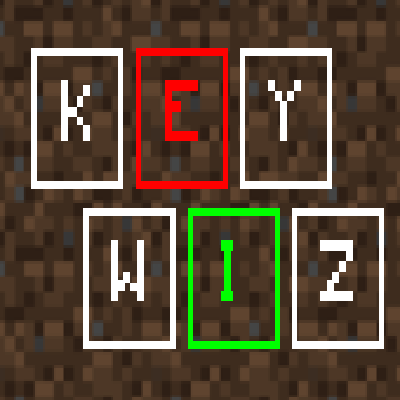
CurseForge · Minecraft mod
Keyboard Wizard
A small tool to make finding and fixing key conflicts a lot easier.
Choose a version Pick your version below, then grab the matching file.
Quick answer
Which Keyboard Wizard release should I use?
Latest stable file 1.7.3 [1.10.2] [FORGE]
Game version 1.10.2
Loader Forge
Keyboard Wizard 1.7.3 [1.10.2] [FORGE] targets 1.10.2 with Forge. The project page does not say whether this file belongs on the client, dedicated server, or both. No extra mods listed for this file.
Where it goes
Is Keyboard Wizard required on the client, server, or both?
The project page does not say whether this file belongs on the client, dedicated server, or both.
Client Source doesn’t say
Dedicated server Source doesn’t say
Loader for this release Forge
Required install it here Optional supported, not mandatory Not supported do not install here Source doesn’t say do not assume
The source does not explicitly classify this release as client-only or server-only.
What else does Keyboard Wizard 1.7.3 [1.10.2] [FORGE] need?
1.7.3 [1.10.2] [FORGE]. Change the file and its required mods may change too.
This file does not list any required mods. Do not add a library just because a different file uses it.
This file does not list any required or optional mods.
Before you install it
Add Keyboard Wizard without breaking your instance.
Built for Keyboard Wizard 1.7.3 [1.10.2] [FORGE]. Pick another file and the loader, install side or required mods may change.
- 01
Stick to this file
Use 1.7.3 [1.10.2] [FORGE]. It targets 1.10.2 with Forge; another release may have different loader, side or dependency requirements.
- 02
Bring the mods it needs
This file does not list any required mods. Do not add a library just because a different file uses it.
- 03
Put it on the correct side
The project page does not say whether this file belongs on the client, dedicated server, or both.
- 04
Pick the file you checked
Use the “Get this file” button beside 1.7.3 [1.10.2] [FORGE]. It opens that exact file at the source.
About this project
What does Keyboard Wizard add?
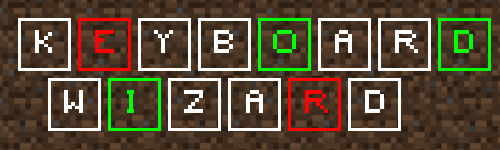
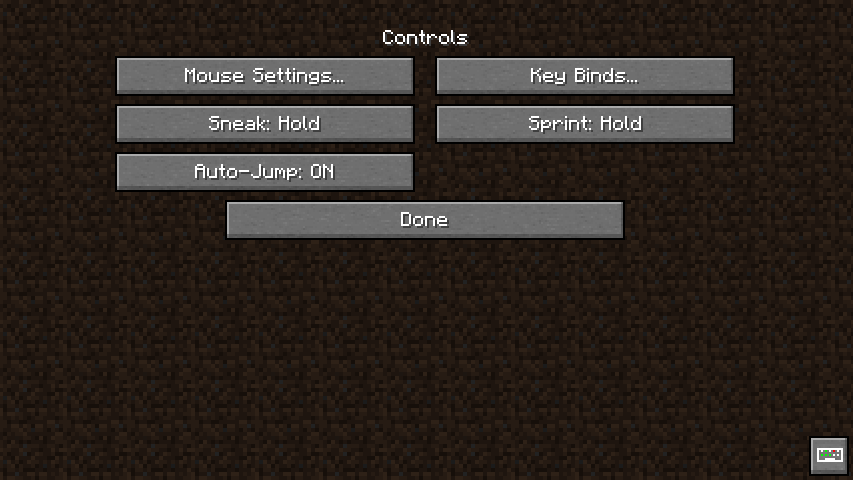
Keyboard Wizard is a mod helps with solving key conflicts and finding unbound keys. It adds an "extra" controls gui that displays an interactive keyboard in the center.
Screenshots (from version 2.0.1)
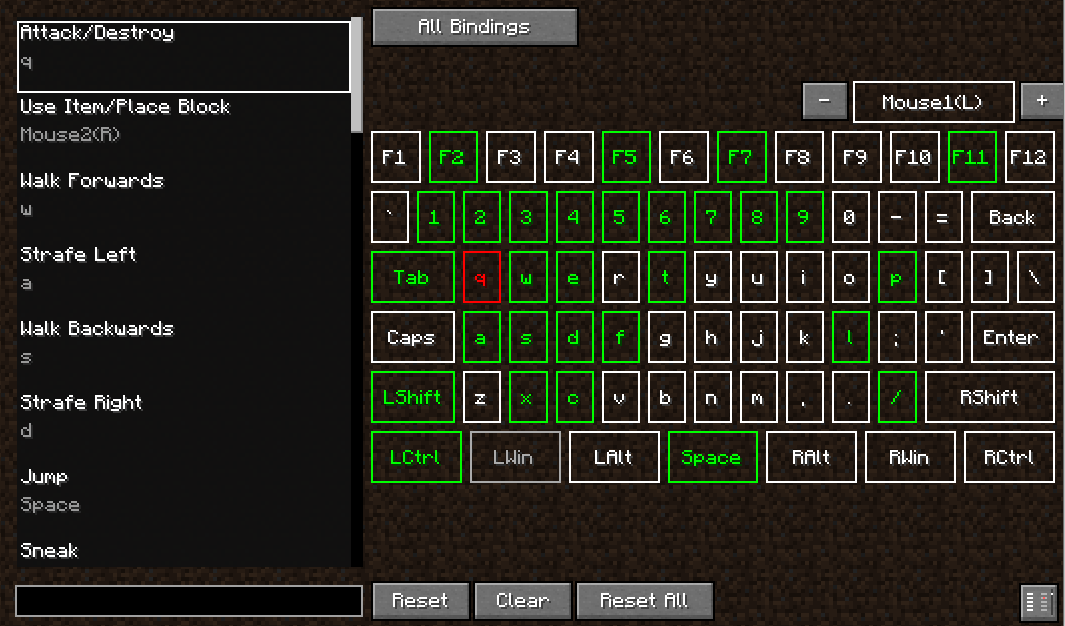
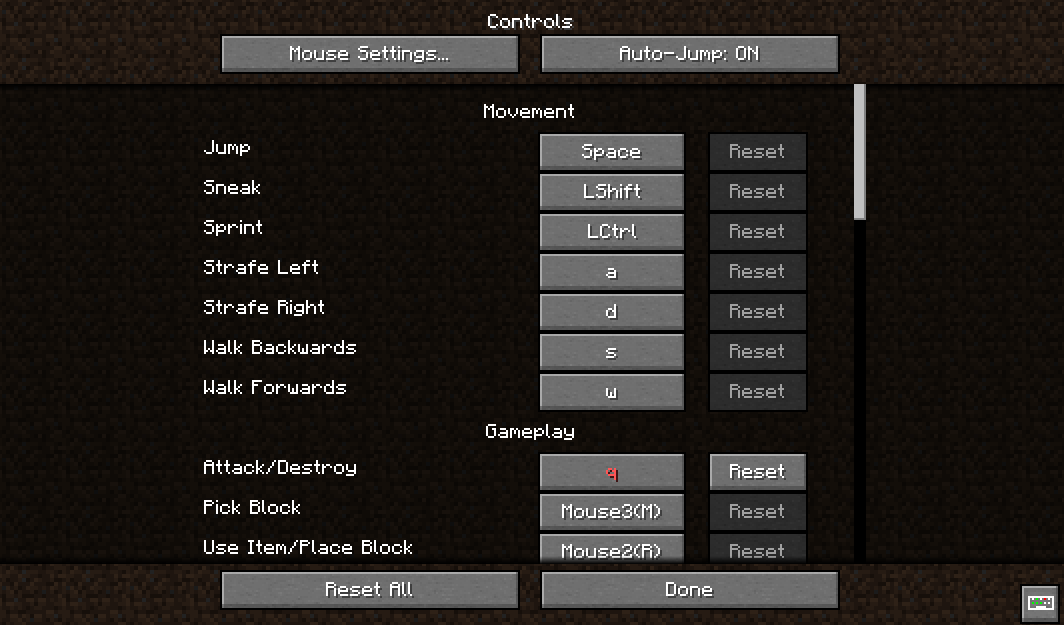
The vanilla controls GUI changed a tad in 1.17 and beyond. The keyboard wizard button is on the root "controls" screen for those versions, NOT the "key bindings" screen.
Features/Explanation
Keyboard Wizard can be opened by pressing F7 or clicking the added button in the controls gui (in the middle on 1.12 and in the bottom right in 1.16.5 and later).
When you open the gui you will see list of keybindings on the left, and a colored keyboard on the right.
- White keys are unbound
- Green keys have only one binding
- Red keys have more than one binding
Click a key (or the mouse button) to set the binding selected in the list to that key.
Press the All Bindings button to select the category that will be displayed in the binding list.
The binding list can be filtered by typing binding names in the search bar below it. It can also be filtered by key name by surrounding the key name in angle brackets, e.g. <Left Control>. Shift click a key to auto-populate the search bar with the key name.
Differences in the 1.12.2 Version
Press the Active Modifier button to select the Forge key modifier (control, alt, or shift) that will be applied to newly set bindings.
Instead of typing the key name in angle brackets, you can search by key name by starting your search with the @ character.
There is a config file that allows some tweaking of how things work, such as removing the added button in the controls gui.
1.17 and Beyond
Keyboard Wizard versions for Forge 1.17.1 and 1.18.2 are finally available. No matter how much I despise developing for Forge, I shall not stop. It supports too many cool mods.
Unofficial Ports
Thanks to some super awesome community members, Keyboard Wizard has been ported beyond the officialy supported versions! Check the ports out below.
DISCLAIMER: I am not affiliated with any of these projects or their maintenance. Please DO NOT post issues or comments for those projects here or on the official GitHub.
- Keyboard Wizard: Legacy for Minecraft versions 1.7.10 and 1.8.9 by mikhailtapio
- Keyboard Wizard Unofficial Port for Minecraft 1.20.1 by werdenRC5
Modpacks
Yes! You can certainly use Keyboard Wizard in your modpack. Large modpacks are what it was made for :)
I WILL NOT LOOK INTO ISSUES POSTED IN THE COMMENTS.
If you have and issue or find a bug, please post a mod list, relevant logs, and steps to reproduce on GitHub.
Project description from CurseForge.
Pick your setup
Keyboard Wizard by Minecraft version and loader
Choose the version and loader you play, then open the matching release.
Minecraft version
1.19.1
2 loader buildsMinecraft version
1.19
2 loader buildsMinecraft version
1.18.2
2 loader buildsMinecraft version
1.17.1
2 loader buildsMinecraft version
1.16.5
2 loader buildsMinecraft version
1.15.2
1 loader buildMinecraft version
1.14.4
1 loader buildMinecraft version
1.14.3
1 loader buildMinecraft version
1.14.2
1 loader buildMinecraft version
1.12.2
1 loader buildMinecraft version
1.10.2
1 loader buildCheck the dependencies, then try the file in a copied instance before changing a world you care about.
Recent files
Keyboard Wizard versions and loaders
1.7.3 [1.10.2] [FORGE]
keywizard-1.10.2-1.7.3.jar
29 Jul 2023
Client Source doesn’t say Server Source doesn’t say Dependencies No extras listed Listed on Release listing
Check the 1.10.2 · Forge setup 1.10.2Forge release
2.0.1 [1.19.2] [FORGE]
keywizard-forge-2.0.1-1.19.2.jar
5 Dec 2022
Client Source doesn’t say Server Source doesn’t say Dependencies No extras listed Listed on Release listing
Check the 1.19.2 · Forge setup 1.19.2Forge1.19.11.19 release
2.0.1 [1.19.2] [FABRIC]
keywizard-fabric-v2.0.1-1.19.2.jar
25 Nov 2022
Client Source doesn’t say Server Source doesn’t say Dependencies No extras listed Listed on Release listing
Check the 1.19.2 · Fabric setup Fabric1.19.21.19.11.19 release
2.0.1 [1.18.2] [FORGE]
keywizard-forge-2.0.1-1.18.2.jar
21 Nov 2022
Client Source doesn’t say Server Source doesn’t say Dependencies No extras listed Listed on Release listing
Check the 1.18.2 · Forge setup 1.18.2Forge release
2.0.1 [1.17.1] [FORGE]
keywizard-forge-2.0.1-1.17.1.jar
28 Oct 2022
Client Source doesn’t say Server Source doesn’t say Dependencies No extras listed Listed on Release listing
Check the 1.17.1 · Forge setup 1.17.1Forge release
2.0.1 [1.18.2] [FABRIC]
keywizard-fabric-v2.0.1.jar
21 Sept 2022
Client Source doesn’t say Server Source doesn’t say Dependencies No extras listed Listed on Release listing
Check the 1.18.2 · Fabric setup Fabric1.18.2 release
2.0.1 [1.15.2] [FABRIC]
keywizard-fabric-v2.0.1.jar
19 Sept 2022
Client Source doesn’t say Server Source doesn’t say Dependencies No extras listed Listed on Release listing
Check the 1.15.2 · Fabric setup Fabric1.15.2 release
2.0.1 [1.17.1] [FABRIC]
keywizard-fabric-v2.0.1.jar
14 Sept 2022
Client Source doesn’t say Server Source doesn’t say Dependencies No extras listed Listed on Release listing
Check the 1.17.1 setup 1.17.1 release
2.0.1 [1.14.4] [FABRIC]
keywizard-fabric-v2.0.1.jar
14 Sept 2022
Client Source doesn’t say Server Source doesn’t say Dependencies No extras listed Listed on Release listing
Check the 1.14.4 · Fabric setup 1.14.41.14.3Fabric1.14.2 release
2.0.1 [1.16.5] [FORGE]
keywizard-forge-2.0.1.jar
4 Aug 2022
Client Source doesn’t say Server Source doesn’t say Dependencies No extras listed Listed on Release listing
Check the 1.16.5 · Forge setup 1.16.5Forge release
2.0.1 [1.16.5] [FABRIC]
keywizard-fabric-v2.0.1.jar
4 Aug 2022
Client Source doesn’t say Server Source doesn’t say Dependencies No extras listed Listed on Release listing
Check the 1.16.5 · Fabric setup Fabric1.16.5 release
2.0.0 [1.16.5] [FORGE]
keywizard-forge-2.0.0.jar
27 Jul 2022
Client Source doesn’t say Server Source doesn’t say Dependencies No extras listed Listed on Release listing
Check the 1.16.5 · Forge setup 1.16.5Forge release
Looking for an older file? The official CurseForge project page is in Resources.
 mod
mod CurseForge + Modrinth · Minecraft
Re-Exposer
Make RS item storage identifiable as a storage,such as a chest.
 mod
mod CurseForge + Modrinth · Minecraft
Hybrid Aquatic
Hybrid Aquatic is a mod that enhances your underwater Minecraft experience! Explore improved rivers, swamps, oceans, and undersea caves containing a variety of new creatures and blocks to liven up your world!
 mod
mod CurseForge · Minecraft
Exile Overlay
An add-on for Mine and Slash that replaces the default HUD with an ARPG-style interface inspired by Diablo and Path of Exile (PoE).