Minecraft version
Back to mods 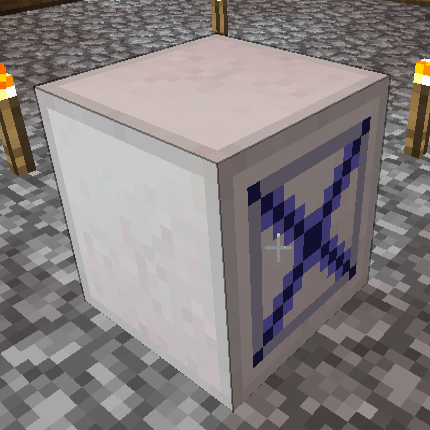
CurseForge · Minecraft mod
Automation Utilities
A small mod designed to fill in the gaps in tech mods.
Choose a version Pick your version below, then grab the matching file.
Quick answer
Which Automation Utilities release should I use?
Latest stable file AutomationUtilities-1.10.2-1.0.5.jar
Game version 1.10.2
Loader Not required
Automation Utilities AutomationUtilities-1.10.2-1.0.5.jar targets 1.10.2. The project page does not say whether this file belongs on the client, dedicated server, or both. No extra mods listed for this file.
Where it goes
Is Automation Utilities required on the client, server, or both?
The project page does not say whether this file belongs on the client, dedicated server, or both.
Client Source doesn’t say
Dedicated server Source doesn’t say
Loader for this release No loader listed
Required install it here Optional supported, not mandatory Not supported do not install here Source doesn’t say do not assume
The source does not explicitly classify this release as client-only or server-only.
What else does Automation Utilities AutomationUtilities-1.10.2-1.0.5.jar need?
AutomationUtilities-1.10.2-1.0.5.jar. Change the file and its required mods may change too.
This file does not list any required mods. Do not add a library just because a different file uses it.
This file does not list any required or optional mods.
Before you install it
Add Automation Utilities without breaking your instance.
Built for Automation Utilities AutomationUtilities-1.10.2-1.0.5.jar. Pick another file and the loader, install side or required mods may change.
- 01
Stick to this file
Use AutomationUtilities-1.10.2-1.0.5.jar. It targets 1.10.2; another release may have different loader, side or dependency requirements.
- 02
Bring the mods it needs
This file does not list any required mods. Do not add a library just because a different file uses it.
- 03
Put it on the correct side
The project page does not say whether this file belongs on the client, dedicated server, or both.
- 04
Pick the file you checked
Use the “Get this file” button beside AutomationUtilities-1.10.2-1.0.5.jar. It opens that exact file at the source.
About this project
What does Automation Utilities add?
Automation Utilities is a simple mod, created out of frustration from the lack of several automation components in my modpack. Instead of duplicating features added by other mods, I actively tried to find and add simpler processing blocks that are not added by other mods. It adds the following blocks:
- Stack Mover: Has an input and an output intended for an inventory (Chest, Furnace, Dispenser, etc) to be placed at either end. Upon receiving a Redstone signal, it pulls a single stack from the input and puts it in the output (or drops it in the world if no output is present). Can be upgraded to a filtered version that lets you specify exactly which items to move, and how many.
- Sequential Placer: Has an inventory with 18 slots, intending for blocks to be placed in them. Upon receiving a Redstone pulse, it will place a block from the next slot in line. It will go through all 18 slots in order. Note that it cannot simulate other right-click functions of items.
- Redstone Notifier & Watcher: The Watcher is an item that is meant to be bound to the Notifier. If the Notifier is receiving a Redstone signal, the Watcher will light up in your inventory. This can be used as a means of remotely alerting you of something.
- Item Redistributor: Any dropped items that fall into the top of this machine will be rerouted to one of its sides. You can specify using the GUI exactly how many items to reroute to each side, as well as whether to split up stacks that are inputted.
- Redstone Panel: Outputs a constant Redstone signal, but only in one direction.
Currently available for Minecraft versions 1.7.10 and 1.10.2.
Project description from CurseForge.
Pick your setup
Automation Utilities by Minecraft version and loader
Choose the version and loader you play, then open the matching release.
Minecraft version
1.7.10
1 loader buildCheck the dependencies, then try the file in a copied instance before changing a world you care about.
Recent files
Automation Utilities versions and loaders
AutomationUtilities-1.10.2-1.0.5.jar
4 Jul 2017
Client Source doesn’t say Server Source doesn’t say Dependencies No extras listed Listed on Release listing
Check the 1.10.2 setup 1.10.2 release
AutomationUtilities-1.10.2-1.0.4.jar
4 Jul 2017
Client Source doesn’t say Server Source doesn’t say Dependencies No extras listed Listed on Release listing
Check the 1.10.2 setup 1.10.2 release
AutomationUtilities-1.10.2-1.0.3.jar
25 Jun 2017
Client Source doesn’t say Server Source doesn’t say Dependencies No extras listed Listed on Release listing
Check the 1.10.2 setup 1.10.2 release
AutomationUtilities-1.10.2-1.0.2.jar
1 Jun 2017
Client Source doesn’t say Server Source doesn’t say Dependencies No extras listed Listed on Release listing
Check the 1.10.2 setup 1.10.2 release
AutomationUtilities-1.10.2-1.0.1.jar
14 May 2017
Client Source doesn’t say Server Source doesn’t say Dependencies No extras listed Listed on Release listing
Check the 1.10.2 setup 1.10.2 release
AutomationUtilities-1.10.2-1.0.jar
14 May 2017
Client Source doesn’t say Server Source doesn’t say Dependencies No extras listed Listed on Release listing
Check the 1.10.2 setup 1.10.2 release
Automation Utilities-1.7.10-1.0.1.jar
14 May 2017
Client Source doesn’t say Server Source doesn’t say Dependencies No extras listed Listed on Release listing
Check the 1.7.10 setup 1.7.10 release
AutomationUtilities-1.7.10-1.0.jar
12 May 2017
Client Source doesn’t say Server Source doesn’t say Dependencies No extras listed Listed on Release listing
Check the 1.7.10 setup 1.7.10 release
Looking for an older file? The official CurseForge project page is in Resources.