Minecraft version
Back to mods 
CurseForge · Minecraft mod
Custom Debug
Replace default debug on more nice
Choose a version Pick your version below, then grab the matching file.
Quick answer
Which Custom Debug release matches 1.12.2?
Best match for your filters Custom debug 1.3
Game version 1.12.2
Loader Not required
Custom debug 1.3 targets 1.12.2. The project page does not say whether this file belongs on the client, dedicated server, or both. No extra mods listed for this file.
Where it goes
Is Custom Debug required on the client, server, or both?
The project page does not say whether this file belongs on the client, dedicated server, or both.
Client Source doesn’t say
Dedicated server Source doesn’t say
Loader for this release No loader listed
Required install it here Optional supported, not mandatory Not supported do not install here Source doesn’t say do not assume
The source does not explicitly classify this release as client-only or server-only.
What else does Custom debug 1.3 need?
Custom debug 1.3 on 1.12.2. Every mod below is checked against that same setup.
This file does not list any required mods. Do not add a library just because a different file uses it.
This file does not list any required or optional mods.
Before you install it
Add Custom Debug without breaking your instance.
Built for Custom debug 1.3 on 1.12.2. Pick another file and the loader, install side or required mods may change.
- 01
Stick to this file
Use Custom debug 1.3. It targets 1.12.2; another release may have different loader, side or dependency requirements.
- 02
Bring the mods it needs
This file does not list any required mods. Do not add a library just because a different file uses it.
- 03
Put it on the correct side
The project page does not say whether this file belongs on the client, dedicated server, or both.
- 04
Pick the file you checked
Use the “Get this file” button beside Custom debug 1.3. It opens that exact file at the source.
About this project
What does Custom Debug add?
A simple modification for minecraft, which replaces the standard debugging screen on the f3 key for a more beautiful and understandable perception with a simple person. Significant simplification relaxes and removes unnecessary stress. There is no additional data understandable only jeb_.
1.3 Change log
The following functions are implemented:
-Compass
-Temperature
-The sides of the world
- Developer mode:
--Information about blocks
--Information about entities
Now you can customize it for yourself - the [P] key
Returned screen redraw (to be exact reloading of resources) - [R] key
coauthor: AndreoKvantum
Project description from CurseForge.
Pick your setup
Custom Debug by Minecraft version and loader
Choose the version and loader you play, then open the matching release.
Minecraft version
1.11.2
1 loader buildMinecraft version
1.10.2
1 loader buildMinecraft version
1.9.4
1 loader buildMinecraft version
1.8.9
1 loader buildMinecraft version
1.7.10
1 loader buildCheck the dependencies, then try the file in a copied instance before changing a world you care about.
Recent files
Custom Debug versions and loaders
Custom debug 1.3
Customdebug_1.12_1.3.jar
4 Jun 2019
Client Source doesn’t say Server Source doesn’t say Dependencies No extras listed Listed on Release listing
Check the 1.12.2 setup 1.12.2 release
Custom debug 1.2
customdebug_1.12_1.2.jar
13 May 2019
Client Source doesn’t say Server Source doesn’t say Dependencies No extras listed Listed on Release listing
Check the 1.12.2 setup 1.12.2 release
Looking for an older file? The official CurseForge project page is in Resources.
 mod
Modrinth · Minecraft
A.M.T.A.R.S.
Some things that are useful and some that... probably aren't.
 mod
CurseForge · Minecraft
Pocket Themes!
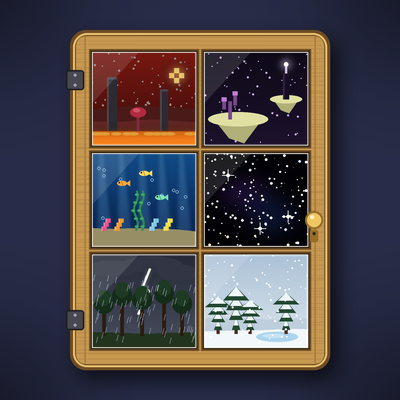
Give your Pocket Door pocket the sky, weather and landscape of the Nether, the End, the deep sea, a storm or a snowfall. Add-on for Pocket Door.
 mod
CurseForge · Minecraft
Nether Backport
A backport of the Nether Update to 1.12.2