Minecraft version
Back to mods 
CurseForge · Minecraft mod
Enhanced Selection Bounding Box Mod
Enhances the selection bounding box
Choose a version Pick your version below, then grab the matching file.
Quick answer
Which Enhanced Selection Bounding Box Mod release should I use?
Latest stable file Enhanced Selection Bounding Box-1.0.1.1.jar
Game version 1.12.1
Loader Not required
Enhanced Selection Bounding Box Mod Enhanced Selection Bounding Box-1.0.1.1.jar targets 1.12.1. The project page does not say whether this file belongs on the client, dedicated server, or both. No extra mods listed for this file.
Where it goes
Is Enhanced Selection Bounding Box Mod required on the client, server, or both?
The project page does not say whether this file belongs on the client, dedicated server, or both.
Client Source doesn’t say
Dedicated server Source doesn’t say
Loader for this release No loader listed
Required install it here Optional supported, not mandatory Not supported do not install here Source doesn’t say do not assume
The source does not explicitly classify this release as client-only or server-only.
What else does Enhanced Selection Bounding Box Mod Enhanced Selection Bounding Box-1.0.1.1.jar need?
Enhanced Selection Bounding Box-1.0.1.1.jar. Change the file and its required mods may change too.
This file does not list any required mods. Do not add a library just because a different file uses it.
This file does not list any required or optional mods.
Before you install it
Add Enhanced Selection Bounding Box Mod without breaking your instance.
Built for Enhanced Selection Bounding Box Mod Enhanced Selection Bounding Box-1.0.1.1.jar. Pick another file and the loader, install side or required mods may change.
- 01
Stick to this file
Use Enhanced Selection Bounding Box-1.0.1.1.jar. It targets 1.12.1; another release may have different loader, side or dependency requirements.
- 02
Bring the mods it needs
This file does not list any required mods. Do not add a library just because a different file uses it.
- 03
Put it on the correct side
The project page does not say whether this file belongs on the client, dedicated server, or both.
- 04
Pick the file you checked
Use the “Get this file” button beside Enhanced Selection Bounding Box-1.0.1.1.jar. It opens that exact file at the source.
About this project
What does Enhanced Selection Bounding Box Mod add?
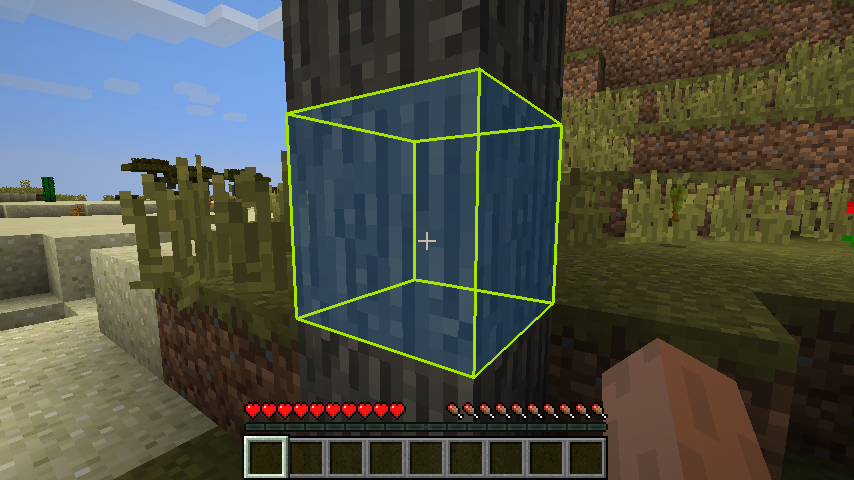
You know that black wire frame that's drawn around every block your cursor falls on? This mod lets you change the thickness, color and alpha channel of that wire frame. In addition, you can also select a solid color and alpha channel for the block that falls within the selection bounding box.
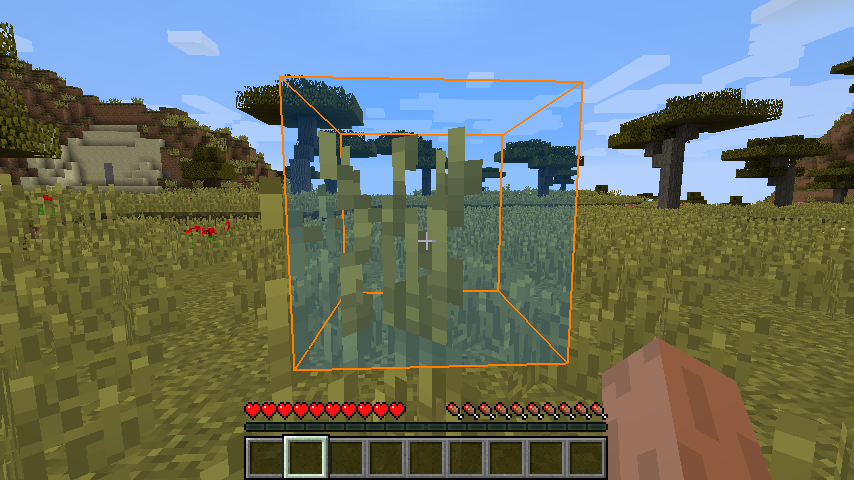
This mod lets you enable or disable the depth buffer for each block being looked at, letting you see every part of the wire frame as if the block were transparent.
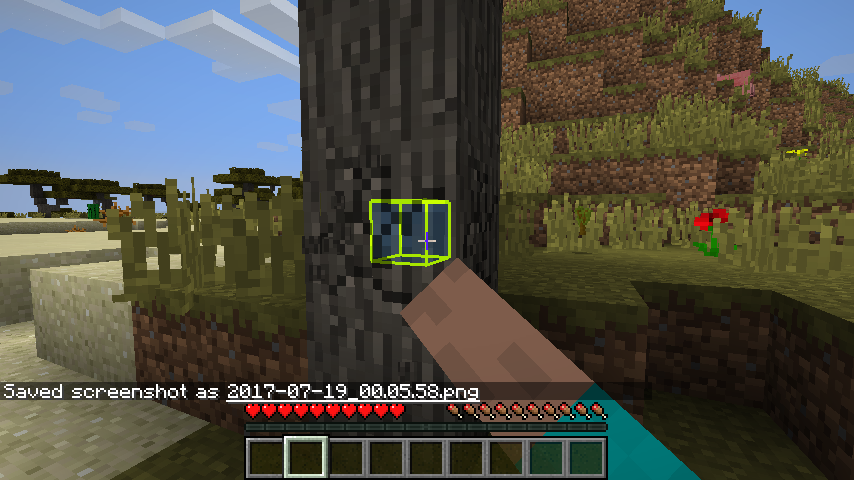
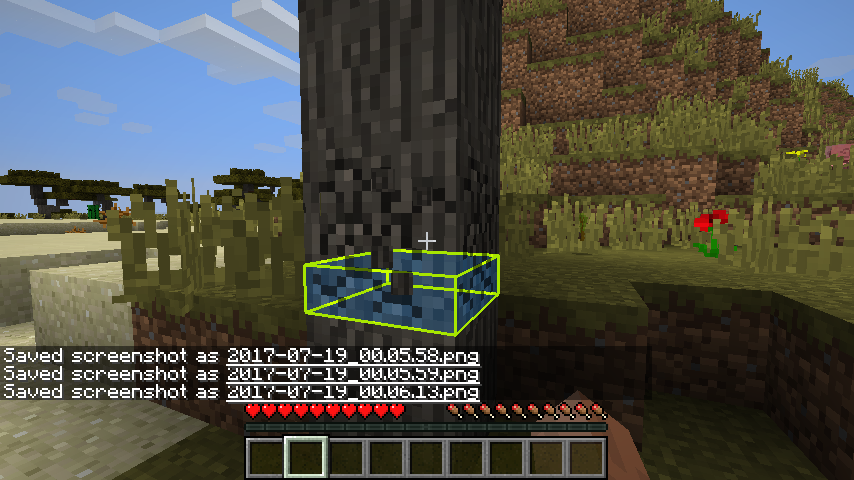
An animation can be selected for breaking blocks, as well. As a block is broken, the shrink animation slowly shrinks the wire frame inwards to the center of the block, and the down animation shrinks the wire frame down to the bottom of the block.
Instructions! I guess I forgot this in the first writeup. Anyway, there is an in game gui to adjust the settings. It's within forge's mod settings system.
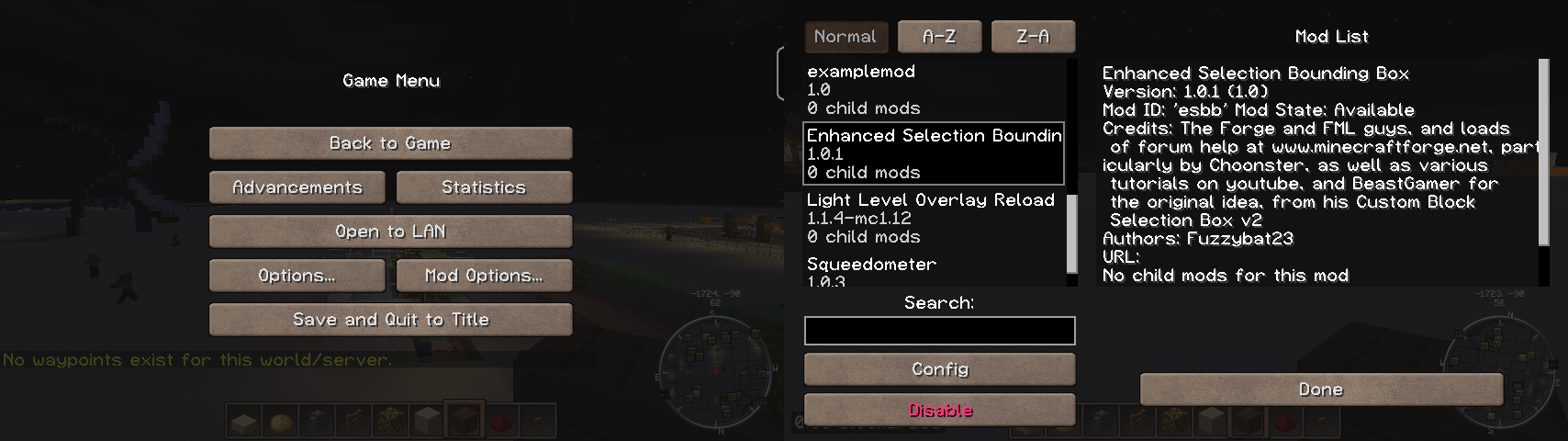
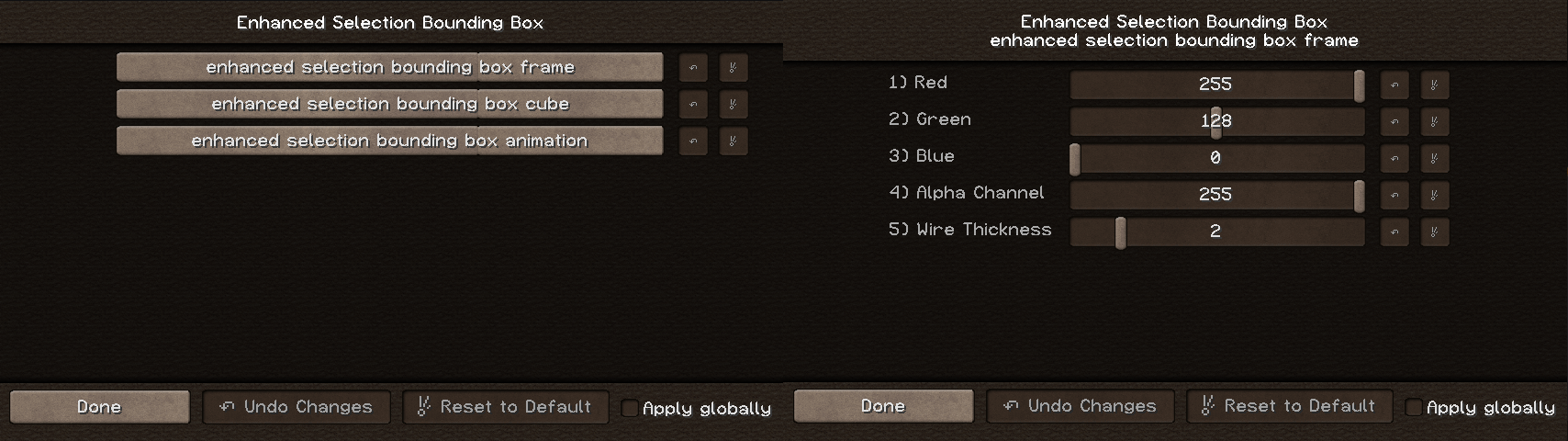
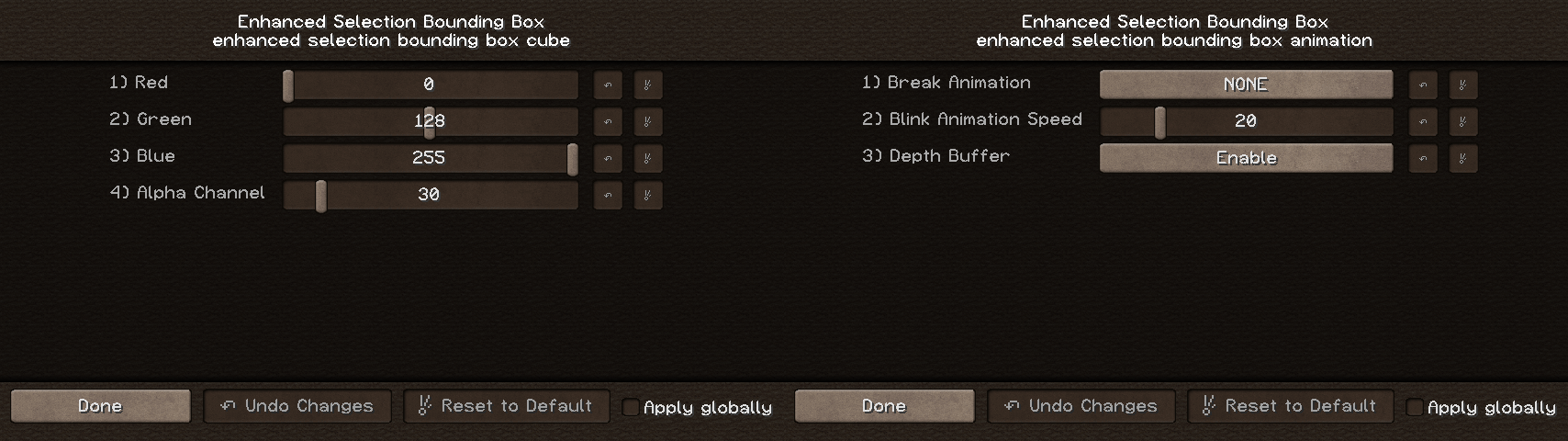
I first saw a mod show case on BeastGamer's Custom Block Selection Box V2. Being as how extremely outdated it was, I decided to go digging into the forge libraries and discovered the RenderGlobal class, and all the neat box drawing tools within. A few weeks later, after lots of trial, lots more error, and even more forum mod help discussions, I managed to put together a working product.
Plans: I plan to add a rainbow animation feature, at some point.
If you come across any bugs or errors that can be repeated, please let me know and I'll try to sort them out as quickly as I can.
Also, if you have any suggested improvements, let me know! If I can figure out how, with my currently limited coding java know-how, I might just add it in and give you props for the suggestion :)
If you like what you see here, please feel free to click on that donate button. Or not, either way :)
Project description from CurseForge.
Pick your setup
Enhanced Selection Bounding Box Mod by Minecraft version and loader
Choose the version and loader you play, then open the matching release.
Minecraft version
1.12
1 loader buildCheck the dependencies, then try the file in a copied instance before changing a world you care about.
Recent files
Enhanced Selection Bounding Box Mod versions and loaders
Enhanced Selection Bounding Box-1.0.1.1.jar
18 Sept 2017
Client Source doesn’t say Server Source doesn’t say Dependencies No extras listed Listed on Release listing
Check the 1.12.1 setup 1.12.1 release
Enhanced Selection Bounding Box 1.0.1
Enhanced Selection Bounding Box-1.0.1.jar
29 Jul 2017
Client Source doesn’t say Server Source doesn’t say Dependencies No extras listed Listed on Release listing
Check the 1.12 setup 1.12 release
Enhanced Selection Bounding Box Mod
Enhanced Selection Bounding Box-1.0.jar
19 Jul 2017
Client Source doesn’t say Server Source doesn’t say Dependencies No extras listed Listed on Release listing
Check the 1.12 setup Looking for an older file? The official CurseForge project page is in Resources.
 mod
mod CurseForge · Minecraft
Parkour -Simple Parkour-
A simpler and more accessible emerging parkour mod.
 mod
mod CurseForge · Minecraft
villager phone
Turns villagers into a remote trading network with contacts, markets, maps, and deliveries.
 mod
mod CurseForge · Minecraft
Siege Overhaul - A Villager Recruits Addon
Turn your kingdom into a battlefield: recruit armies, fortify your walls, and defend your Siege Core against invading factions or fight to reclaim it in this tactical PvE siege addon for Villager Recruits on Minecraft 1.20.1 Forge.