Minecraft version
Back to mods 
CurseForge · Minecraft mod
villager phone
Turns villagers into a remote trading network with contacts, markets, maps, and deliveries.
Choose a version Pick your version below, then grab the matching file.
Quick answer
Which villager phone release should I use?
Latest stable file Villager Phone 1.0.4 - NeoForge 26.3
Game version 26.3
Loader NeoForge
Villager Phone 1.0.4 - NeoForge 26.3 targets 26.3 with NeoForge. The project page does not say whether this file belongs on the client, dedicated server, or both. No extra mods listed for this file.
Where it goes
Is villager phone required on the client, server, or both?
The project page does not say whether this file belongs on the client, dedicated server, or both.
Client Source doesn’t say
Dedicated server Source doesn’t say
Loader for this release NeoForge
Required install it here Optional supported, not mandatory Not supported do not install here Source doesn’t say do not assume
The source does not explicitly classify this release as client-only or server-only.
What else does Villager Phone 1.0.4 - NeoForge 26.3 need?
Villager Phone 1.0.4 - NeoForge 26.3. Change the file and its required mods may change too.
This file does not list any required mods. Do not add a library just because a different file uses it.
This file does not list any required or optional mods.
Before you install it
Add villager phone without breaking your instance.
Built for Villager Phone 1.0.4 - NeoForge 26.3. Pick another file and the loader, install side or required mods may change.
- 01
Stick to this file
Use Villager Phone 1.0.4 - NeoForge 26.3. It targets 26.3 with NeoForge; another release may have different loader, side or dependency requirements.
- 02
Bring the mods it needs
This file does not list any required mods. Do not add a library just because a different file uses it.
- 03
Put it on the correct side
The project page does not say whether this file belongs on the client, dedicated server, or both.
- 04
Pick the file you checked
Use the “Get this file” button beside Villager Phone 1.0.4 - NeoForge 26.3. It opens that exact file at the source.
About this project
What does villager phone add?
Villager Phone
Villager Phone turns villager trading into a connected network that you can manage from a handheld phone.
Hold a phone and right-click to open it. While trading with an eligible villager, keep the phone in either hand and register that villager as a contact. Normally, villagers must reach Journeyman level before they can be registered, and each phone can store up to 512 contacts.
Once registered, villagers can be accessed through the phone without returning to them every time. Contacts show their profession, biome type, trading level, and current status, including whether they are available, sleeping, busy, missing, or dead. Contacts can also be searched, renamed, filtered by village, and removed.
Remote Trading and Marketplace
Registered villagers can be contacted remotely and their current trades can be viewed directly through the phone.
The Marketplace combines products from your registered villagers into one searchable catalog. Products can be searched by item or seller and sorted by product name, price, remaining stock, or seller.
Trade quantities can be selected before ordering, with the phone checking current stock, payment, and available inventory space.
Deliveries
Products from the same village can be added to a delivery cart and ordered together. Payment is taken when the order is confirmed after the mod checks live prices and stock.
A courier brings the purchased goods to you in a visible backpack. The phone displays the courier's delivery status, direction, distance, and location while the order is in transit.
When the courier arrives, hold the phone and right-click to open the delivery backpack and collect your items. If your inventory becomes full, the remaining goods stay safely inside the courier's bag until collected.
Contact Atlas
The phone includes an interactive atlas for locating registered villagers and discovered villages.
The atlas displays contacts, village areas, your own position, dimensions, and last-known locations. It can be dragged and zoomed, automatically fitted around known contacts and villages, or centered on your current position.
Registered villagers also receive an identifying marker while nearby, making contacts easier to recognize in the world.
Villages
Visiting villages with your phone records information about them. The Villages screen tracks population, children, workers, Master villagers, professions, known members, and the last observed census.
Developing a large trading village unlocks progression based on its Master villagers and profession coverage. Village development can provide purchase discounts and increased trade supply.
Completing the initial Master profession requirements permanently unlocks the Market Charter, allowing adult working villagers in other villages to be registered from Novice level.
Getting a Phone
Wandering Traders have a chance to offer a Villager Phone for 24 emeralds. Phones are available in black, white, red, blue, green, purple, pink, and yellow.
Controls
Hold the phone and right-click to open the Villager Phone interface.
Press F8 while holding a phone to open the phone pose editor.
Project description from CurseForge.
Pick your setup
villager phone by Minecraft version and loader
Choose the version and loader you play, then open the matching release.
Minecraft version
26.2
2 loader buildsMinecraft version
26.1.2
2 loader buildsMinecraft version
26.1.1
2 loader buildsMinecraft version
26.1
2 loader buildsMinecraft version
1.21.11
2 loader buildsMinecraft version
1.21.10
2 loader buildsMinecraft version
1.21.9
2 loader buildsMinecraft version
1.21.8
2 loader buildsMinecraft version
1.21.7
2 loader buildsMinecraft version
1.21.6
2 loader buildsMinecraft version
1.21.5
2 loader buildsShowing the newest 12 of 24 game versions. Older files are in the list below.
Check the dependencies, then try the file in a copied instance before changing a world you care about.
Recent files
villager phone versions and loaders
Villager Phone 1.0.4 - NeoForge 26.3
Villager-Phone-neoforge-26.3-1.0.4.jar
18 Oct 2026
Client Source doesn’t say Server Source doesn’t say Dependencies No extras listed Listed on Release listing
Check the 26.3 · NeoForge setup NeoForge26.3 release
Villager Phone 1.0.4 - NeoForge 26.2
Villager-Phone-neoforge-26.2-1.0.4.jar
18 Oct 2026
Client Source doesn’t say Server Source doesn’t say Dependencies No extras listed Listed on Release listing
Check the 26.2 · NeoForge setup NeoForge26.2 release
Villager Phone 1.0.4 - NeoForge 26.1.2
Villager-Phone-neoforge-26.1.2-1.0.4.jar
18 Oct 2026
Client Source doesn’t say Server Source doesn’t say Dependencies No extras listed Listed on Release listing
Check the 26.1.2 · NeoForge setup NeoForge26.1.2 release
Villager Phone 1.0.4 - NeoForge 26.1.1
Villager-Phone-neoforge-26.1.1-1.0.4.jar
18 Oct 2026
Client Source doesn’t say Server Source doesn’t say Dependencies No extras listed Listed on Release listing
Check the 26.1.1 · NeoForge setup NeoForge26.1.1 release
Villager Phone 1.0.4 - NeoForge 26.1
Villager-Phone-neoforge-26.1-1.0.4.jar
18 Oct 2026
Client Source doesn’t say Server Source doesn’t say Dependencies No extras listed Listed on Release listing
Check the 26.1 · NeoForge setup NeoForge26.1 release
Villager Phone 1.0.4 - NeoForge 1.21.11
Villager-Phone-neoforge-1.21.11-1.0.4.jar
18 Oct 2026
Client Source doesn’t say Server Source doesn’t say Dependencies No extras listed Listed on Release listing
Check the 1.21.11 · NeoForge setup NeoForge1.21.11 release
Villager Phone 1.0.4 - NeoForge 1.21.10
Villager-Phone-neoforge-1.21.10-1.0.4.jar
18 Oct 2026
Client Source doesn’t say Server Source doesn’t say Dependencies No extras listed Listed on Release listing
Check the 1.21.10 · NeoForge setup NeoForge1.21.10 release
Villager Phone 1.0.4 - NeoForge 1.21.9
Villager-Phone-neoforge-1.21.9-1.0.4.jar
18 Oct 2026
Client Source doesn’t say Server Source doesn’t say Dependencies No extras listed Listed on Release listing
Check the 1.21.9 · NeoForge setup NeoForge1.21.9 release
Villager Phone 1.0.4 - NeoForge 1.21.8
Villager-Phone-neoforge-1.21.8-1.0.4.jar
18 Oct 2026
Client Source doesn’t say Server Source doesn’t say Dependencies No extras listed Listed on Release listing
Check the 1.21.8 · NeoForge setup 1.21.8NeoForge release
Villager Phone 1.0.4 - NeoForge 1.21.7
Villager-Phone-neoforge-1.21.7-1.0.4.jar
18 Oct 2026
Client Source doesn’t say Server Source doesn’t say Dependencies No extras listed Listed on Release listing
Check the 1.21.7 · NeoForge setup 1.21.7NeoForge release
Villager Phone 1.0.4 - NeoForge 1.21.6
Villager-Phone-neoforge-1.21.6-1.0.4.jar
18 Oct 2026
Client Source doesn’t say Server Source doesn’t say Dependencies No extras listed Listed on Release listing
Check the 1.21.6 · NeoForge setup 1.21.6NeoForge release
Villager Phone 1.0.4 - NeoForge 1.21.5
Villager-Phone-neoforge-1.21.5-1.0.4.jar
18 Oct 2026
Client Source doesn’t say Server Source doesn’t say Dependencies No extras listed Listed on Release listing
Check the 1.21.5 · NeoForge setup 1.21.5NeoForge release
Looking for an older file? The official CurseForge project page is in Resources.
 mod
mod CurseForge · Minecraft
Enhanced HUD
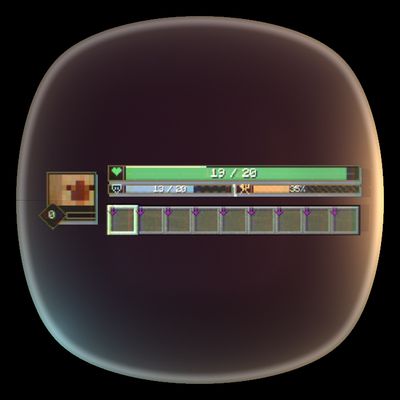
Replaces Minecraft's standard survival HUD with compact player bars, status effects, a character portrait, and responsive damage feedback.
 mod
mod CurseForge · Minecraft
ChatDeck
Chat that works the way players expect. Tabbed conversations, multiple chat windows, mention pings, and a visual layout editor — everything client-side, everything configurable.
 mod
mod CurseForge · Minecraft
Dungeon Train: A Lore-Rich Roguelite RPG Adventure
Adventure time inspired dungeon crawler on a train. Procedurally generated carriages on a infinite sable physics train. Rich narrative, with custom made mods for a completely unique experience.