RSWires Optional for retrocomputers-3.0.2.jar
optionalMatching file found Matched file: rswires-3.0.1.jar
CurseForge · Minecraft mod
Programmable persistent computers.
Quick answer
retrocomputers-3.0.2.jar targets 1.12.2. The project page does not say whether this file belongs on the client, dedicated server, or both. All 3 required mods have matching files.
Where it goes
The project page does not say whether this file belongs on the client, dedicated server, or both.
The source does not explicitly classify this release as client-only or server-only.
retrocomputers-3.0.2.jar. Change the file and its required mods may change too.
Install MCMultiPart, QuackLib, Shadowfacts' Forgelin first. We found matching files for this game-version and loader setup.
We only count dependency files that match this setup. A file for another loader does not fill the gap.
Before you install it
Built for retrocomputers-3.0.2.jar. Pick another file and the loader, install side or required mods may change.
Use retrocomputers-3.0.2.jar. It targets 1.12.2; another release may have different loader, side or dependency requirements.
Install MCMultiPart, QuackLib, Shadowfacts' Forgelin first. We found matching files for this game-version and loader setup.
The project page does not say whether this file belongs on the client, dedicated server, or both.
Use the “Get this file” button beside retrocomputers-3.0.2.jar. It opens that exact file at the source.
About this project

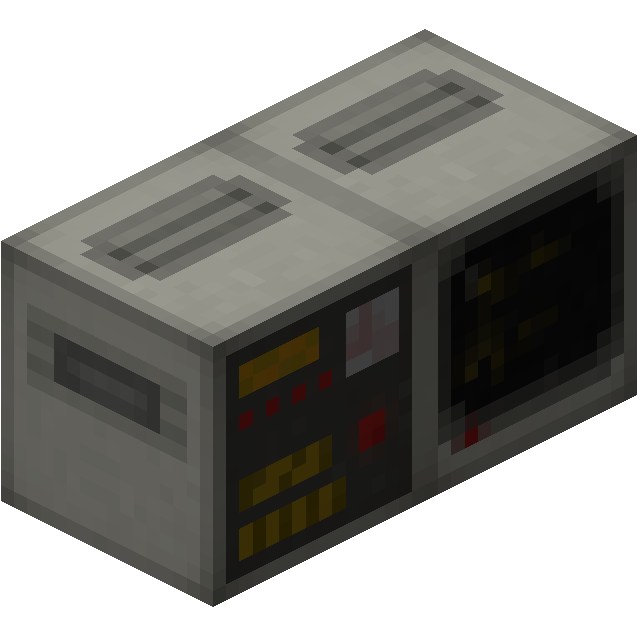
RetroComputers adds programmable computers that are very similar to RedPower 2's computers. The mod adds these blocks/items:
Computer: The main block that controls all!
Terminal: You do want to see what your computer is doing, right? (Also, it has a cool CRT effect I'm really proud of)
Disk Drive: The way to load the operating system or additional programs.
Backplane/Memory Expansion: When your computer runs out of its builtin 8KB of memory, you can add up to 56KB additional memory. Every Memory Expansion can hold an additional 8KB of memory.
Analog Redstone Port: You can output redstone signals through this block. (duh)
Redstone Port: Allows you to output redstone signals to bundled cables.
Wireless Transceiver: Allows you to send data wirelessly between computers.
Retinal Scanner: Using technology from the Black Mesa Research Facility, you can scan players who use it and grant access to doors or whatever you want to do with it, really!
Ribbon Cable: With this, you can connect peripherals together.
Sortron: Connects to Teckle tubes, basically an advanced sorting machine.
XC8010 CPU: The standard CPU implementation for this mod. Very similar to RP2's CPU, but not compatible with it (sorry no BASIC (yet))
Floppy Disk: A writable disk. Can hold 256KB of data.
FORTH Boot Disk: Standard operating system. See here if you need any tips on how to use the operating system.
Programs disks: They spawn in dungeon chests and mineshafts and have utilities for either the Transceiver, Retinal Scanner, Sortron or a decompiler on them.
Screwdriver: Allows you to change the default bus addresses for the peripherals. You only need this if you want to have two or more of the same peripheral in one network.
Coming soon:
Getting started:
This mod is still pretty new and therefore probably still contains bugs, so please report them here.
If you've made any cool stuff with the mod and want to post them in the mod's subreddit, go ahead! (Also if you have any questions, post there as the documentation is pretty much nonexistant. I look there way more often than here in the comments)
Requires Forgelin, QuackLib, MCMultiPart.
Project description from CurseForge.
Pick your setup
Choose the version and loader you play, then open the matching release.
Check the dependencies, then try the file in a copied instance before changing a world you care about.
Recent files
3 Feb 2019
8 Sept 2018
31 Jul 2018
26 Jul 2018
6 Mar 2018
28 Jan 2018
RetroComputers-1.1.3.jar
6 Sept 2017
2 Sept 2017
2 Sept 2017
Looking for an older file? The official CurseForge project page is in Resources.
 mod
Reinforce any block so nobody else can break it, then guard your base with turrets, a force field dome and nasty traps that never hurt you or your friends.
 mod
KubeJS intergration for Create: The Factory Must Grow
 mod
Chakra: Bound is an alpha-stage Naruto & Boruto–inspired Minecraft mod focused on canon-accurate chakra combat and shinobi progression. All clans, jutsu, and per-eye dōjutsu are built directly into the mod and expanded through updates.