Minecraft version
Back to mods 
CurseForge · Minecraft mod
Rock Be Gone
Overrides Extreme Hills to only have grass
Choose a version Pick your version below, then grab the matching file.
Quick answer
Which Rock Be Gone release should I use?
Latest stable file Rock-Be-Gone-1.12.2-1.1.0.jar
Game version 1.12.1, 1.12, 1.12.2
Loader Not required
Rock Be Gone Rock-Be-Gone-1.12.2-1.1.0.jar targets 1.12.1, 1.12, 1.12.2. The project page does not say whether this file belongs on the client, dedicated server, or both. No extra mods listed for this file.
Where it goes
Is Rock Be Gone required on the client, server, or both?
The project page does not say whether this file belongs on the client, dedicated server, or both.
Client Source doesn’t say
Dedicated server Source doesn’t say
Loader for this release No loader listed
Required install it here Optional supported, not mandatory Not supported do not install here Source doesn’t say do not assume
The source does not explicitly classify this release as client-only or server-only.
What else does Rock Be Gone Rock-Be-Gone-1.12.2-1.1.0.jar need?
Rock-Be-Gone-1.12.2-1.1.0.jar. Change the file and its required mods may change too.
This file does not list any required mods. Do not add a library just because a different file uses it.
This file does not list any required or optional mods.
Before you install it
Add Rock Be Gone without breaking your instance.
Built for Rock Be Gone Rock-Be-Gone-1.12.2-1.1.0.jar. Pick another file and the loader, install side or required mods may change.
- 01
Stick to this file
Use Rock-Be-Gone-1.12.2-1.1.0.jar. It targets 1.12.1, 1.12, 1.12.2; another release may have different loader, side or dependency requirements.
- 02
Bring the mods it needs
This file does not list any required mods. Do not add a library just because a different file uses it.
- 03
Put it on the correct side
The project page does not say whether this file belongs on the client, dedicated server, or both.
- 04
Pick the file you checked
Use the “Get this file” button beside Rock-Be-Gone-1.12.2-1.1.0.jar. It opens that exact file at the source.
About this project
What does Rock Be Gone add?
This mod overrides the natural Extreme Hills surface with the pre 1.7.`10 grassy terrain. No more greyscale hills; say hello to blue-green hills.
Notes:
This mod may not work with mods that override Vanilla Biomes (e.g. Biomes O Plenty), if you wish you to use this mod with them, please disable their overrides in their respective config files.
This mod should be compatible with Vanilla Worlds, as it does not add nor remove biomes. It will not however, regenerate pre-existing Extreme Hills.
This does not get rid of Extreme Hills snow.
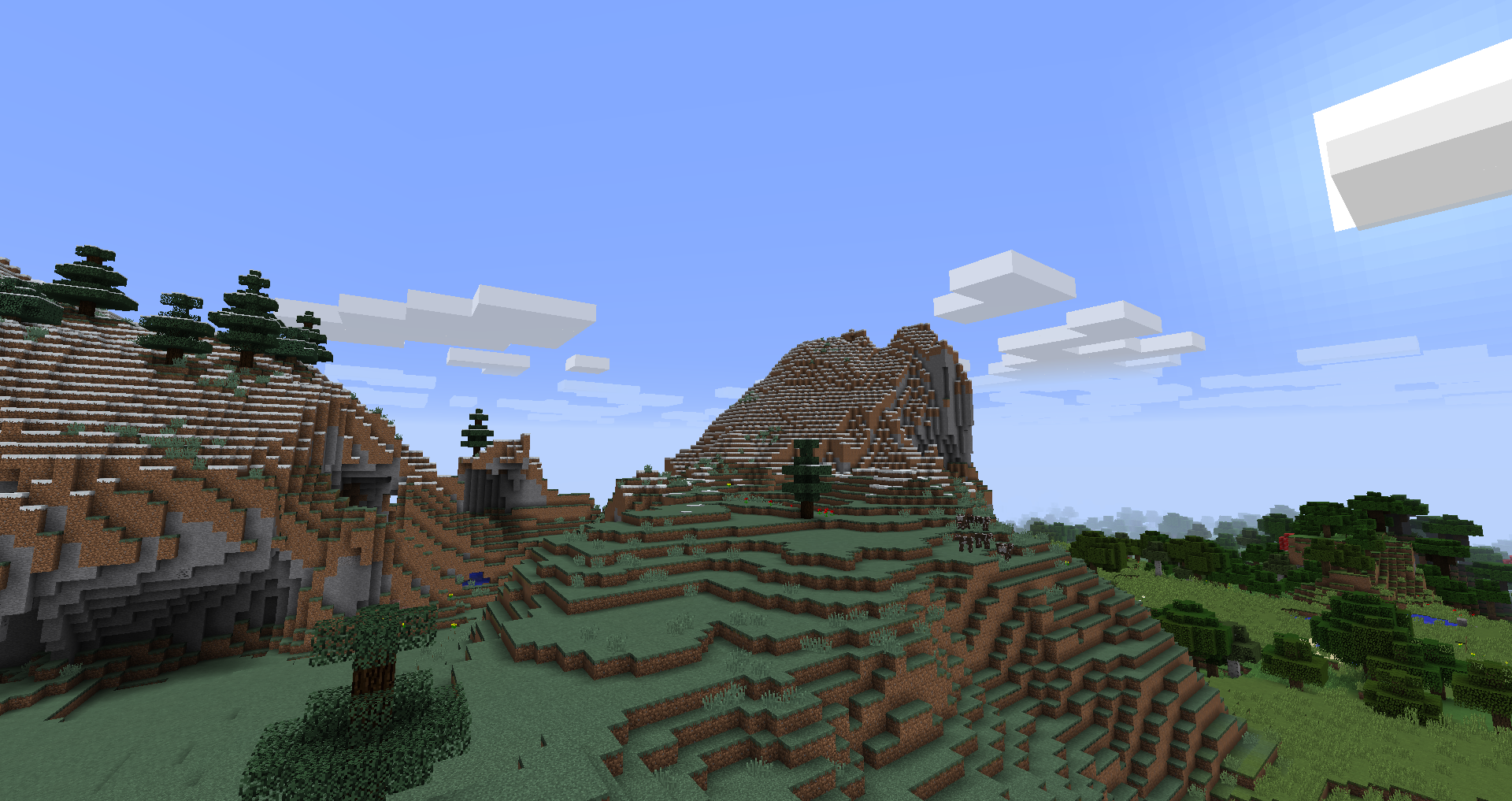

Project description from CurseForge.
Pick your setup
Rock Be Gone by Minecraft version and loader
Choose the version and loader you play, then open the matching release.
Minecraft version
1.12.1
1 loader buildMinecraft version
1.12-Snapshot
1 loader buildMinecraft version
1.12
1 loader buildCheck the dependencies, then try the file in a copied instance before changing a world you care about.
Recent files
Rock Be Gone versions and loaders
Rock-Be-Gone-1.12.2-1.2.0.0.jar
23 Jan 2018
Client Source doesn’t say Server Source doesn’t say Dependencies No extras listed Listed on Release listing
Check the 1.12.2 setup 1.12.11.121.12.21.12-Snapshot beta
Rock-Be-Gone-1.12.2-1.1.0.jar
24 Dec 2017
Client Source doesn’t say Server Source doesn’t say Dependencies No extras listed Listed on Release listing
Check the 1.12.2 setup 1.12.11.121.12.2 release
Rock-Be-Gone-1.12.2-1.0.jar
24 Dec 2017
Client Source doesn’t say Server Source doesn’t say Dependencies No extras listed Listed on Release listing
Check the 1.12.2 setup 1.12.11.121.12.2 release
Looking for an older file? The official CurseForge project page is in Resources.
 mod
CurseForge · Minecraft
The Nether was Rubbish
The Nether was rubbish, so we fixed it: a whole new look, far less lava, new mobs, deadly plants, new places and a properly eerie atmosphere.
 mod
CurseForge · Minecraft
Afterfall
Afterfall transforms Minecraft into a persistent zombie-survival world built around scavenging, injuries, vehicles, evolving cities, failing utilities, factions, and rebuilding civilization. Inspired by Project Zomboid.
 mod
CurseForge + Modrinth · Minecraft
Resource Data Pack Loader
RDPL - Resource and Datapack loading to a new level. Run the same packs on any supported version of Minecraft. Restoring JOY back to Modpack building! The API that should have been. By MCT.