Minecraft version
Back to mods 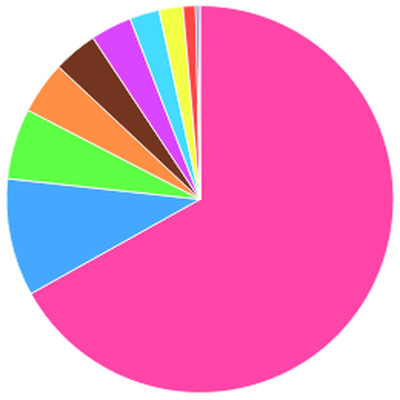
CurseForge · Minecraft mod
Sampler
Performance oriented debugging/administration tools
Choose a version Pick your version below, then grab the matching file.
Quick answer
Which Sampler release matches 1.11.1?
Best match for your filters sampler-1.72.1.jar
Game version 1.11, 1.11.1, 1.11.2
Loader Not required
sampler-1.72.1.jar targets 1.11, 1.11.1, 1.11.2. The project page does not say whether this file belongs on the client, dedicated server, or both. No extra mods listed for this file.
Where it goes
Is Sampler required on the client, server, or both?
The project page does not say whether this file belongs on the client, dedicated server, or both.
Client Source doesn’t say
Dedicated server Source doesn’t say
Loader for this release No loader listed
Required install it here Optional supported, not mandatory Not supported do not install here Source doesn’t say do not assume
The source does not explicitly classify this release as client-only or server-only.
What else does sampler-1.72.1.jar need?
sampler-1.72.1.jar on 1.11.1. Every mod below is checked against that same setup.
This file does not list any required mods. Do not add a library just because a different file uses it.
This file does not list any required or optional mods.
Before you install it
Add Sampler without breaking your instance.
Built for sampler-1.72.1.jar on 1.11.1. Pick another file and the loader, install side or required mods may change.
- 01
Stick to this file
Use sampler-1.72.1.jar. It targets 1.11, 1.11.1, 1.11.2; another release may have different loader, side or dependency requirements.
- 02
Bring the mods it needs
This file does not list any required mods. Do not add a library just because a different file uses it.
- 03
Put it on the correct side
The project page does not say whether this file belongs on the client, dedicated server, or both.
- 04
Pick the file you checked
Use the “Get this file” button beside sampler-1.72.1.jar. It opens that exact file at the source.
About this project
What does Sampler add?
Sampler is a performance analysis tool to investigate any slowdown or related issue for both client and server.
Until further documentation or the GUI are done the target audience is mostly advanced users or anyone asked to provide debugging data by mod or mod pack authors.
Its most important features are:
- A sampling profiler (sampler) to see exactly where the Minecraft client/server spends its time: start, (wait), stop, export sub-commands
- Event-based sampling triggers, e.g. to capture only lag spikes: trigger sub-command
- Actually precise tickrate information: tps sub-command or F3
- Counts for ticking game objects to notice any excess: counts sub-command, more detailed when invoked with the dimension id
- Memory information and garbage collection statistics: memory sub-command
- Highlights for tile entity special renderers (potentially expensively rendered blocks): tesr sub-command
- Highlights for the sources of chunk updates: renderupdates sub-command
- Various other sub-commands for investigating network I/O, chunk loads, saves, finding blocks/entities, ...
This mod is designed to have no observable overhead while idle and very little overhead during profiling. Its feature set is extensive and best explored using its help functionality.
The user interface is purely command driven at this point, see
/sampler help
for all server-side commands and
/csampler help
for all client-side commands.
Every command is following the pattern /sampler <subcommand> [<arguments>...] for the server side and /csampler <subcommand> [<arguments>...] for the client side. Detailed help for each sub-command is available through /(c)sampler help <subcommand>.
(The logo is a chart from an analysis frontend that is still under development and not publicly available at this time)
Project description from CurseForge.
Pick your setup
Sampler by Minecraft version and loader
Choose the version and loader you play, then open the matching release.
Minecraft version
1.12.1
1 loader buildMinecraft version
1.12
1 loader buildMinecraft version
1.11.2
1 loader buildMinecraft version
1.11.1
1 loader buildMinecraft version
1.11
1 loader buildMinecraft version
1.10.2
1 loader buildMinecraft version
1.10.1
1 loader buildMinecraft version
1.10
1 loader buildMinecraft version
1.9.4
1 loader buildMinecraft version
1.9
1 loader buildMinecraft version
1.8.9
1 loader buildShowing the newest 12 of 13 game versions. Older files are in the list below.
Check the dependencies, then try the file in a copied instance before changing a world you care about.
Recent files
Sampler versions and loaders
sampler-1.72.1.jar
28 Feb 2018
Client Source doesn’t say Server Source doesn’t say Dependencies No extras listed Listed on Release listing
Check the 1.11.1 setup 1.111.11.11.11.2 release
Looking for an older file? The official CurseForge project page is in Resources.
 mod
mod CurseForge · Minecraft
CrashDetector
Detect Crashes and Causes (Buscar para los fallos y las causas) +VTubers/Animes/Idols
 mod
mod CurseForge · Minecraft
Mobs Properties Randomness
Randomize mobs properties. Add Potion Effects, apply Attribute Modifiers, add Equipment and more!
 mod
mod CurseForge + Modrinth · Minecraft
MixinBooter
The Mixin Library for 1.8 - 1.12.2.