Minecraft version
Back to mods 
CurseForge · Minecraft mod
Colored Lights
This Mod adds Colored Lights to Minecraft and tries to unify color stuff.
Choose a version Pick your version below, then grab the matching file.
Quick answer
Which Colored Lights release should I use?
beta file [Forge 1.12.2] coloredlights-1.12.2-1.2.2
Game version 1.12.2
Loader Forge
Colored Lights [Forge 1.12.2] coloredlights-1.12.2-1.2.2 targets 1.12.2 with Forge. The project page does not say whether this file belongs on the client, dedicated server, or both. No extra mods listed for this file.
Where it goes
Is Colored Lights required on the client, server, or both?
The project page does not say whether this file belongs on the client, dedicated server, or both.
Client Source doesn’t say
Dedicated server Source doesn’t say
Loader for this release Forge
Required install it here Optional supported, not mandatory Not supported do not install here Source doesn’t say do not assume
The source does not explicitly classify this release as client-only or server-only.
What else does Colored Lights [Forge 1.12.2] coloredlights-1.12.2-1.2.2 need?
[Forge 1.12.2] coloredlights-1.12.2-1.2.2. Change the file and its required mods may change too.
This file does not list any required mods. Do not add a library just because a different file uses it.
This file does not list any required or optional mods.
Before you install it
Add Colored Lights without breaking your instance.
Built for Colored Lights [Forge 1.12.2] coloredlights-1.12.2-1.2.2. Pick another file and the loader, install side or required mods may change.
- 01
Stick to this file
Use [Forge 1.12.2] coloredlights-1.12.2-1.2.2. It targets 1.12.2 with Forge; another release may have different loader, side or dependency requirements.
- 02
Bring the mods it needs
This file does not list any required mods. Do not add a library just because a different file uses it.
- 03
Put it on the correct side
The project page does not say whether this file belongs on the client, dedicated server, or both.
- 04
Pick the file you checked
Use the “Get this file” button beside [Forge 1.12.2] coloredlights-1.12.2-1.2.2. It opens that exact file at the source.
About this project
What does Colored Lights add?
Discontinued: Since colored lighting is something Minecraft doesn't really like and adds a lot of problems to it, I am not working on this mod anymore (for now at least). But I am thinking of turning the contents of this mod into a new mod just without colored lighting and there are also some more additions planned. I hope there is interest for that. Thanks for reading!
I now have a Discord!:

Colored Lights
This is my first Mod: Colored Lights
Colored Lights adds new Colored Lamps to Minecraft that can emit colored light. Yes COLORED LIGHT! It also aims to unify the whole color stuff in Minecraft with Colored Dusts.
Note!: For the colored light to work you have to install Albedo (Earlier Mirage, only for v1.0.0, you can find it here). Colored Lights will work without it and still emit light but it is not colored. The max. amount of light sources is limited in the albedo.cfg. You can change it if you want more light sources.
Content:
- Colored Lamp
- Colored Dust
- Colored Glowing Dust
- Color Card
- Grinder
- Pneumea Flower & Crops
- Alpha Tree
Colored Lamp
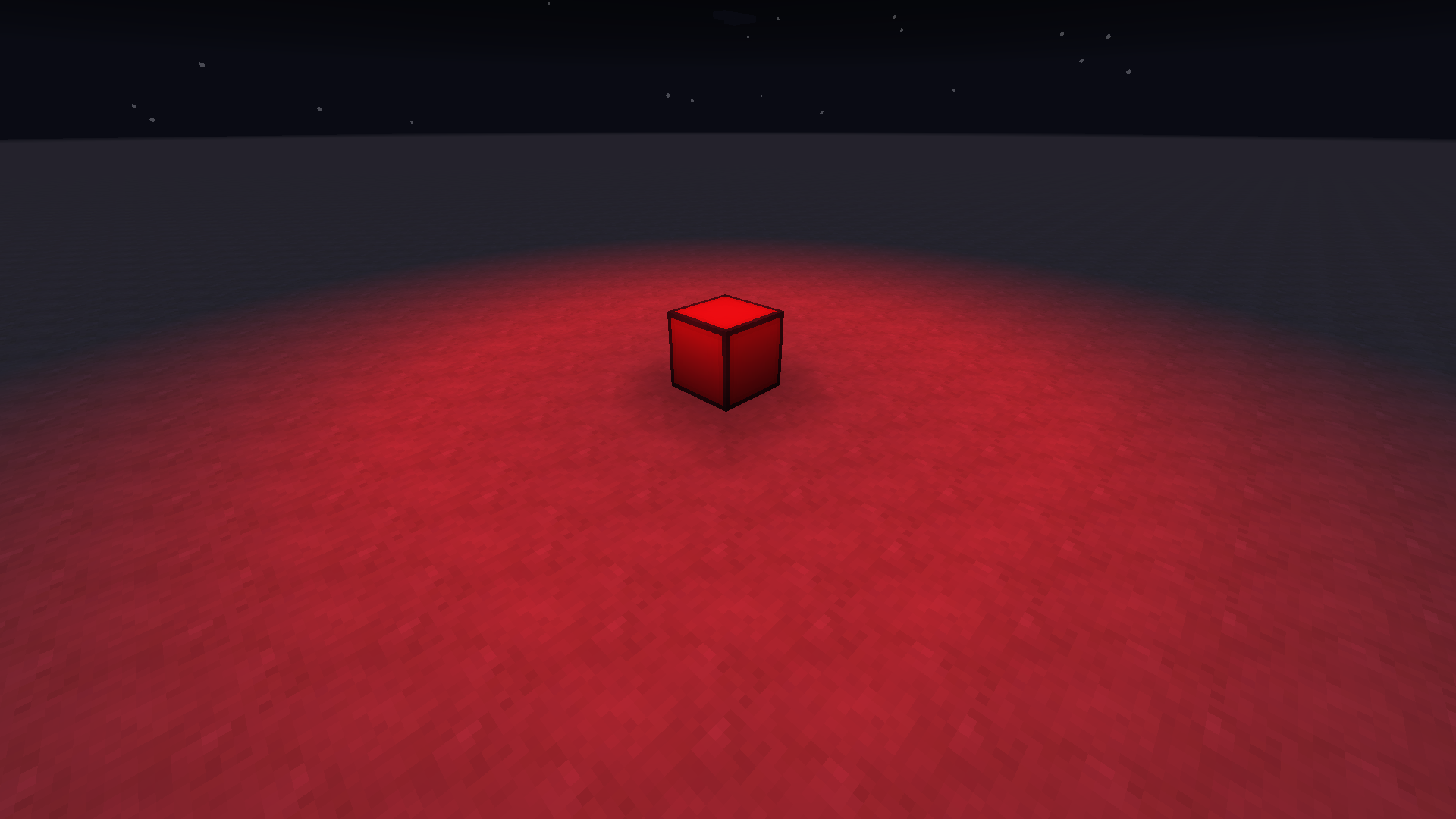
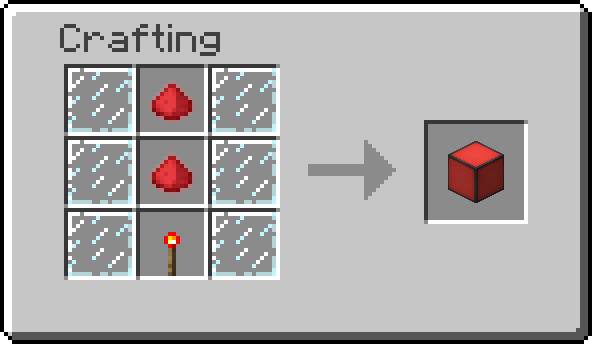
The colored lamp is the main product of this mod, it comes in all 16 colors and two variants: Colored Lamp & Inverted Colored Lamp. The Colored Lamp will emit light if you provide it with redstone power. The Inverted Colored Lamp is the opposite of the normal one, it emits light as long as redstone power is turned off. Colored light is emitted if you have installed Albedo as mentioned above. If you don't want it to emit colored light just turn it off in the config file (coloredlights.cfg). It will then emit normal Minecraft light.
Lamp emitting colored light:
Colored Dust
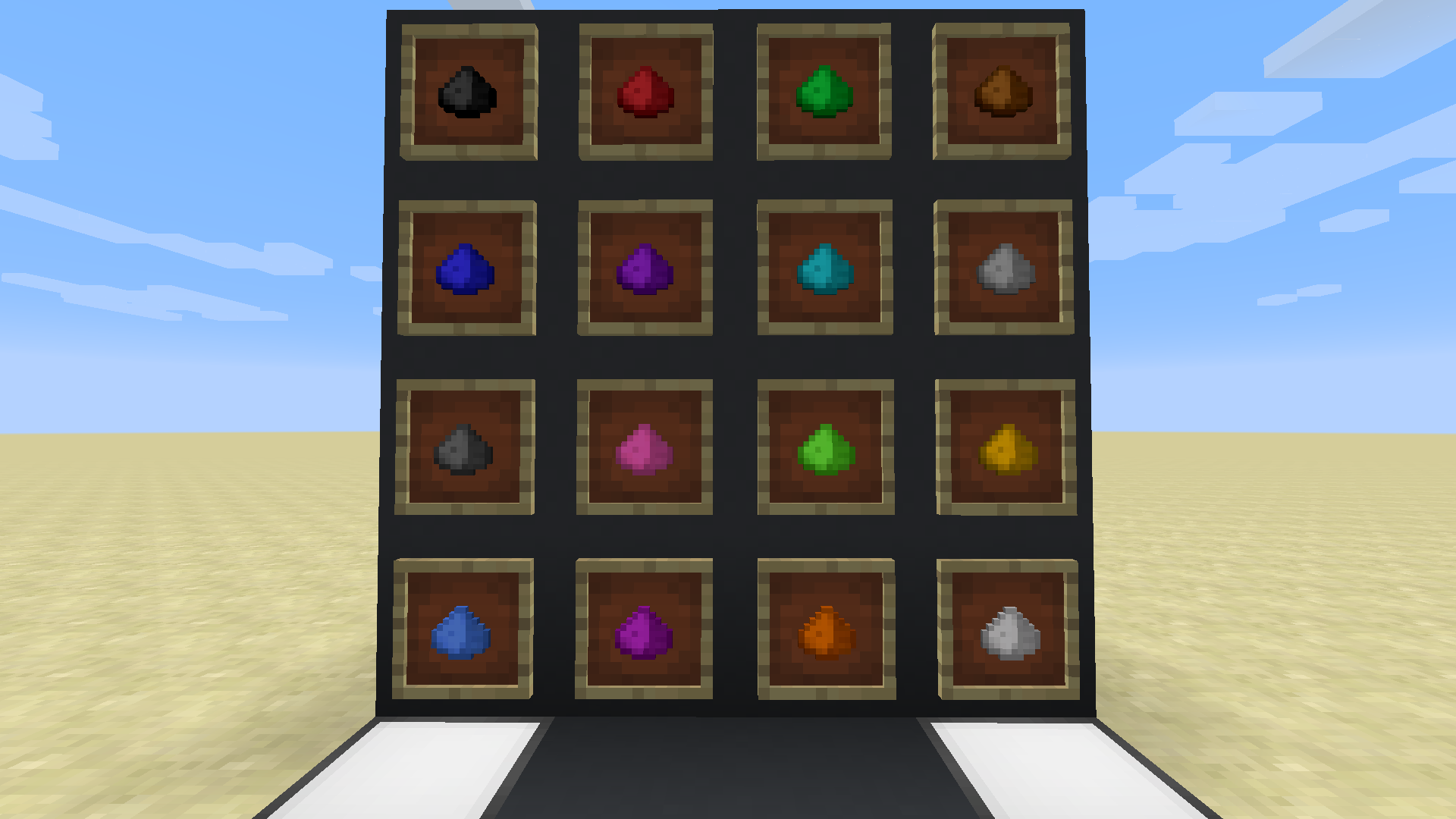
It comes in all 16 colors. It is used for crafting everything with colors e.g.: Red Wool (oredictionary), and it is used for the Color Card (for further information go to Color Card section).
Colored Dust Glowing
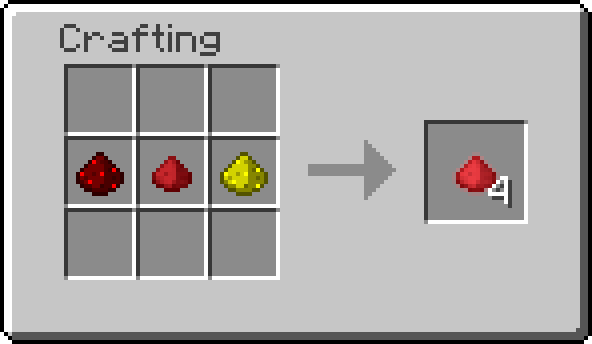
It comes in all 16 colors and is a resource for crafting Colored Lamps. May have more usage in the future.
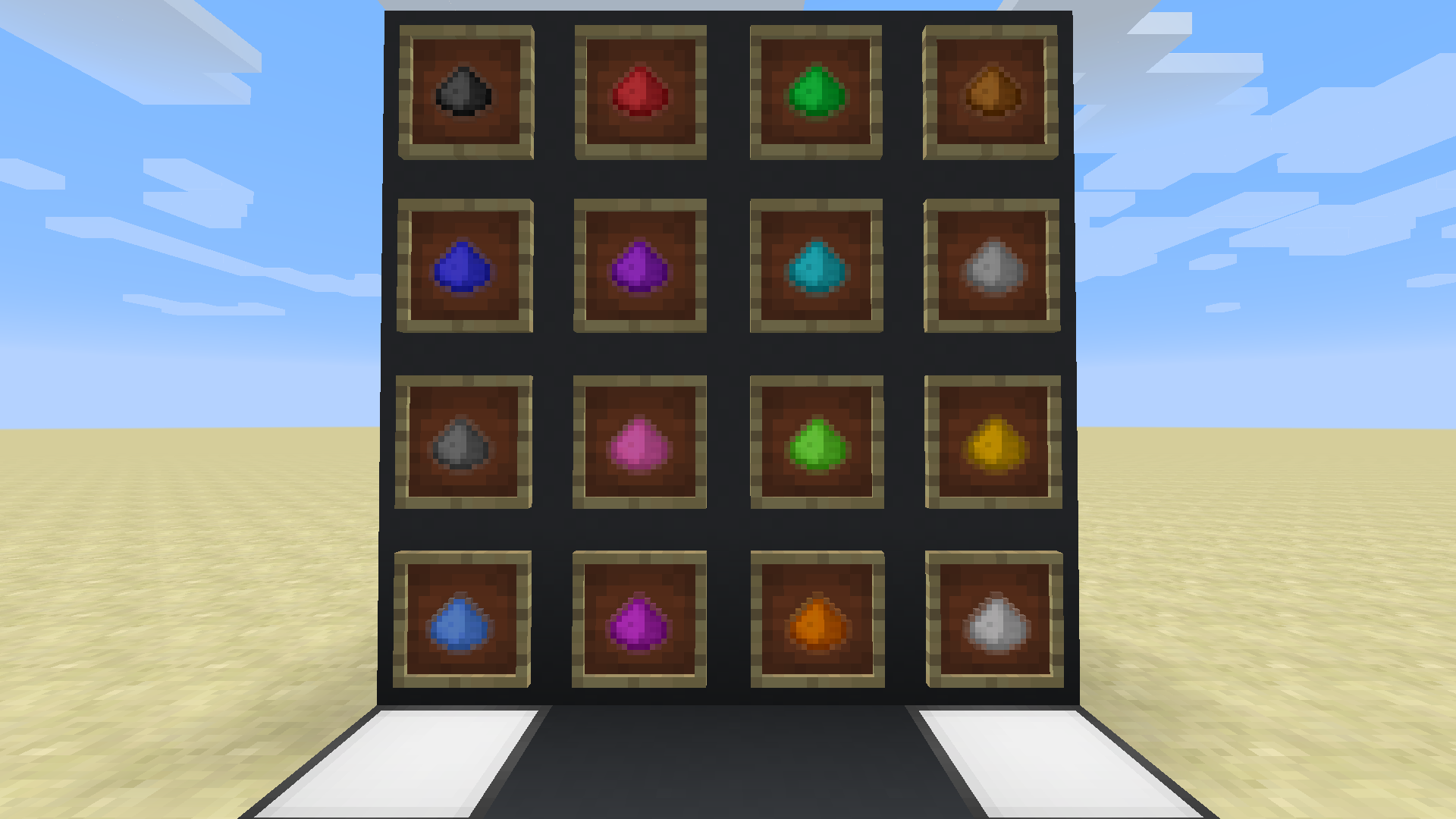
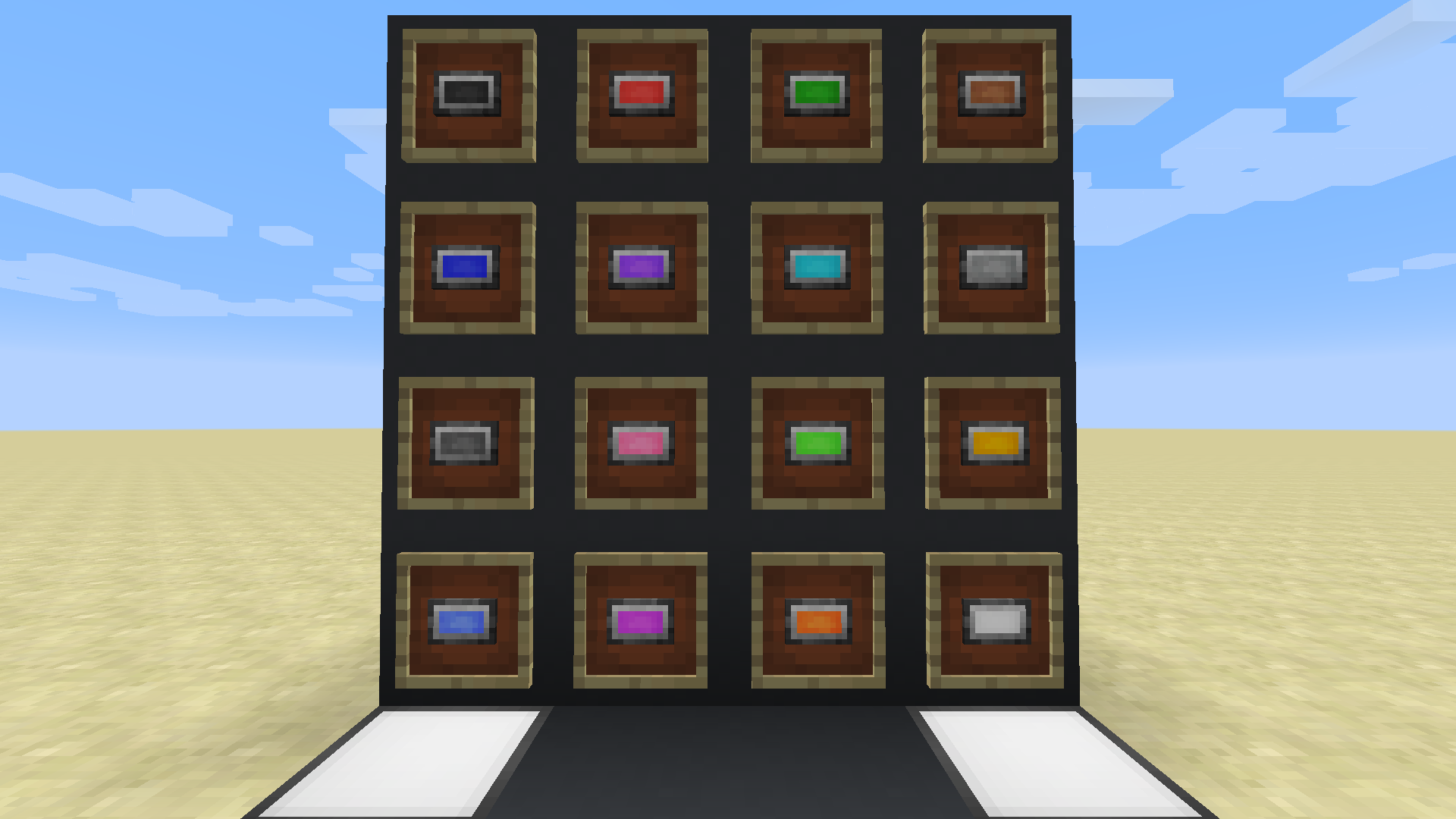
Color Card
If you want to color your already placed blocks, you can do so now! The Color Card can color different color based blocks like Wool or Colored Lamps. To do so your Color Card needs Colored Dust in its Container, which you can open if you select the Color Card in your hotbar and then Sneak and Rightclick. Now you can color your blocks simply by rightclicking them. To switch Colors, press "G" (default Key, you can change that in Controls under Colored Lights).
Currently supported Blocks: Wool, Stained Glass, Stained Glass Pane, Terracotta, Concrete, Concrete Powder, Carpet, Glazed Terracotta, Colored Lamp
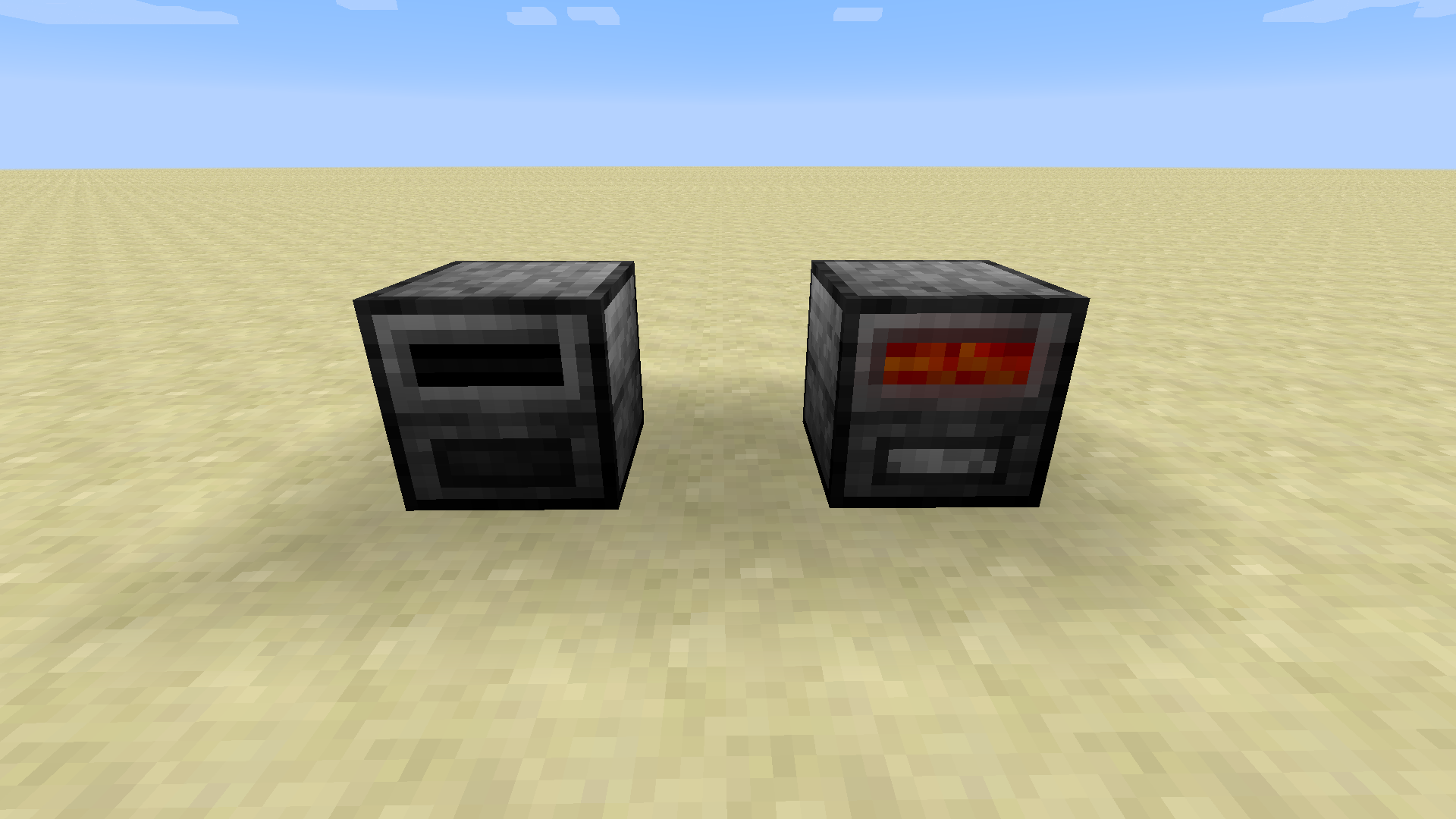
Grinder
It it is used to grind down stuff like Wool or Dye into Colored Dust and other byproducts (Recipe Examples down in Recipe section "Grinder Recipe").
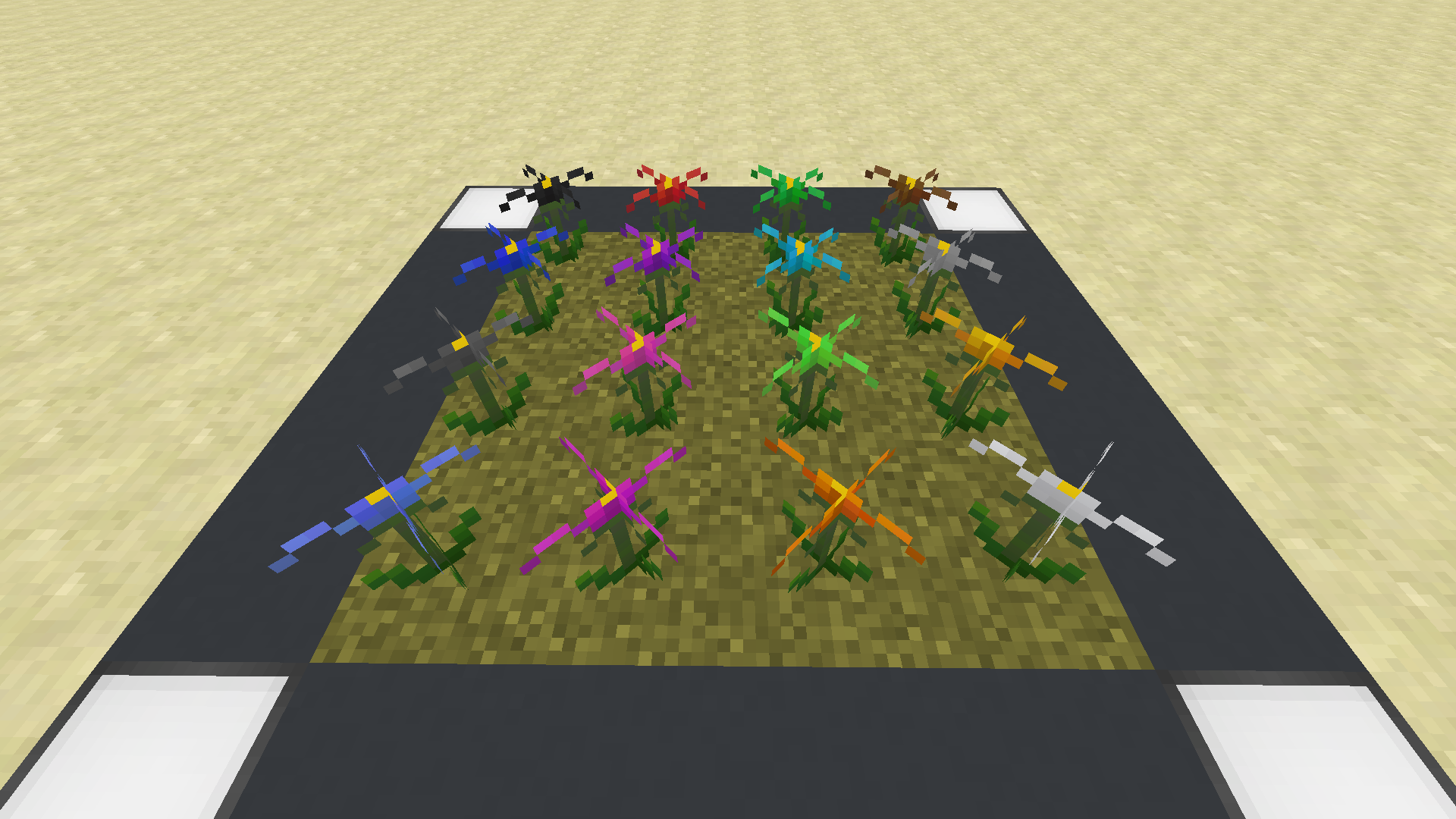
Pneumea Flower
These Flowers will fill your garden with color, well and your pockets if you want some Dust from these beautiful Flowers. Rarely found in the World between y: 60 and 80 these Flowers can be harvested and collected. Throwing them into the Grinder you can get the Colored Dust as well as Pneumea Seeds. These seeds can be used to repopulate your Flowers. To plant them simply put the seed on top of Farmland, Grass or Dirt Blocks.
Alpha Tree
The Alpha tree has historical background for me and I wanted to have him back (textures included, so don't wonder why it is a full block). You can plant the Alpha Tree Sapling like any normal sapling. If the Tree is grown out the stem has a chance of being one of the six wood types minecraft has to offer. The leaves are randomly split into the 6 leaf-types of minecraft.
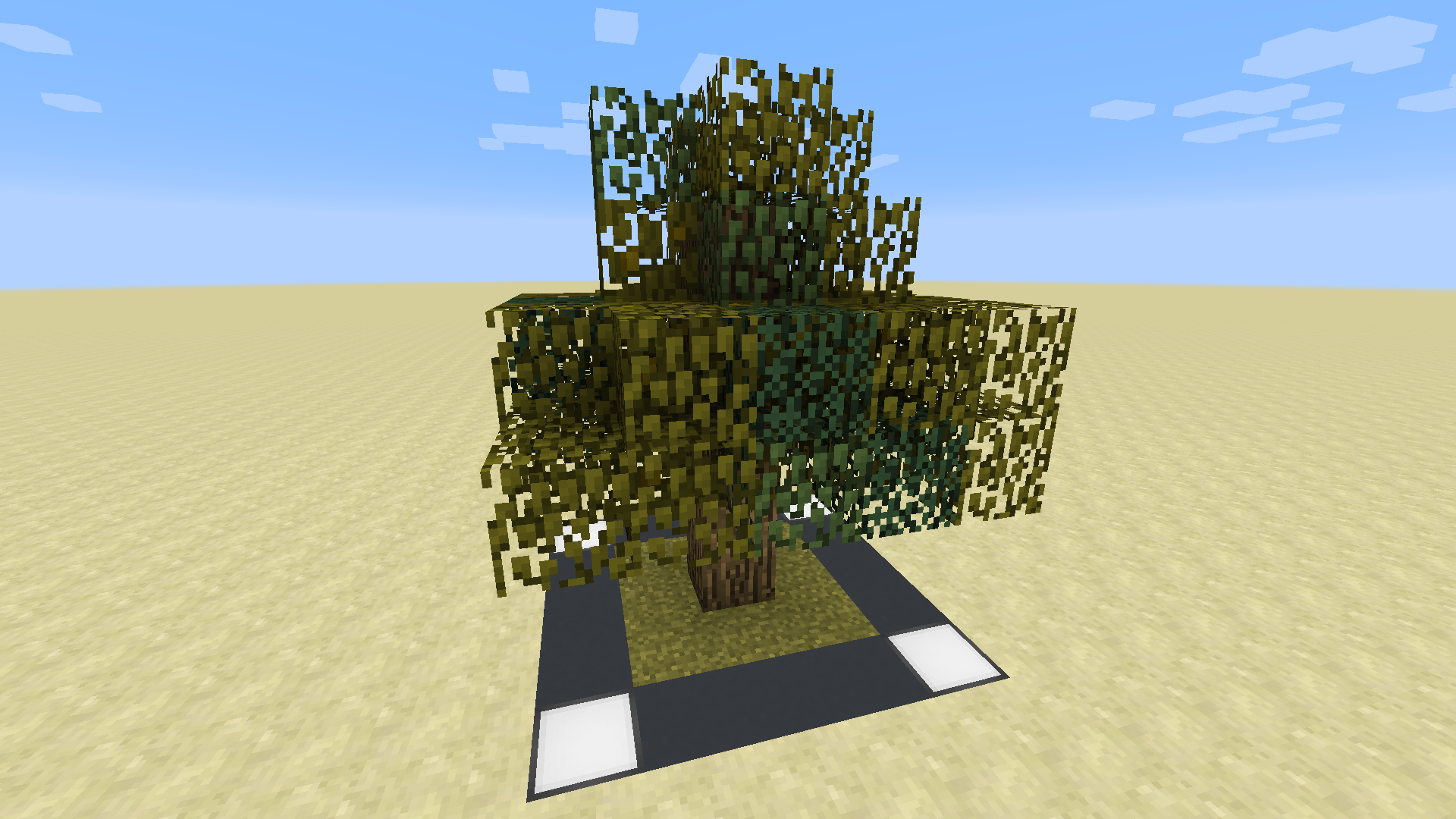
Recipes:
Colored Lamp (for all colors):
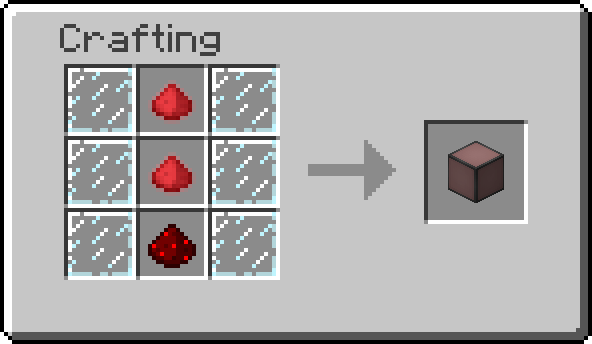
Inverted Colored Lamp (for all colors):
Colored Dust Glowing (for all colors):
Color Card:
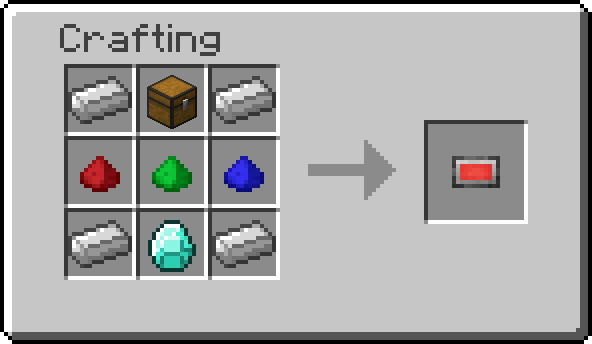
Grinder:
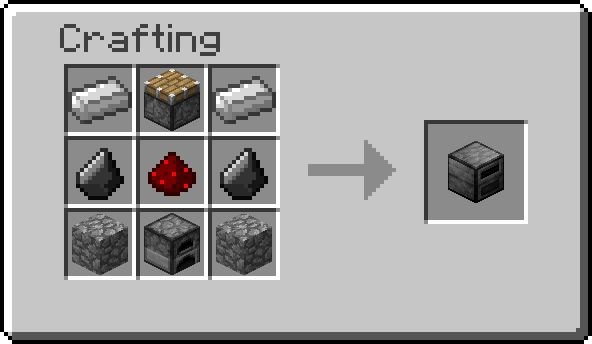
Alpha Tree Sapling:
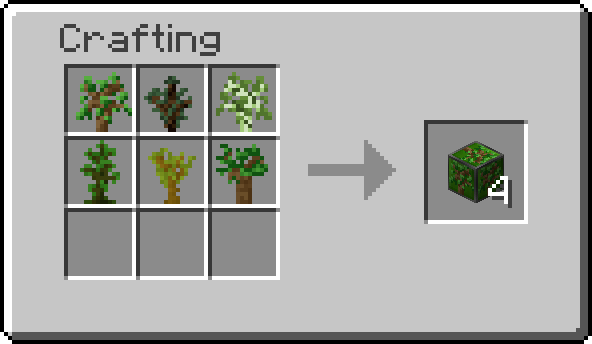
Grinder Recipes:
Dye into Dust (for all colors):
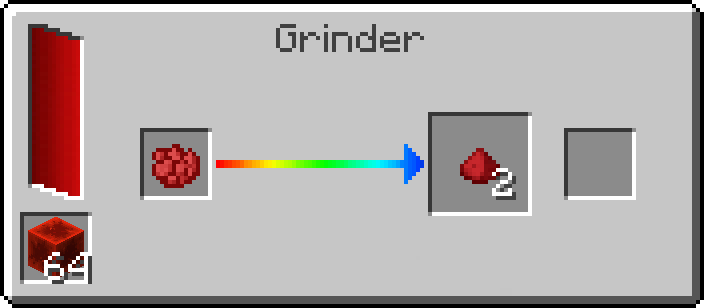
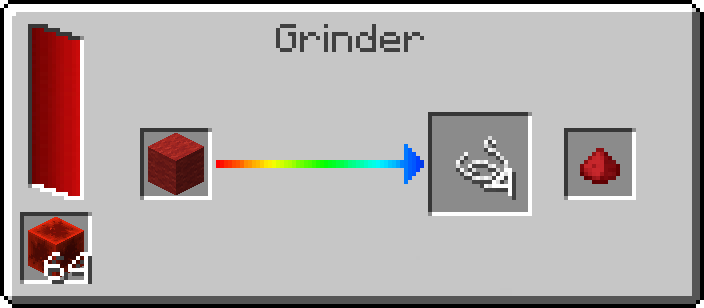
Wool into Dust and String (for all colors):
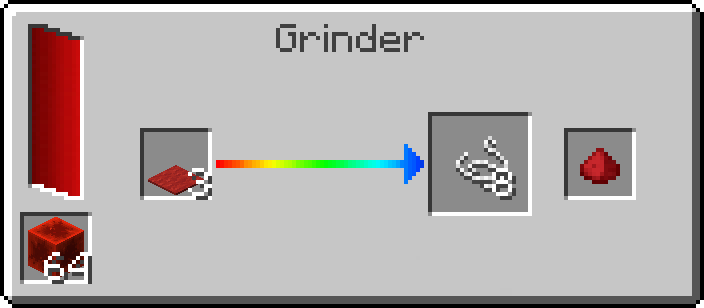
Carpet into Dust and String (for all colors):
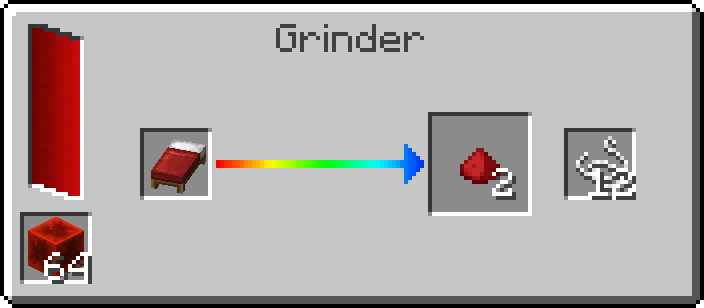
Bed into Dust and String (for all colors):
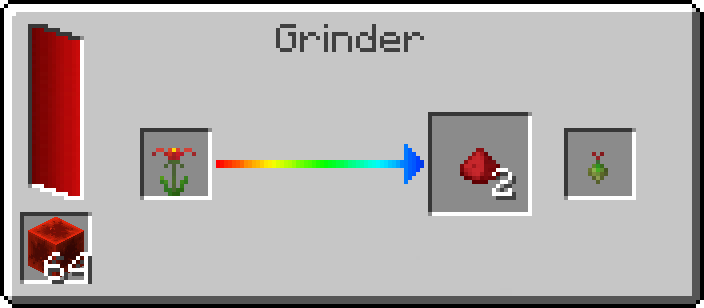
Pneumea Flower into Dust and Pneumea Seed (for all colors):
Modpacks:
You are allowed to use this Mod in Modpacks as long as you credit me and provide a link to this project website.
Changelog:
You can find the Changelog here.
Report issues and ideas:
For bug reports, issues or ideas click here and add a new issue. You can also write me a PM.
On my Twitter-Page I will be posting updates, ideas and read through suggestions and comments.
Plannded Features:
- RGB Lamp (opens Gui on right-click to adjust color of the lamp)
- RF-Support for Grinder?
- Maybe additional Grinder Recipes?
- Colored Torches
Other Mods:
For texture-maker:
Please tell me if you consider making textures for the mod. I will link them on this project page if you want to.
Credits to:
- Elucent for making Albedo, a library for colored lighting
Project description from CurseForge.
Pick your setup
Colored Lights by Minecraft version and loader
Choose the version and loader you play, then open the matching release.
Minecraft version
1.12.1
1 loader buildMinecraft version
1.12
1 loader buildCheck the dependencies, then try the file in a copied instance before changing a world you care about.
Recent files
Colored Lights versions and loaders
[Forge 1.12.2] coloredlights-1.12.2-1.2.2
coloredlights-1.12.2-1.2.2.jar
4 Jan 2024
Client Source doesn’t say Server Source doesn’t say Dependencies No extras listed Listed on Release listing
Check the 1.12.2 · Forge setup Forge1.12.2 beta
ColoredLights-1.12.2-v1.2.1
ColoredLights-1.12.2-v-1.2.1.jar
3 Jun 2020
Client Source doesn’t say Server Source doesn’t say Dependencies No extras listed Listed on Release listing
Check the 1.12.2 setup 1.12.11.121.12.2 beta
ColoredLights-1.12.2-v1.2.0
ColoredLights-1.12.2-v1.2.0.jar
8 Jul 2019
Client Source doesn’t say Server Source doesn’t say Dependencies No extras listed Listed on Release listing
Check the 1.12.2 setup 1.12.11.121.12.2 beta
ColoredLights-1.12.2-v1.1.1
ColoredLights-1.12.2-v1.1.1.jar
28 Mar 2018
Client Source doesn’t say Server Source doesn’t say Dependencies No extras listed Listed on Release listing
Check the 1.12.2 setup 1.12.2 beta
ColoredLights-1.12.2-v1.1.0
ColoredLights-1.12.2-v1.1.0.jar
27 Mar 2018
Client Source doesn’t say Server Source doesn’t say Dependencies No extras listed Listed on Release listing
Check the 1.12.2 setup 1.12.2 alpha
ColoredLights-1.12.2-v1.0.1
ColoredLights-1.12.2-v1.0.1.jar
21 Mar 2018
Client Source doesn’t say Server Source doesn’t say Dependencies No extras listed Listed on Release listing
Check the 1.12.2 setup 1.12.2 beta
ColoredLights-1.12.2-v1.0.0
ColoredLights-1.12.2-v1.0.0.jar
17 Mar 2018
Client Source doesn’t say Server Source doesn’t say Dependencies No extras listed Listed on Release listing
Check the 1.12.2 setup 1.12.2 beta
Looking for an older file? The official CurseForge project page is in Resources.
 mod
mod CurseForge · Minecraft
Brilliant Text Remixin
Fix bugs and add more options to Brilliant Text
 mod
mod CurseForge · Minecraft
Backport 26.3 Update
Backports Minecraft Java 26.3 content, gameplay changes, and selected bug fixes to older game versions.
 mod
mod CurseForge · Minecraft
Paintable Signs & More!
Point a Paintbrush at any vanilla sign and a pixel editor opens; draw whatever you want, hit Save, and it is there for everyone on the server. The same brush works on paintings, and blank canvases let you hang art of your own anywhere you like.