Minecraft version
Back to mods 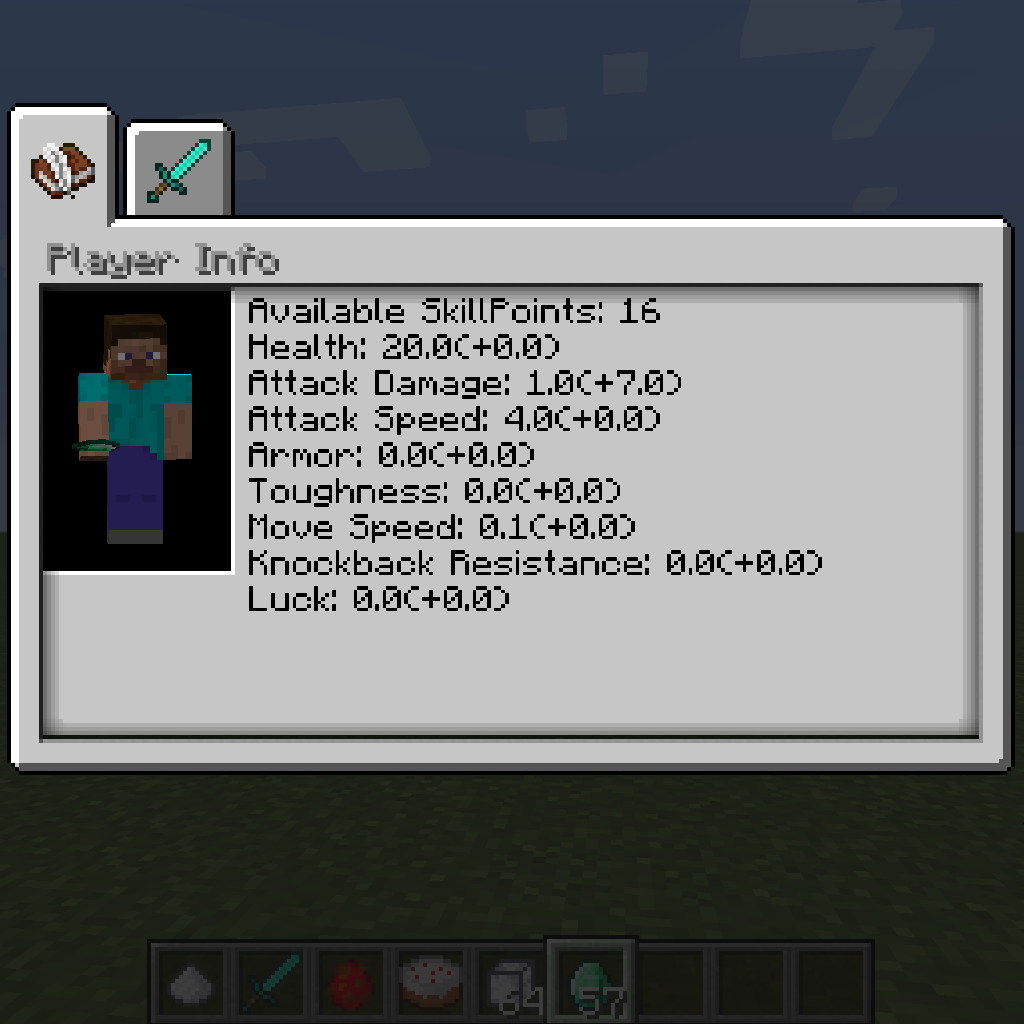
CurseForge · Minecraft mod
Skill Tree Mod
A mod that adds skill trees to Minecraft
Choose a version Pick your version below, then grab the matching file.
Quick answer
Which Skill Tree Mod release should I use?
Latest stable file SkillTree-1.12.2-1.2.3.0
Game version 1.12.2
Loader Not required
Skill Tree Mod SkillTree-1.12.2-1.2.3.0 targets 1.12.2. The project page does not say whether this file belongs on the client, dedicated server, or both. No extra mods listed for this file.
Where it goes
Is Skill Tree Mod required on the client, server, or both?
The project page does not say whether this file belongs on the client, dedicated server, or both.
Client Source doesn’t say
Dedicated server Source doesn’t say
Loader for this release No loader listed
Required install it here Optional supported, not mandatory Not supported do not install here Source doesn’t say do not assume
The source does not explicitly classify this release as client-only or server-only.
What else does Skill Tree Mod SkillTree-1.12.2-1.2.3.0 need?
SkillTree-1.12.2-1.2.3.0. Change the file and its required mods may change too.
This file does not list any required mods. Do not add a library just because a different file uses it.
This file does not list any required or optional mods.
Before you install it
Add Skill Tree Mod without breaking your instance.
Built for Skill Tree Mod SkillTree-1.12.2-1.2.3.0. Pick another file and the loader, install side or required mods may change.
- 01
Stick to this file
Use SkillTree-1.12.2-1.2.3.0. It targets 1.12.2; another release may have different loader, side or dependency requirements.
- 02
Bring the mods it needs
This file does not list any required mods. Do not add a library just because a different file uses it.
- 03
Put it on the correct side
The project page does not say whether this file belongs on the client, dedicated server, or both.
- 04
Pick the file you checked
Use the “Get this file” button beside SkillTree-1.12.2-1.2.3.0. It opens that exact file at the source.
About this project
What does Skill Tree Mod add?
Skill Trees Mod
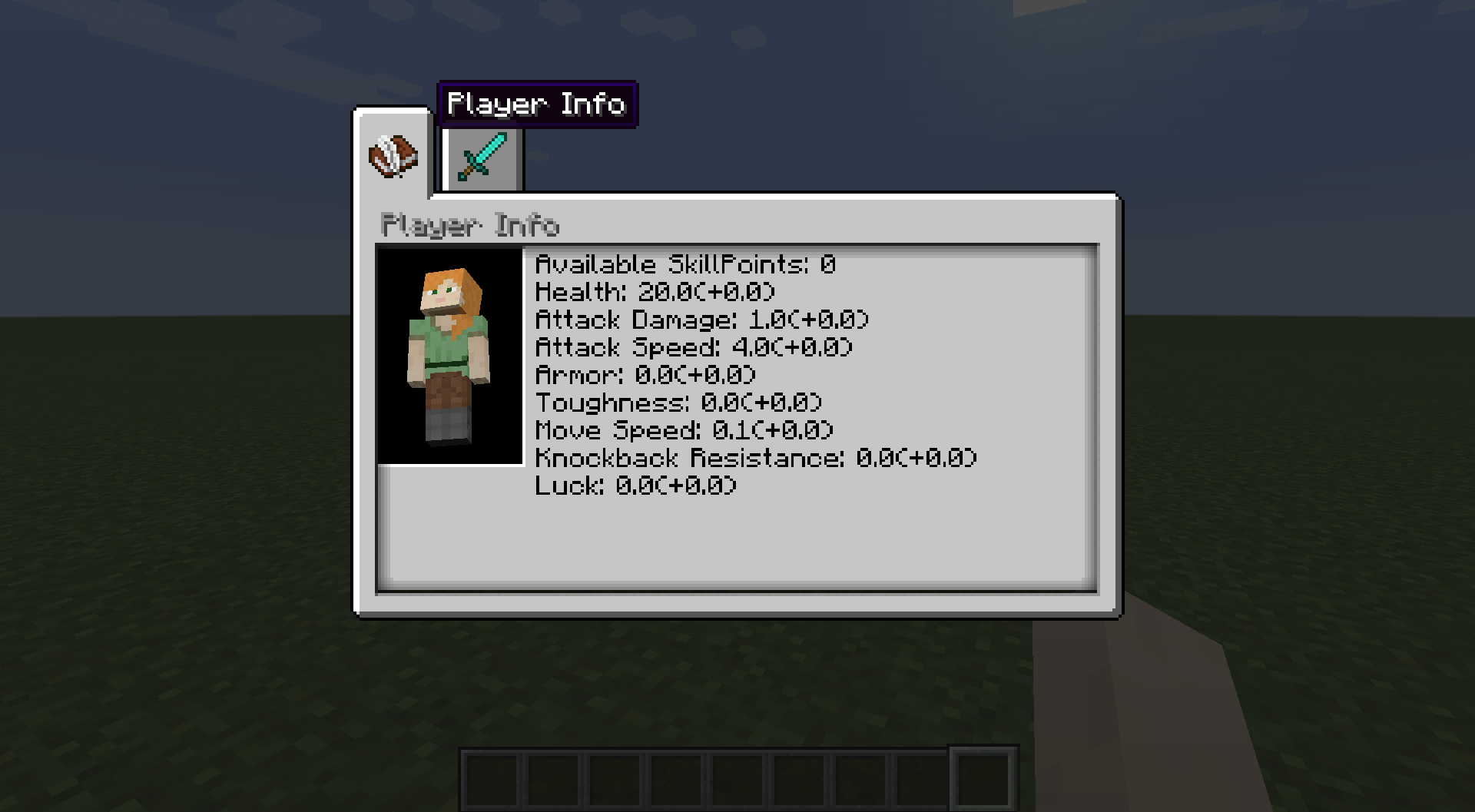
Basic Player Info Page
Summary
The Skill Trees mod is a small mod that adds an easy way for modders to implement and add skill trees to their mod and aims to provide maximum customizability should the default look not suit your needs. This mod also provides methods for skill tree makers and other modders to check if certain skills are obtained. This mod does not add any skill trees itself. If you would like to be a part of a mod that will then check this postout.
Skills
By default, there are two types of skills and attribute skills. Attribute skills make it easy to affect the player's attributes. As long as the skill is active and the player has this skill, the player's stats will be changed (i.e. Double damage, natural armor, speed, etc). These changes can be viewed in the Player Info Tab (Note: this tab will show all modifiers currently affecting the player).
The base skill does not do anything much on its own but can be used as a requirement to do something (i.e. craft swords and other items, use certain tools and weapons, interact with mobs, etc). Modders can also choose to do something special when the skill is obtained or removed (give or take an item from player an item, code particle effects, etc). Skills can also be made to be togglable so that their effects aren't constant. A skill can also be made tickable, meaning you can have something happen every 20 ticks (1 second) the skill is active (night vision, underwater breathing, fire resistance, mana use, etc). Skills can also be linked to each other. So you can require having a certain skill before obtaining a more powerful skill or useful skill down the line. The skills can branch out into multiple trees... skill trees! A line will automatically be drawn between each connected skill.
Skill Points
By default, this mod does not add any items to the game that give the player skill points. However, it does provide methods for doing so in the API and a base Item.class called ItemSkillPoint that will give the player a number of skill points. How you want the player to get skill points is up to you!
Skill Trees
By default, you can view your skill trees by pressing 'k' (you can change this in settings). You'll be taken to the last viewed page or the Player Info Page. There are serval default backgrounds (the same as advancements) and an option to use your own.
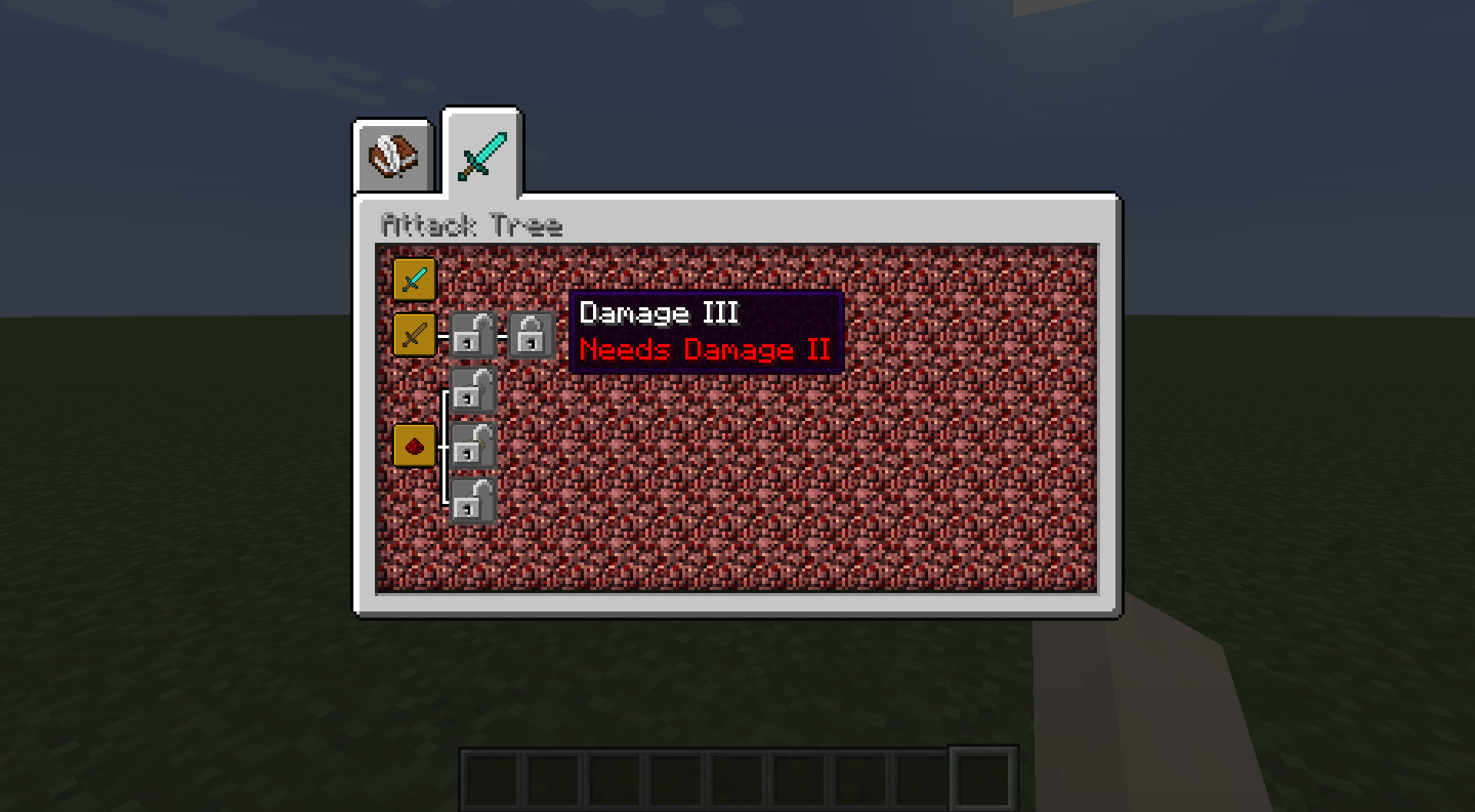
You can discern several pieces of information at a glance: whether or not you have the skill, if you have the requirements to get a skill, if it is active, and the skills parents. If a skill does not have a lock on it, you have already obtained that skill. If a skill has an unlocked lock, it means you are able to buy it, while a skill with a locked lock means its locked. An inactive skill is grey and an active skill is orange. Connected skills are connected with a line (the line can go either way; you do not need to place skills from right to left, you can place them in any format). You can get more info about a skill by hovering over it. That will display its name, requirements, and description (all of these can be defined in the lang file). By default, unfulfilled requirements are displayed as red and fulfilled requirements are green, names of obtained skills are yellow and unobtained are white, and descriptions are white (these can be changed at creation).
To purchase a skill, simply click on it. The skill will become active once the skill is purchased. (Note: Once you click a skill, if you could have purchased it, you will!) If the skill is already purchased and the skill is togglable, then clicking it will toggle it instead. By default, skill trees are kept on death. You can change this in the config. (I have included my EasyConfig class in the mod, feel free to use it!).
Skill Requirements
Skill Requirements are very important because without them you would just be able to buy all the skills. There are 5 default requirements, but you can create your own easily by implementing ISkillRequirment. The first two added are the Name Requirement and Description Requirement. These two add names and the description to the Skill Tooltip and are automatically added and created for by default. There are a few methods to interact with them, but you will most likely not need them unless you are creating skills that act differently than the default. The next most common one is the parent requirement. This automatically created and added to the skill for you. The last two are Skill Point Requirement and Level Requirement. Ther former requires a certain number of skills points that are consumed when purchased, and the latter is the same but for levels.
Commands
This mod adds commands to interact with the skill tree. Currently, there are 4: reset, addPoints, give and remove. Type "/sk" for usage. Most arguments can be tabbed completed.
Server Compatability
This mod should be fully server compatible and has been tested. If any bugs are found please report them to the GitHub below.
Creating a skill Tree
For Documentation and an example Skill Tree. Visit the Github here
License:
All rights reserved. However, you can modify for personal use, but not distribute. Any links should be direct (no adfl.y links or other kinds or other link shortening service and should lead to this page or the page on the Minecraft forum.
Example Skill Trees
If you would like to support me and see continued updates, then please  !
!
Project description from CurseForge.
Pick your setup
Skill Tree Mod by Minecraft version and loader
Choose the version and loader you play, then open the matching release.
Check the dependencies, then try the file in a copied instance before changing a world you care about.
Recent files
Skill Tree Mod versions and loaders
SkillTree-1.12.2-1.2.3.0
SkillTree-1.2.3.0.jar
27 May 2018
Client Source doesn’t say Server Source doesn’t say Dependencies No extras listed Listed on Release listing
Check the 1.12.2 setup 1.12.2 release
SkillTree-1.12.2-1.2.2.0
SkillTree-1.2.2.0.jar
26 May 2018
Client Source doesn’t say Server Source doesn’t say Dependencies No extras listed Listed on Release listing
Check the 1.12.2 setup 1.12.2 release
SkillTree-1.12.2-1.2.0.10
SkillTree-1.2.0.10.jar
25 May 2018
Client Source doesn’t say Server Source doesn’t say Dependencies No extras listed Listed on Release listing
Check the 1.12.2 setup 1.12.2 release
Skilltree-1.12.2-1.2.0.1
SkillTree-1.2.0.1.jar
24 May 2018
Client Source doesn’t say Server Source doesn’t say Dependencies No extras listed Listed on Release listing
Check the 1.12.2 setup 1.12.2 release
SkillTree-1.12.2-1.1.0.2
SkillTree-1.1.0.2.jar
23 May 2018
Client Source doesn’t say Server Source doesn’t say Dependencies No extras listed Listed on Release listing
Check the 1.12.2 setup 1.12.2 release
SkillTree-1.1.0.1.jar
22 May 2018
Client Source doesn’t say Server Source doesn’t say Dependencies No extras listed Listed on Release listing
Check the 1.12.2 setup 1.12.2 release
Skill Tree Mod-1.12.2-1.0.0.0
SkillTree-1.0.0.0.jar
20 May 2018
Client Source doesn’t say Server Source doesn’t say Dependencies No extras listed Listed on Release listing
Check the 1.12.2 setup 1.12.2 release
Looking for an older file? The official CurseForge project page is in Resources.
 mod
mod CurseForge · Minecraft
Phrix, Phrox
A mod about curses and the like.
 mod
mod CurseForge · Minecraft
Legacy Aspects
Minecraft More Features
 mod
mod CurseForge · Minecraft
EnchantStats: Enchantment Descriptions +Tooltip+Inventory HUD+ + Monster HP+Damage Indicator+Tool Info Hub
EnchantStats is the combat & magic sequel to AppleStats — enchanting your HUD with exact enchantment values, advanced tooltips, and monster combat stats.