Minecraft version
Back to mods 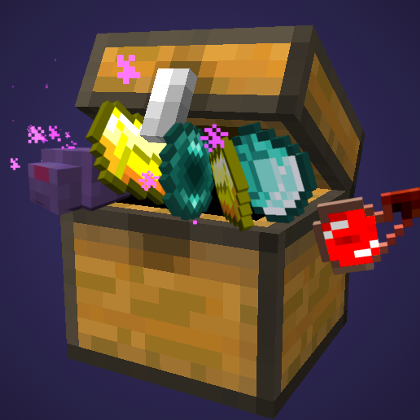
CurseForge · Minecraft mod
Loot Overhaul
Extends the vanilla loot system with more loot conditions, functions, and types of loot
Choose a version Pick your version below, then grab the matching file.
Quick answer
Which Loot Overhaul release should I use?
Latest stable file LootOverhaul-1.2.jar
Game version 1.12.2
Loader Not required
Loot Overhaul LootOverhaul-1.2.jar targets 1.12.2. The project page does not say whether this file belongs on the client, dedicated server, or both. No extra mods listed for this file.
Where it goes
Is Loot Overhaul required on the client, server, or both?
The project page does not say whether this file belongs on the client, dedicated server, or both.
Client Source doesn’t say
Dedicated server Source doesn’t say
Loader for this release No loader listed
Required install it here Optional supported, not mandatory Not supported do not install here Source doesn’t say do not assume
The source does not explicitly classify this release as client-only or server-only.
What else does Loot Overhaul LootOverhaul-1.2.jar need?
LootOverhaul-1.2.jar. Change the file and its required mods may change too.
This file does not list any required mods. Do not add a library just because a different file uses it.
This file does not list any required or optional mods.
Before you install it
Add Loot Overhaul without breaking your instance.
Built for Loot Overhaul LootOverhaul-1.2.jar. Pick another file and the loader, install side or required mods may change.
- 01
Stick to this file
Use LootOverhaul-1.2.jar. It targets 1.12.2; another release may have different loader, side or dependency requirements.
- 02
Bring the mods it needs
This file does not list any required mods. Do not add a library just because a different file uses it.
- 03
Put it on the correct side
The project page does not say whether this file belongs on the client, dedicated server, or both.
- 04
Pick the file you checked
Use the “Get this file” button beside LootOverhaul-1.2.jar. It opens that exact file at the source.
About this project
What does Loot Overhaul add?

This mod adds a lot to the vanilla loot system, including new loot conditions, functions, and loot types.
Head over to the Loot Overhaul Wiki for a full list of features and some examples of how to use them.
Just a warning, this mod is complex! If you have questions, ask them below, and hopefully myself or someone else will be able to help, but you may have to figure it out on your own. The wiki is your friend. =)
You have permission to use this mod in modpacks.
Here are some of the features:
Block loot tables
Editing block drops is now as easy as editing loot tables!
You can replace (or add to with _extra, see below) any block drops using loot tables.
To replace block drops, use the loot table with the name <modid>:blocks/<blockId>. So you can override vanilla grass (minecraft:grass) drops with the loot table minecraft:blocks/grass. For a modded block, lets say with the id biomesoplenty:mud, it would be biomesoplenty:blocks/mud.
Block loot table drops can be disabled in the config file (in case it causes issues).
Additions to loot tables (without replacing them)
Sometimes when making a custom map, or modpack, you don't want to replace a whole loot table. You just want a way to add a couple items to it. With this mod, you can do that too.
To add to a loot table, simply create another loot table with the same name as the one you want to add to, with _extra at the end (so adding extras to entities/zombie would be in entities/zombie_extra).
This feature can be disabled in the config file, or you can blacklist certain loot tables from trying to pull in extras, in case you have a mod that happens to have a loot table ending in _extra.
Additions to every entity death or block drop table
The two loot tables minecraft:entities/all and minecraft:blocks/all allow you to add a drop to every entity death loot or block drop, respectively. This would probably be most useful combined with loot conditions, for extremely rare drops and the like.
Both of those can be disabled in the config file.
New Loot Types
Well, kind of. The loot system currently only supports items, so there are 6 items which will have a special effect when they drop: spawning mobs, placing blocks, creating structures, filling an area, running commands, or applying a potion effect. See the wikifor examples of how to use them.
Loot Conditions
This mod adds in a fair number of new loot conditions, ranging from biome to moon phase to those entity/global variables mentioned above. See the wikifor more detailed descriptions and some examples.
Loot Functions
There are also several new loot functions, with more detail on the wiki.
Project description from CurseForge.
Pick your setup
Loot Overhaul by Minecraft version and loader
Choose the version and loader you play, then open the matching release.
Check the dependencies, then try the file in a copied instance before changing a world you care about.
Recent files
Loot Overhaul versions and loaders
LootOverhaul-1.2.jar
16 May 2019
Client Source doesn’t say Server Source doesn’t say Dependencies No extras listed Listed on Release listing
Check the 1.12.2 setup 1.12.2 release
LootOverhaul-1.1.jar
14 Feb 2019
Client Source doesn’t say Server Source doesn’t say Dependencies No extras listed Listed on Release listing
Check the 1.12.2 setup 1.12.2 release
LootOverhaul-1.0.jar
29 Jul 2018
Client Source doesn’t say Server Source doesn’t say Dependencies No extras listed Listed on Release listing
Check the 1.12.2 setup 1.12.2 release
Looking for an older file? The official CurseForge project page is in Resources.
 mod
mod CurseForge · Minecraft
EngieLib
A library mod for the mods of EngieGames.
 mod
mod CurseForge · Minecraft
Data Miner
Diagnostic mod for MC 26.1.2. Exports registries to JSON, monitors FPS/MSPT, tracks live events, measures latency (eating/breaking), profiles mod impact with per-mod analysis. All I/O async, always-on tracing, zero game-thread blocking.
 mod
mod CurseForge · Minecraft
Common Toolkit
A NeoForge library mod providing shared developer utilities: declarative config, networking helpers, dynamic JSON-driven registries with client sync, weighted gear/brewing-mix systems, and creative tab filling.