Game Stages Optional for FTB Banners (Forge) FTBBanners-1.1.0.12.jar
optionalMatching file found Matched file: GameStages-1.12.2-2.0.123.jar

CurseForge · Minecraft mod
Simple mod that displays banners in world
Quick answer
FTB Banners (Forge) FTBBanners-1.1.0.12.jar targets 1.12.2. The project page does not say whether this file belongs on the client, dedicated server, or both. No extra mods listed for this file.
Where it goes
The project page does not say whether this file belongs on the client, dedicated server, or both.
The source does not explicitly classify this release as client-only or server-only.
FTBBanners-1.1.0.12.jar on 1.12.2. Every mod below is checked against that same setup.
This file does not list any required mods. Do not add a library just because a different file uses it.
1 extra mod was pulled in by another dependency. Indented rows show who needs each one. We only count dependency files that match this setup. A file for another loader does not fill the gap.
Before you install it
Built for FTB Banners (Forge) FTBBanners-1.1.0.12.jar on 1.12.2. Pick another file and the loader, install side or required mods may change.
Use FTBBanners-1.1.0.12.jar. It targets 1.12.2; another release may have different loader, side or dependency requirements.
This file does not list any required mods. Do not add a library just because a different file uses it.
The project page does not say whether this file belongs on the client, dedicated server, or both.
Use the “Get this file” button beside FTBBanners-1.1.0.12.jar. It opens that exact file at the source.
About this project


Project description from CurseForge.
Pick your setup
Choose the version and loader you play, then open the matching release.
Check the dependencies, then try the file in a copied instance before changing a world you care about.
Recent files
5 Sept 2019
28 Jul 2019
7 Jul 2019
2 Jul 2019
29 Jun 2019
25 Jun 2019
22 Jun 2019
17 Jun 2019
3 Sept 2018
30 Aug 2018
30 Aug 2018
29 Aug 2018
Looking for an older file? The official CurseForge project page is in Resources.
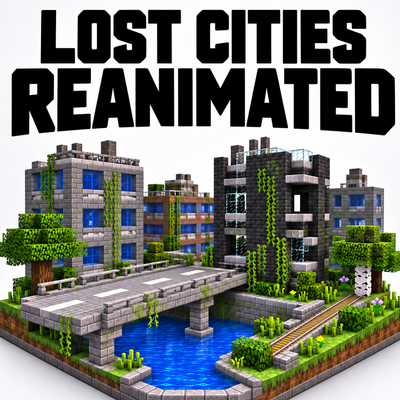 mod
A modernized backport of The Lost Cities for Minecraft 1.7.10 and 1.12.2, featuring modern city generation, highways, railways, expanded structures, and configurable world generation.
 mod
Char’s Bunnies is a cute and cozy bunny/rabbit-focused breeding and genetics mod featuring unique breeds, coat varieties, & personalities.
 mod
Overhaul of base creation aimed to enhance multiplayer experience.