Minecraft version
Back to mods 
CurseForge · Minecraft mod
GlowingCocoa
Different colored Glowstones, Lanterns and Redstone Lights can be farmed by harvesting a new type of CocoaBean.
Choose a version Pick your version below, then grab the matching file.
Quick answer
Which GlowingCocoa release should I use?
Latest stable file Glowing Cocoa 1.1 Rainbow Update
Game version 1.12.2
Loader Not required
GlowingCocoa Glowing Cocoa 1.1 Rainbow Update targets 1.12.2. The project page does not say whether this file belongs on the client, dedicated server, or both. No extra mods listed for this file.
Where it goes
Is GlowingCocoa required on the client, server, or both?
The project page does not say whether this file belongs on the client, dedicated server, or both.
Client Source doesn’t say
Dedicated server Source doesn’t say
Loader for this release No loader listed
Required install it here Optional supported, not mandatory Not supported do not install here Source doesn’t say do not assume
The source does not explicitly classify this release as client-only or server-only.
What else does GlowingCocoa Glowing Cocoa 1.1 Rainbow Update need?
Glowing Cocoa 1.1 Rainbow Update. Change the file and its required mods may change too.
This file does not list any required mods. Do not add a library just because a different file uses it.
This file does not list any required or optional mods.
Before you install it
Add GlowingCocoa without breaking your instance.
Built for GlowingCocoa Glowing Cocoa 1.1 Rainbow Update. Pick another file and the loader, install side or required mods may change.
- 01
Stick to this file
Use Glowing Cocoa 1.1 Rainbow Update. It targets 1.12.2; another release may have different loader, side or dependency requirements.
- 02
Bring the mods it needs
This file does not list any required mods. Do not add a library just because a different file uses it.
- 03
Put it on the correct side
The project page does not say whether this file belongs on the client, dedicated server, or both.
- 04
Pick the file you checked
Use the “Get this file” button beside Glowing Cocoa 1.1 Rainbow Update. It opens that exact file at the source.
About this project
What does GlowingCocoa add?
Glowing Cocoa arrived!
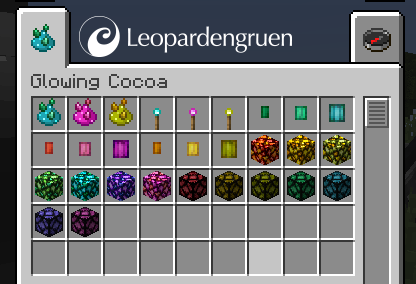
This small mod adds a new kind of cocoa to the jungle. It lights up the night! Harvested by scissors you will get lots of decorative lanterns. Or harvest them by hand and get a new kind of Glowstone Dust. You can craft it into Glowstone or RedstoneLamps in new colors or smelt it into normal Glowstone Dust. Now you are able to farm Glowstone Dust!
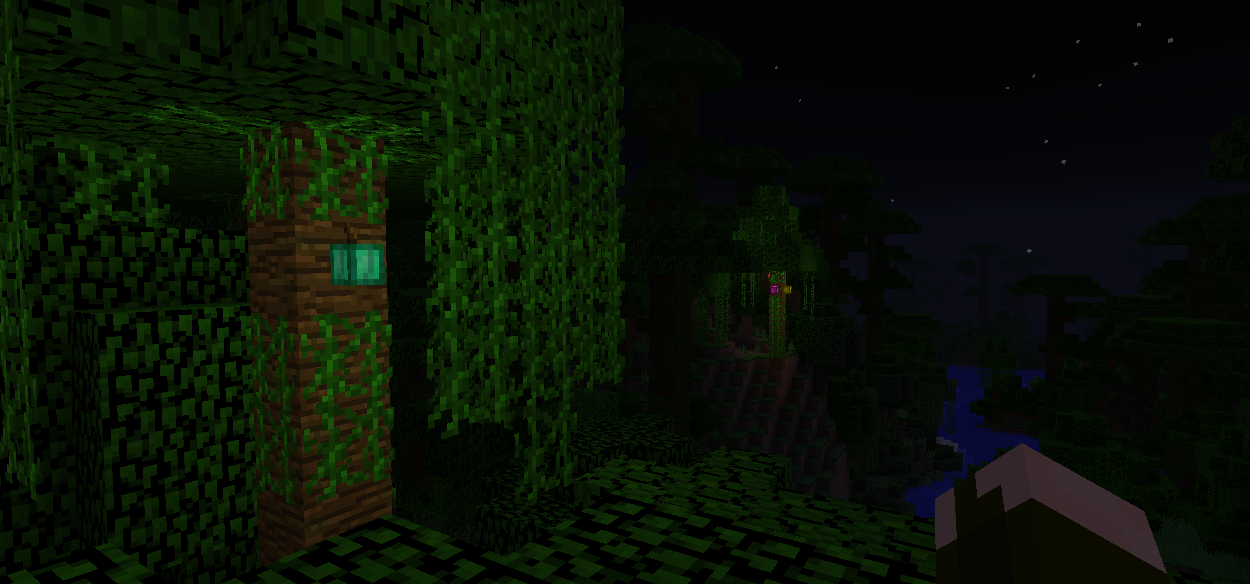
What you'll get:
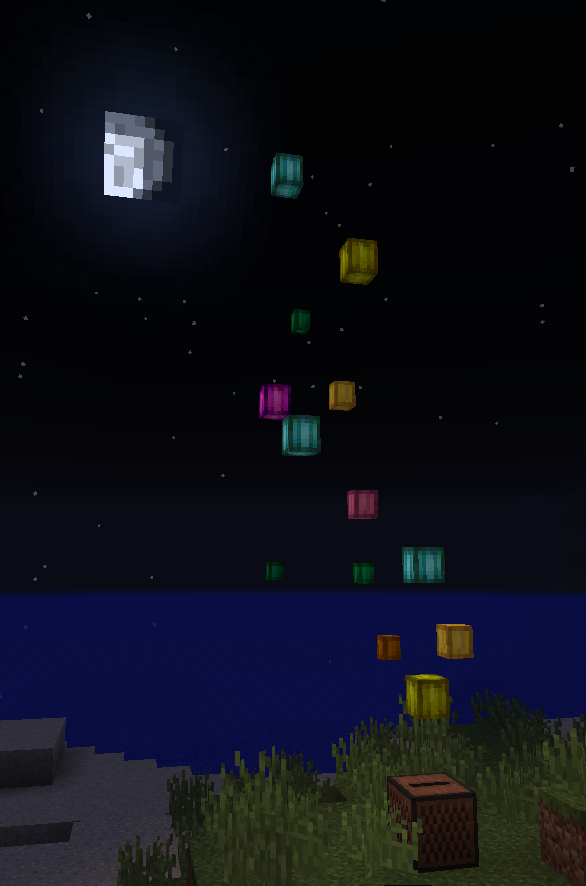
When you encounter the jungle at night, you'll find this new plant growing on trees above height level 80 (New generated jungle required). There are three different colored GlowingCocoa types. At any age you can harvest them with scissors. These lanterns come in nine colors and in three sizes. Once harvested they won't grow further and the decoration abilities with them are endless. (They can be placed on every side of a block)
New Creative Tab:
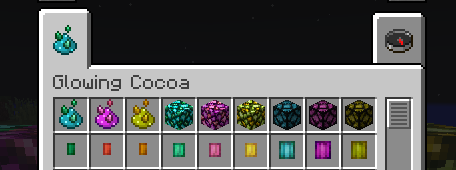

When you harvest them by hand you'll get GlowingCocoa Dust. It can be crafted like normal Glowstone Dust. In the oven you can dry out every lantern into GlowingCocoa Dust. It is even possible to dry the GlowingCocoa Dust into Minecraft Glowstone Dust.
Or use the Cocoa Dust to plant new cocoas on jungle wood and see them grow. (Use bonemeal if you can't wait) The endless search for Glowstone in the Nether is over!
Rainbow Update!
New in version 1.1: Now you get Glowstone and RedstoneLamps in seven different colors! Glowing Torches are added too!
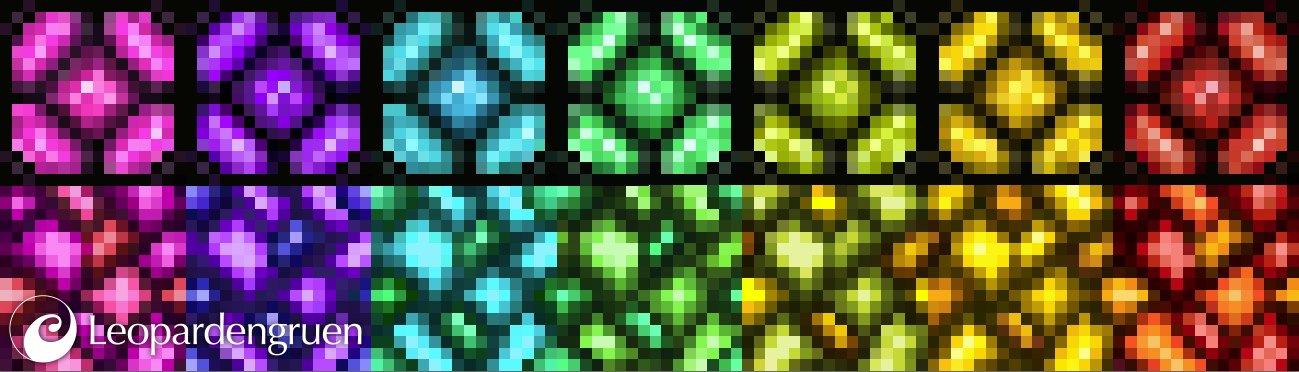

Requires Forge 1.12.2
Available in english and german.
You are not allowed to copy my textures for other projects.
Please ask for permission, if you want to use it in a modpack.
Heads up!
There will be an update to 1.15 in 2020. I‘m going to try to adjust the textures, to match the new look of vanilla minecraft.
Is there something else I should have in mind?
Project description from CurseForge.
Pick your setup
GlowingCocoa by Minecraft version and loader
Choose the version and loader you play, then open the matching release.
Minecraft version
1.12.1
1 loader buildMinecraft version
1.12
1 loader buildCheck the dependencies, then try the file in a copied instance before changing a world you care about.
Recent files
GlowingCocoa versions and loaders
Glowing Cocoa 1.1 Rainbow Update
GlowingCocoaMod_by_Leopardengruen_1.1.0.jar
10 Nov 2018
Client Source doesn’t say Server Source doesn’t say Dependencies No extras listed Listed on Release listing
Check the 1.12.2 setup 1.12.2 release
GlowingCocoaMiniMod
GlowingCocoaMod.jar
9 Sept 2018
Client Source doesn’t say Server Source doesn’t say Dependencies No extras listed Listed on Release listing
Check the 1.12.2 setup 1.12.11.121.12.2 release
Looking for an older file? The official CurseForge project page is in Resources.
 mod
CurseForge · Minecraft
ElectroFlow(Voltaria)
ElectroFlow brings electricity closer to reality—generate, manage, and transform energy! Build incredible automated systems, use aesthetically pleasing cables, create your own city, and construct your very own power plant.
 mod
CurseForge · Minecraft
Toggle X-ray
Press F6 to instantly toggle X-Ray on/off — see all ores and valuable blocks through terrain with zero configuration.
 mod
CurseForge · Minecraft
Minecolonies: Epicfied (Epic Colonies)
EpicColonies is a mod which not only adds support for Epic Fight & Minecolonies, but also adds life-like expressions/Models to the game! Allowing your citizens to feel more alive than ever!