Minecraft version
Back to mods 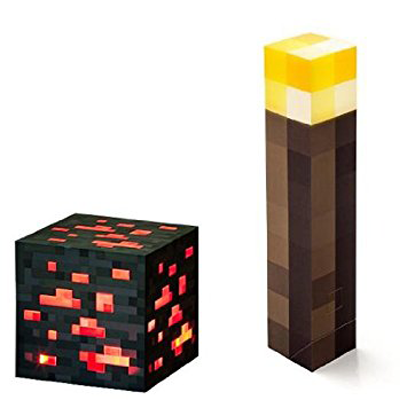
CurseForge · Minecraft mod
jabelar's Moving Light Sources
Held Torches and Light-Emitting Blocks, Related Entity Items And Burning Entities Emit REAL Light (Affects Light Level)
Choose a version Pick your version below, then grab the matching file.
Quick answer
Which jabelar's Moving Light Sources release should I use?
Latest stable file Version 1.0.15
Game version 1.12.2
Loader Not required
jabelar's Moving Light Sources Version 1.0.15 targets 1.12.2. The project page does not say whether this file belongs on the client, dedicated server, or both. No extra mods listed for this file.
Where it goes
Is jabelar's Moving Light Sources required on the client, server, or both?
The project page does not say whether this file belongs on the client, dedicated server, or both.
Client Source doesn’t say
Dedicated server Source doesn’t say
Loader for this release No loader listed
Required install it here Optional supported, not mandatory Not supported do not install here Source doesn’t say do not assume
The source does not explicitly classify this release as client-only or server-only.
What else does jabelar's Moving Light Sources Version 1.0.15 need?
Version 1.0.15. Change the file and its required mods may change too.
This file does not list any required mods. Do not add a library just because a different file uses it.
This file does not list any required or optional mods.
Before you install it
Add jabelar's Moving Light Sources without breaking your instance.
Built for jabelar's Moving Light Sources Version 1.0.15. Pick another file and the loader, install side or required mods may change.
- 01
Stick to this file
Use Version 1.0.15. It targets 1.12.2; another release may have different loader, side or dependency requirements.
- 02
Bring the mods it needs
This file does not list any required mods. Do not add a library just because a different file uses it.
- 03
Put it on the correct side
The project page does not say whether this file belongs on the client, dedicated server, or both.
- 04
Pick the file you checked
Use the “Get this file” button beside Version 1.0.15. It opens that exact file at the source.
About this project
What does jabelar's Moving Light Sources add?
You've Always Wanted This -- Held Torches And Burning Entities Now Cast Real Light
This is something people have asked for for a long time. Basically torches should act like torches and cast light while being carried. This is different from lighting engines like Optifine because in this case it is "real" light meaning the light level has all the normal effects (preventing mob spawning, causing mushrooms to uproot, snow to melt, etc.)
So here it is: A mod where torches and all other things that emit light will do so while being carried.
Especially useful is that a torch can be carried in your off-hand lighting the way while you work with tool in your main hand.
Also, burning entities cast light and for added fun torches can be used as weapons and burn entities.
Dropped items that represent light-emitting blocks will emit light.
Basically all the things you wanted to do with torches is now possible!
All Light-Emitting Blocks Can Be Used
If the player is holding (in either hand) any light-emitting block (see FAQ below for list), the immediate area around the player will light up with same light level as the related block.
Light-emitting blocks from other mods should work as long as their default state is to emit light.
Torches Can Be Used As Weapons
As an option, torches now can be used as a weapon to burn entities.
Burning Entities Emit Light
I personally think it adds a lot of realism to see burning entities emitting light.
This includes flaming arrows! Hope you like it.
Some Enchantments Emit Light
"Fire type" enchantments (Flame and Fire Aspect) will emit light if player is holding item with such enchantment.
Screenshots And Vids
Here is video showing how holding (in either hand) a torch or other light-emitting item can light your way at night and underground. You can also see it being used as a weapon to burn mobs, and you can see how a burning mob will emit light as well.:
Here is demo of using flaming arrows to help light up a chasm at night:
Here is demo showing that holding a torch affects the actual light level, in this case causing snow to melt just like a placed torch:
Recommended Mod Pairings
Some recommended mods related to light and darkness to try with mine:
- Hardcore Darkness, where the world can be pitch black.
- Bone Torch
- iTorch
- Just Enough Torches
- Quantum Lamp
FAQ
- How much light does a held item give off?
- It will give off the same light level as the associated block would.
- Does it affect the light level to prevent mob spawning and other things like snow melting?
- Yes, the area around you is considered to have same light level as placing the torch, so will prevent spawning, melt snow, etc. in the same way.
- see: Summary of all light level effects in Minecraft.
- Which blocks/items can give off light when held?
- Torch, redstone torch, redstone ore, glowstone block, glowstone dust, lava bucket, beacon, sea lantern, end rod, jack o' lantern
- Blocks from other mods which emit light in their default state should also work. (File an issue if you find a mod where this doesn't work!)
- Does it matter which hand the item is held in?
- No, it will give off light in either hand.
- What happens if you're holding light-emitting items in both hands?
- The brighter of the two items will have effect.
- Can I include this in my mod pack?
- Of course!
- Do blocks from mods emit light?
- Mods that have blocks that always give off light should work (e.g. Bone Torches).
- Mods that have blocks that need to be lit or activated will be in default state.
- Mods that have blocks with many variants that have different light levels will be supported where I have worked compatibility. (Feel free to make requests in the comments.)
- Items that don't have associated blocks (e.g. a flaming sword) won't give off light.
- I can try to support specific items and blocks -- feel free to submit requests in the comments.
- Can this run client-only, or with a vanilla server?
- No, it must also be installed on the server.
- Is this a "core mod"?
- No, this uses vanilla lighting system.
- I have an issue / bug / crash / report / request, where can I send it?
- The associated Github issues page.
Known Issues
- When loading a saved game, sometimes the light emission doesn't immediately refresh (like if you're already holding a light source). It will fix itself simply by moving around, swapping items, etc. but I'll try to fix this soon.
- Not really a bug, but some people might remark on it: Depending on how a flaming arrow embeds itself in a block, or if it is in something like tall grass, it may not emit light (this is due to fact that if there are blocks already where the entity is or immediately above it) there is no space to emit light from. This makes logical sense but can sometimes look a little weird.
Planned Features
- Support for mods that have blocks with variants of different light levels.
- Support for mod items that don't have blocks associated but would still be cool to emit light (e.g. a flaming sword).
- Enchanted items to optionally give off low level light.
- Spectral arrows and glowing entities to optionally give off low level light.
- Create a "flashlight" item that can create a light effect at a distance.
- Create a "miner's helmet" item that is crafted with a flashlight and iron helmet.
- Create a "spotlight/searchlight" block that is crafted with a flashlight (above item).
- Create a "molotov cocktail" item that creates fire splash effect.
- Port to other versions. (Depending on demand). Probably will do at least 1.7.10 and 1.8 if I have time.
Project description from CurseForge.
Pick your setup
jabelar's Moving Light Sources by Minecraft version and loader
Choose the version and loader you play, then open the matching release.
Check the dependencies, then try the file in a copied instance before changing a world you care about.
Recent files
jabelar's Moving Light Sources versions and loaders
Version 1.0.15
movinglightsource-1.12.2-1.0.15.jar
29 Oct 2018
Client Source doesn’t say Server Source doesn’t say Dependencies No extras listed Listed on Release listing
Check the 1.12.2 setup 1.12.2 release
Version 1.0.14
movinglightsource-1.12.2-1.0.14.jar
29 Oct 2018
Client Source doesn’t say Server Source doesn’t say Dependencies No extras listed Listed on Release listing
Check the 1.12.2 setup 1.12.2 release
Version 1.0.13
movinglightsource-1.12.2-1.0.13.jar
28 Oct 2018
Client Source doesn’t say Server Source doesn’t say Dependencies No extras listed Listed on Release listing
Check the 1.12.2 setup 1.12.2 release
Version 1.0.12
movinglightsource-1.12.2-1.0.12.jar
23 Oct 2018
Client Source doesn’t say Server Source doesn’t say Dependencies No extras listed Listed on Release listing
Check the 1.12.2 setup 1.12.2 release
Version 1.0.11
movinglightsource-1.12.2-1.0.11.jar
22 Oct 2018
Client Source doesn’t say Server Source doesn’t say Dependencies No extras listed Listed on Release listing
Check the 1.12.2 setup 1.12.2 release
Version 1.0.10
movinglightsource-1.12.2-1.0.10.jar
22 Oct 2018
Client Source doesn’t say Server Source doesn’t say Dependencies No extras listed Listed on Release listing
Check the 1.12.2 setup 1.12.2 release
Version 1.0.7
movinglightsource-1.12.2-1.0.7.jar
18 Oct 2018
Client Source doesn’t say Server Source doesn’t say Dependencies No extras listed Listed on Release listing
Check the 1.12.2 setup 1.12.2 release
Version 1.0.6
movinglightsource-1.12.2-1.0.6.jar
17 Oct 2018
Client Source doesn’t say Server Source doesn’t say Dependencies No extras listed Listed on Release listing
Check the 1.12.2 setup 1.12.2 release
Version 1.0.5
movinglightsource-1.12.2-1.0.5.jar
17 Oct 2018
Client Source doesn’t say Server Source doesn’t say Dependencies No extras listed Listed on Release listing
Check the 1.12.2 setup 1.12.2 release
Version 1.0.4
movinglightsource-1.12.2-1.0.4.jar
14 Oct 2018
Client Source doesn’t say Server Source doesn’t say Dependencies No extras listed Listed on Release listing
Check the 1.12.2 setup 1.12.2 release
Version 1.0.3
movinglightsource-1.12.2-1.0.3.jar
8 Oct 2018
Client Source doesn’t say Server Source doesn’t say Dependencies No extras listed Listed on Release listing
Check the 1.12.2 setup 1.12.2 release
Looking for an older file? The official CurseForge project page is in Resources.
 mod
CurseForge · Minecraft
Touhou Little Maid - Personality
Give your maid more unique features~
 mod
CurseForge + Modrinth · Minecraft
Sanity: Renewed
Brings the sanity mechanic from Don't Starve into Minecraft
 mod
CurseForge + Modrinth · Minecraft
Howling Werewolf
Become a werewolf, master multiple forms and skills, survive Hunters armed with Silver, and conquer the Alpha Trial.