
Minecraft version
Back to mods 
CurseForge · Minecraft mod
ServerStop
A small server-side Minecraft mod that auto-shutdowns a server at a certain time on a certain day. Supports 33 Languages.
Choose a version Pick your version below, then grab the matching file.
Quick answer
Which ServerStop release should I use?
Latest stable file ServerStop-1.19.1-0.1.1.jar
Game version 1.19.3, 1.19.4, 1.19.2
Loader Forge
ServerStop-1.19.1-0.1.1.jar targets 1.19.3, 1.19.4, 1.19.2 with Forge. The project page does not say whether this file belongs on the client, dedicated server, or both. No extra mods listed for this file.
Where it goes
Is ServerStop required on the client, server, or both?
The project page does not say whether this file belongs on the client, dedicated server, or both.
Client Source doesn’t say
Dedicated server Source doesn’t say
Loader for this release Forge
Required install it here Optional supported, not mandatory Not supported do not install here Source doesn’t say do not assume
The source does not explicitly classify this release as client-only or server-only.
What else does ServerStop-1.19.1-0.1.1.jar need?
ServerStop-1.19.1-0.1.1.jar. Change the file and its required mods may change too.
This file does not list any required mods. Do not add a library just because a different file uses it.
This file does not list any required or optional mods.
Before you install it
Add ServerStop without breaking your instance.
Built for ServerStop-1.19.1-0.1.1.jar. Pick another file and the loader, install side or required mods may change.
- 01
Stick to this file
Use ServerStop-1.19.1-0.1.1.jar. It targets 1.19.3, 1.19.4, 1.19.2 with Forge; another release may have different loader, side or dependency requirements.
- 02
Bring the mods it needs
This file does not list any required mods. Do not add a library just because a different file uses it.
- 03
Put it on the correct side
The project page does not say whether this file belongs on the client, dedicated server, or both.
- 04
Pick the file you checked
Use the “Get this file” button beside ServerStop-1.19.1-0.1.1.jar. It opens that exact file at the source.
About this project
What does ServerStop add?
ServerStop Overview:
ServerStop is intended to be a small mod that automatically stops a server at a specific time on a certain day. This can useful for server maintenance, scheduled backups, or parental controls. Originally created for personal use, coolsim decided to release ServerStop in case anyone else was looking for a similar server utility mod.
ServerStop Community:
Myself, along with other players of ServerStop, can found at our Discord here. There is also a Guilded server for those who prefer to join it instead of Discord.
ServerStop Requirements:
ServerStop is Server-Side only adding it to the client will do nothing. The Fabric Version can be found here.
Main Features:
- Shutdown Server at a certain hour, minute and second.
- Built-in-Update Checker
- Command to Cancel Auto Shutdown
- Option to Abort Shutdown if Players are Online
- Option to Shutdown Multiple Times a Day
- 33 Languages Supported Including English Variations
Default Config: (1.7.10-1.12.2)
Configuration file
friday {
If this is enabled, at a time specified below the server will auto-shutdown.
B:"Enable Friday Server Stop"=true
On Friday this is the hour the server will auto-shutdown. It uses 24-hour time.
I:"Friday Server Shutdown Hour" <
12
>
On Friday this is the minute the server will auto-shutdown.
I:"Friday Server Shutdown Minute" <
0
>
}
lang {
Server language codes are based off the Minecraft .lang files. See https://minecraft.gamepedia.com/Language for list.
S:"Default Server language"=en_us
}
monday {
If this is enabled, at a time specified below the server will auto-shutdown.
B:"Enable Monday Server Stop"=true
On Monday this is the hour the server will auto-shutdown. It uses 24-hour time.
I:"Monday Server Shutdown Hour" <
12
>
On Monday this is the minute the server will auto-shutdown.
I:"Monday Server Shutdown Minute"<
0
>
}
saturday {
If this is enabled, at a time specified below the server will auto-shutdown.
B:"Enable Saturday Server Stop"=true
On Saturday this is the hour the server will auto-shutdown. It uses 24-hour time.
I:"Saturday Server Shutdown Hour" <
12
>
On Saturday this is the minute the server will auto-shutdown.
I:"Saturday Server Shutdown Minute"<
0
>
}
sunday {
If this is enabled, at a time specified below the server will auto-shutdown.
B:"Enable Sunday Server Stop"=true
On Sunday this is the hour the server will auto-shutdown. It uses 24-hour time.
I:"Sunday Server Shutdown Hour" <
12
>
On Sunday this is the minute the server will auto-shutdown.
I:"Sunday Server Shutdown Minute"<
0
>
}
thursday {
If this is enabled, at a time specified below the server will auto-shutdown.
B:"Enable Thursday Server Stop"=true
On Thursday this is the hour the server will auto-shutdown. It uses 24-hour time.
I:"Thursday Server Shutdown Hour" <
12
>
On Thursday this is the minute the server will auto-shutdown.
I:"Thursday Server Shutdown Minute"<
0
>
}
tuesday {
If this is enabled, at a time specified below the server will auto-shutdown.
B:"Enable Tuesday Server Stop"=true
On Tuesday this is the hour the server will auto-shutdown. It uses 24-hour time.
I:"Tuesday Server Shutdown Hour" <
12
>
On Tuesday this is the minute the server will auto-shutdown.
I:"Tuesday Server Shutdown Minute"<
0
>
}
util {
B:"Disable ServerStop Update Checker Message"=false
}
wednesday {
If this is enabled, at a time specified below the server will auto-shutdown.
B:"Enable Wednesday Server Stop"=true
On Wednesday this is the hour the server will auto-shutdown. It uses 24-hour time.
I:"Wednesday Server Shutdown Hour" <
12
>
On Wednesday this is the minute the server will auto-shutdown.
I:"Wednesday Server Shutdown Minute"<
0
>
}
Recommended Mods
SurvivalPlus - SurvivalPlus enhances the vanilla survival experience of Minecraft whilst interacting with other mods to create seamless gameplay
More Than A Pickaxe - Adds a multi-tool called an Adze which is a pickaxe, axe, sword, hoe, and shovel
SurvivalPlus Lightsabers - Adds Lightsabers from Star Wars with Industrial Craft and Galacticraft Integration
Minecraft Version:
Please do not ask for ServerStop to be ported to an older version of Minecraft. coolsim intends to maintain all current Minecraft versions (1.6.4+) and is willing to backport when the associated RetroGradle updates are out. coolsim will begin to update ServerStop to 1.20 as soon as the corresponding Forge version is released, so please don't ask.
License and Modpacks:
Please feel free to use ServerStop in any server modpack whilst making sure to give credit to coolsim. Do not redistribute ServerStop in any form.
Project description from CurseForge.
Pick your setup
ServerStop by Minecraft version and loader
Choose the version and loader you play, then open the matching release.
Minecraft version
1.19.3
1 loader buildMinecraft version
1.19.2
1 loader buildMinecraft version
1.19.1
1 loader buildMinecraft version
1.19
1 loader buildMinecraft version
1.18.2
1 loader buildMinecraft version
1.18.1
1 loader buildMinecraft version
1.17.1
1 loader buildMinecraft version
1.16.5
1 loader buildMinecraft version
1.16.4
1 loader buildMinecraft version
1.16.3
1 loader buildMinecraft version
1.16.2
1 loader buildShowing the newest 12 of 24 game versions. Older files are in the list below.
Check the dependencies, then try the file in a copied instance before changing a world you care about.
Recent files
ServerStop versions and loaders
ServerStop-1.19.1-0.1.1.jar
28 Jul 2022
Client Source doesn’t say Server Source doesn’t say Dependencies No extras listed Listed on Release listing
Check the 1.19.4 · Forge setup 1.19.31.19.41.19.2Forge release
ServerStop-1.19-0.1.1.jar
10 Jun 2022
Client Source doesn’t say Server Source doesn’t say Dependencies No extras listed Listed on Release listing
Check the 1.19 · Forge setup Forge1.19 release
ServerStop-1.18.1-0.1.1.jar
23 Dec 2021
Client Source doesn’t say Server Source doesn’t say Dependencies No extras listed Listed on Release listing
Check the 1.18.2 · Forge setup 1.18.11.18.2Forge release
ServerStop-1.6.4-0.1.1.jar
18 Sept 2021
Client Source doesn’t say Server Source doesn’t say Dependencies No extras listed Listed on Release listing
Check the 1.6.4 · Forge setup Forge1.6.4 release
ServerStop-1.17.1-0.1.1.jar
2 Aug 2021
Client Source doesn’t say Server Source doesn’t say Dependencies No extras listed Listed on Release listing
Check the 1.17.1 · Forge setup 1.17.1Forge release
ServerStop-1.16.5-0.1.1.jar
2 Aug 2021
Client Source doesn’t say Server Source doesn’t say Dependencies No extras listed Listed on Release listing
Check the 1.16.5 · Forge setup 1.16.5Forge release
ServerStop-1.15.2-0.1.1.jar
2 Aug 2021
Client Source doesn’t say Server Source doesn’t say Dependencies No extras listed Listed on Release listing
Check the 1.15.2 · Forge setup 1.15.2Forge release
ServerStop-1.14.4-0.1.1.jar
2 Aug 2021
Client Source doesn’t say Server Source doesn’t say Dependencies No extras listed Listed on Release listing
Check the 1.14.4 · Forge setup 1.14.4Forge release
ServerStop-1.13.2-0.1.1.jar
2 Aug 2021
Client Source doesn’t say Server Source doesn’t say Dependencies No extras listed Listed on Release listing
Check the 1.13.2 · Forge setup Forge1.13.2 release
ServerStop-1.12.2-0.1.1.jar
2 Aug 2021
Client Source doesn’t say Server Source doesn’t say Dependencies No extras listed Listed on Release listing
Check the 1.12.2 · Forge setup Forge1.12.2 release
ServerStop-1.11.2-0.1.1.jar
2 Aug 2021
Client Source doesn’t say Server Source doesn’t say Dependencies No extras listed Listed on Release listing
Check the 1.11.2 · Forge setup Forge1.11.2 release
ServerStop-1.10.2-0.1.1.jar
2 Aug 2021
Client Source doesn’t say Server Source doesn’t say Dependencies No extras listed Listed on Release listing
Check the 1.10.2 · Forge setup 1.10.2Forge release
Looking for an older file? The official CurseForge project page is in Resources.
 mod
CurseForge + Modrinth · Minecraft
Dirt Deco
Don't alienate your hobbitzes, aka dirt homes can look nice too!
 mod
CurseForge · Minecraft
Op Villagers Java
VillagersOP turns every Minecraft villager into a loot box! Each villager gets random, absurdly generous trades: Every villager is different. Now Officially PortedFor Java!
 mod
CurseForge · Minecraft
Boomless Creepers
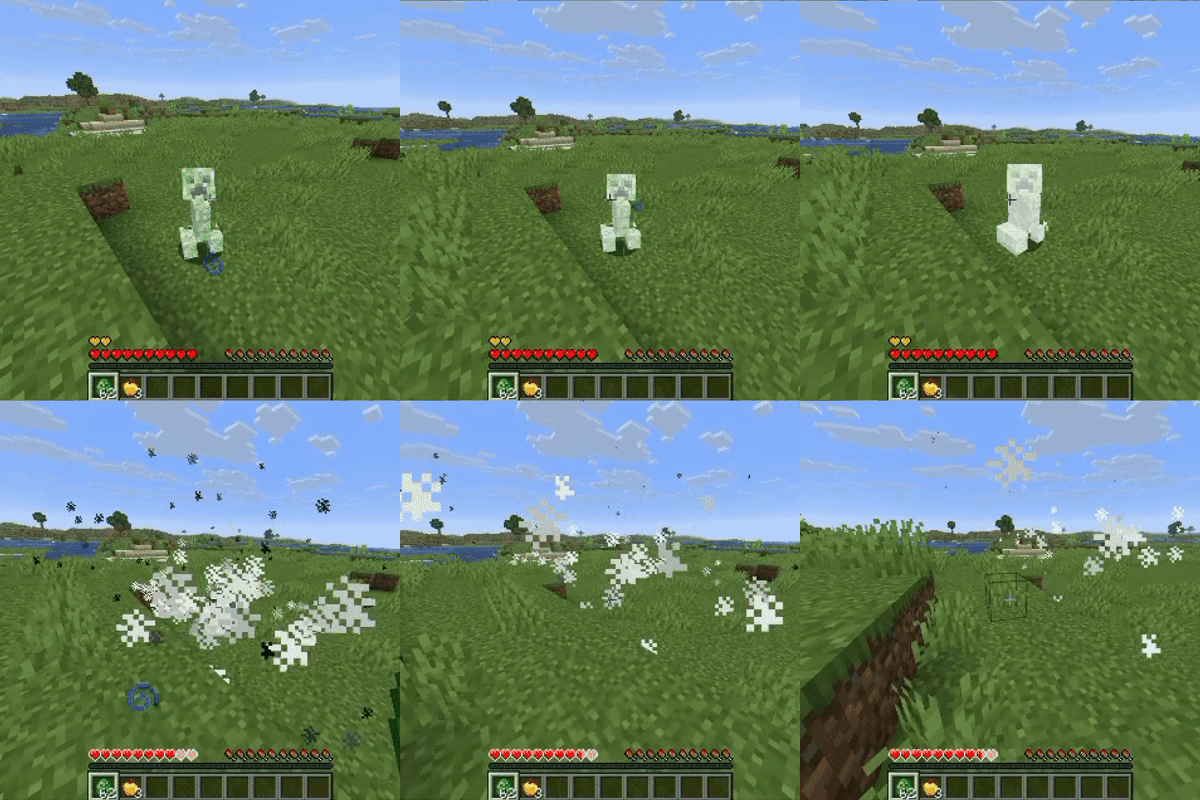
Stop grieving about griefing. Creepers keep the blast, you keep your builds.