Minecraft version
Back to mods 
CurseForge · Minecraft mod
Advanced Sharing
Port forwarding becomes easier.
Choose a version Pick your version below, then grab the matching file.
Quick answer
Which Advanced Sharing release should I use?
Latest stable file AdvancedSharing-1.12.2-1.3.jar
Game version 1.12.2
Loader Not required
Advanced Sharing AdvancedSharing-1.12.2-1.3.jar targets 1.12.2. The project page does not say whether this file belongs on the client, dedicated server, or both. No extra mods listed for this file.
Where it goes
Is Advanced Sharing required on the client, server, or both?
The project page does not say whether this file belongs on the client, dedicated server, or both.
Client Source doesn’t say
Dedicated server Source doesn’t say
Loader for this release No loader listed
Required install it here Optional supported, not mandatory Not supported do not install here Source doesn’t say do not assume
The source does not explicitly classify this release as client-only or server-only.
What else does Advanced Sharing AdvancedSharing-1.12.2-1.3.jar need?
AdvancedSharing-1.12.2-1.3.jar. Change the file and its required mods may change too.
This file does not list any required mods. Do not add a library just because a different file uses it.
This file does not list any required or optional mods.
Before you install it
Add Advanced Sharing without breaking your instance.
Built for Advanced Sharing AdvancedSharing-1.12.2-1.3.jar. Pick another file and the loader, install side or required mods may change.
- 01
Stick to this file
Use AdvancedSharing-1.12.2-1.3.jar. It targets 1.12.2; another release may have different loader, side or dependency requirements.
- 02
Bring the mods it needs
This file does not list any required mods. Do not add a library just because a different file uses it.
- 03
Put it on the correct side
The project page does not say whether this file belongs on the client, dedicated server, or both.
- 04
Pick the file you checked
Use the “Get this file” button beside AdvancedSharing-1.12.2-1.3.jar. It opens that exact file at the source.
About this project
What does Advanced Sharing add?
First of all: this mod is not a toy, it's a tool. If you're not sure what you're doing, don't play with it. It may be even dangerous!
What's this mod's purpose?
-It automatically forwards port when you create integrated server.
What it means and why is it dangerous?
-When you forward a port, you literally punch out a hole in your network's firewall. Don't destroy this defense without an idea what it actually defends.
So, if you are fully confident in your knowledge of all the risks, let's continue.
Visually, it adds only two buttons on the "Share to LAN" screen.
" LAN/WAN " - enables and disables the mod. WAN stands for "Wide Area Network".
" random/25565 " - switches port which will be used for forwarding. 25565 is minecraft's standard server port. For more information see this wiki page.
That's all. ¯\_(ツ)_/¯
Little instruction:
1. Ensure that menu button "Open to LAN" was changed to "Open to LAN/WAN". If not, mod wasn't installed correctly.
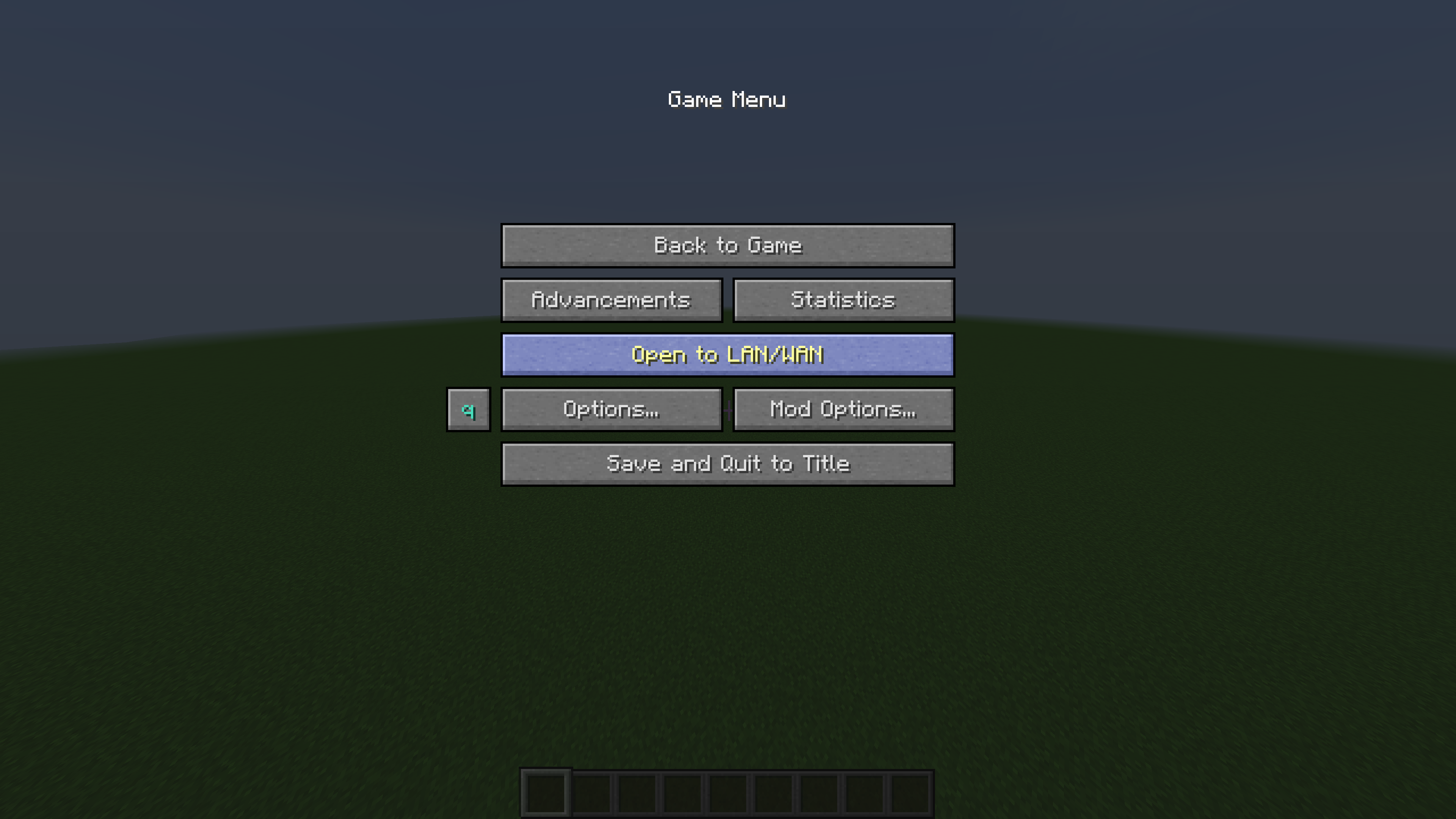
2. Click it :)
3. Set "LAN/WAN" to WAN.
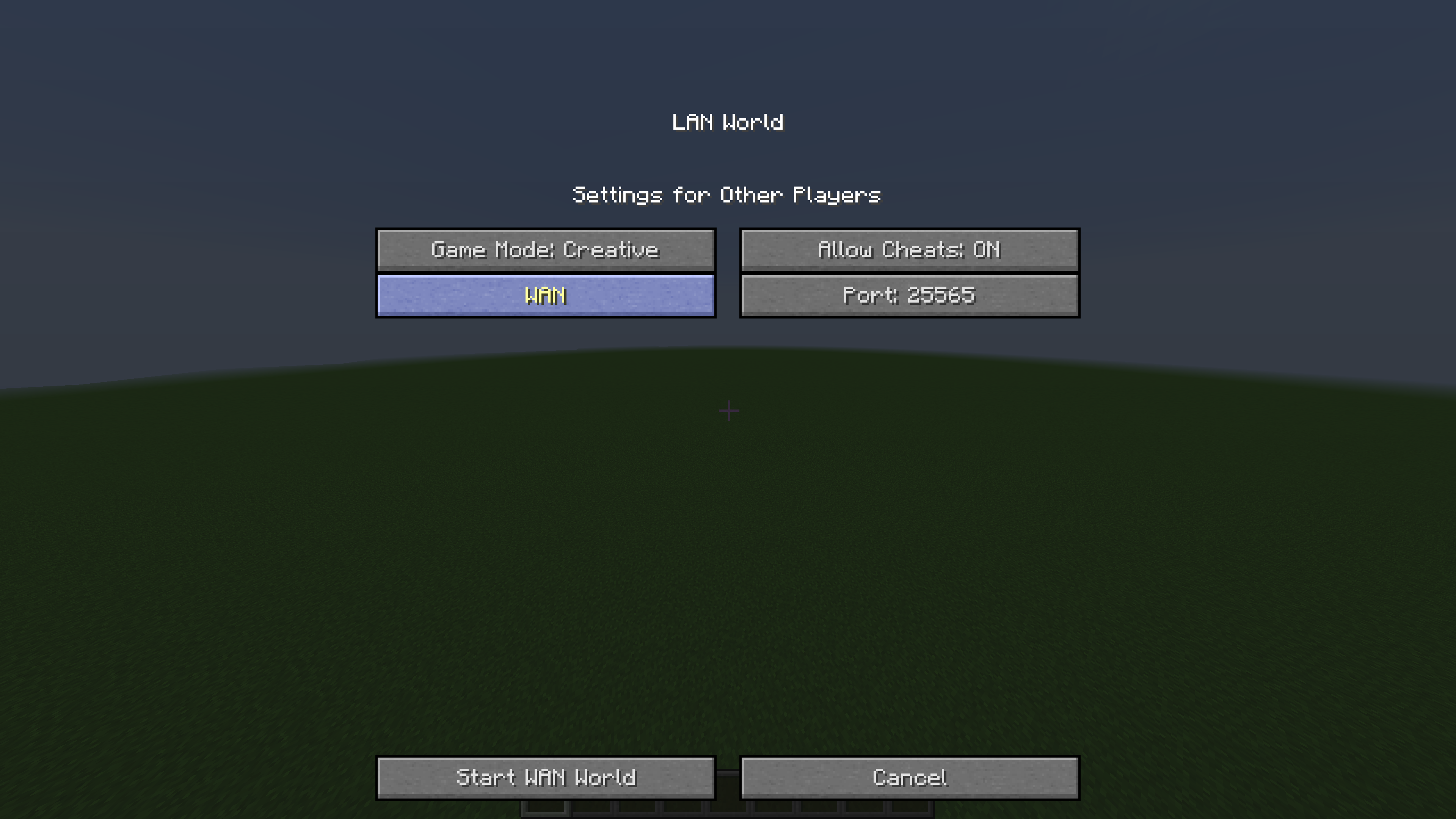
4. Click "Start WAN World".
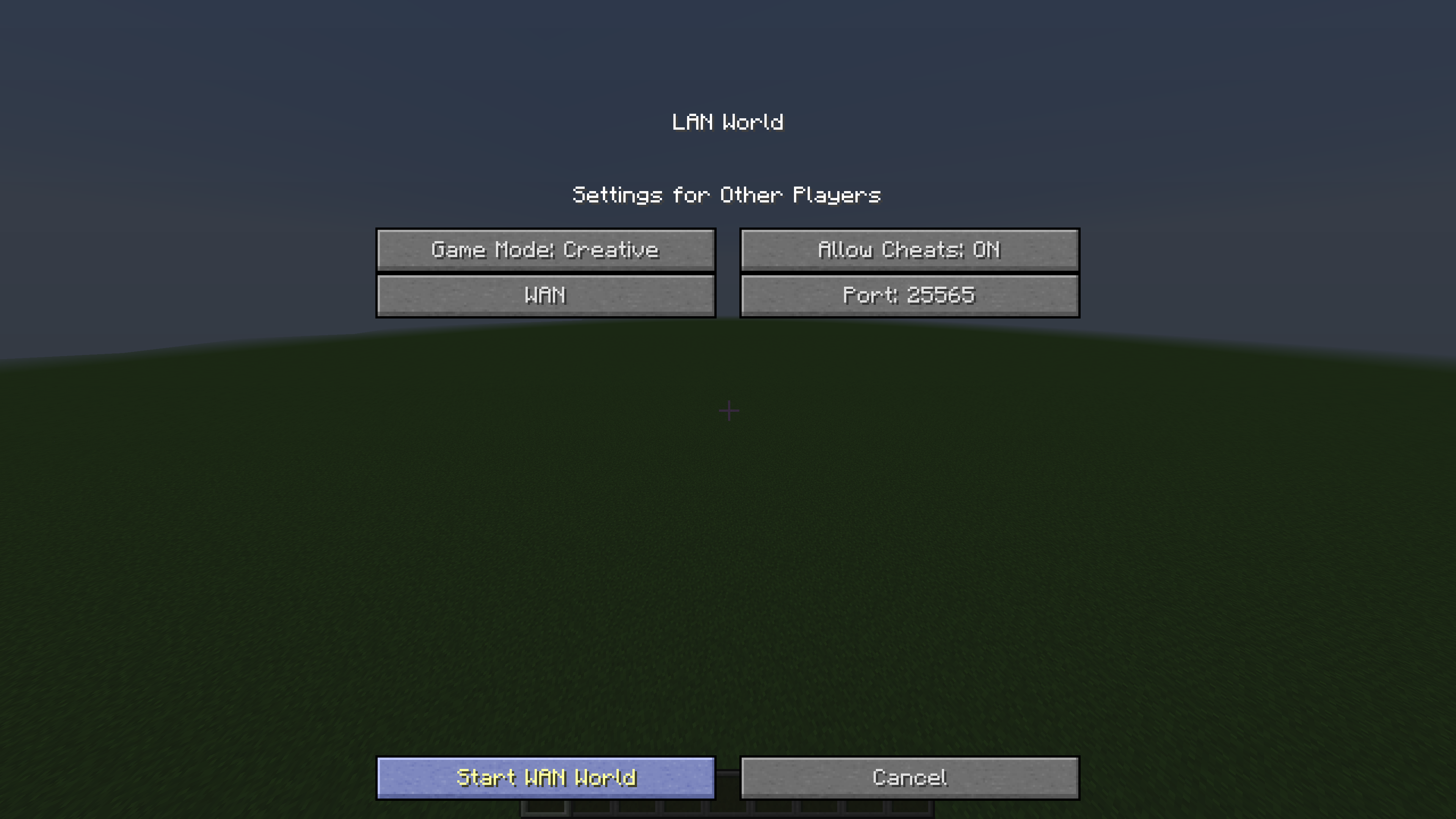
5. Check chat. There must be message: "Global game hosted on: <your ip>:<port>".
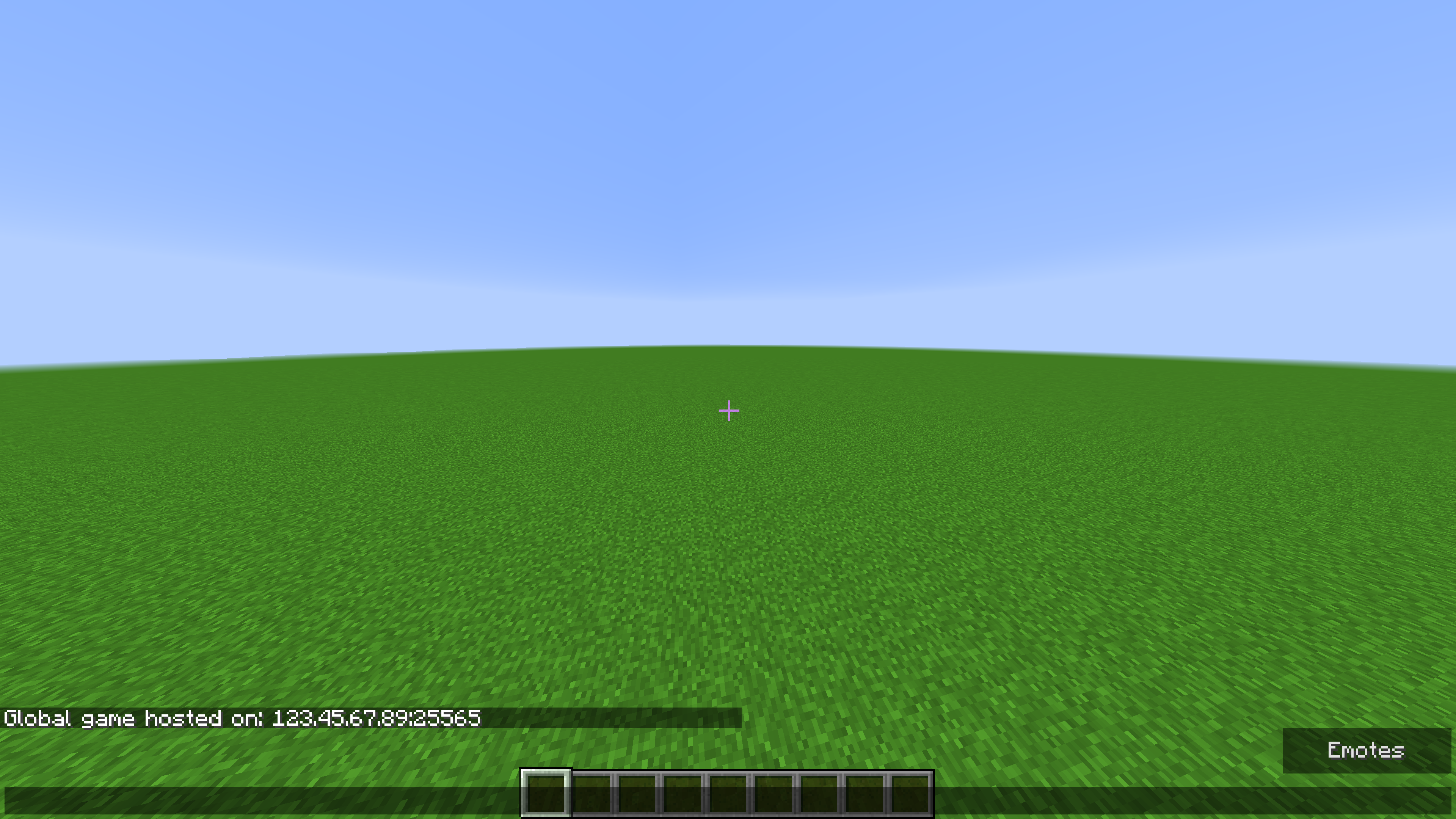
Probable issue:
If you're sure you have chosen "WAN", but chat says: "Local", or even nothing:
Mod is made that way that if it cannot forward a port, it just opens your world to LAN.
It means that problem is somewhere in your network.
Firstly check is UPnP enabled in your router settings.
If that wasn't the problem, check if your IP isn't behind the NAT. Or alternatively, you can forward a port manually and see if it works.
Hope it'll help. If not, you can always write me, and I'll try to fix your problem.
Project description from CurseForge.
Pick your setup
Advanced Sharing by Minecraft version and loader
Choose the version and loader you play, then open the matching release.
Minecraft version
1.11.2
1 loader buildMinecraft version
1.10.2
1 loader buildMinecraft version
1.9.4
1 loader buildMinecraft version
1.8.9
1 loader buildMinecraft version
1.7.10
1 loader buildCheck the dependencies, then try the file in a copied instance before changing a world you care about.
Recent files
Advanced Sharing versions and loaders
AdvancedSharing-1.12.2-1.3.jar
5 Jul 2019
Client Source doesn’t say Server Source doesn’t say Dependencies No extras listed Listed on Release listing
Check the 1.12.2 setup 1.12.2 release
AdvancedSharing-1.12.2-1.2.jar
24 Mar 2019
Client Source doesn’t say Server Source doesn’t say Dependencies No extras listed Listed on Release listing
Check the 1.12.2 setup 1.12.2 release
AdvancedSharing-1.11.2-1.2.jar
24 Mar 2019
Client Source doesn’t say Server Source doesn’t say Dependencies No extras listed Listed on Release listing
Check the 1.11.2 setup 1.11.2 release
AdvancedSharing-1.10.2-1.2.jar
24 Mar 2019
Client Source doesn’t say Server Source doesn’t say Dependencies No extras listed Listed on Release listing
Check the 1.10.2 setup 1.10.2 release
AdvancedSharing-1.9.4-1.2.jar
24 Mar 2019
Client Source doesn’t say Server Source doesn’t say Dependencies No extras listed Listed on Release listing
Check the 1.9.4 setup 1.9.4 release
AdvancedSharing-1.8.9-1.2.jar
24 Mar 2019
Client Source doesn’t say Server Source doesn’t say Dependencies No extras listed Listed on Release listing
Check the 1.8.9 setup 1.8.9 release
AdvancedSharing-1.7.10-1.2.jar
24 Mar 2019
Client Source doesn’t say Server Source doesn’t say Dependencies No extras listed Listed on Release listing
Check the 1.7.10 setup 1.7.10 release
AdvancedSharing-1.11.2-1.1.jar
22 Jan 2019
Client Source doesn’t say Server Source doesn’t say Dependencies No extras listed Listed on Release listing
Check the 1.11.2 setup 1.11.2 beta
AdvancedSharing-1.10.2-1.1.jar
22 Jan 2019
Client Source doesn’t say Server Source doesn’t say Dependencies No extras listed Listed on Release listing
Check the 1.10.2 setup 1.10.2 beta
AdvancedSharing-1.9.4-1.1.jar
22 Jan 2019
Client Source doesn’t say Server Source doesn’t say Dependencies No extras listed Listed on Release listing
Check the 1.9.4 setup 1.9.4 beta
AdvancedSharing-1.8.9-1.1.jar
22 Jan 2019
Client Source doesn’t say Server Source doesn’t say Dependencies No extras listed Listed on Release listing
Check the 1.8.9 setup 1.8.9 beta
AdvancedSharing-1.7.10-1.1.jar
22 Jan 2019
Client Source doesn’t say Server Source doesn’t say Dependencies No extras listed Listed on Release listing
Check the 1.7.10 setup 1.7.10 beta
Looking for an older file? The official CurseForge project page is in Resources.
 mod
CurseForge · Minecraft
Op Villagers Java
VillagersOP turns every Minecraft villager into a loot box! Each villager gets random, absurdly generous trades: Every villager is different. Now Officially PortedFor Java!
 mod
CurseForge · Minecraft
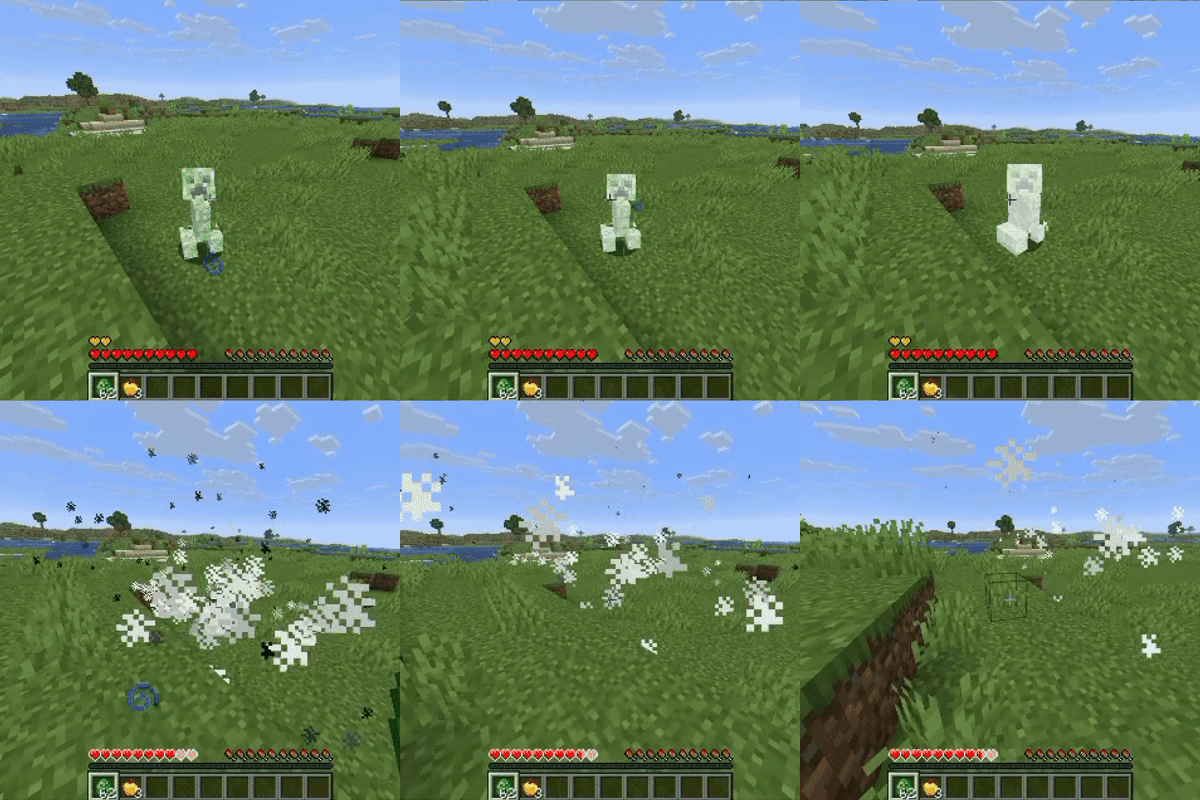
Boomless Creepers
Stop grieving about griefing. Creepers keep the blast, you keep your builds.
 mod
CurseForge · Minecraft
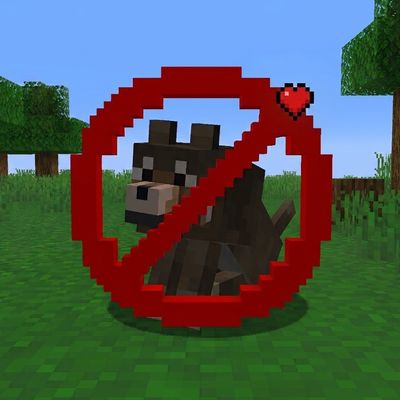
Pet's Protection
Protects all the tamed pets like a guardian angle!