Minecraft version
Back to mods 
CurseForge · Minecraft mod
HotSwap
Lightweight hotbar switching with the keyboard and mouse.
Choose a version Pick your version below, then grab the matching file.
Quick answer
Which HotSwap release should I use?
Latest stable file hotswap-1.12.2-0.3.2.jar
Game version 1.12.1, 1.12, 1.11
Loader Not required
hotswap-1.12.2-0.3.2.jar targets 1.12.1, 1.12, 1.11. The project page does not say whether this file belongs on the client, dedicated server, or both. No extra mods listed for this file.
Where it goes
Is HotSwap required on the client, server, or both?
The project page does not say whether this file belongs on the client, dedicated server, or both.
Client Source doesn’t say
Dedicated server Source doesn’t say
Loader for this release No loader listed
Required install it here Optional supported, not mandatory Not supported do not install here Source doesn’t say do not assume
The source does not explicitly classify this release as client-only or server-only.
What else does hotswap-1.12.2-0.3.2.jar need?
hotswap-1.12.2-0.3.2.jar. Change the file and its required mods may change too.
This file does not list any required mods. Do not add a library just because a different file uses it.
This file does not list any required or optional mods.
Before you install it
Add HotSwap without breaking your instance.
Built for hotswap-1.12.2-0.3.2.jar. Pick another file and the loader, install side or required mods may change.
- 01
Stick to this file
Use hotswap-1.12.2-0.3.2.jar. It targets 1.12.1, 1.12, 1.11; another release may have different loader, side or dependency requirements.
- 02
Bring the mods it needs
This file does not list any required mods. Do not add a library just because a different file uses it.
- 03
Put it on the correct side
The project page does not say whether this file belongs on the client, dedicated server, or both.
- 04
Pick the file you checked
Use the “Get this file” button beside hotswap-1.12.2-0.3.2.jar. It opens that exact file at the source.
About this project
What does HotSwap add?

HotSwap
HotSwap is a small, simple mod for Minecraft Forge which adds hotkeys and mouse controls to quickly switch out hotbar items from other rows in your inventory. You can switch out either the selected slot or the entire hotbar.
HotSwap can be a lighter, simpler substitute for other inventory management mods, with minimal impact on the rest of the game. Since 0.2 HotSwap is compatible with Inventory Tweaks!
Controls
- J and K (default): cycle the current slot down or up
- H and L (default): cycle the hotbar down or up
- Alt + MWheel: cycle the current slot down or up
- Ctrl + Alt + MWheel: cycle the hotbar down or up
- Alt + 0-9: swap hotbar slot with current slot (since 0.3)
Known Incompatibilities
Inventory Tweaks: Auto-refill will automatically move items when switching(#1, fixed since 0.2)
Project description from CurseForge.
Pick your setup
HotSwap by Minecraft version and loader
Choose the version and loader you play, then open the matching release.
Minecraft version
1.12.1
1 loader buildMinecraft version
1.12-Snapshot
1 loader buildMinecraft version
1.12
1 loader buildMinecraft version
1.11.2
1 loader buildMinecraft version
1.11.1
1 loader buildMinecraft version
1.11-Snapshot
1 loader buildMinecraft version
1.11
1 loader buildCheck the dependencies, then try the file in a copied instance before changing a world you care about.
Recent files
HotSwap versions and loaders
hotswap-1.12.2-0.3.2.jar
13 Jun 2019
Client Source doesn’t say Server Source doesn’t say Dependencies No extras listed Listed on Release listing
Check the 1.12.2 setup 1.12.11.121.111.11.1 release
hotswap-1.12.2-0.3.jar
11 Jun 2019
Client Source doesn’t say Server Source doesn’t say Dependencies No extras listed Listed on Release listing
Check the 1.12.2 setup 1.12.11.121.111.11.1 release
hotswap-1.12.2-0.2.1.jar
11 Jun 2019
Client Source doesn’t say Server Source doesn’t say Dependencies No extras listed Listed on Release listing
Check the 1.12.2 setup 1.12.11.121.111.11.1 release
hotswap-1.12.2-0.1.jar
8 Feb 2019
Client Source doesn’t say Server Source doesn’t say Dependencies No extras listed Listed on Release listing
Check the 1.12.2 setup 1.12.11.121.111.11.1 release
Looking for an older file? The official CurseForge project page is in Resources.
 mod
CurseForge · Minecraft
JEI (Forge 26.3 available)fork : QuickClear&Easy Crafting &Recipe Unlocker
automatically take the required ingredients from connected chests, ender chest and Shulker Box in your inventory,Item Search,Container Search,Storage Integration,Inventory Management,Chest Search
 mod
CurseForge · Minecraft
Elemenics
This mod categorizes items in Minecraft into six types of Elemenix. Using a variety of mysterious instruments, players can deconstruct items into Elemenix and then reconstruct them into other items.
 mod
CurseForge · Minecraft
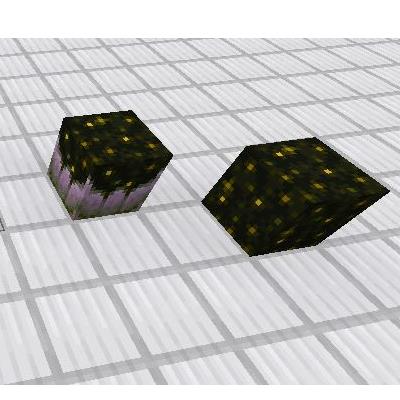
Simple Sculck Backport
Sculck Catalyst and Sculck Block backported to 1.12.2.