Loot Overhaul Needed by Additions Mod Additions-0.5.2.jar
requiredMatching file found Matched file: LootOverhaul-1.2.jar
CurseForge · Minecraft mod
A mod that lets YOU mod! Add items, blocks, recipes, and many more things to the game, without using code!
Quick answer
Additions Mod Additions-0.5.2.jar targets 1.12.2. The project page does not say whether this file belongs on the client, dedicated server, or both. All 1 required mods have matching files.
Where it goes
The project page does not say whether this file belongs on the client, dedicated server, or both.
The source does not explicitly classify this release as client-only or server-only.
Additions-0.5.2.jar. Change the file and its required mods may change too.
Install Loot Overhaul first. We found matching files for this game-version and loader setup.
We only count dependency files that match this setup. A file for another loader does not fill the gap.
Before you install it
Built for Additions Mod Additions-0.5.2.jar. Pick another file and the loader, install side or required mods may change.
Use Additions-0.5.2.jar. It targets 1.12.2; another release may have different loader, side or dependency requirements.
Install Loot Overhaul first. We found matching files for this game-version and loader setup.
The project page does not say whether this file belongs on the client, dedicated server, or both.
Use the “Get this file” button beside Additions-0.5.2.jar. It opens that exact file at the source.
About this project

Hey everyone! This is Additions, the mod that lets you add your own content to the game! Do you want to add items to the game but don't know how to code? Or do you want to add some unique content to your modpack? Then this mod is perfect for you!
This mod lets you add items, blocks, recipes, and many more things to the game, without using code.
So how does this work, you may ask?
First thing you want to do is click on the ++ button on the main menu screen!
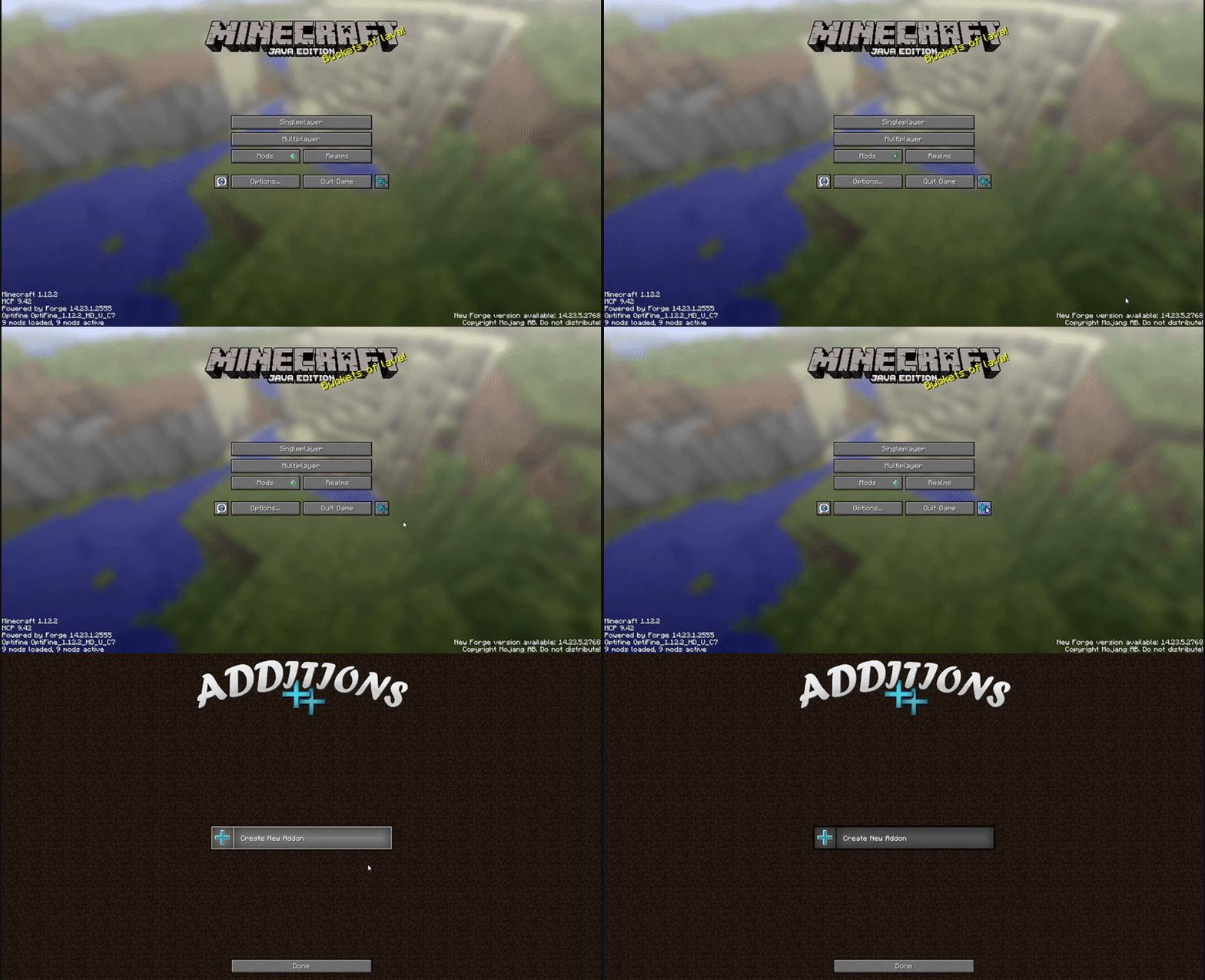
If you are using a custom main menu, or the button interferes with a button from another mod, you can move it in the config file. Or remove it entirely, in which case you can still get to the Additions GUI by going to Mods, selecting Additions, and clicking Config.
Next, click on Create New Addon, and enter an id, name, and select an item as icon for your addon, then click Save
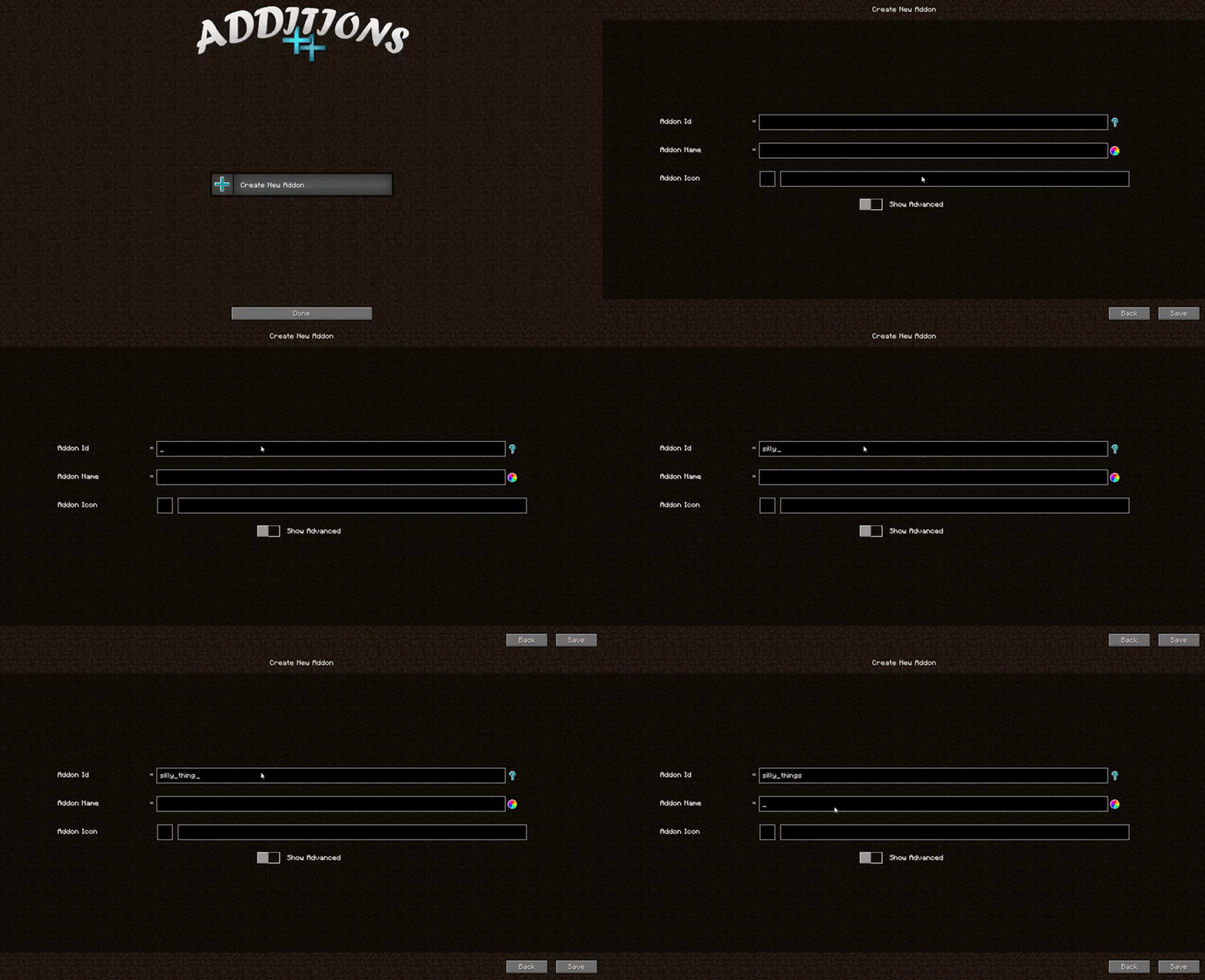
You can change the name and icon later, but not the Id!
There you go! You created an addon. Now you can add items, blocks, recipes, creative tabs, effects, and more to it, through the GUI.
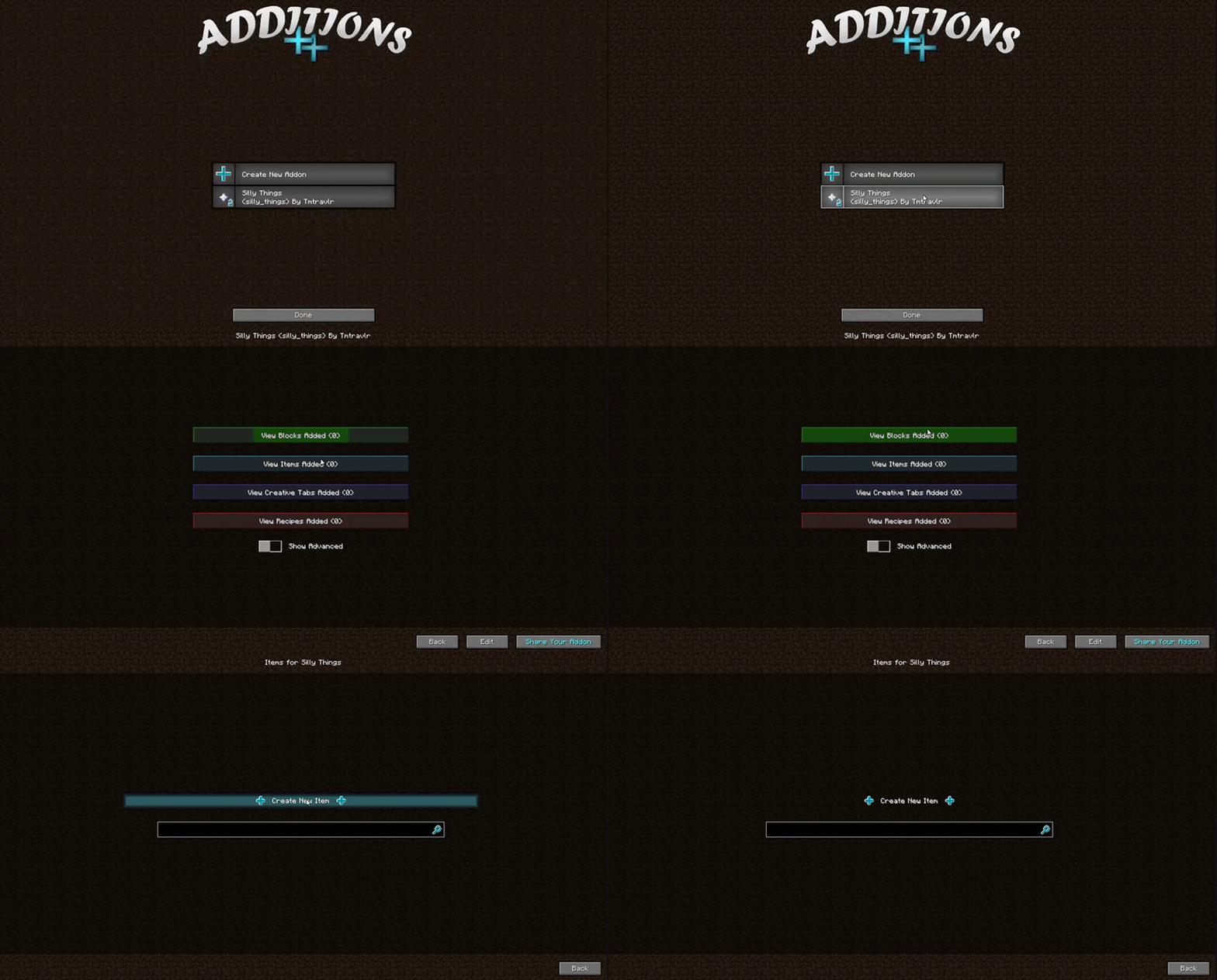
You may have noticed that button with blue text that says Share Your Addon. When you finish creating your addon, click that button to zip it in a form you can upload and share with others. It will lock your addon from changes, but you can unlock it later, of course, when you want to add a new feature. =)
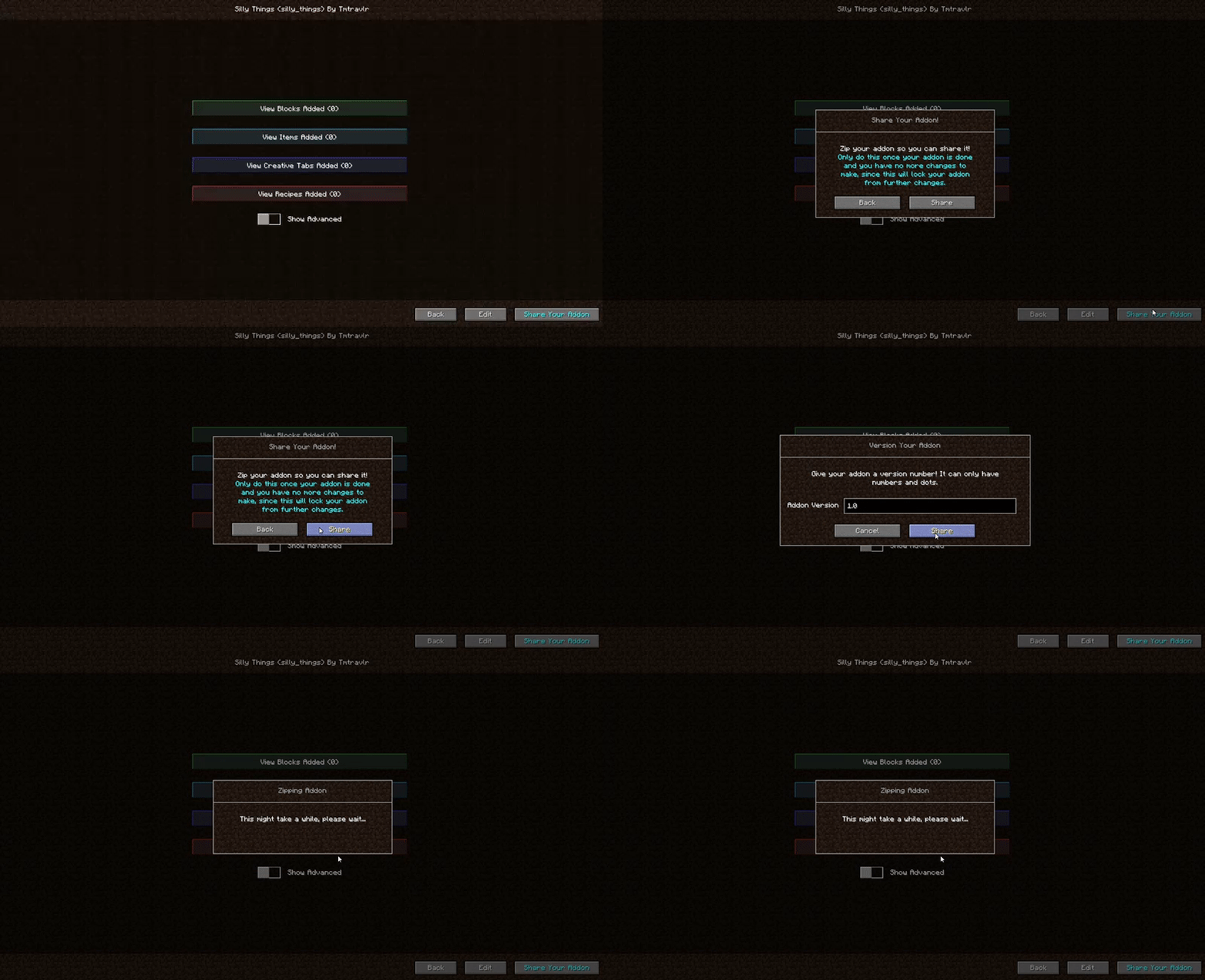
You can place the addon in the addons/Additions folder or the mods folder (or the addons/lucky_block folder if you have the lucky block mod installed and are making a lucky block addon).
Videos:
Quick showcase by sschr15:
https://www.youtube.com/watch?v=aqz4eBpQUNM
Showcase in Chinese by F_thx:
https://www.bilibili.com/video/BV1GQ4y1M7tA
Requires Loot Overhaul: https://minecraft.curseforge.com/projects/loot-overhaul
This mod is the successor to Loot++ for 1.12, and has taken two and a half years to code so far. It's not feature complete yet... At the moment there are only a few block types and no world generation yet. The rest of the mod is complete, though.
You can definitely use this in modpacks!
Check out some addons people have made!

Weapons 'n More, by MrMidnightt: https://www.planetminecraft.com/mod/addon-weapons-n-more/
If you have any suggestions, I'd love to hear them! Also, I greatly appreciate any bugs you report. You can post them down below, or come to the discord server if you need help, or just want to chat: https://discord.gg/NSyWDAQ
Project description from CurseForge.
Pick your setup
Choose the version and loader you play, then open the matching release.
Check the dependencies, then try the file in a copied instance before changing a world you care about.
Recent files
10 Jul 2020
5 Apr 2020
4 Apr 2020
31 Aug 2019
14 Jul 2019
30 Jun 2019
26 Jun 2019
16 Jun 2019
15 Jun 2019
15 Jun 2019
15 Jun 2019
25 May 2019
Looking for an older file? The official CurseForge project page is in Resources.