Minecraft version
Back to mods 
CurseForge · Minecraft mod
ChunkBorders
Visualize chunk borders, locate chunk centers, and more.
Choose a version Pick your version below, then grab the matching file.
Quick answer
Which ChunkBorders release matches 1.12.2?
Best match for your filters mod_ChunkBorders_0.3.6_mc1.12.2.litemod
Game version 1.12.2
Loader fabric
ChunkBorders mod_ChunkBorders_0.3.6_mc1.12.2.litemod targets 1.12.2. The project page does not say whether this file belongs on the client, dedicated server, or both. No extra mods listed for this file.
Where it goes
Is ChunkBorders required on the client, server, or both?
The project page does not say whether this file belongs on the client, dedicated server, or both.
Client Source doesn’t say
Dedicated server Source doesn’t say
Loader for this release No loader listed
Required install it here Optional supported, not mandatory Not supported do not install here Source doesn’t say do not assume
The source does not explicitly classify this release as client-only or server-only.
What else does ChunkBorders mod_ChunkBorders_0.3.6_mc1.12.2.litemod need?
mod_ChunkBorders_0.3.6_mc1.12.2.litemod on 1.12.2. Every mod below is checked against that same setup.
This file does not list any required mods. Do not add a library just because a different file uses it.
This file does not list any required or optional mods.
Before you install it
Add ChunkBorders without breaking your instance.
Built for ChunkBorders mod_ChunkBorders_0.3.6_mc1.12.2.litemod on 1.12.2. Pick another file and the loader, install side or required mods may change.
- 01
Stick to this file
Use mod_ChunkBorders_0.3.6_mc1.12.2.litemod. It targets 1.12.2; another release may have different loader, side or dependency requirements.
- 02
Bring the mods it needs
This file does not list any required mods. Do not add a library just because a different file uses it.
- 03
Put it on the correct side
The project page does not say whether this file belongs on the client, dedicated server, or both.
- 04
Pick the file you checked
Use the “Get this file” button beside mod_ChunkBorders_0.3.6_mc1.12.2.litemod. It opens that exact file at the source.
About this project
What does ChunkBorders add?
What this mod does:
ChunkBorders provides an easy way to see the edges and centers of chunks, as well as identify your world's spawn chunks and spawn area. This can be very useful for people who play on Towny, Factions, or similar servers where chunk boundaries are important for setting up a town, building, and protection. While Minecraft includes chunk border functionality via F3+G, this mod includes that functionality and expands upon it in a few ways.


Usage:
- To enable the mod, install it and simply press F9 (by default) in-game.
- You can adjust the radius and other settings using NumPad7 (by default) in-game.
Settings:
Radius:
How many chunks in each direction will be visualized for the ground borders (0 will display only the single chunk you're in, up to 16 which is huge).Auto Height (Block Below):
Makes the borders render at highest block below the player. Moves as you move.Auto Height (Player):
Makes the borders render at the player's feet and move automatically when you change height.Manual Height:
Keeps the borders at the same height, adjustable using the (+) and (-) keys by default.Show center of current chunk:
Shows the 2x2 chunk center for the chunk you're currently standing in
- Show spawn chunks and spawn area:
Toggles visualizing spawn chunks and the 20x20 spawn area.
Installation:
**For 1.14 and later:**1. Install the Fabric Mod Loader.
2. Download the Fabric API and place the .jar file in the /.minecraft/mods/ folder.
3. Download ChunkBorders and place the .jar file in the /.minecraft/mods/ folder.
4. Launch Minecraft using the Fabric profile.
For 1.12.2 and Earlier
- Install LiteLoader.
Click here for LiteLoader downloads - Download ChunkBorders and place the .litemod file in the /.minecraft/mods/ folder. Do not change the extension from .litemod or it will not load.
- Launch Minecraft using the LiteLoader profile.
Project description from CurseForge.
Pick your setup
ChunkBorders by Minecraft version and loader
Choose the version and loader you play, then open the matching release.
Minecraft version
1.16.4
1 loader buildMinecraft version
1.16.1
1 loader buildMinecraft version
1.16
1 loader buildMinecraft version
1.15.2
1 loader buildMinecraft version
1.15.1
1 loader buildMinecraft version
1.15
1 loader buildMinecraft version
1.14.4
1 loader buildMinecraft version
1.14.3
1 loader buildMinecraft version
1.14.2
1 loader buildMinecraft version
1.14.1
1 loader buildMinecraft version
1.14
1 loader buildShowing the newest 12 of 23 game versions. Older files are in the list below.
Check the dependencies, then try the file in a copied instance before changing a world you care about.
Recent files
ChunkBorders versions and loaders
mod_ChunkBorders_0.3.6_mc1.12.2.litemod
29 May 2019
Client Source doesn’t say Server Source doesn’t say Dependencies No extras listed Listed on Release listing
Check the 1.12.2 setup 1.12.2 release
Looking for an older file? The official CurseForge project page is in Resources.
 mod
CurseForge · Minecraft
FastValus
Server-side anti-lag utility featuring death-drop-safe item sweeps, wall-safe item & XP clumping, per-chunk entity limiting, and Entity + TileEntity lag diagnostics.
 mod
CurseForge · Minecraft
Universal Adaptive Backporter (UAB)
Brings Minecraft 1.8–1.21.11 content to legacy versions with functional mobs, structures, biomes, progression, and survival gameplay.
 mod
CurseForge + Modrinth · Minecraft
Advanced Fishing
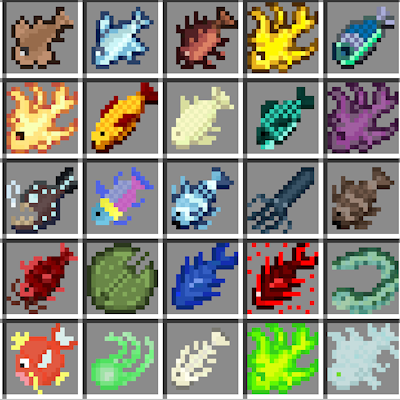
This mod overhauls fishing with 49 new fish, biome-based catches, lava fishing, new enchantments and curses, custom potions, early-game tools like the Chum Bucket, and fully reworked fishing mechanics.