OpenComputers Needed by OpenScreens v1.12.2-1.0.1
requiredMatching file found Matched file: OpenComputers-MC1.12.2-1.8.10+258943363.jar
CurseForge · Minecraft mod
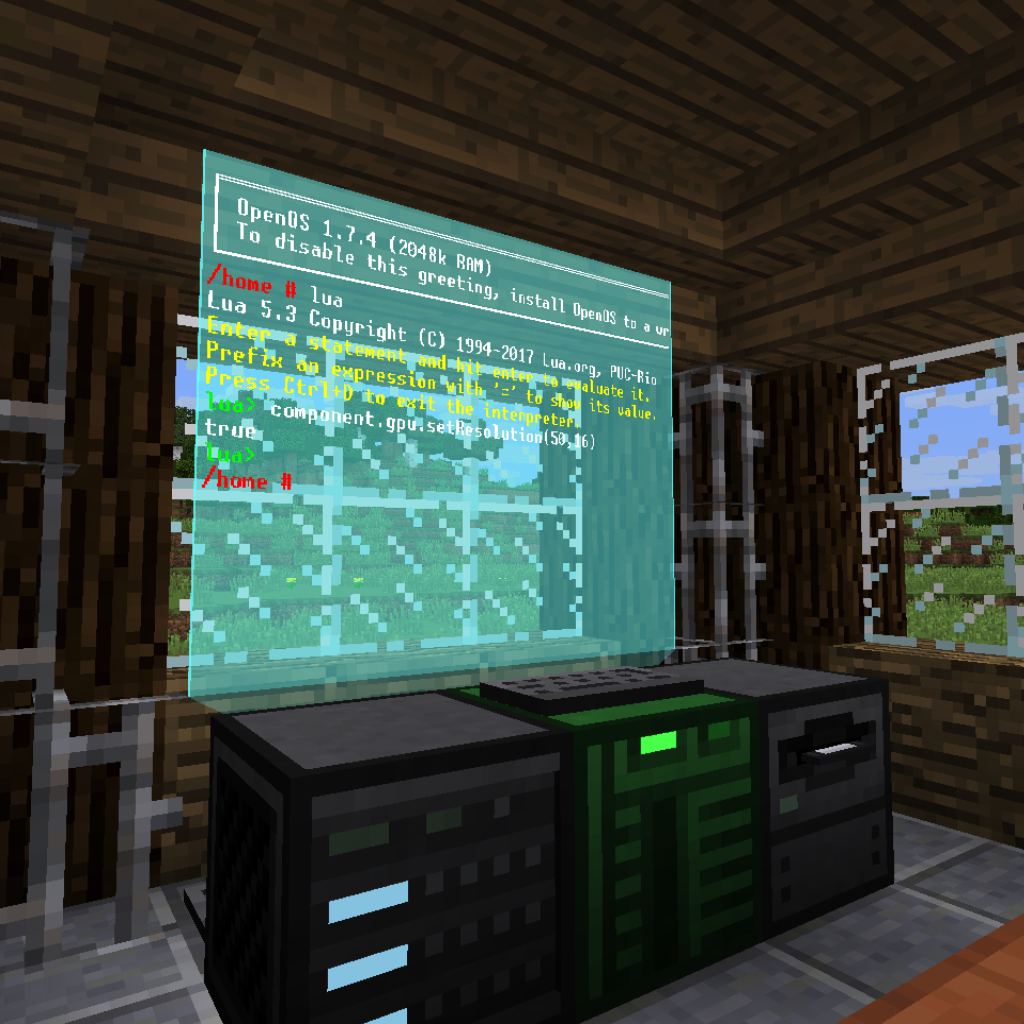
More screens for OpenComputers! Hologram screens, flatscreens, and more to come!
Quick answer
OpenScreens v1.12.2-1.0.1 targets 1.12.1, 1.12, 1.12.2. The project page does not say whether this file belongs on the client, dedicated server, or both. All 1 required mods have matching files.
Where it goes
The project page does not say whether this file belongs on the client, dedicated server, or both.
The source does not explicitly classify this release as client-only or server-only.
OpenScreens v1.12.2-1.0.1. Change the file and its required mods may change too.
Install OpenComputers first. We found matching files for this game-version and loader setup.
We only count dependency files that match this setup. A file for another loader does not fill the gap.
Before you install it
Built for OpenScreens v1.12.2-1.0.1. Pick another file and the loader, install side or required mods may change.
Use OpenScreens v1.12.2-1.0.1. It targets 1.12.1, 1.12, 1.12.2; another release may have different loader, side or dependency requirements.
Install OpenComputers first. We found matching files for this game-version and loader setup.
The project page does not say whether this file belongs on the client, dedicated server, or both.
Use the “Get this file” button beside OpenScreens v1.12.2-1.0.1. It opens that exact file at the source.
About this project
for Minecraft Forge 1.12 to 1.12.2

OpenScreens adds more display options for OpenComputers.
Holo screens are floating displays with adjustable size and color.

Hologram projector model and texture by ZefTheFox
Right clicking a holo screen with a dye will change the background color. Right clicking the sides with an empty hand while crouching adjusts the size of the display.
Flatscreens are simple displays that are... flat! There's two types, one on the front of the block and one on the back to allow more freedom.

You can always ask in my Discord server. If your issue is related to OpenComputers, you can read the OpenComputers Wiki. Report bugs here.
My website: https://itsmeow.dev/
Discord Server: https://discord.gg/uRNwuJ7
Project description from CurseForge.
Pick your setup
Choose the version and loader you play, then open the matching release.
Check the dependencies, then try the file in a copied instance before changing a world you care about.
Recent files
openscreens-1.12.2-1.0.1.jar
4 Aug 2019
openscreens-1.12.2-1.0.0.jar
26 Jun 2019
Looking for an older file? The official CurseForge project page is in Resources.
 mod
modBuildCraft Community Edition - port of original BC to newer versions
 mod
modAn Addon for Just Another Witchery Remake which adds Soul magic, Lichdom and more.
 mod
modNearby Delight lets Farmer's Delight Cooking Pots automatically use ingredients from nearby storage. Pick a recipe, and the pot does the rest.