Demagnetize Optional for Tiered Magnets v2.0.0
optionalMatching file found Matched file: 1.16.2-1.2.2 (Forge)

CurseForge · Minecraft mod
Tiered magnets to make retrieving items easier!
Quick answer
Tiered Magnets v2.0.0 targets 1.16.2 with Forge. The project page does not say whether this file belongs on the client, dedicated server, or both. No extra mods listed for this file.
Where it goes
The project page does not say whether this file belongs on the client, dedicated server, or both.
The source does not explicitly classify this release as client-only or server-only.
Tiered Magnets v2.0.0. Change the file and its required mods may change too.
This file does not list any required mods. Do not add a library just because a different file uses it.
We only count dependency files that match this setup. A file for another loader does not fill the gap.
Before you install it
Built for Tiered Magnets v2.0.0. Pick another file and the loader, install side or required mods may change.
Use Tiered Magnets v2.0.0. It targets 1.16.2 with Forge; another release may have different loader, side or dependency requirements.
This file does not list any required mods. Do not add a library just because a different file uses it.
The project page does not say whether this file belongs on the client, dedicated server, or both.
Use the “Get this file” button beside Tiered Magnets v2.0.0. It opens that exact file at the source.
About this project

Tiered Magnets is a mod that adds tiered magnets to better your Minecraft experience by allowing the player to pull in items and experience at range with ease.
1.12.2 and 1.14.4 are no longer supported. Future updates will be for 1.16.x only.
Overview
Features
Vanilla
By default, there are eight different magnet tiers; Stone, Iron, Redstone, Gold, Lapis, Obsidian, Diamond, and Emerald. Each magnet increases in range and durability after the previous tier.
There are also two different types, regular and magic. Regular Magnets pull items toward the player while Magic Magnets teleport items to the player directly, at the cost of more durability.
Both types can be repaired using magnetite.
In addition, there is the Cursed Magnet and Magic Cursed Magnet. They both act like their counterparts, however, neither consume durability or energy. By default, the magnets are destroyed on death.
Magnet Control
Magnets can be enabled and disabled by right clicking them while holding. Optionally, the player can use the hotkey, 'M', by default.
Magnet Filter and Range
By Shift + Right Clicking, a GUI will be displayed to filter what magnets pickup as well as an option to change the range.
Utility Blocks
Currently, there are two blocks to enhance magnet usability.
The Magnetic Insulator is a block that will prevent item magnetization within a specified range. This can be toggle on and off with a redstone signal.
The Magnetic Projector is a block that will project the effects of the magnet inside its inventory into a block-form. By placing an inventory, such as a chest, underneath, items within close proximity of the block will be put into the inventory automatically. This can be toggle on and off with a redstone signal.
Magnetite
This is mainly used as a crafting item, but can also be used to repair magnets (configurable).
It has a chance to drop from Iron Ore.
It is also added to the ore dictionary (Forge tags) for use with other mods.
Configuration
Numerous configuration settings have been added to allow pack developers to make the mod fit to the play style of the pack.
Mod Integration
Demagnetize
If Demagnetize is installed, magnets will be able to not pickup items near the mods' blocks.
Thermal Expansion [1.12]
If Thermal Expansion is installed, a new set of magnets, called "Electromagnets" will be added. These magnets are tiered Leadstone, Hardened, Reinforced, Signalum, and Resonant.
Just like their vanilla counterparts, there are regular and magic magnets. However, instead of consuming durability, they consume RF energy.
Patchouli [1.12]
If Patchouli is installed, an in-game guide, "Magnets for Dummies" will be added. This guide will provide more information on how the items and blocks work within the mod.
Baubles [1.12]
If Baublesis installed, magnets will be able to be put in the "ring" bauble slot. Even works with the hotkey!
Project description from CurseForge.
Pick your setup
Choose the version and loader you play, then open the matching release.
Check the dependencies, then try the file in a copied instance before changing a world you care about.
Recent files
tieredmagnets-1.16.2-2.0.0.jar
5 Oct 2020
tieredmagnets-1.14.4-1.1.0.jar
29 Oct 2019
tieredmagnets-1.14.4-1.0.0.jar
18 Aug 2019
tieredmagnets-1.12.2-0.0.3.jar
24 Jul 2019
tieredmagnets-1.12.2-0.0.2.jar
16 Jul 2019
tieredmagnets-1.12.2-0.0.1.jar
11 Jul 2019
Looking for an older file? The official CurseForge project page is in Resources.
 mod
modA small client mod that adds first-person rendering of armour on the hand
 mod
modExplore legendary realms inspired by global mythologies, master powerful magic, and battle or ally with unique mythical creatures.
 mod
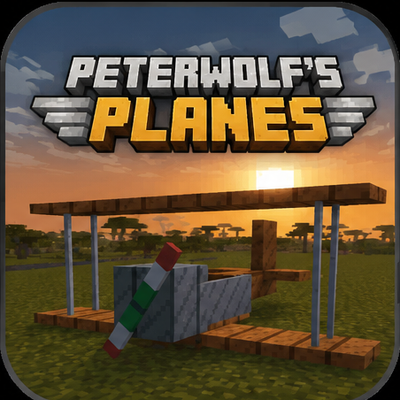
moddds a fully‑steerable biplane to Minecraft, bringing a lightweight, vintage‑style aviation experience to the game.