Fabric API Needed by I Need Keybinds [Fabric 1.14.x] v0.2.0
requiredMatching file found Matched file: [1.14.1] Fabric API 0.3.0-pre build 157a
CurseForge · Minecraft mod
Are you tired of having conflicting keybinds?
Quick answer
I Need Keybinds [Fabric 1.14.x] v0.2.0 targets 1.14.4, 1.14.1, 1.14.3. The project page does not say whether this file belongs on the client, dedicated server, or both. All 1 required mods have matching files.
Where it goes
The project page does not say whether this file belongs on the client, dedicated server, or both.
The source does not explicitly classify this release as client-only or server-only.
[Fabric 1.14.x] v0.2.0 on 1.14.1. Every mod below is checked against that same setup.
Install Fabric API first. We found matching files for this game-version and loader setup.
We only count dependency files that match this setup. A file for another loader does not fill the gap.
Before you install it
Built for I Need Keybinds [Fabric 1.14.x] v0.2.0 on 1.14.1. Pick another file and the loader, install side or required mods may change.
Use [Fabric 1.14.x] v0.2.0. It targets 1.14.4, 1.14.1, 1.14.3; another release may have different loader, side or dependency requirements.
Install Fabric API first. We found matching files for this game-version and loader setup.
The project page does not say whether this file belongs on the client, dedicated server, or both.
Use the “Get this file” button beside [Fabric 1.14.x] v0.2.0. It opens that exact file at the source.
About this project

Are you tired of having conflicting keybinds? Well this mod can help you by providing a list of keybinds.
RequiresFabric API and Cloth Config.
Simply click on Numpad 0 (or change in Controls) to open/close this hud

From here you can click Numpad 1 - 8 (can be changed in Controls again) to select a category, but since there is no categories defaulted, we are going to create some.
Access the config via the Mod Menu mod. This config screen will show up:

You can edit the animation duration of opening/closing the hud.
Click on any of the items on top. And you can edit the category names (keep it null to make it unset).


Click on the new Keybind button and you will be greeted with this screen. Select the one you want or remove the entry.

Once you are done, save the config and go back to your game :) You will see your category in the hud. Press Numpad 1-8 to access it.

Here you can press Numpad 1-8 to use the keybind, hooray!
Project description from CurseForge.
Pick your setup
Choose the version and loader you play, then open the matching release.
Showing the newest 12 of 14 game versions. Older files are in the list below.
Check the dependencies, then try the file in a copied instance before changing a world you care about.
Recent files
i-need-keybinds-0.2.0.jar
22 Jul 2019
i-need-keybinds-0.1.0.jar
22 Jul 2019
Looking for an older file? The official CurseForge project page is in Resources.
 mod
Fusion allows resource packs to use additional texture and model types such as connected textures!
 mod
Rechiseled allows you to chisel blocks into various decorative blocks with connected textures!
 mod
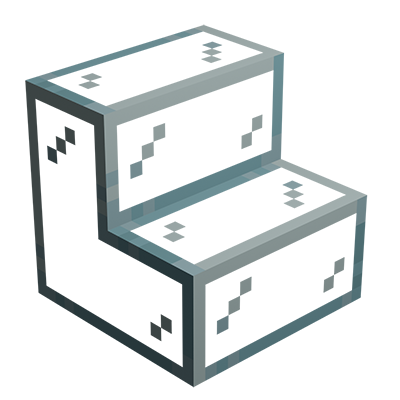
Minecraft mod that adds glass stairs and glass slabs. They look great in any build and connect seamlessly with vanilla glass blocks.