Fabric API Optional for Exotic Blocks exotic-blocks-fabric-mc119-2.0.226.jar
optionalMatching file found Matched file: [1.19.2] Fabric API 0.77.0+1.19.2
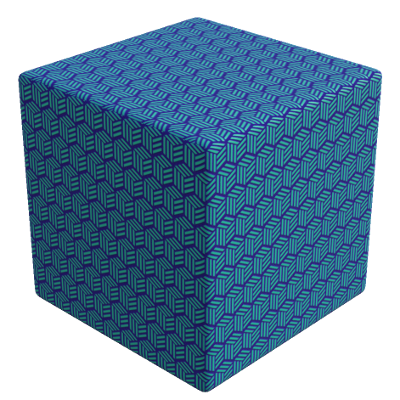
CurseForge · Minecraft mod
Fancy and novel building blocks for Minecraft
Quick answer
Exotic Blocks exotic-blocks-fabric-mc119-2.0.226.jar targets 1.19.2 with Fabric. The project page does not say whether this file belongs on the client, dedicated server, or both. No extra mods listed for this file.
Where it goes
The project page does not say whether this file belongs on the client, dedicated server, or both.
The source does not explicitly classify this release as client-only or server-only.
exotic-blocks-fabric-mc119-2.0.226.jar. Change the file and its required mods may change too.
This file does not list any required mods. Do not add a library just because a different file uses it.
2 extra mods were pulled in by other dependencies. Indented rows show who needs each one. We only count dependency files that match this setup. A file for another loader does not fill the gap.
Before you install it
Built for Exotic Blocks exotic-blocks-fabric-mc119-2.0.226.jar. Pick another file and the loader, install side or required mods may change.
Use exotic-blocks-fabric-mc119-2.0.226.jar. It targets 1.19.2 with Fabric; another release may have different loader, side or dependency requirements.
This file does not list any required mods. Do not add a library just because a different file uses it.
The project page does not say whether this file belongs on the client, dedicated server, or both.
Use the “Get this file” button beside exotic-blocks-fabric-mc119-2.0.226.jar. It opens that exact file at the source.
About this project
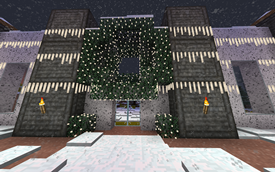
Exotic Blocks is a work-in-progress building mod. The mod is still in early stages, with many new blocks and other features still to be added.
REI is recommended to see recipea.
In version for 1.14 and 1.15 it requires Exotic Matter Library. Starting with 1.16, XM is included and you do not need to download it.
Mod ID and block names changed starting in the 1.16 version; Existing pre-1.16 worlds should convert, but please back up your world before trying and log an issue if you have problems.
Connected glass and stained glass blocks. * Crafted 1:1 from regular glass blocks and also crafted back.
Project description from CurseForge.
Pick your setup
Choose the version and loader you play, then open the matching release.
Showing the newest 12 of 18 game versions. Older files are in the list below.
Check the dependencies, then try the file in a copied instance before changing a world you care about.
Recent files
7 Dec 2022
19 Sept 2022
8 Jul 2022
18 Jun 2022
10 Jun 2022
4 Jun 2022
9 Jan 2022
24 Jul 2021
30 Jun 2021
3 Jun 2021
31 May 2021
29 May 2021
Looking for an older file? The official CurseForge project page is in Resources.
 mod
an action-packed Jujutsu Kaisen Minecraft mod featuring enhanced combat, cinematic cursed techniques and Domain Expansions, powerful cursed spirits and bosses, immersive quests, and an RPG progression system with dungeons, XP, leveling, and loot.
 mod
This mod turns boring tooltips into awesome RPG ones, with automatic support for other mods.
 mod
A small client mod that adds first-person rendering of armour on the hand