Minecraft version
Back to mods 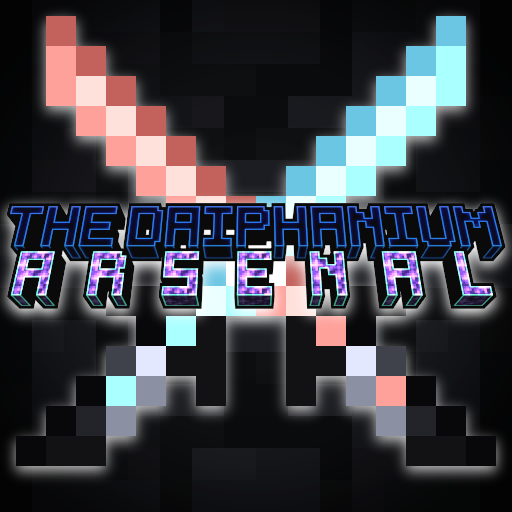
CurseForge · Minecraft mod
The Daiphanium Arsenal
Unleash the power of one of the most powerful materials in the reality!
Choose a version Pick your version below, then grab the matching file.
Quick answer
Which The Daiphanium Arsenal release should I use?
Latest stable file v2.2.1
Game version 1.12.2
Loader Forge
The Daiphanium Arsenal v2.2.1 targets 1.12.2 with Forge. The project page does not say whether this file belongs on the client, dedicated server, or both. No extra mods listed for this file.
Where it goes
Is The Daiphanium Arsenal required on the client, server, or both?
The project page does not say whether this file belongs on the client, dedicated server, or both.
Client Source doesn’t say
Dedicated server Source doesn’t say
Loader for this release Forge
Required install it here Optional supported, not mandatory Not supported do not install here Source doesn’t say do not assume
The source does not explicitly classify this release as client-only or server-only.
What else does The Daiphanium Arsenal v2.2.1 need?
v2.2.1. Change the file and its required mods may change too.
This file does not list any required mods. Do not add a library just because a different file uses it.
This file does not list any required or optional mods.
Before you install it
Add The Daiphanium Arsenal without breaking your instance.
Built for The Daiphanium Arsenal v2.2.1. Pick another file and the loader, install side or required mods may change.
- 01
Stick to this file
Use v2.2.1. It targets 1.12.2 with Forge; another release may have different loader, side or dependency requirements.
- 02
Bring the mods it needs
This file does not list any required mods. Do not add a library just because a different file uses it.
- 03
Put it on the correct side
The project page does not say whether this file belongs on the client, dedicated server, or both.
- 04
Pick the file you checked
Use the “Get this file” button beside v2.2.1. It opens that exact file at the source.
About this project
What does The Daiphanium Arsenal add?

This mod adds in a new, extremely powerful material called "Daiphanium" (pronounced as "die-fain-ee-um") from my Blackout Reality. However, true to the original lore, this material is not mined from an ore, and instead is a synthetic material that must be created by combining many different materials. If it's needed, I can make and link a walkthrough video for the mod. Below is a list of the new blocks, items, weapons, tools, and armor you can acquire with the mod.
Want to check out my YouTube channel? Click here!
NEW BLOCKS
Scoria
Scoria Bricks
Chiseled Scoria
Indarium Ore
Indarium Block
Indarium Bricks
Chiseled Indarium
Indarium Lantern
Daiphanium Block (with dyed variants)
Daiphanium Bricks (with dyed variants)
Daiphanium Tiles (with dyed variants)
Daiphanium Pillar (with dyed variants)
Daiphanium Lantern (with dyed variants)
NEW ITEMS
Scoria Shard
Indarium Crystal
Unstable Daiphanium
Daiphanium Ingot
Daiphanium Rod
Redstone Wire
Redstone Circuit
Gold Wire
Cloaking Circuit
Cloaking Core
Lasercore (in 15 dye colors)
Sponge
NEW WEAPONS & TOOLS
Laserblade (in 15 dye colors)
Lasersickle (in 15 dye colors)
Laseraxe (in 15 dye colors)
Laserspear (in 15 dye colors)
Laserscythe (in 15 dye colors)
Laserdagger (in 15 dye colors)
NEW ARMOR
Indarium Armor
Daiphanium Armor (in 15 dye colors)
Cloaked Daiphanium Armor (invisible when worn by the player)
NOTE: This was created using MCreator
Project description from CurseForge.
Pick your setup
The Daiphanium Arsenal by Minecraft version and loader
Choose the version and loader you play, then open the matching release.
Check the dependencies, then try the file in a copied instance before changing a world you care about.
Recent files
The Daiphanium Arsenal versions and loaders
v2.2.1
the-daiphanium-arsenal-v2.2.1-(1.12.2).jar
10 Feb 2025
Client Source doesn’t say Server Source doesn’t say Dependencies No extras listed Listed on Release listing
Check the 1.12.2 · Forge setup Forge1.12.2 release
v2.2
the_daiphanium-arsenal-v2.2-(1.12.2).jar
18 Jan 2025
Client Source doesn’t say Server Source doesn’t say Dependencies No extras listed Listed on Release listing
Check the 1.12.2 · Forge setup Forge1.12.2 release
v2.1.1
the_daiphanium-arsenal-v2.1.1-(1.12.2).jar
5 Apr 2024
Client Source doesn’t say Server Source doesn’t say Dependencies No extras listed Listed on Release listing
Check the 1.12.2 · Forge setup Forge1.12.2 release
v2.1
the_daiphanium-arsenal-v2.1-(1.12.2).jar
24 Mar 2024
Client Source doesn’t say Server Source doesn’t say Dependencies No extras listed Listed on Release listing
Check the 1.12.2 · Forge setup Forge1.12.2 release
v2.0.1
the_daiphanium-arsenal-v2.0.1-(1.12.2).jar
8 Mar 2024
Client Source doesn’t say Server Source doesn’t say Dependencies No extras listed Listed on Release listing
Check the 1.12.2 · Forge setup Forge1.12.2 release
v2.0
the_daiphanium-arsenal-v2.0-(1.12.2).jar
8 Mar 2024
Client Source doesn’t say Server Source doesn’t say Dependencies No extras listed Listed on Release listing
Check the 1.12.2 · Forge setup Forge1.12.2 release
v1.1
1.1-daiphanium-mod-client.jar
4 Oct 2019
Client Source doesn’t say Server Source doesn’t say Dependencies No extras listed Listed on Release listing
Check the 1.12.2 · Forge setup Forge1.12.2 release
v1.0.1
1.0.1-daiphanium-mod.jar
29 Sept 2019
Client Source doesn’t say Server Source doesn’t say Dependencies No extras listed Listed on Release listing
Check the 1.12.2 · Forge setup Forge1.12.2 release
v1.0
1.0-daiphanium-1.12.2-mod.jar
8 Sept 2019
Client Source doesn’t say Server Source doesn’t say Dependencies No extras listed Listed on Release listing
Check the 1.12.2 · Forge setup Forge1.12.2 release
Looking for an older file? The official CurseForge project page is in Resources.
 mod
CurseForge · Minecraft
Material Lib
A material library making it that much easier to add vanilla-style materials to Minecraft.
 mod
CurseForge · Minecraft
Cobblemon Multi Battle
3-in-1 Cobblemon mod: Player Gyms with clone trainers, Elo Ranked battles with spectating, and an in-game Team Builder. Each module can be disabled. Highly configurable with a full Admin tool.
 mod
CurseForge + Modrinth · Minecraft
More Villagers : Re-employed
Adds more villagers with new professions and workstations. Port of the original More Villagers mod.