Minecraft version
Back to mods 
CurseForge · Minecraft mod
Tabs4Survival
Create your own survival tab! The best way to access a gui !
Choose a version Pick your version below, then grab the matching file.
Quick answer
Which Tabs4Survival release should I use?
Latest stable file tabs4survival-1.14.4-1.0.0.jar
Game version 1.14.4
Loader Not required
tabs4survival-1.14.4-1.0.0.jar targets 1.14.4. The project page does not say whether this file belongs on the client, dedicated server, or both. No extra mods listed for this file.
Where it goes
Is Tabs4Survival required on the client, server, or both?
The project page does not say whether this file belongs on the client, dedicated server, or both.
Client Source doesn’t say
Dedicated server Source doesn’t say
Loader for this release No loader listed
Required install it here Optional supported, not mandatory Not supported do not install here Source doesn’t say do not assume
The source does not explicitly classify this release as client-only or server-only.
What else does tabs4survival-1.14.4-1.0.0.jar need?
tabs4survival-1.14.4-1.0.0.jar. Change the file and its required mods may change too.
This file does not list any required mods. Do not add a library just because a different file uses it.
This file does not list any required or optional mods.
Before you install it
Add Tabs4Survival without breaking your instance.
Built for tabs4survival-1.14.4-1.0.0.jar. Pick another file and the loader, install side or required mods may change.
- 01
Stick to this file
Use tabs4survival-1.14.4-1.0.0.jar. It targets 1.14.4; another release may have different loader, side or dependency requirements.
- 02
Bring the mods it needs
This file does not list any required mods. Do not add a library just because a different file uses it.
- 03
Put it on the correct side
The project page does not say whether this file belongs on the client, dedicated server, or both.
- 04
Pick the file you checked
Use the “Get this file” button beside tabs4survival-1.14.4-1.0.0.jar. It opens that exact file at the source.
About this project
What does Tabs4Survival add?
 Create your own survival tab! The best way to access a GUI!
This project isn't maintenaied anymore. If you want to UPDATE it, please contact me on DISCORD.
→ Features
→ Add tabs to the player survival inventory
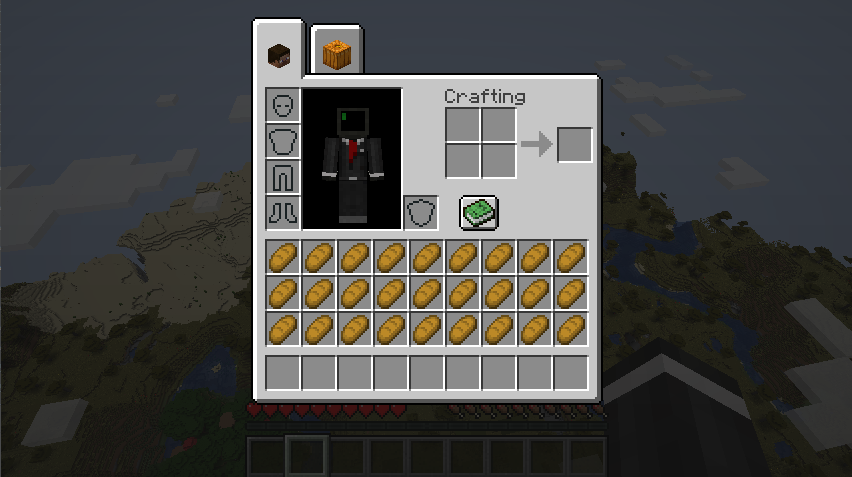
→ Make easier creation of new tabs for mod creator
→ Discord
I created a discord server in order to give help and chat. Feel free to join if you have any issue, any questions or any suggestions :

→ For Users
Just download the latest version (or the one required by your mod)
→ For Modders
Follow the tutorial on github : https://github.com/Denis3d/Tabs4Survival/wiki/Create-your-own-survival-tab
Contact me if you start a mod. I will be happy to see that people is using my mod ! (Discord : DenisDd#6912)
→ Misc
This mod take some inspiration from the tabs from Tinkers Construct in Minecraft 1.7.10
Can I use this mod in my mod pack / make a video on this mod ?
Yes, just remember to give credit and link back to the official download page, since they're the only links that are SAFE. You can use the mod freely, and put it in every modpack you want. You just need to put a link to this page, in the place where you tell people the mods in your modpack. If you make a video on this mod make sur to put a link to this page in the decription of the video.
Can I repack this mod in my own mod ?
No, you can't repack this mod inside your one because downloading the mod on this page is the only way I have to be rewarded for my work. You can uplaod a mod who use Tabs4Survival in curseforge but you need to add it as dependency. You can still contact me if you want to discute about that.
Project description from CurseForge.
Pick your setup
Tabs4Survival by Minecraft version and loader
Choose the version and loader you play, then open the matching release.
Check the dependencies, then try the file in a copied instance before changing a world you care about.
Recent files
Tabs4Survival versions and loaders
tabs4survival-1.14.4-1.0.0.jar
15 Sept 2019
Client Source doesn’t say Server Source doesn’t say Dependencies No extras listed Listed on Release listing
Check the 1.14.4 setup 1.14.4 release
Looking for an older file? The official CurseForge project page is in Resources.
 mod
CurseForge · Minecraft
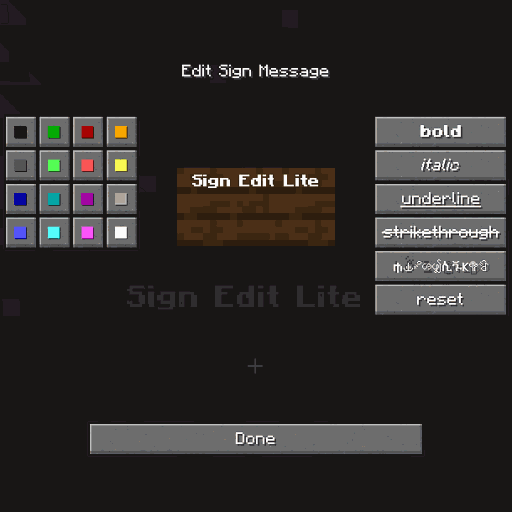
Sign Edit Lite
Add color and formatting options to signs.
 mod
CurseForge · Minecraft
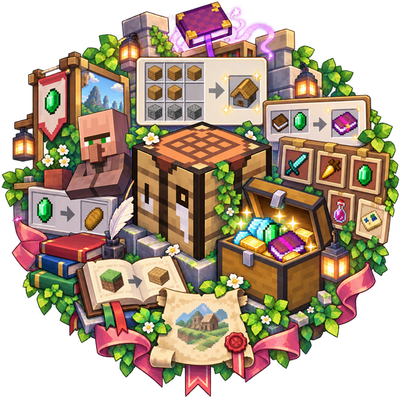
ContentStudio
A visual content-authoring environment for recipes, loot tables, villager and wandering-trader trades, and item tooltips. It is designed for modpack authors and server administrators who want to manage content without hand-editing every data file.
 mod
CurseForge · Minecraft
KineticCore
KineticCore is the foundation of the Kinetic mod family. It provides the shared API layer, module bootstrap system, unified configuration center